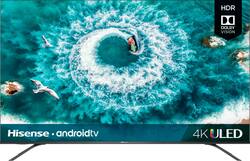
Hisense - 65" Class H8F Series LED 4K UHD Smart Android TV
Model: 65H8F
SKU: 6360623
This item is no longer available in new condition. See similar items below
Customers are delighted by the 65" Class H8F Series LED 4K UHD Smart Android TV's picture quality, price, and Android TV features. They appreciate the easy setup and the variety of smart features. However, some customers have expressed concerns about the TV's slow performance, remote control responsiveness, freezing issues, short lifespan, and interface.
The vast majority of our reviews come from verified purchases. Reviews from customers may include My Best Buy members, employees, and Tech Insider Network members (as tagged). Select reviewers may receive discounted products, promotional considerations or entries into drawings for honest, helpful reviews.
You can’t come close to a 4K Full-array backlit without getting in the $1K, not with this tv! With the current sale it $650 after taxes and at the price point and capabilities I’d like to see you find a better tv. I do tv installs and I had an older gentleman customer who wanted a good tv but not have to pay thousands of dollars for it and this one hit the spot! The 4K picture quality is excellent and the hdr10 and Dolby vision looks good too on Netflix. Of corse it has all the apps and uses android tv currently version 8.0.
Posted by Otterbox
I was a purchaser of Best Buy’s in-store brand of Insignia TVs in the past, and while they all served me well and still work great to this day, I decided on a different brand for my first 4K purchase. I’ve heard that the 4K resolution really begins to stand out with extra large TV sizes such as 60 inches and above. My last TV purchase was a 55”, so I wanted to get the next size up to make the new experience unique from my previous units. Still being a budget purchaser, I knew I didn’t have the means to spend thousands of dollars on a new TV. This narrowed down my search to the usual “budget category” of TVs, which, apart from Best Buy’s own Insignia, also includes brands like Hisense and TCL. After some more searching and comparing, Hisense’s units were more in line with my budget. Many of Hisense’s TVs also have their HDMI ports on the back left side, which I needed in my setup. I at first was aiming for the Hisense R7, as it was among the most cost competitive, and it had my preferred operating smart system of Roku. Unfortunately, the R7s, as well as its predecessor, the R6, quickly sold out before me knowing. This left me without much choice for a little while. Time was running short, and I knew I had to decide soon. Still wanting to be as informed as I can when it came to my first 4K TV, my searches took me to a site called rtings.com, where they give expert reviews on many electronic devices, namely among them, all sorts of HD TVs. They consistently mentioned the Hisense H8F and H9F models as the best in the budget category of 4K TVs. The H9F was the slightly more recent model, and so, it had a few more slightly more advanced features. But they still note the H8F as a perfectly fine cheaper alternative. Reconsidering all my options, budget, time remaining, and what I felt I needed from a 4K display, I finally decided on the 65” H8F. First, some notes on the unit’s size and physical parameters. 65” is quite large, and it is strongly recommended that one take their measurements and make the space preparations to accommodate a TV of such a size. Because of the new size and weight of such a large TV, it is also recommended that two people take part in its unboxing and setup. As I wanted to keep my purchase a secret from my family at first, I had to set it up all by myself. Although I was just barely able to set it up on my own, despite this unit being my largest and heaviest TV yet, I would say this is still very much a two person job. If you can get someone else to help you with unboxing and setting up an extra large TV, please do so. But if for any reason the 65” would still be too large for your intended space, the H8F is also available in the slightly smaller 55” and 50” versions, which are still considered in the large TV size category. The bezels on the top and sides of the H8F are also very thin and small compared to some other TVs. While this might make it look like you’re getting a little more screen space than you would otherwise, extra care should be taken when carrying and setting up the H8F, as one would not want to accidentally press on the screen and damage it, or detach it from its frames. The 65” H8F is unique amongst many extra-large TVs in that there are actually two different positions one can choose to screw in the legs: one pair closer to the far ends of the screen, and another pair closer to the center. Attaching the legs using the narrower positions allows the H8F to be stood on otherwise smaller stands that not many other very large TVs can do (although it might render the H8F just a tad bit wobblier, according to rtings.com). I don’t know how exactly far apart the H8F’s footprints would be if one used the closer together positions. I chose to use the further apart configuration, as I would not have room to place my other devices underneath. But when placing the legs further apart, I noticed the footprints are close to 51.25 inches from outer edge to outer edge of the feet. The picture quality with this unit is right on point, and colors are sharp, vivid, vibrant, and life-like. Everything is displayed perfectly with no missing pixels, or pixelated effects still seen on some big 1080p displays. There are varying picture modes intended for different uses, such as Standard, Energy Saving, Game, Theater Day, Theater Night, etc. It is suggested that one obviously uses the appropriate mode for whatever they will be doing, like Game mode for playing video games, and Theater Day/Night for watching movies. As a rather avid gamer myself, I can say that the H8F is an overall great TV for playing games on. I now also actually have both the Xbox One X and PlayStation 4 Pro, and both sets of games that are enhanced for their respective systems look and run really well on the H8F. It’s a big step up from playing on the regular Xbox One and regular PS4 on a 1080p. I never imagined games could look that good and run that well at the same time. Be sure to have the H8F’s Game mode activated as the choice for picture settings when playing games. It will reduce the input lag further and games should be even more responsive. I have not encountered any major issues while playing games on the H8F. Perhaps the only slight drawbacks when it comes to gaming on the H8F are that, according to rtings.com, the H8F does not possess more advanced gaming features such as FreeSync, or variable refresh rate, or Auto Low Latency Mode. The H8F’s HDMI ports are also actually still 2.0, not 2.1. I found this a little strange, as HDMI 2.1 came into existence in 2017, and the H8F was from 2019. But I’ve heard that actually few TVs right now at the time of this writing carry HDMI 2.1s (maybe because it’s still quite new and more expensive to implement on all TV models?). But HDMI 2.0 is still a step up also from HDMI 1.4, and all your current HDMI ready devices from now and the near future should still work well with the H8F. The H8F is also a great TV for watching movies, and I decided to get a few 4K versions of my favorite titles so I could compare resolution formats. But I felt it was a small and subtle difference between Blu-Rays and 4Ks, though. For me, the jump from Blu-Ray to 4K didn’t feel nearly as big as from DVD to Blu-Ray. Maybe since I was watching on a 4K display, the TV is trying to upscale lower content as best as it can, which is certainly not a bad thing. In fact, that is exactly what you would expect your 4K TV to do when playing lower content. That said, though, Blu-Rays are likely the next best thing one can get to 4K disks. Now upscaling to 4K is still not quite as good as native 4K. But if you don’t have any 4K movies yet, Blu-Rays still look really good even in this day and age where 4K is becoming more popular. Overall, the H8F upscales lower content quite well and displays native 4K content correctly and perfectly. There was something else I noticed amongst the picture settings while playing both my games and movies. There are actually two versions of the settings: the normal version for regular content, and an HDR version of the settings for HDR-compatible content. When you begin to play HDR content, it automatically switches to the HDR version of the settings. When you exit out of that HDR content, the settings return to their normal versions. I felt these were also really neat and convenient. Remember that one can always further fine tune the settings to their liking. Exact preferences will vary from person to person, as well as the suggestions made by one’s individual devices. Perhaps the only issue I might have had with the H8F’s picture is I noticed there appears to be slight blooming around some text messages. Instead of pure white letters then directly to a black background, it’s sort of more like white letters, a very dark grey halo around said letters, then black. But this was by no means a deal breaker for me. I cannot speak much on the H8F’s individual sound capabilities, as I already had a pair of speakers that I straight away attached to the H8F first thing. I do not know how the H8F would have sounded without them, but the audio quality from the H8F now coming through the speakers seems just fine. But if my past experiences with my other HD TVs were something to go by, they always seemed to sound even better with another external speaker of some kind connected to them, as opposed to relying on the unit’s own built-in speakers. I do not have much insight on the Android smart platform that the H8F is built with either. In fact, I actually chose to not connect my H8F to the internet, so I could try to keep it “non-smart”. (It was also in small part due to privacy concerns.) I did try connecting it wirelessly to the Internet once, just to test the connectivity, and everything about those seemed to work fine. But I promptly disconnected it from the Internet again. I do not use a majority of those smart TV features, and was mostly interested in the 4K resolution and HDR capabilities when it came to buying a 4K TV. The only streaming app I use often is YouTube, and I can easily do that through many of my other devices. I actually still even have my Roku Ultra from back in my Insignia days, and I could always easily connect it to this unit or any other HD TV. It might not be the very best 4K TV ever out there, but it should be able to do 90 something percent of what those bigger brand name models can do, and is available for a fraction of their price, making it much more easily accessible. At the time I purchased my unit, which was about $600 for the base price, plus taxes and a protection plan (which I highly recommend one also buys with it just in case), the H8F should run to around 600 to 700 something dollars. Not too bad, considering the capabilities it does have and what you can expect to be getting. I was just looking for a decently performing, budget 4K TV that gets the job done, and I think the H8F has allowed me to do just that.
Posted by varja2
I just bought a house and needed a new TV for my basement.. well... I didn't "need" one as I still have my high end 9 year old 55" LG, which all my other TVs are LG, but for my basement I wanted something new for sporting events and movies so I did a ton of research because I didn't want to spend a ton. I thought about going back to LG because I like them so much but didn't want to spend much more than what they offer at entry level TV's so I started reading about Hisense and some other brands as well and I kept coming back to Hisense. Their entry level TV's got really good reviews, but when I started reading about the H8F they were even better and the H9F even more so, but I didn't feel like spending 900 on a TV. So I went to Best Buy to check out the H8F. They had the 55" on display and when I saw the picture, I was sold. The sales rep tried to sell me on the TCL equivalent, but for 150 more, it totally wasn't worth it and the picture quality wasn't any better, IMO. They didn't have the 65" in stock but another Best Buy near had one left so I went and got and I'm glad I did!! This set easily out performs my old LG's that I have and they are still in near perfect condition and cost WAY more new than this did. Don't get me wrong, they're still great and they're still being used, but this one is easily the best. Love it!! It's bright and crisp and it's awesome in the dark. People complain about the sound but I think it's fine. If you're considering buying it.. DO IT!! YOU WONT REGRET IT!!!!
Posted by Fiscorelli