Customer Ratings & Reviews



- Model:
- 65H8F
- SKU:
- 6360623
Rating by feature
- Value
Rating 4.2 out of 5 stars
- Quality
Rating 4.1 out of 5 stars
- Ease of Use
Rating 4.0 out of 5 stars
Customers are saying
Customers are delighted by the 65" Class H8F Series LED 4K UHD Smart Android TV's picture quality, price, and Android TV features. They appreciate the easy setup and the variety of smart features. However, some customers have expressed concerns about the TV's slow performance, remote control responsiveness, freezing issues, short lifespan, and interface.
This summary was generated by AI based on customer reviews.
- Pros mentioned:Android tv, Picture quality
4K Full-array backlit tv for $650!!!
||Posted . Owned for 1 month when reviewed.This reviewer received promo considerations or sweepstakes entry for writing a review.You can’t come close to a 4K Full-array backlit without getting in the $1K, not with this tv! With the current sale it $650 after taxes and at the price point and capabilities I’d like to see you find a better tv. I do tv installs and I had an older gentleman customer who wanted a good tv but not have to pay thousands of dollars for it and this one hit the spot! The 4K picture quality is excellent and the hdr10 and Dolby vision looks good too on Netflix. Of corse it has all the apps and uses android tv currently version 8.0.
I would recommend this to a friend - Pros mentioned:Picture quality
A great budget, extra-large 4K TV!
||Posted . Owned for 1 month when reviewed.This reviewer received promo considerations or sweepstakes entry for writing a review.I was a purchaser of Best Buy’s in-store brand of Insignia TVs in the past, and while they all served me well and still work great to this day, I decided on a different brand for my first 4K purchase. I’ve heard that the 4K resolution really begins to stand out with extra large TV sizes such as 60 inches and above. My last TV purchase was a 55”, so I wanted to get the next size up to make the new experience unique from my previous units. Still being a budget purchaser, I knew I didn’t have the means to spend thousands of dollars on a new TV. This narrowed down my search to the usual “budget category” of TVs, which, apart from Best Buy’s own Insignia, also includes brands like Hisense and TCL. After some more searching and comparing, Hisense’s units were more in line with my budget. Many of Hisense’s TVs also have their HDMI ports on the back left side, which I needed in my setup. I at first was aiming for the Hisense R7, as it was among the most cost competitive, and it had my preferred operating smart system of Roku. Unfortunately, the R7s, as well as its predecessor, the R6, quickly sold out before me knowing. This left me without much choice for a little while. Time was running short, and I knew I had to decide soon. Still wanting to be as informed as I can when it came to my first 4K TV, my searches took me to a site called rtings.com, where they give expert reviews on many electronic devices, namely among them, all sorts of HD TVs. They consistently mentioned the Hisense H8F and H9F models as the best in the budget category of 4K TVs. The H9F was the slightly more recent model, and so, it had a few more slightly more advanced features. But they still note the H8F as a perfectly fine cheaper alternative. Reconsidering all my options, budget, time remaining, and what I felt I needed from a 4K display, I finally decided on the 65” H8F. First, some notes on the unit’s size and physical parameters. 65” is quite large, and it is strongly recommended that one take their measurements and make the space preparations to accommodate a TV of such a size. Because of the new size and weight of such a large TV, it is also recommended that two people take part in its unboxing and setup. As I wanted to keep my purchase a secret from my family at first, I had to set it up all by myself. Although I was just barely able to set it up on my own, despite this unit being my largest and heaviest TV yet, I would say this is still very much a two person job. If you can get someone else to help you with unboxing and setting up an extra large TV, please do so. But if for any reason the 65” would still be too large for your intended space, the H8F is also available in the slightly smaller 55” and 50” versions, which are still considered in the large TV size category. The bezels on the top and sides of the H8F are also very thin and small compared to some other TVs. While this might make it look like you’re getting a little more screen space than you would otherwise, extra care should be taken when carrying and setting up the H8F, as one would not want to accidentally press on the screen and damage it, or detach it from its frames. The 65” H8F is unique amongst many extra-large TVs in that there are actually two different positions one can choose to screw in the legs: one pair closer to the far ends of the screen, and another pair closer to the center. Attaching the legs using the narrower positions allows the H8F to be stood on otherwise smaller stands that not many other very large TVs can do (although it might render the H8F just a tad bit wobblier, according to rtings.com). I don’t know how exactly far apart the H8F’s footprints would be if one used the closer together positions. I chose to use the further apart configuration, as I would not have room to place my other devices underneath. But when placing the legs further apart, I noticed the footprints are close to 51.25 inches from outer edge to outer edge of the feet. The picture quality with this unit is right on point, and colors are sharp, vivid, vibrant, and life-like. Everything is displayed perfectly with no missing pixels, or pixelated effects still seen on some big 1080p displays. There are varying picture modes intended for different uses, such as Standard, Energy Saving, Game, Theater Day, Theater Night, etc. It is suggested that one obviously uses the appropriate mode for whatever they will be doing, like Game mode for playing video games, and Theater Day/Night for watching movies. As a rather avid gamer myself, I can say that the H8F is an overall great TV for playing games on. I now also actually have both the Xbox One X and PlayStation 4 Pro, and both sets of games that are enhanced for their respective systems look and run really well on the H8F. It’s a big step up from playing on the regular Xbox One and regular PS4 on a 1080p. I never imagined games could look that good and run that well at the same time. Be sure to have the H8F’s Game mode activated as the choice for picture settings when playing games. It will reduce the input lag further and games should be even more responsive. I have not encountered any major issues while playing games on the H8F. Perhaps the only slight drawbacks when it comes to gaming on the H8F are that, according to rtings.com, the H8F does not possess more advanced gaming features such as FreeSync, or variable refresh rate, or Auto Low Latency Mode. The H8F’s HDMI ports are also actually still 2.0, not 2.1. I found this a little strange, as HDMI 2.1 came into existence in 2017, and the H8F was from 2019. But I’ve heard that actually few TVs right now at the time of this writing carry HDMI 2.1s (maybe because it’s still quite new and more expensive to implement on all TV models?). But HDMI 2.0 is still a step up also from HDMI 1.4, and all your current HDMI ready devices from now and the near future should still work well with the H8F. The H8F is also a great TV for watching movies, and I decided to get a few 4K versions of my favorite titles so I could compare resolution formats. But I felt it was a small and subtle difference between Blu-Rays and 4Ks, though. For me, the jump from Blu-Ray to 4K didn’t feel nearly as big as from DVD to Blu-Ray. Maybe since I was watching on a 4K display, the TV is trying to upscale lower content as best as it can, which is certainly not a bad thing. In fact, that is exactly what you would expect your 4K TV to do when playing lower content. That said, though, Blu-Rays are likely the next best thing one can get to 4K disks. Now upscaling to 4K is still not quite as good as native 4K. But if you don’t have any 4K movies yet, Blu-Rays still look really good even in this day and age where 4K is becoming more popular. Overall, the H8F upscales lower content quite well and displays native 4K content correctly and perfectly. There was something else I noticed amongst the picture settings while playing both my games and movies. There are actually two versions of the settings: the normal version for regular content, and an HDR version of the settings for HDR-compatible content. When you begin to play HDR content, it automatically switches to the HDR version of the settings. When you exit out of that HDR content, the settings return to their normal versions. I felt these were also really neat and convenient. Remember that one can always further fine tune the settings to their liking. Exact preferences will vary from person to person, as well as the suggestions made by one’s individual devices. Perhaps the only issue I might have had with the H8F’s picture is I noticed there appears to be slight blooming around some text messages. Instead of pure white letters then directly to a black background, it’s sort of more like white letters, a very dark grey halo around said letters, then black. But this was by no means a deal breaker for me. I cannot speak much on the H8F’s individual sound capabilities, as I already had a pair of speakers that I straight away attached to the H8F first thing. I do not know how the H8F would have sounded without them, but the audio quality from the H8F now coming through the speakers seems just fine. But if my past experiences with my other HD TVs were something to go by, they always seemed to sound even better with another external speaker of some kind connected to them, as opposed to relying on the unit’s own built-in speakers. I do not have much insight on the Android smart platform that the H8F is built with either. In fact, I actually chose to not connect my H8F to the internet, so I could try to keep it “non-smart”. (It was also in small part due to privacy concerns.) I did try connecting it wirelessly to the Internet once, just to test the connectivity, and everything about those seemed to work fine. But I promptly disconnected it from the Internet again. I do not use a majority of those smart TV features, and was mostly interested in the 4K resolution and HDR capabilities when it came to buying a 4K TV. The only streaming app I use often is YouTube, and I can easily do that through many of my other devices. I actually still even have my Roku Ultra from back in my Insignia days, and I could always easily connect it to this unit or any other HD TV. It might not be the very best 4K TV ever out there, but it should be able to do 90 something percent of what those bigger brand name models can do, and is available for a fraction of their price, making it much more easily accessible. At the time I purchased my unit, which was about $600 for the base price, plus taxes and a protection plan (which I highly recommend one also buys with it just in case), the H8F should run to around 600 to 700 something dollars. Not too bad, considering the capabilities it does have and what you can expect to be getting. I was just looking for a decently performing, budget 4K TV that gets the job done, and I think the H8F has allowed me to do just that.
I would recommend this to a friend - Pros mentioned:Picture quality
Best bang for your buck!!!
||Posted . Owned for 1 month when reviewed.This reviewer received promo considerations or sweepstakes entry for writing a review.I just bought a house and needed a new TV for my basement.. well... I didn't "need" one as I still have my high end 9 year old 55" LG, which all my other TVs are LG, but for my basement I wanted something new for sporting events and movies so I did a ton of research because I didn't want to spend a ton. I thought about going back to LG because I like them so much but didn't want to spend much more than what they offer at entry level TV's so I started reading about Hisense and some other brands as well and I kept coming back to Hisense. Their entry level TV's got really good reviews, but when I started reading about the H8F they were even better and the H9F even more so, but I didn't feel like spending 900 on a TV. So I went to Best Buy to check out the H8F. They had the 55" on display and when I saw the picture, I was sold. The sales rep tried to sell me on the TCL equivalent, but for 150 more, it totally wasn't worth it and the picture quality wasn't any better, IMO. They didn't have the 65" in stock but another Best Buy near had one left so I went and got and I'm glad I did!! This set easily out performs my old LG's that I have and they are still in near perfect condition and cost WAY more new than this did. Don't get me wrong, they're still great and they're still being used, but this one is easily the best. Love it!! It's bright and crisp and it's awesome in the dark. People complain about the sound but I think it's fine. If you're considering buying it.. DO IT!! YOU WONT REGRET IT!!!!
I would recommend this to a friend - Pros mentioned:Picture quality
Very, very impressed with this TV
||Posted . Owned for less than 1 week when reviewed.This reviewer received promo considerations or sweepstakes entry for writing a review.This is my first Hisense TV. My last TV was a Google 2 tv 1080p. I have tried buying a tv in the past year and a half twice to replace and both times I was disappointed and return them one was a Samsung 6 series and the other a Visio P series and both were around $900. I bought this one because of the great price. I love this tv and it is way better than the other two. The sounds is great. The picture is also great. I would recommend it. Very happy with my first Hisense TV, great looking tv at a great price. It's a keeper.
I would recommend this to a friend - Pros mentioned:Picture quality
Best 65” value
||Posted . Owned for 3 weeks when reviewed.This reviewer received promo considerations or sweepstakes entry for writing a review.Before buying I compared the Hisense to Samsung and LG. Out of all the tests I reviewed on a TV Rting site, the Hisense out performed the brand names. Im glad I went went this TV, it has such a great value for the $600 I paid. I don’t really care for the Smart functionality, but I’m sure it is very useful to others. Paired with an Apple TV it is just so awesome!
I would recommend this to a friend - Pros mentioned:Picture quality
Great TV
||Posted . Owned for less than 1 week when reviewed.This reviewer received promo considerations or sweepstakes entry for writing a review.I have absolutely no complaints about this TV. Picture is extremely clear and the volume of the speakers is perfect. The smart TV features on the TV far exceeded my expectation!
I would recommend this to a friend - Pros mentioned:Picture quality
Overall it’s a good tv.
||Posted . Owned for 1 month when reviewed.This reviewer received promo considerations or sweepstakes entry for writing a review.The TV is big and good price. I know it’s not the best picture quality but it’s a good tv for the price. Google Software. They just need to fix some bugs. I’m happy with my purchase
I would recommend this to a friend - Pros mentioned:Android tv, Picture quality

A Much Better TV Than The Price Would Indicate
|Posted .This reviewer received promo considerations or sweepstakes entry for writing a review.I'll be honest here. I've never given much thought to Hisense TVs. I figured at best they were a discount brand. However, now I have to admit I didn't know enough to have that opinion. This Hisense 65 inch Android TV has a picture that rivals my old TV from a "major" brand. The picture is sharp, very bright, and the colors are extremely well balanced. Seriously awesome picture with this TV. What I really appreciate is that despite is price category the rather thin bezels that surround the screen. And speaking of the screen I cannot say enough good things about it. It's that good. There is no light bleed around the edges and viewing angles are wide with no appreciable color washouts until you are almost looking at it completely from the sides. There are a ton of picture options within the settings menu and the ones I've explored add to the viewing experience. The picture is excellent in well lit rooms or when the lights are dimmed. Sound from the built in speakers are awesome! They get really loud and remain clear with no distortion at all. This is my first time using an Android TV and so far I really like it. It's kind of neat controlling the TV using my Google Assistant enabled smart speakers or controlling my lights with my TV remote. Once you are signed in on the TV with your Google credentials you are off to the races. I've got my TV connected via Ethernet so I cannot speak to the quality of the Wi-Fi but so far I've not had any issues streaming content or downloading apps. The app ecosystem is rather well developed and other than not having an option for my Amazon Prime content there are no complaints there that are the fault of the TV. You have plenty of input options with 4 HDMI ports, one set of composite inputs, and a couple of USB ports and the coax input for cable. You will have room to expand you home theater experience. What surprised me was just how well the TV was packed into the box for shipping. It was well secured in the box and had no damage from the shipping process. My one complaint is the lag from the remote when access options in the settings or app menus. I think this is where some of the price savings come from in using a lower end CPU. It's not a deal breaker in my book but is noticeable and can distract from the experience. Given the low cost for a 65 inch TV of this above average quality then it's a compromise I can live with. Overall this is a great option if you're building a home theater on a budget.
I would recommend this to a friend - Pros mentioned:Picture quality
Great TV for the price!
||Posted . Owned for 1 month when reviewed.This reviewer received promo considerations or sweepstakes entry for writing a review.The size, the sound, the picture quality, all great for the price tag. My sales associate was helpful and knowledgeable. Overall, another great experience at Best Buy.
I would recommend this to a friend - Pros mentioned:Android tv, Picture quality
Great 65-inch TV!
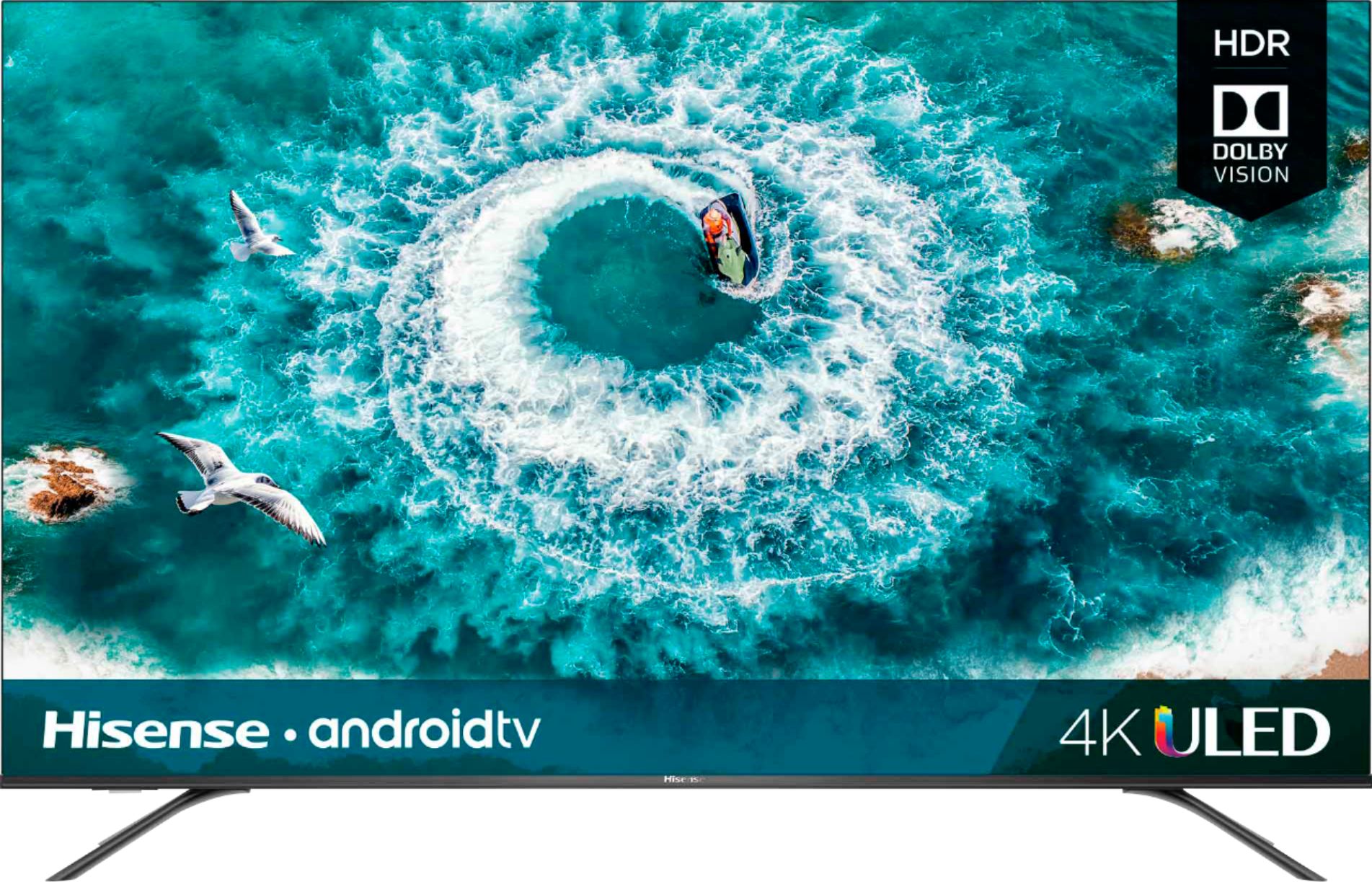
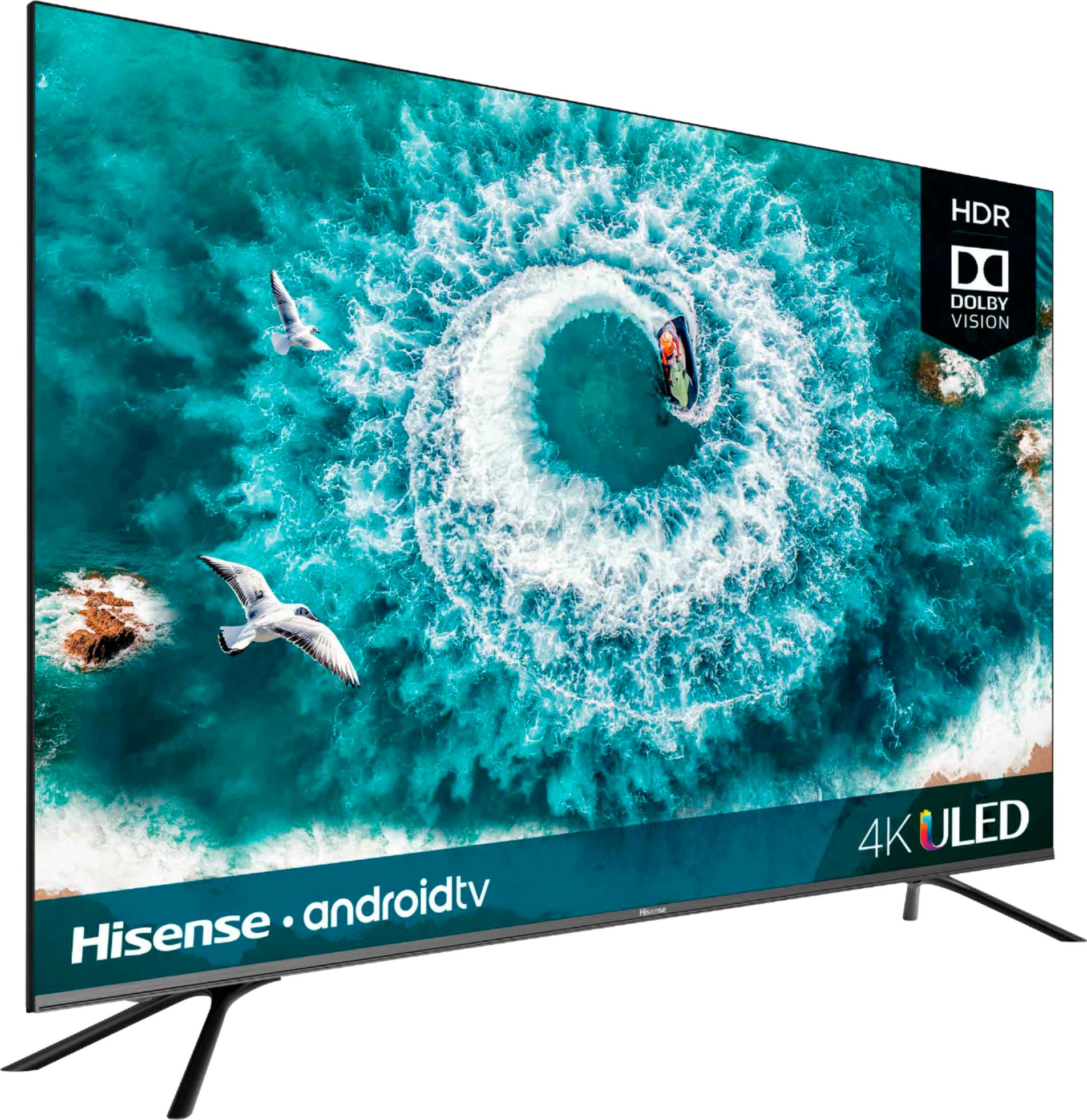
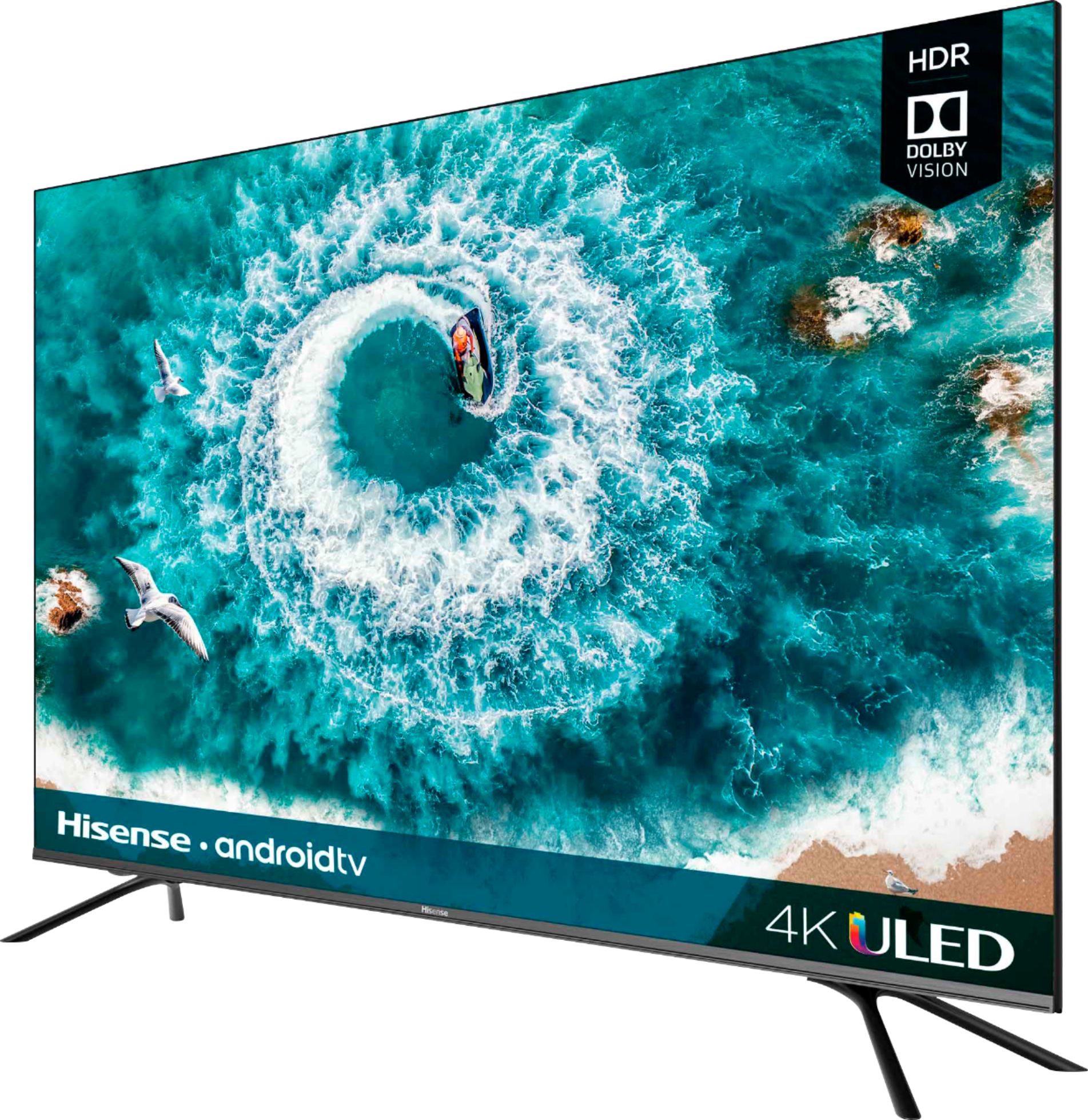
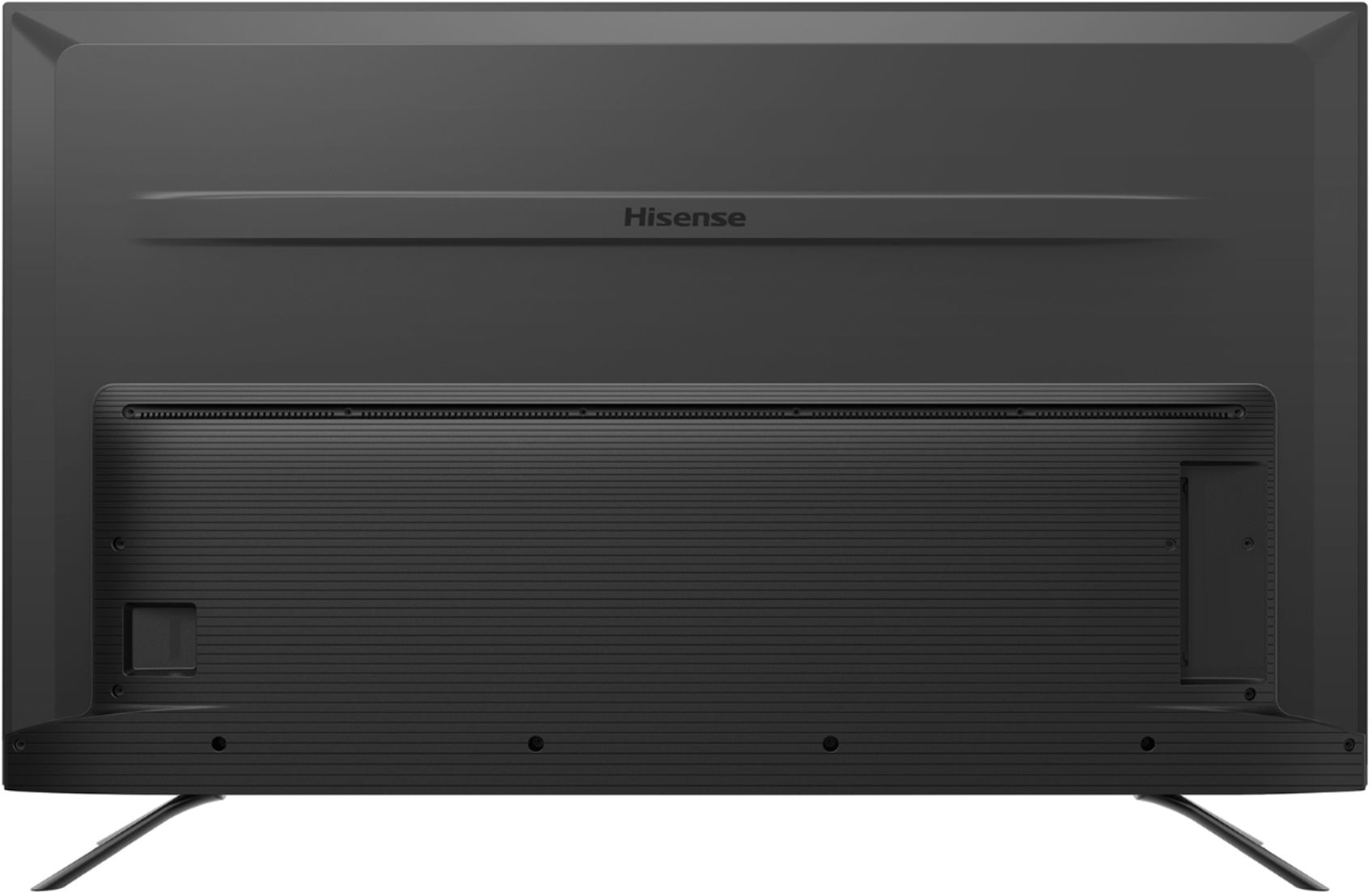
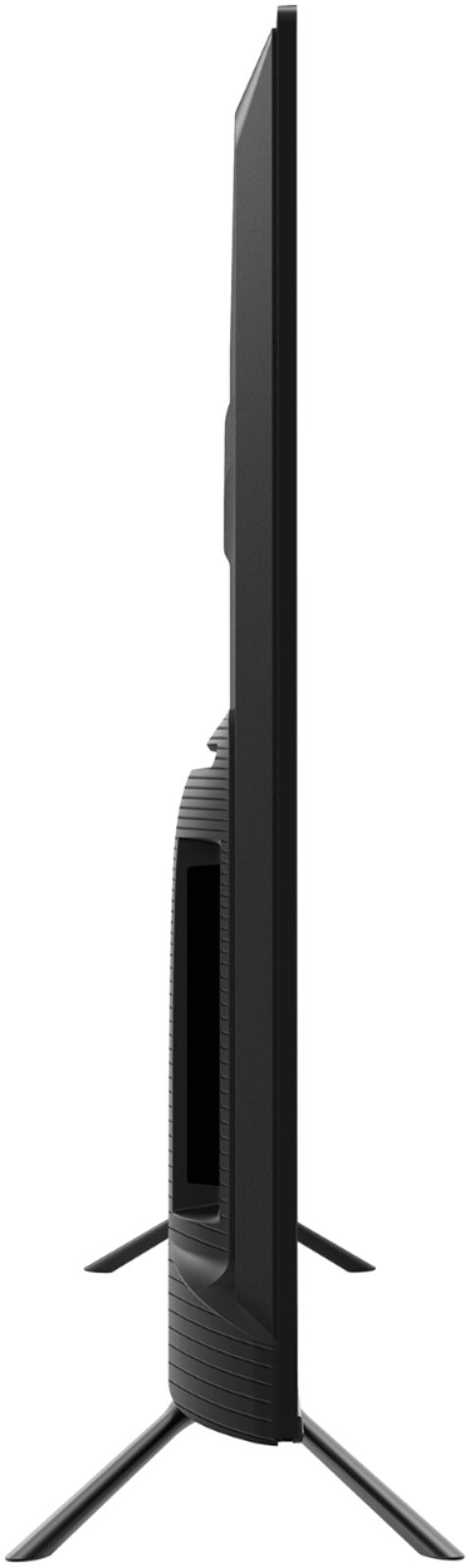
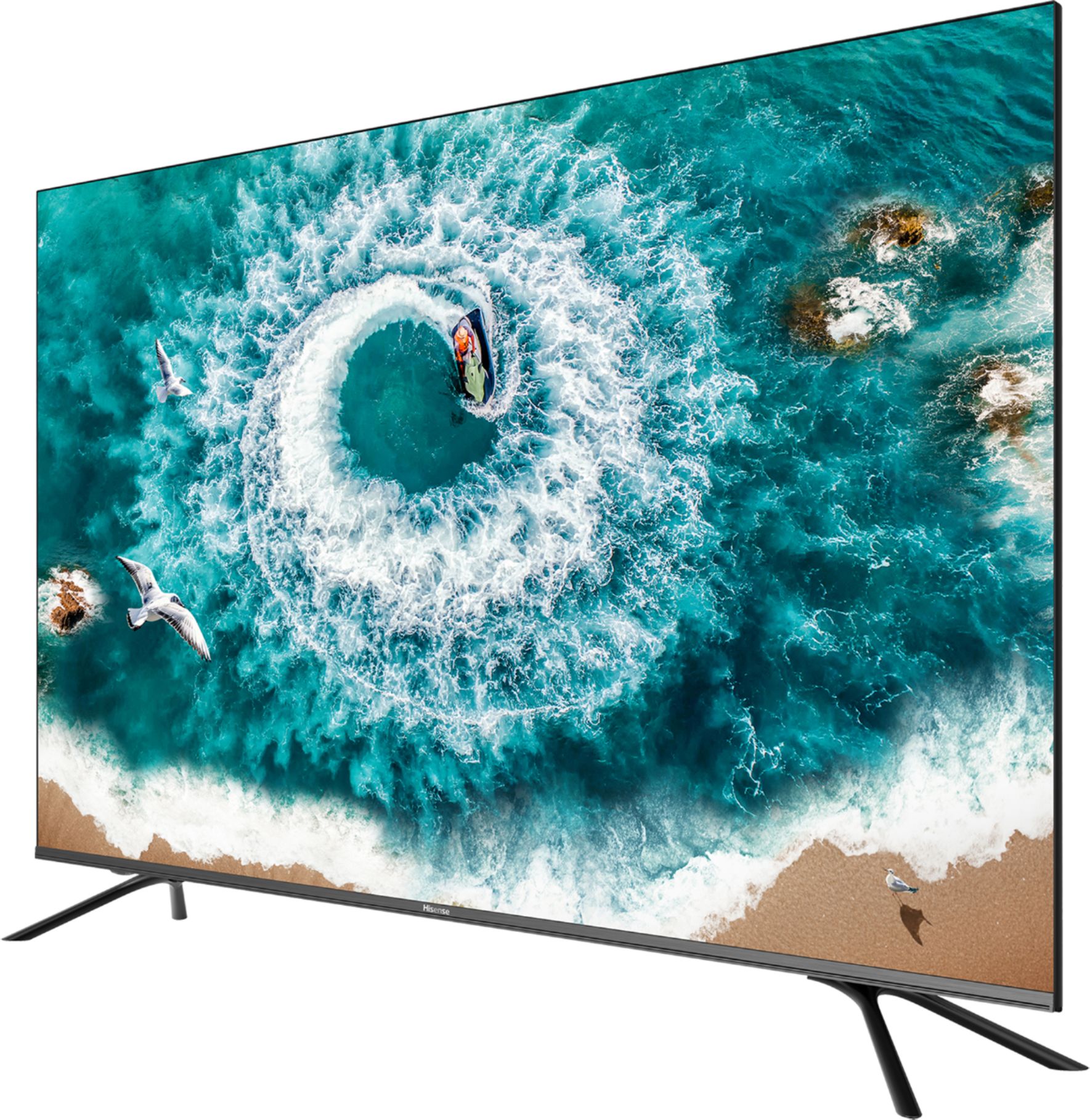
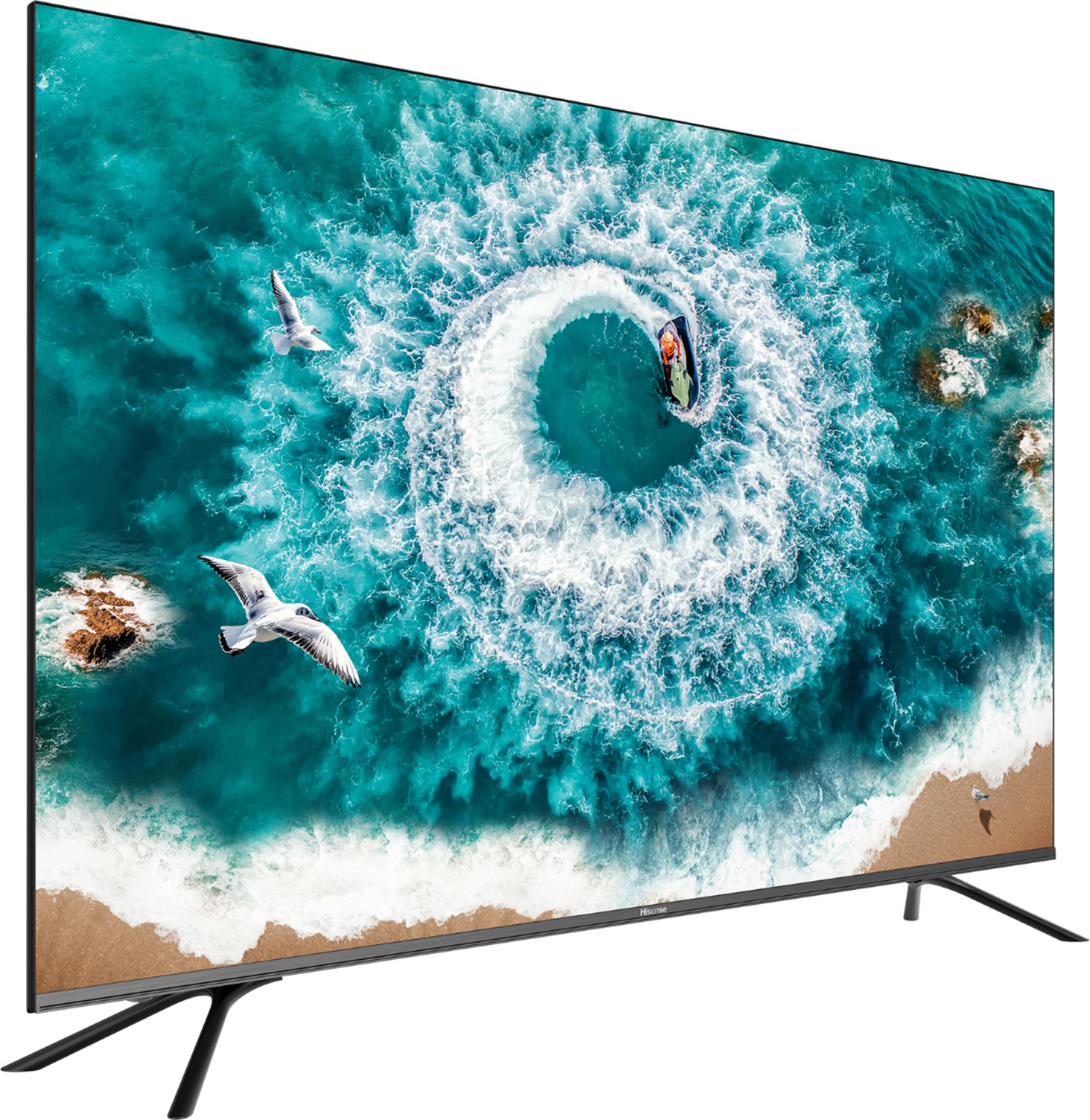
|Posted .This reviewer received promo considerations or sweepstakes entry for writing a review.The Hisense H8F series is one of two series released this year by Hisense the other being the more expensive Quantum Dot H9F series. This review focuses specifically on the 65” H8F model. The Hisense H8F is a sleek 65” flat-screen smart TV weighing in only at 44 lbs including the stands. It’s thin profile enables this to happen. And while for most thickness and weight are not major issues, for those wanting to mount their TV this would be a boon for them as reference, older 65” flat screens weigh in up to 75lbs. Another attribute of this TV is the almost invisible bezel it has making this model shine above in the looks department compared to other brands. The TV has a 60hz refresh rate and boasts a motion rate of 240 (more on that later. As for connectivity, the TV has four HDMI 2.0a inputs with the first one being ARC ready. It has also support for wireless a/b/g/n/ac and two USB ports. For older compatibility, it has an RCA port, antenna port, Ethernet, digital (optical) and analog outputs and an audio in port. There are no buttons on the TV save for the power button located below the IR port on the lower left side of the TV. Pretty much everything save power is exclusively controlled by the included remote. And if used via ARC with a sound bar and Blu-Ray player, the remote becomes a universal one. The smart features of this TV is run by Android TV which is different step for Hisense which usually use Roku TV. While the latter arguably maybe the most popular, this TV has the Oreo (v 8.0) of Android TV. The primary advantage of Android TV IMO is the wide gamut of apps available on Android as compared to other smart tv platforms. Also, it has Google Chromecast built-in. One thing to note though. While Amazon and Google have become “friends”, this TV does not support Prime Video which is arguably the only downside of Android TV. Now comes the gist of this TV. The Hisense from my more than a week of using this TV can compare with other branded TVs out there in its price range. And yes there are TVs out there including Hisense’s Tvs that are much cheaper, the H8 series is a cut above these TVs boasting of ULED technology have a wide gamut of colors available but still fall short to quantum dot enabled TVs selling at a much higher price. One of the key features of this TV is having controls similar to higher end 4k TVs. It has local or backlight dimming, motion enhancement and motion clearness so you can control the clarity of your TV whether or not you want the “soap opera” effect. The 240 motion rate here is not clearly defined but is described as motion enhancement which give you a selection of film, standard smooth and custom controls. Every TV brand his its own term for motion rate. And lastly, aside from the usual brightness and saturation settings, this model has a calibration option for those technically inclined. I am not an expert on this but settings included in discs that have a maximizer option indicate the TV is already optimized with the default settings. Note this TV is capable of handling Dolby Vision HDR and HD R10. And finally as for the sound, this TV like most TVs has no real impressive audio features. And while it has enhanced sound modes like dbx-tv, TotalSonic and TotalSurround, the two 15-watt speakers give little justice to these features. It’s best to use a sound bar or a complete home theater system to complement this TV. But then again, if you have a TV this big it’s fairly safe to say you are going to use a home theater system. One thing though, ARC setup may be flaky but it still works and can even have pass through Dolby Vision HDR/HDR 10 and Dolby Atmos/DTS-X. As far as this TV goes, this is a very capable one comparable to other brands at a much lower price point. I’d highly recommend this TV to others. And if this TV is too large for you, there are smaller versions of this TV which has either a 55” or 50” screen.
I would recommend this to a friend Great buy!
||Posted . Owned for less than 1 week when reviewed.This reviewer received promo considerations or sweepstakes entry for writing a review.1. The packaging is one of the things I look for when it comes to electronics because if the packaging is damaged its possible the equipment is damaged in some kind of way per my experience. 2. The tv is running with the high end tvs in this realm. 3. The tv is slim I'm not a name brand guy it's always about the tech in a product because most tvs nowadays are licensing the tech such as 4k,Dolby vision, dolby atmos etc. So its price point and features when I buy anything. And the fact you get all of the above tech and more for the size and price it was a no brainer for me enjoy!
I would recommend this to a friendGood mid range tv.
||Posted .This reviewer received promo considerations or sweepstakes entry for writing a review.Good mid range tv. Nothing special but will do good for everyday use. Android operating system needs major bug fixes!!! Vizio m series would probably be a better option for most!!!
I would recommend this to a friendAwesome tv!
||Posted . Owned for 3 weeks when reviewed.This reviewer received promo considerations or sweepstakes entry for writing a review.Love the TV, it's very similar to my Samsung ks8500 (2016 TV) for half the price. Good viewing angles, low input lag while in game mode for my ps4 pro, switch, and sometimes my gaming computer. Definitely recommend this TV! Also I don't have the flicker issue while gaming, as some others have gotten.
I would recommend this to a friend- Pros mentioned:Picture quality
Good TV for the right price with good features
|Posted .This reviewer received promo considerations or sweepstakes entry for writing a review.I was expecting this TV to be just a cheap TV with no features but I'm actually surprised about the Hisense packs many features and good looking picture and audio quality. The TV looks sleek and modern. Hisense really listened to the current trend of small and slim bezels. Let's start of with the basics, unpacking this thing was pretty straight forward. Life hack: for those of you who don't have much experience with buying big TVs make sure you unlock the tabs at the bottom and pull off the the cover rather than going the hard round of cutting up the box. IMPORTANT, Hisense give you a little starter guide that tell you not to put any pressure on the screen so make sure you pull out the TV with the bag that in comes in. Use the bag as a handle so you're not damaging your TV. Setup: After you get your TV out of the box, you'll need to get the stand on. The stands are labeled "L" for left and "R" for right. On the bottom of the TV there are 2 sets of holes where you can put your stands, wide and narrow setup. Make sure you match the Left stand with the corresponding "L" holes and same with the right side. When you first plug in your TV you'll need to make sure to update to the latest firmware, I plugged in the TV and was pretty disappointed, It was slow and the color wasn't what I was used to. After about 30 of it updating the firmware the TV really started to perform. The sound feed back for command is pretty annoying so I had to turn down the volume on that. After the updates the TV was up and running smoothly. Hisense puts in a lot of useful features I didn't expect from a low priced TV. One feature is that it has the Google assistant on the remote itself. This saves so much time especially when you don't want to scroll through the letter while punching in what you're looking for. With Google Assistant, you can hit the google button and just tell the TV what you want to do. "Play music" it bring up your choice of music app, "launch Youtube" it brings up Youtube without you going to the menus one screen at a time. I'm use to this on my appleTV and was pleasantly surprised this worked much better. Another feature it has is bluetooth! Do you know what this means? Wireless surround sound!!! You can pair this with your bluetooth speakers or soundbar and get a real theater experience. I also like that this was a truly smart TV, I plugged in my appleTV and was surprised I could control it with the Hisense remote. Hisense really put some thought in to this product. In conclusion, I'm really happy with what Hisense is offering in the H8F series TV. They pack some really good useful features and make it convenient for the user for the best TV experience. I'd recommend this for anyone looking for a good but affordable TV.
I would recommend this to a friend - Pros mentioned:Picture qualityCons mentioned:Interface, Remote control
Ok, but not for me
||Posted . Owned for 2 weeks when reviewed.This reviewer received promo considerations or sweepstakes entry for writing a review.I had this TV for about a week and took it back. The picture was fantastic, I must say, but that was the only thing good about this TV, for me. I had a Samsung and wanted another one but the Best Buy guys wouldn’t even show me those and I wound up listening to them and buying this one. The following were deal killers for me: 1. Interface - constantly had to keep removing and reordering the apps on the home screen. Very irritating. I am definitely not a google/android fan but man, when I remove an app from my home screen, I only want to do it once. 2. Remote would not control my Directv Genie, has to use multiple remote or buy something like a Harmony 3. Kept trying to connect to a WiFi network even though I had a CAT5 Ethernet connected. 4. By far the most irritating thing, I had to restart the TV twice in the week I had it because I would bring up Netflix, Hulu, etc, log in and select a profile and it would just time out. I wound up taking it back and the Best Buy guys kept trying to steer me to an LG and a Sony, but would not talk to me about a Samsung. I have no idea why the angst towards Samsung. Anyway, I wound up just getting a refund and went elsewhere, bought a Samsung like I wanted anyway, and it worked right out of the box.
No, I would not recommend this to a friendBrand response from HisenseProductExpert
Posted .Thank you for your interest in the Hisense 65H8F and for taking the time to provide us with a feedback about having to reinstalling your apps on the home screen, as well as the apps timing out and having to restart your television each time it does it, in regards to the television reconnecting to WiFi, However the internet speed or bandwidth needs to be 2.5 for it to operate smoothly. Unfortunately the television remote is unable to control your DirectTv box. We take pride in making sure we produce high-quality, reliable televisions and apologize that you didn't have the positive customer experience that we strive to consistently deliver. Regrettably you had to return the television, but if you choose Hisense in the future please reach out directly to our support team at 1-888-935-8880 or email us at [email protected]. so we can find the appropriate solution. We look forward to hearing from you!
Harley with the Hisense Support Team
- Pros mentioned:Android tv, Picture quality
Best 65" TV at this price point
||Posted . Owned for 6 months when reviewed.This reviewer received promo considerations or sweepstakes entry for writing a review.If price was no issue, I'd go for quantum dot, etc. that are found in $1,000+ TVs. However, for $599 (sale price that seems to be on all the time), you can't go wrong with the Hisense H8F. Picture quality great, and HDR functions quite well for programming that supports it. The Mandalorian came out right when I bought this, and I compared it on this TV in HDR vs my old TV in plain HD, the difference was quite noticeable. Sound quality is about as lousy as you'd expect for a super-thin TV, but we all use external sound systems anyway. I love the Android TV interface. I used to use a Fire Stick, and this is so much better. I was also able to download a button-mapping app from the Google Play store so that I could make the buttons do what I want. For example, clicking the YouTube button once now launches YouTubeTV app (since that our most-often used app), and pushing it twice quickly launches the traditional YouTube app. The only complaint is that some apps, most especially YouTubeTV, can occasionally be slow to load, especially when first turning the TV on.
I would recommend this to a friend - Pros mentioned:Android tv, Picture quality
Decent TV, though below average upscaling
||Posted . Owned for 7 months when reviewed.This reviewer received promo considerations or sweepstakes entry for writing a review.I replaced my current living room TV from a 55" Series 6 Samsung TV for this one. The Samsung TV was good, however it lacks a lot of features and wanted to upgrade to a bigger TV. There had been good reviews for this TV and it had not disappoint me when it comes to the quality. The size difference makes it also a little more immersive. Unfortunately, upscaling is not as good as I thought it'd be. Our international channel only provides up to 720p resolution. I'm not sure if the reason of the degraded quality was because we were watching it on a smaller-sized TV, or because Samsung's upscaling is superior, but it really sucked. Any attempt to make it better didn't work out, and it really is disappointing to watch the upscaled version with lots of artifacts. Asides from that however, watching movies on it is superb, way more "colorful" compared to the previous TV. Having an Android TV is superb. Easy to navigate, easy download of apps and having a mic on the remote allows me to just say what I want to search on the TV makes it a lot more convenient. Overall, this improved my viewing experience, though I'm going to have to shell out additional money for a better upscaler.
I would recommend this to a friend - Pros mentioned:Android tv, Color, Picture quality
Enough TV for most people
||Posted . Owned for 7 months when reviewed.This reviewer received promo considerations or sweepstakes entry for writing a review.Had a previous generation Hisense H8 and purchased this new model for the living room. Picture is amazing and an excellent value for the price. At one time I really wanted an OLED, however after comparing this TV to my friends it’s just not worth the price difference. Blacks are really good and the colors pop. Android TV is a major improvement over the previous OS. It offers tons of versatility and apps to choose from. It had froze up once or twice and can be kinda slow sometimes but that’s sorta the nature of android. Probably will go with Hisense again in the future. You’ll probably want a sound bar or home theater.
I would recommend this to a friend - Pros mentioned:Android tv, Picture quality
Awesome budget tv!
||Posted . Owned for less than 1 week when reviewed.This reviewer received promo considerations or sweepstakes entry for writing a review.I bought this TV after returning a Vizio M series Quantum dot TV, had to keep factory resetting the TV. I Compared the two on rtings.com and saw that they are very similar with a slight edge to Vizio for picture and color quality. But, the game changer was android tv on the Hisense. Android tv is smooth and works. I am kind of bummed that both Best Buys I went to tried to push more expensive Sony's on me even after telling them it wasn't in the budget. One guy told me to save up for a better one... I'm just fine with the Hisense thank you.
I would recommend this to a friend - Pros mentioned:Picture qualityCons mentioned:Software
Decent TV for the Price
||Posted . Owned for 5 months when reviewed.This reviewer received promo considerations or sweepstakes entry for writing a review.I bought this TV to help get me through the pandemic. 5 months later, I’m really enjoying it! (The TV, not the pandemic) Pros: The picture looks great. It’s a great deal for the price I paid ($550). The sound on it is actually pretty decent. I ended up getting a sound bar later, but I had no complaints about it. Cons: The colors sometimes look a little off and may need some adjustment out of the box. I recommend heading to the rtings color adjustment for this tv. The TV let’s off a lot of heat when in use. The TV software can be slow and buggy. I bought a 4K Roku when I got the TV, so I never use the TV software.
I would recommend this to a friend