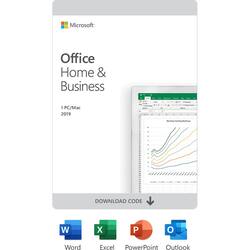
Microsoft - Office Home & Business 2019 (1 Device) - Mac OS, Windows [Digital]
Model: T5D-03190
SKU: 6402559
This item is no longer available in new condition. See similar items below
The vast majority of our reviews come from verified purchases. Reviews from customers may include My Best Buy members, employees, and Tech Insider Network members (as tagged). Select reviewers may receive discounted products, promotional considerations or entries into drawings for honest, helpful reviews.
Before I received this newest version of Microsoft Office, I had been previously using a much older version of Microsoft Word, of which I mainly used Microsoft Word for typing and editing basically anything. I would regularly prepare e-mails in Word and then copy and paste the edited e-mails into the online Outlook e-mail service before sending the e-mail. Now that I have the Outlook desktop program, when creating a new e-mail in Outlook, it has all of the basics that Word has, and so it is now possible to do the typing and editing of e-mails all in the Outlook program. I was mostly anticipating being able to use Outlook for desktop so that I could test out how well incoming e-mails would sound an audible notification on my desktop, that way when I received an e-mail, I would know as soon as possible. I had previously been relying upon the Android Outlook app for e-mail notifications, but Outlook for Android does not have push notifications, it only has the option of transferring e-mail notifications to my smartphone every 15 minutes. Now with Outlook for desktop, push notifications are now possible, and now when I receive an e-mail, I receive a notification on my Windows desktop very quickly after an e-mail arrives. At the top of the Outlook app, there is a button that says get add-ins. This allows you to choose from a whole lot of add-ins that can be added to the Microsoft Outlook program. My favorite add-in is for some reason not included in the list of add-ins showing in the Outlook program, it is necessary to do a Google search for the words: Dictate for Microsoft Office, then look for the option that says Microsoft Garage, and this will take you to the Microsoft website where you can download the Dictate add-in. The Dictate add-in adds the speech to text functionality to the Microsoft Office programs. https://www.microsoft.com/en-us/garage/profiles/dictate/ The Outlook app is for some reason not optimized very well when it is first installed and opened, it by default displays the texts of the e-mails kinda small, and it is sort of a process to increase the size of the text so that the e-mails appear big enough to be seen easily. But at least it is possible to increase the text size so that e-mails are easier to view. It is even possible to set it up so that e-mails from certain senders will appear in a chosen color of text. If I had not found the option of increasing the size of the text, it would have been a real hassle trying to read e-mails with small text. If Microsoft could make the text size a bit bigger by default in the Outlook program, then this would be better. The Outlook e-mail app by default only synchronizes 3 months of e-mail history, and when I realized that I was not seeing some of my older e-mails that were showing in my Outlook.com account, I did a Google search and found a Microsoft customer service webpage, which allows putting in a request to be called back by the Microsoft tech support department. Here is the website address of which to request a call back from the Microsoft tech support: https://support.microsoft.com/en-us/contactus/office/ This website also allows the option to chat with a Microsoft tech support representative and ask questions about the functioning of any of the Microsoft Office programs. When Microsoft called me back, the tech support personnel quickly was able to help me with changing the setting of how many months of e-mails to synchronize, and so it is possible to switch to the option of synchronizing all e-mails from the past. This is another default which could be optimized, why not set the default so that all e-mails from the past are synchronized automatically, it seems like this might be a more commonly desired setting. The Microsoft website of: https://support.office.com/en-us/office-training-center has online training articles and videos which show the basic functioning of the office programs that are included with Microsoft Office Home and Business 2019. At first I had no luck playing the online training videos because of an incompatible browser, and I found out that the training videos cannot be viewed unless using the Microsoft Edge browser, or the Internet Explorer browser. At least the training videos are online for customers to access, as this allows some level of training for the included office programs. The Microsoft training website does say Office 365 Training Center, but I contacted Microsoft tech support and was told that the online training materials are valid for the desktop versions of the Microsoft Office programs. The online selection of Microsoft Office training material is pretty decent. I am not able to include many details of all of the programs that are included in Microsoft Office Home & Business 2019. There is so much that can be done with these Office programs, and I am not trained in Excel, Power Point, or One Note. I mainly have been testing the Microsoft Office programs that I already had a bit of practice using, which is Outlook and Word. One day I had downloaded a copy of my Google contacts, so that I could import my Google contacts list to my Outlook account, and I did notice that the contacts.csv file did have a Microsoft Excel icon on it, so I knew it could be edited in the Microsoft Excel program. Upon opening the contacts.csv document in Excel, it did allow me to easily add in any incomplete details of my contacts list. I think that any customer who has Microsoft Office Home and Business installed on their computer, would be benefitted if Microsoft would expand their online assortment of Office training videos and articles, so that customers could maximize their usage of the Microsoft Office programs. I feel as if this suite of Office programs has a varying value to customers, based upon how much a customer is able to accomplish with the Office programs. If a customer is lacking in knowing how to use the Office programs to the fullest, then the Office programs will naturally seem less valuable. To a customer who has a greater level of training using the Microsoft Office suite of programs, this person is naturally going value the Office programs more. Learning how to use the Office programs by watching training videos, is indeed a bit easier than pressing all the many available options for hours, trying to learn the hard way all of the various functionalities of the Office programs. It is easy to see why Microsoft Office is one of the most popular document creation and editing tools, as there is so much that can be accomplished having the Microsoft Office suite of programs, which could not be accomplished otherwise. I am rating Microsoft Office Home and Business at 4 out of 5 stars, and I would rate it better, if Microsoft were to add a more extensive collection of online training videos and articles, so that the lesser trained customers, could make better use of the Microsoft Office programs.
This review is from Microsoft - Office Home & Business 2019 (1 Device) (Product Key Card)
Posted by scovartwo
Excellent product to have, it works seamlessly and flawlessly!
Posted by John
I had Office Home & Business (2007) for years, which I really liked, due to Outlook for emails & Word for writing essays/novels/shorts. This is newer (not necessarily better), but you know what you're getting for the most part. The benefit with this version of Office is this isn’t a subscription, like 365. You get Office (2019) on one PC while it lasts. This is mostly a good thing, with some newer features over 2007 (& some missing), but I don’t like that in order to redeem this one is required to register the key through a Microsoft account. That makes what could’ve been a simple installation not so simple at all, especially if you want to start on a new PC with a local account through Spectrum or suchlike (not through Microsoft). Truly, it added a good hour and a half to a simple 20 minute job of starting on a new PC, which is why I didn't give this 5 Stars. However, other than that, this is the way to go if you don’t want to go through an always ongoing subscription service.
Posted by FreeRPGer
Customers highly value the ease of use, especially praising the user-friendly installation and navigation. The inclusion of Outlook, Excel, Word, and PowerPoint are frequently cited as key reasons for purchase, along with the overall value for the price. While some users experienced minor challenges with the installation process, many appreciate the one-time purchase option and the software's compatibility.