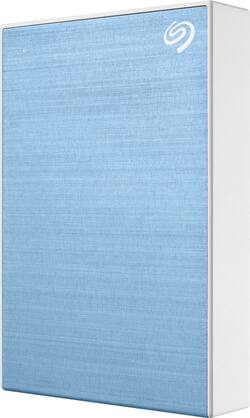
Seagate - Backup Plus 5TB External USB 3.0 Portable Hard Drive - Light Blue
Model: STHP5000402
SKU: 6335613
This item is no longer available in new condition. See similar items below
Customers are impressed with the Backup Plus 5TB External USB 3.0 Portable Hard Drive's massive storage capacity, ease of use, and compact size. Many appreciate its compatibility with various devices and the competitive price point. Positive feedback also highlights its quiet operation and seamless USB connectivity. Overall, the drive receives praise for its performance and value.
Bought this for my ps4 as I have a boatload of digital games. At first, some games would stutter a bit, but that issue quickly went away as I played more. Now, I don't know the difference between ps4 internal or this external hard drive.
This review is from Seagate - Backup Plus 5TB External USB 3.0 Portable Hard Drive - Red
Posted by Jeff
The Seagate Backup Plus Portable Hard drive – 5 TB is a compact and fast portable hard drive. It is a straightforward device that has several nice options that will be discussed in this review. We’ll step thought the features and usage impressions and then provide some pros and cons for this device. You can see a video version of this review at https://youtu.be/trKBwSr9SVo Feature-wise this drive is a hard disk drive (HDD) based portable storage. Using a hard drive helps the device have a $159.99 MSRP (as of this writing though the drive is priced at $117.99 at Best Buy). This device is a 5 TB drive that comes preformatted as a single exFAT partition with 4.54 TB available. The companion software, Seagate Toolkit, allows one to easily reformat to a native OS format should you only need it for one type of system (e.g. Windows and NTFS or Apple and MAC OS Extended (HFS+)). I have left this drive for the purposes of this review in the default exFAT configuration which is compatible with both window and MAC OS but is more sensitive to file loss/corruption if it is not ejected properly. Rounding out the features and offers, the device comes with a 1-year MyLio Create package which is a special Seagate drive package and a 2-month Adobe Creative Cloud Photography Plan. MyLio is an online photo repository that “organizes your photo memories into the story of your life. MyLio is changing the way the world remembers by making photo management simple. It helps you bring your photos together so you can easily find, edit, save and share them. At long last, a way to remember the photos that matter.” The drive itself is USB 3.0 / USB 2.0 compatible. The best speeds are of course achieved via USB 3.0. The drive comes with a USB 3.0 cable that is 1.5 feet long and has a type A connector on the computer end and a USB 3 Micro-B connector on the other end. This connector was most commonly used for Samsung Galaxy Smartphones. This too is likely a cost-containment issue – and could be improved via USB C with a USB type A Adapter – perhaps in a future edition, this will fully migrate to USB C. Usage of this device is straightforward – connect the cable to the drive and plug it in and voila it will appear as a drive. The drive on first use has a nice getting started application that asks you to complete the registration and download the Seagate toolkit software. In order to test the performance of this drive, I ran a simple copy test from the host computer to the drive. Each test consisted of ~ 6.7 GB in 1822 files and 215 folders. The drive was able to move this amount of data at an average speed of 90MB/s and took 1 minute 40 seconds to complete. Deleting the files was extremely fast at about 10 seconds to complete. Next, I configured a backup schedule for my computer and configured this to continuously backup from my Documents, Pictures, Videos, and Music folders. I then tested by adding and updating files to make sure it did back up as changes were saved and it did. Files in a backup setlist this are stored in a specific folder on the hard drive and a folder is created for the machine within that folder to help organize the files. A nice clean and easy approach. It even allows on to connect the drive to other machines and will then catch back up, per the schedule you have set up for that machine. This is nice in that one can create a backup routine and move the drive between machines to keep them backed up. Note that scheduled can be set up to be continuous (takes most resources) or hourly, daily, weekly, monthly or as a 1-time snapshot. Summary Overall the Seagate Backup Plus Portable Hard drive is a nice portable storage and backup solution that can be used as a part of your own personal data backup and storage solution. Since it’s a portable drive it can be used as a backup storage for pictures and other files with traveling or possibly using multiple machines. It has a complete set of features including the optional Adobe Creative Cloud Photography offer and the MyLio tool for 1 year for free. The included toolkit software (download from the Seagate site) is full-featured and is useful for backing up one’s files. While I find the Micro-B cable and the fact that this drive does not come with a carrying case to be points of future improvements overall this is a very good device. As for a carrying case, the size of this drive can make finding a case very easy – my wife found an old glucose test kit case of mine that the drive fits into very easily. Pros: Size, portability, ease of registration, toolkit software. Cons: Micro-B USB connector, No included carrying case.
Posted by dnottingham4
I need it an external hard drive for my PS4 so I tried this one seems to be working well Would recommend great price for 5tb can't go wrong
This review is from Seagate - Backup Plus 5TB External USB 3.0 Portable Hard Drive - Black
Posted by Gammer
The vast majority of our reviews come from verified purchases. Reviews from customers may include My Best Buy members, employees, and Tech Insider Network members (as tagged). Select reviewers may receive discounted products, promotional considerations or entries into drawings for honest, helpful reviews.