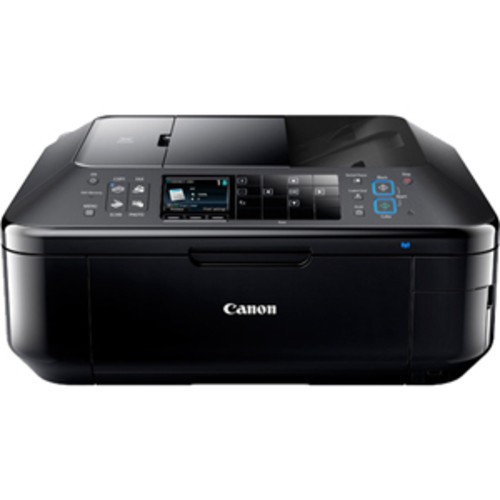

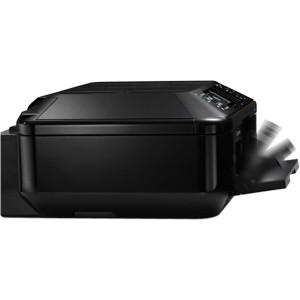
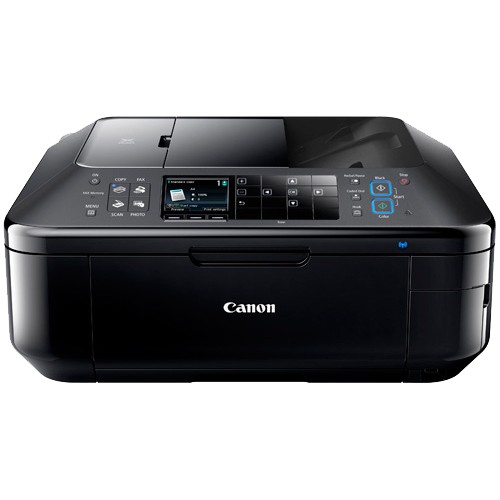
Canon - PIXMA MX892 Network-Ready Wireless All-In-One Printer
This item is no longer available in new condition.
See similar items below.
Description
Features
Fast print speeds up to 12.5 ipm* in black, up to 9.3 ipm* in color
Creates a borderless 4" x 6" photo-quality print in as little as 20 seconds.*
4-in-1 functionality
Prints, copies, scans and faxes for convenience.
Built-in wireless (802.11b/g/n) connectivity
For a simple Internet connection.
Color resolution up to 9600 x 2400 dpi
For crisp images.
Multiformat media reader
Supports Secure Digital, Secure Digital High Capacity, miniSD, miniSDHC, microSD, microSDHC, MultiMediaCard, MultiMediaCard Plus, Reduced-Size MultiMediaCard, CompactFlash and Microdrive formats.
Also supports Memory Stick, Memory Stick Duo, Memory Stick PRO, Memory Stick PRO Duo, Memory Stick Micro, xD-Picture Card, xD-Picture Card Type M and xD-Picture Card Type H formats.
Borderless printing
Lets you generate documents in 4" x 6", 5" x 7", 8" x 10", legal, letter and U.S. #10 envelope sizes for vivid prints.
AirPrint technology
Enables printing directly from your Apple® iPad®, iPhone® or iPod® touch.
PictBridge technology
Allows direct printing from compatible digital cameras, DV camcorders and mobile phones.
Copies up to 7.4 ipm* in color
To generate copies quickly.
Flatbed scanner
With 48-bit internal and 24-bit external color and 8.5" x 11.7" scan area for clear, clean copies. Scanning from the automatic document feeder (ADF) accommodates media up to 8.5" x 14".
High-speed fax with 33.6 Kbps modem and up to 250-page fax memory
To meet your office needs. Color faxing to and from color fax machines.
35-page document feeder
For unattended faxing, scanning and copying of multiple-page documents.
Auto Photo Fix II
Automatically categorizes each image and applies optimal image and exposure correction for vibrant prints.
USB 2.0 connectivity
For simple connection to your computer.
*Print speeds vary with use. See manufacturer for info on print speeds.
Apple, the Apple logo and iTunes are trademarks of Apple Computer, Inc., registered in the U.S. and other countries. iPod is a trademark of Apple Computer, Inc.
iPad is a trademark of Apple Inc., registered in the U.S. and other countries
What's Included
Canon PIXMA MX892 Network-Ready Wireless All-In-One Printer
PGI-225 black and CLI-226 black/cyan/magenta/yellow ink cartridges
Power cord, telephone line cable
Software CD-ROM, Printer driver, MP navigator EX, Easy-PhotoPrint EX and Easy-WebPrint EX software
Owner's manual
Other
- Assembly RequiredNo
- Energy Star CompatibleYes
- <a href="javascript:winopengld('1087340571468','pcmcat38200050027','cat12080')">Print Speed (B&W)</a>Up to 12.5 ipm (Print speeds vary with use. See manufacturer for info on print speeds.)
- <a href="javascript:winopengld('1087340571541','pcmcat38200050027','cat12080')">Print Speed (Color)</a>Up to 9.3 ipm (Print speeds vary with use. See manufacturer for info on print speeds.)
- Print Speed (Photo)4" x 6" photo in as little as 20 sec. (Print speeds vary with use. See manufacturer for info on print speeds.)
- <a href="javascript:winopengld('1087340571577','pcmcat38200050027','cat12080')">Black Printer Resolution</a>Up to 600 x 600 dpi
- <a href="javascript:winopengld('1087340571611','pcmcat38200050027','cat12080')">Color Printer Resolution</a>Up to 9600 x 2400 dpi
- <a href="javascript:winopengld('1087340571658','pcmcat38200050027','cat12080')">Media Types</a>Paper (plain, high-resolution, photo pro platinum, photo glossy, photo plus glossy II, photo plus semi-gloss, matte photo, Canon Photo Rag), U.S. #10 envelopes
- <a href="javascript:winopengld('1087340571708','pcmcat38200050027','cat12080')">Media Sizes</a>4" x 6", 5" x 7", 8" x 10", letter, legal, U.S. #10 envelopes
- <a href="javascript:winopengld('1087340571743','pcmcat38200050027','cat12080')">Input Paper Capacity</a>Up to 35 sheets
- <a href="javascript:winopengld('1087340571851','pcmcat38200050027','cat12080')">Type of Interface</a>USB
- <a href="javascript:winopengld('1087340572115','pcmcat38200050027','cat12080')">Total Ink Tanks/Cartridge</a>1 black, 1 color (included)
- <a href="javascript:winopengld('1087340572232','pcmcat38200050027','cat12080')">Drop Size</a>1, 2 and 5 picoliters
- <a href="javascript:winopengld('1087340572271','pcmcat38200050027','cat12080')">Print Quality</a>For photos and documents
- PC-Free PrintingYes
- Two-Sided PrinterYes
- <a href="javascript:winopengld('1087340809392','pcmcat38200050027','cat12080')">Total Print Heads</a>1
- <a href="javascript:winopengld('1087340809515','pcmcat38200050027','cat12080')">Networking Capabilities</a>Wireless LAN (802.11b/g/n); Ethernet
- <a href="javascript:winopengld('1087340809619','pcmcat38200050027','cat12080')">Scanner Resolution (dpi)</a>Up to 2400 x 4800 dpi optical; up to 19,200 x 19,200 dpi interpolated
- <a href="javascript:winopengld('1087340809653','pcmcat38200050027','cat12080')">Bit Depth</a>48 internal, 24 external
- Scanner TypeFlatbed
- <a href="javascript:winopengld('1087340809696','pcmcat38200050027','cat12080')">Scan Method</a>Flatbed
- <a href="javascript:winopengld('1087340809772','pcmcat38200050027','cat12080')">Copier Speed (B&W)</a>Up to 7.4 ipm (Copier speeds vary with use. See manufacturer for info on copier speeds.)
- <a href="javascript:winopengld('1087340809806','pcmcat38200050027','cat12080')">Copier Speed (Color)</a>Up to 7.4 ipm (Copier speeds vary with use. See manufacturer for info on copier speeds.)
- <a href="javascript:winopengld('1087340809851','pcmcat38200050027','cat12080')">Multiple Copies</a>Up to 99
- <a href="javascript:winopengld('1087340809918','pcmcat38200050027','cat12080')">Reduction/ Enlargement</a>25-400%
- <a href="javascript:winopengld('1087340809999','pcmcat38200050027','cat12080')">Automatic Document Feeder</a>Yes
- <a href="javascript:winopengld('1087340810077','pcmcat38200050027','cat12080')">Fax Transmission Speed</a>Approx. 3 sec./page at 33.6 Kbps
- <a href="javascript:winopengld('1087340810112','pcmcat38200050027','cat12080')">Fax Memory</a>Up to 250 pages
- Fax TypeBlack-and-white and color (when sending to or receiving from other color fax machines)
- Document Feed Type and CapacityAutomatic; 35 pages
- <a href="javascript:winopengld('1087340810204','pcmcat38200050027','cat12080')">Number of Speed Dials</a>100
- Minimum System RequirementsPC: Windows XP, Vista or 7; Mac: OSX 10.4.11 - 10.7.x
- Wireless NetworkingYes
- UPC013803143072
Customer reviews
Rating 4.4 out of 5 stars with 220 reviews
(220 customer reviews)to a friend
Customers are saying
Customers value the outstanding print quality and ease of use of this product. Many appreciate the wireless functionality and convenient size, making it suitable for home offices. Positive feedback also highlights the simple setup and quiet operation. Additional features like scanning capabilities are also frequently praised.
This summary was generated by AI based on customer reviews.
- Pros mentioned:Print quality
Rated 5 out of 5 stars
Great Choice for Multifunction
||Posted .This reviewer received promo considerations or sweepstakes entry for writing a review.I have only used this machine to print documents and scan using the platen and the ADF. I am still learning to use this machine although I have only had two issues with it so far. My first try with the ADF was scanning some papers that were in good shape but had been stapled. (Of course I removed the staples.) I never got them to feed correctly. It did not seem to be a matter of the papers sticking together either. Rather it would start one paper and before it was halfway finished it would grab hold of a couple more pages. If the staple holes were the issue I would think multiple pages would go through lined up together. I almost gave up on it then. This was the very purpose of buying the machine. I decided to give it another try with a different set of papers and had absolutely no problems. Fed beautifully, more pages than it says, straight and even, quick, easy. The software leaves something to be desired. It has a steep learning curve. There are several ways to do things which makes it confusing to learn just ONE way. (It's easy to mix up the steps from one way with the steps from another way - anarchy!) It is alternately intuitive and lacking. It seems there is no way to save some basic preferences even though it seems easy enough to choose them. I may yet find solutions to these problems but I don't think it needed to be this difficult. I was disappointed when I saw a friend had bought a new Canon printer and it used the same software program. They could not darken a colored, unclear, NCR document. They asked if I could. I tried using theirs but couldn't find anything in the software to adjust the darkness or contrast. Took it back home and tried it on mine. I still haven't found a way to adjust these things. I ended up scanning on my old Epson Photo Scanner which it looks like I will need to keep. And the machine is massive. Not so much in comparison to other document feeding multifunction machines but I was very shocked and I do not have a great place for it on or near my desk. In spite of the cons (so far), I would recommend this machine to anyone who was multifunction printer/scanner literate. My mother would probably kill the machine - it's just too complicated - but my boyfriend figured it out fairly quickly. And I imagine a browse through the manual wouldn't hurt. My project is to scan a couple thousand pages of records. From my test runs, I think it will do this job very well with a minimum of headaches. It prints well, it scans standard documents well. Since copying is just a combination of the scan and print I am sure that will do well. I have no intention of faxing. The controls ON the machine are clear and easy to use. The setup was easy both wireless and wired IF you have the right computer equipment (wireless cards, usb cord, router, etc. depending on how you want to set it up). My favorite part of the machine - the auto-open paper output tray. When I get in the habit of closing the tray when I am done then my printer will stay cleaner because when I go to use it, it opens the tray for me. lol (It's too bad it doesn't close it for me.) AND you can not slam it shut. It has a "soft close" feature like cabinet doors.
I would recommend this to a friend - Pros mentioned:Ease of use, Print quality, Wireless
Rated 4 out of 5 stars
Great value
||Posted .This reviewer received promo considerations or sweepstakes entry for writing a review.It was relatively easy to setup and prints very nicely. Wish it had a feature to turn on automatically when you send to print. Have to be nearby to turn on. Great value for a wireless printer that has a lot of features and does a lot of things. Great for being able to print from many devices in the household!
I would recommend this to a friend - Pros mentioned:Print quality, Size
Rated 5 out of 5 stars
Excellent all in one for a great price
||Posted .This reviewer received promo considerations or sweepstakes entry for writing a review.This printer does it all. Scans, copies, fax, photo printing, eco option to save ink, and wireless. Probably one of the smaller sized copiers available that have all the functions. My set up with the disk took some time but that may have been my fault for being computer illiterate. Very pleased with the purchase and would recommend to anyone.
I would recommend this to a friend - Pros mentioned:Ease of use, Print quality
Rated 4 out of 5 stars
Great Printer For Home Office & Amateur Photos
||Posted .This reviewer received promo considerations or sweepstakes entry for writing a review.I replaced another Canon printer with this MX892. Nice printer with some great features. Great print quality for documents and photos. Not the fastest printer but not slow. Excellent scanning quality. Very easy to use and install software. Have not used it for faxing but the capability is built in. The only negative would be that if the printer is used often the ink will be expensive. The ink cartridges on this model are about 1/2 the size as my previous Canon printer and I have already noticed the difference in how often I have to replace them. I use my printer daily so for occasional users, it may not be a problem for you. I would recommend this printer to others with the disclaimer that ink does not last long if you are using the printer daily like I do.
I would recommend this to a friend - Pros mentioned:Print quality, Wireless
Rated 5 out of 5 stars
Easy Setup & Works as Advertised
||Posted .This reviewer received promo considerations or sweepstakes entry for writing a review.i've owned this printer about 2 months after an endless struggle with my old HP 7180-C photosmart. With the old HP, I had problems with HP software taking CPU memory and I lost wireless and wired links frequently. The new Canon MX892 has been running fine and steady since setup and it was also easy to set up wireless print drivers on several laptop computers and an ipad for family members. The Canon is reasonably fast to warm up and start for any printing, scan, or copying activity, and the document prints are very good. I have not tried to print a high quality photos as yet and I have not setup the fax function, however, with everything else working well, I think I'll give that a try soon.
I would recommend this to a friend - Pros mentioned:Ease of use, Print quality
Rated 5 out of 5 stars
Great all in one printer
||Posted .This reviewer received promo considerations or sweepstakes entry for writing a review.Great product thus far. Bought this for my mother who is still learning today's tech. She finds this easy to run and use with its wireless printing. Set up was simple and fast. Looks good, though it is a BIG printer for home use.
I would recommend this to a friend - Pros mentioned:Ease of use, Print quality
Rated 5 out of 5 stars
Really great scanner and printer
||Posted .This reviewer received promo considerations or sweepstakes entry for writing a review.I love the printer. It is easy-to-use and set up it prints quietly and quickly. Like that it has a feeder for scanning. Would recommend this printer.
I would recommend this to a friend - Pros mentioned:Ease of use, Noise level, Print quality
Rated 4 out of 5 stars
Very Good Printer
||Posted .This reviewer received promo considerations or sweepstakes entry for writing a review.Good buy, very good 3 way printer for the price. Easy installation and quiet.
I would recommend this to a friend
Be the first to ask a question.
We’ll try to get your question answered within 24 hours by a Best Buy customer or brand representative.
Ask a Question