Customer Ratings & Reviews
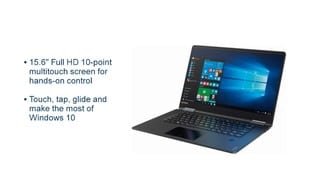
- Model:
- 80V50010US
- SKU:
- 5722735
Rating by feature
- Value
Rating 4.0 out of 5 stars
- Quality
Rating 3.9 out of 5 stars
- Ease of Use
Rating 4.3 out of 5 stars
Customers are saying
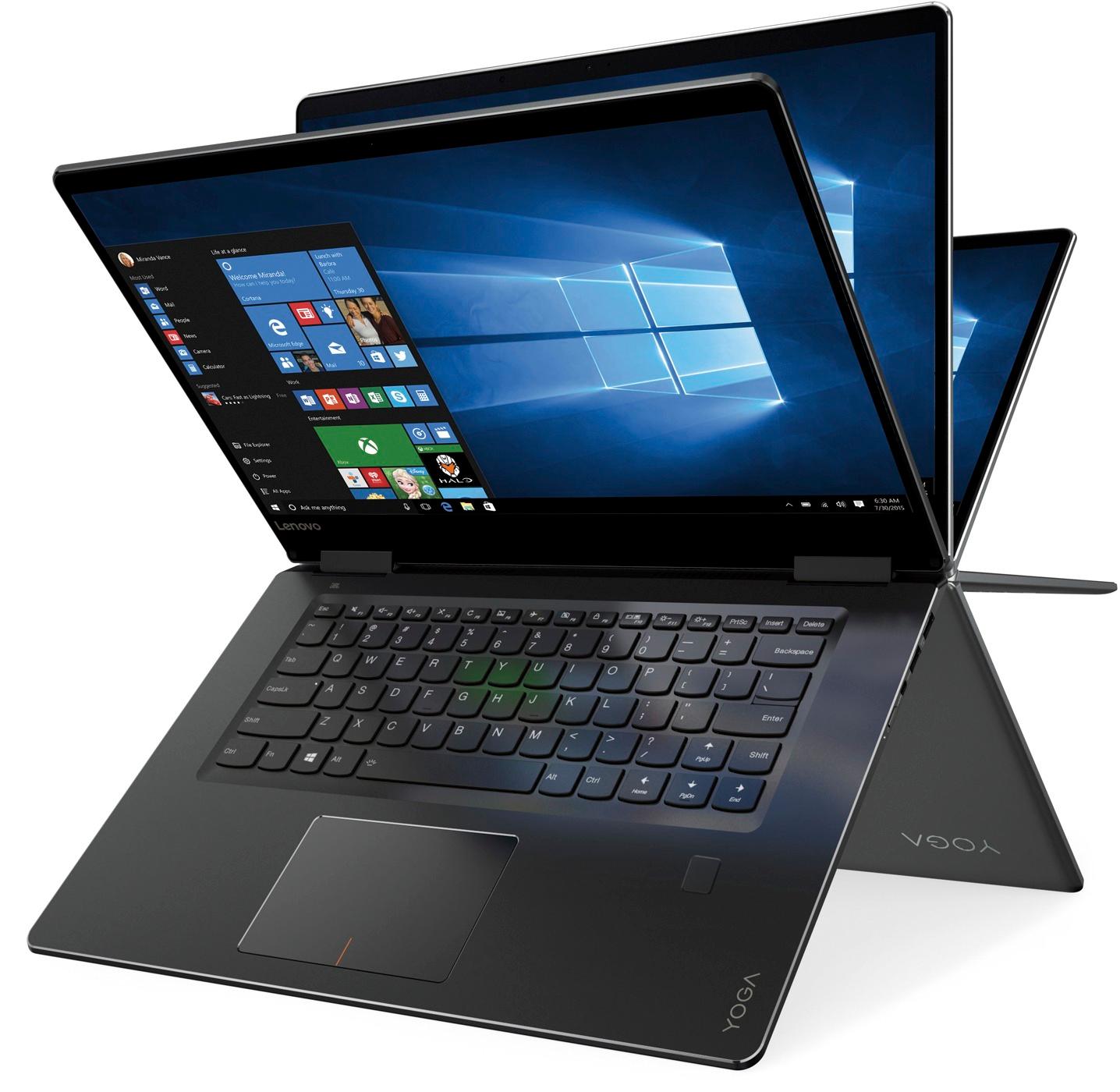
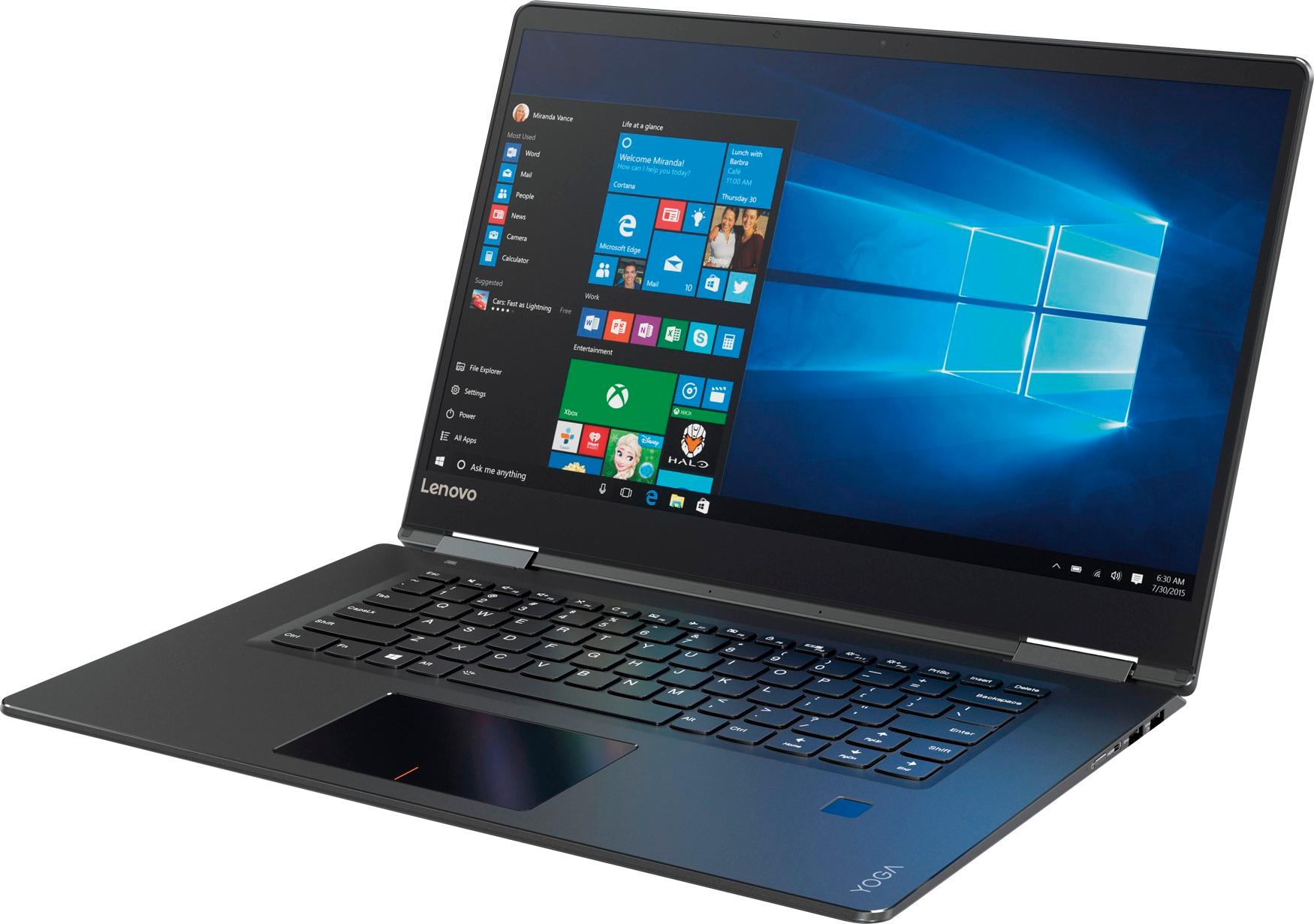
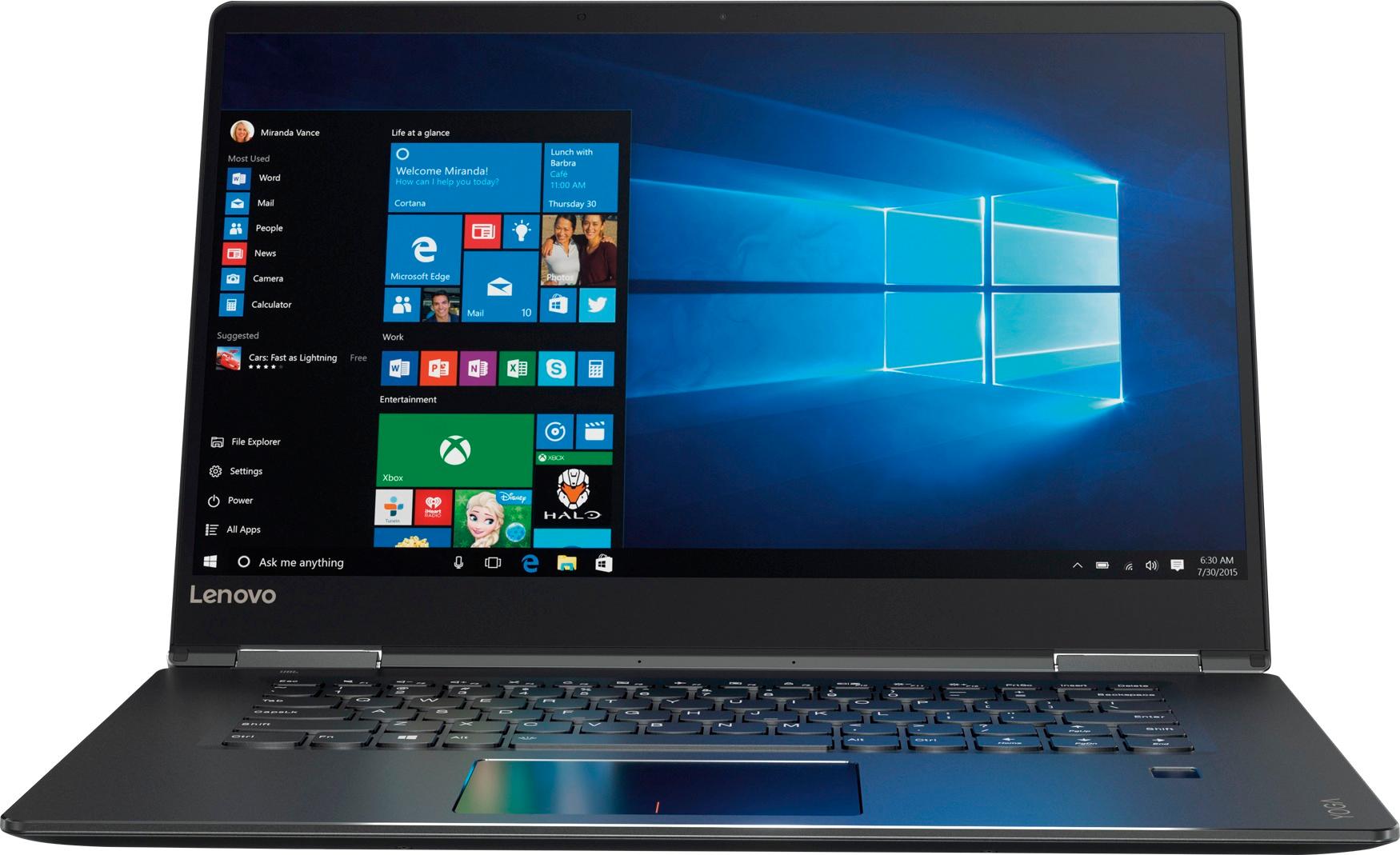
Customers praise the Yoga 710 2-in-1 laptop for its responsive touch screen, light weight, and affordable price. They also appreciate its user-friendly interface, long battery life, and fast solid state drive. On the downside, some users find the left shift key to be awkwardly positioned and a few experienced excessive fan noise.
This summary was generated by AI based on customer reviews.
- Pros mentioned:Price
Great laptop
||Posted .This reviewer received promo considerations or sweepstakes entry for writing a review.It’s good laptop with this price. It’s as 250 GB SSD and 8 GB ram. Very good deal.
I would recommend this to a friendBrand response from Lenovo Product Expert
Posted .Thank you for choosing the Lenovo Yoga 710-15. We are pleased to hear that the value and performance of the Yoga 710-15 meets your computing needs so well.

Great but shy or excellent!
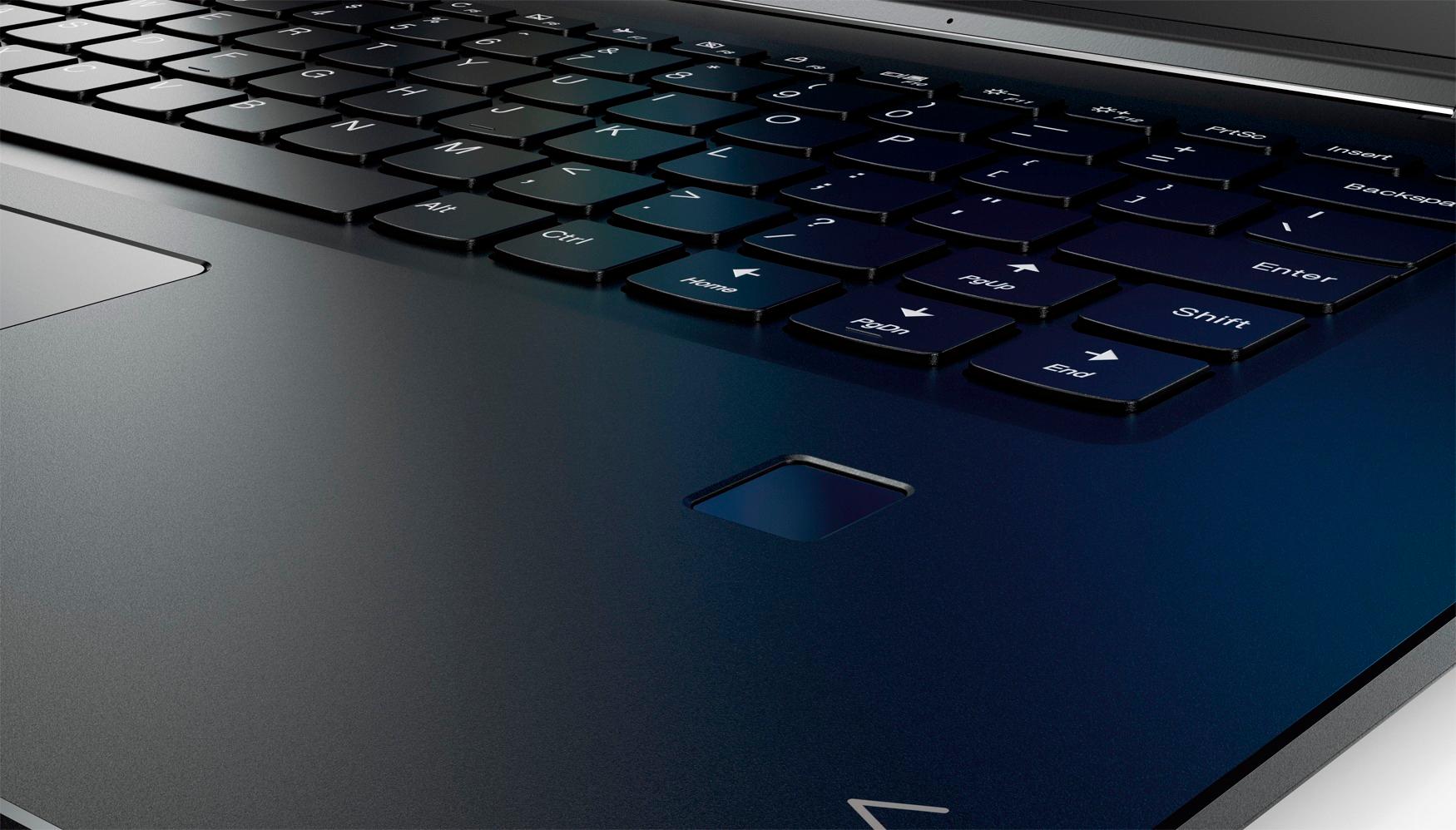
||Posted .This reviewer received promo considerations or sweepstakes entry for writing a review.This might but the best laptop I've used so far as a daily driver. The esthetics are very pleasing and I'm confident every time I grab it out my bag when traveling that I can get the job done. Cons: Placement of right shift key. No USB C and instead micro HDMI. Pros: -LONG lasting battery, I left me charger at work and needed to work from home... Lasted for nearly 7 hours constant use. It would've lasted much longer had I used only my external display only. -Bright responsive touchscreen, in or out of tablet mode. -Sturdy feeling construction yet light enough for travel. It's a little large for most but I prefer the 15" screen and with the screen to bezel ration it's not too much for a long flight. -I've thrown a lot at this machine multitasking and it never hung even with 10 different windows open including Office multiple remote sessions etc... -The fingerprint reader makes me wish I'd never forgot about that option on my old ThinkPad's it's extremely fast and convenient.
I would recommend this to a friendBrand response from Lenovo Product Expert
Posted .Thank you for choosing the Lenovo Yoga 710-15. With regard to the right shift key issue you mention, there is a free software APP called KeyTweak that may help you. You can switch the key functions of specific keys on your keyboard with this software, so you could change the right shift key with the key you hit in its place. Just Google search "KeyTweak" and you will find articles about what the software does and you will find the download location for this free APP.
Good laptop in the price range of $650-700
||Posted .This reviewer received promo considerations or sweepstakes entry for writing a review.The laptop is quite good. I have used it for more than 2 weeks now. The look and the feel of laptop is nice. Battery life is strong, around 6-7 hours of full usage. It sometimes gets hung/slow to respond and you can hear the noise of exhaust fan. But overall a good laptop.
I would recommend this to a friendBrand response from Lenovo Product Expert
Posted .This system should be a fast system with its Core I-5 processor and 8GB of RAM. It should not "hang/run slow". Be sure any software you installed is compatible with Windows 10. There is no need to install Microsoft Office software. The software is already part of the operating system, you just need to activate the software with a purchased product key. If you have installed a copy of Microsoft Office, this is conflicting with the existing copy on the system and this will slow your system down. If you have installed a 3rd party anti-virus program, be sure that Windows Defender is turned off and that the trial version of McAfee Anti-Virus software is uninstalled. There can only be one anti-virus program on the system. You may need to restore your system to original factory default settings if any of the programing errors have occurred. You can do that by typing "restore" in the Cortana search window. Just click on the magnifying glass icon at the bottom left of your Windows 10 Desktop. Click on "Reset This PC" Then click on "Get Started" and follow the on screen directions to restore to factory defaults.
- Pros mentioned:Touch screenCons mentioned:Fan noise
No Issues after the Software Updates
||Posted .This reviewer received promo considerations or sweepstakes entry for writing a review.This is a super fast laptop compared to my desktop that has similar specs. I believe, the main difference is the SSD. Literally a second after you press a power button, this machine boots up. I find myself using the touchscreen more often than the touchpad. This is obviously not the top end machine, but it makes you feel like you own a very expensive laptop (I find $600 expensive nevertheless). The reason I gave it 4 stars out of 5 is that I had to spend a few days trying to "fix" some issues that come with it straight out of the box. The laptop's fan was super loud as soon as I started it up. I have spent a couple of hours searching online and looking for solutions. Fortunately, I was not the only person experiencing issues with the fan. As soon as I updated Lenovo Assistant, BIOS, and installed all of the Windows updates, the machine became quiet. I would still recommend it to others because it is a super fast laptop!
I would recommend this to a friendBrand response from Lenovo Product Expert
Posted .Thank you for choosing the Lenovo Yoga 710-15. We are pleased to hear that the Yoga 710-15 is working out so well for you.
- Pros mentioned:Touch screen
Great Intermediate Computer
||Posted .This reviewer received promo considerations or sweepstakes entry for writing a review.The screen quality is excellent, the keyboard is near perfect, weigth is acceptable for the 15" size if I'd wanted lighter I'd have bought the 13" version; trackpad is nice size & very responsive. And touch screen is more useful than I expected. I thought I could do without touch screen, but now having it, I find, I use it more often than I expected. My only regret is not getting more SSD capacity (was not avalaible from BB) and maybe not waiting for 8000 series CPU (for better battery life - which is still over 8hr). Camera quality is disapointing, but not a big issue to me, for this price this notebook should have a HD camera (but does not). As with all computers there are a series of tradeoffs: screen size/definition, weight, processor, memory & storage. For the price this is a very good package.
I would recommend this to a friendBrand response from Lenovo Product Expert
Posted .Thank you for choosing the Lenovo Yoga 720-15. This system has a 720p HD web cam built in.
Nice 2 in 1
||Posted .This reviewer received promo considerations or sweepstakes entry for writing a review.My current laptop is 10 years old and the blue screen of your laptop is failing at basic preference kept happening so it needed to be replaced. I did some research with what I wanted in a replacement lap top and the dell product was $800 to over $1200 so when I saw this model for $830 on sale for $699 with everything plus a touch screen which I was not looking for and tablet mode I took a hard look at it. I'm a casual user and processing/editing videos for my hobby is as hard as the unit will be exercised so it's perfect for my needs. I really like the tablet mode which I was not even considering along with the back lit key board so it can be used both ways in a dark room. The finger print log in is really nice and it starts up very fast compared to my old clunker. The HD display is great for streaming videos etc and the apps/software is very sufficient for the casual user with 90% that I will not use. It has a nice upscale feel to it and not cheap and plasticity like my last one. Overall I really like it for my needs and I find my self turning it on when I don't have a need to and just look at YouTube for a few minutes, I'm testing the finger print reader and load up speed which always amazes me. The battery life is pretty good also when you have the battery saver mode on. I'm going through everything about this machine just trying to find something that I don't like about it and I just can't, yah I'm a fam. Going from windows 7 to 10 was very easy and with not even looking into windows 10 I was at speed right from the start, the tile screen is cleaner looking than the old icon screen which I like. It takes a little getting used to at first when you go from 7 to 10, like going from a Honda Civic to a Corvette for me and there is still Mclaren level laptops out there.
I would recommend this to a friendBrand response from Lenovo Product Expert
Posted .Thank you for choosing the Lenovo Yoga 710-15. We are pleased to hear that the value, features and performance of the Yoga 710-15 meets your computing needs so well.
- Pros mentioned:Touch screen
Great for the price.
||Posted .This reviewer received promo considerations or sweepstakes entry for writing a review.With a 8 year old Mac Book Pro, I was ready for a new computer. This computer would be just for casual home use and a bit of blogging. I didn't want to spend the money on the Mac Book Pro, so I decided it was time for a cheaper Windows computer. I tested a few out at the store and decided on this one BECAUSE of these three features: the feel of the touch screen (compared to HP), the ability to flip the screen, and because the track pad behaves similar to the MacBook. Now after using it for a few weeks, I've noticed the track pad sometimes behaves as though I am clicking the right when I am clicking the left side and vice versa. So I will probably go ahead and buy a mouse for ease of use. Otherwise it gets the job done! And the battery life is way better than my old Mac.
I would recommend this to a friendBrand response from Lenovo Product Expert
Posted .Thank you for choosing the Lenovo Yoga 710-15. With regard to the touchpad, you can make adjustments to the touchpad in your system settings. You can get there by clicking on the magnifying glass at the bottom left of your Windows 10 screen. Type "touchpad" in the search window. Select "Mouse & touchpad settings" from the list of choices. You can make general adjustments to the touchpad there. You can also select "Additional mouse options" for more detailed adjustments to the touchpad sensitivity by increasing the delay of the touchpad.
- Pros mentioned:Price, Touch screen
Great touch screen laptop
||Posted .This reviewer received promo considerations or sweepstakes entry for writing a review.When it stands alone i guess it can compete with best laptops. Touch screen feature of it is the best part and strong battery and light weight are other advantage of it. Its a best choice for the its price categories.
I would recommend this to a friendBrand response from Lenovo Product Expert
Posted .Thank you for choosing the Lenovo Yoga 710-15. We are pleased to hear that the value, features and performance of the Yoga 710-15 meets your computing needs so well.
- Pros mentioned:Price, Speed, Touch screen
Almost perfect
||Posted .This reviewer received promo considerations or sweepstakes entry for writing a review.I’ve had this laptop for a little over a month. It’s almost perfect with the exception of three things. I’m not a fan of opening it. I find it difficult to literally “unfold” it. It’s slim design is almost too slim to open. The second thing is the power button. It’s on the outer right side. I haven’t had any accidental turn ons, but it is slightly awkward to press it. The third and it’s probably more of me being used to my old laptop, but the right shift key is further away than a normal keyboard due the to placement of the arrow keys. Those are my only reasons for taking a star away. They are pretty minor and I wouldn’t let them stop me from buying or recommending this laptop. It’s super fast due to the SSD and I love it. The screen and screen size is amazing. If you’re looking for a fast reliable laptop, at a price that’s very reasonable, do not pass this one up!
I would recommend this to a friendBrand response from Lenovo Product Expert
Posted .Thank you for choosing the Lenovo Yoga 710-15. With regard to the right shift key issue you mention, there is a free software APP called KeyTweak that may help you. You can switch the key functions of specific keys on your keyboard with this software, so you could change the right shift key with the key you hit in its place. Just Google search "KeyTweak" and you will find articles about what the software does and you will find the download location for this free APP.
Very nice step up from entry level computer
||Posted .This reviewer received promo considerations or sweepstakes entry for writing a review.I wanted to upgrade from entry level computers that need frequent replacements. The solid state drive is fast, quiet and doesn’t heat up. The limited storage can be addressed with flash drives. I do mostly word processing and writing reports in Word so popping in a flash drive works for my files. I haven’t had the computer long enough to know what will happen to storage after transferring iTunes and other programs. The touch screen is nice except when you accidentally touch the screen while using the keyboard. I have a habit of putting my left hand on the side of the monitor while reading text. If my thumb touches the screen it will shift to a different window. The size is nice to work with but it is very tight sliding into the computer sleeve section in my under seat luggage computer. It’ll fit but it takes some maneuvering. This is not a reason to avoid it unless you need to slide it in and out frequently on an airplane and have the under seat piece of luggage that Walmart sells for around $35. Overall I am pleased with it but still acquainting myself with its features.
I would recommend this to a friendBrand response from Lenovo Product Expert
Posted .Thank you for choosing the Lenovo Yoga 710-15. We are pleased to hear that the features and performance of the Yoga 710-15 meets your computing needs so well.
- Pros mentioned:Touch screen
Great value, zippy performance
||Posted .This reviewer received promo considerations or sweepstakes entry for writing a review.I am an IT professional by trade. Bought this for my girlfriend who will be using it for schoolwork, web browsing, and streaming. Out of the box the machine was zippy; but after a fresh Windows install and bare minimum Lenovo drivers/Yoga programs this will boot to desktop in 8 seconds. Pros: Screen, battery life, and performance have all been excellent for the price point. Keyboard is better than most consumer laptops. Cons: I would have accepted a slightly heavier/pricier laptop for a stronger chassis. There is just a bit of flex and play when rotating the Yoga, nothing gut-wrenching but it is there. Hinges seem good, but I'm not 100% sold yet.
I would recommend this to a friendBrand response from Lenovo Product Expert
Posted .Thank you for choosing the Lenovo Yoga 710-15. With regard to the 360-degree hinges on the Yoga, these hinges have been bench tested through 25,000 cycles (8 to 10 years of normal use), without a failure.
- Cons mentioned:Fan noise
GOod buy for the money
||Posted .This reviewer received promo considerations or sweepstakes entry for writing a review.I haven't had any issues with this computer except for the fact that the fan is a bit loud. If it were not for that, I would have given it the five stars. Have had it for only a few months, but it is pretty fast and the charge lasts a long time. All in all a good buy.
I would recommend this to a friendBrand response from Lenovo Product Expert
Posted .This is a high performance system with its Intel Core I-5-7200U processor, 8GB of RAM and a 256GB solid state hard drive. This device will generate heat, the onboard fan keeps the device at normal operating temperatures. This is normal. It is also normal to hear the fan when it is running. This system will generate heat anytime it is turned on, including at idle.
- Pros mentioned:Speed
A lot of bang for the buck
||Posted .This reviewer received promo considerations or sweepstakes entry for writing a review.While this is a discontinued Lenovo model, it is far from obsolete. This is my first SSD. The difference between the SSD and an HDD is like night and day. It's lightning fast. Boot time is seconds, not minutes. The display is bright and clear, the lighted keyboard and fingerprint log in is a plus. It's a 2-in-1 touch screen, but in reality, it's just too big to be used as a tablet. The chassis is smooth and sleek aluminum, not cheap plastic. My only complaints are that the right shift key is too small, misplaced, and easy to miss. Later models have corrected this issue with a split up/down arrow. Here's my biggest beef. The Wi-Fi signal drops intermittently. I'm not a geek, so I don't want to try to go into settings to try to fix this. There should be a patch provided by Lenovo by now. These problems aside, for the money, (I paid $599) there's nothing else out there that will give you as much for the price.
I would recommend this to a friendBrand response from Lenovo Product Expert
Posted .Thank you for choosing the Lenovo Yoga 710-15. With regard to the right shift key issue you mention, there is a free software APP called KeyTweak that may help you. You can switch the key functions of specific keys on your keyboard with this software, so you could change the right shift key with the key you hit in its place. Just Google search "KeyTweak" and you will find articles about what the software does and you will find the download location for this free APP. Concerning WiFi dropping, this device uses 802.11AC WiFi frequency, the latest and fastest WiFi available. If you have an older router, you may want to check with your router manufacturer's web site for firmware updates for your router to better utilize newer WiFi frequencies, as AC is backward compatible to b/g/n frequencies. Additionally, you can check for and WiFi driver updates for your Yoga 710-15. Follow the link below to look for new driver updates for your specific system. You can also run diagnostics from the Lenovo site as well. As always, be sure to create a restore point on your system before you make any changes. You can do this by just typing "restore point" in the search window within Cortana and follow the link to create a restore point. Here is the link:
https://pcsupport.lenovo.com/us/en/products/laptops-and-netbooks/yoga-series/yoga-710-15ikb/80v5/80v50010us/downloads
- Pros mentioned:Lightweight, Touch screen
Very Nice little laptop
||Posted .This reviewer received promo considerations or sweepstakes entry for writing a review.I really like the versatility of this little laptop where the screen can move so much. Response is quick. No problems connecting. Good sound. Love the touchscreen. My only problem is that my right pinky hits page up when I intend to hit shift on this keyboard.
I would recommend this to a friendBrand response from Lenovo Product Expert
Posted .Thank you for choosing the Lenovo Yoga 710-15. With regard to the right shift key issue you mention, there is a free software APP called KeyTweak that may help you. You can switch the key functions of specific keys on your keyboard with this software, so you could change the right shift key with the key you hit in its place. Just Google search "KeyTweak" and you will find articles about what the software does and you will find the download location for this free APP.
- Pros mentioned:Touch screen
So far so good
||Posted .This reviewer received promo considerations or sweepstakes entry for writing a review.I bought this for my daughter for Christmas, so I've not used it much. I did open it and fire it up to make sure all updates were installed and the battery would be charged for when she opened the gift. Found it odd that the battery came completely discharged. It did charge quickly and updates were a breeze. It's a large computer, but very lightweight. More screen than she needs, but I thought I might use it some too, so the 15.6" screen is a good size for me. The touch screen is definitely an added bonus. I think she will love Cortana. I will say I went through the entire set up, including Wi-Fi and when set up was complete and it went to the windows desktop screen, it said there was no internet connection, so setting that up initially seemed pointless since I had to do it twice.
I would recommend this to a friend - Pros mentioned:Speed
Good Laptop 2 in 1, Gets the Job Done
||Posted .This reviewer received promo considerations or sweepstakes entry for writing a review.So far my experience with the Lenovo 710 2 in 1 has been positive. The table feature is pretty cool. It is fast and reliable. It is a little difficult to open the screen without feeling like I am going to break it, but nothing bad has happened to it yet. I haven't had any issues with the hinges as previously stated in other comments. Battery life isn't extremely long, such as in an ultrabook, which is why I hope at some point I can replace the internal battery. I am happy with my purchase, especially since I got it on Black Friday for $600. On the Lenovo website I see that they are now selling the 720 though, which makes me believe this computer is no longer their main focus on sales.
I would recommend this to a friendBrand response from Lenovo Product Expert
Posted .Thank you for choosing the Lenovo Yoga 710-15. This model has a battery life of up to 8 hours depending on the work that the device is performing.
- Pros mentioned:Lightweight, Touch screen
Great computer
||Posted .This reviewer received promo considerations or sweepstakes entry for writing a review.Computer is easy to maneuver, lightweight and price was good. I miss the number key pad, but am getting used to being without it. I love the different ways to fold it and the touch screen.
I would recommend this to a friendBrand response from Lenovo Product Expert
Posted .Thank you for choosing the Lenovo Yoga 710-15. We are pleased to hear that the Yoga 710-15 is working out so well for you.
- Cons mentioned:Shift key
Make Shift Key normal size
||Posted .This reviewer received promo considerations or sweepstakes entry for writing a review.After going through a few cheap laptops, my wife and I decided to purchase a better model than the typical "disposable" ones we've purchased before. She's using it to get her Masters degree at night, and I'm using it to run a business and work from home during the day. So far, the performance has been great. We've only had it for over 3 months, it it works just as fast as the day we've bought it. Battery has a decent usage life to it, handles any kind of typical school or work functions, and plays movies on Netflix or cable flawlessly. I'd definitely recommend this to anyone for any kind of use. My favorite feature is the fingerprint scanner. Allows us to easily and quickly change profiles. The one thing I hate about this is the shift key on the right side is split in half from a standard keyboard. So, I'm constantly hitting page up instead of shift because of the design. (Shift button was cut in half and page up is in place where normally it'd be just a shift key). It was annoying to the point I was going to return it, but it was a deal if the day, and we had school coupon as well as Best Buy points. Oaid less for computer than what a geek squad protection plan cost, so had to keep it simply because of the deal we got. Luckily I had a wireless mouse and keyboard so I just use that when typing. Would have given it a 5 star rating if it wasn't for the shift key being so small and so far off to the right.
I would recommend this to a friendBrand response from Lenovo Product Expert
Posted .With regard to the right shift key issue you mention, there is a free software APP called KeyTweak that may help you. You can switch the key functions of specific keys on your keyboard with this software, so you could change the right shift key with the key you hit in its place. Just Google search "KeyTweak" and you will find articles about what the software does and you will find the download location for this free APP.
Only thing lacking is the keyboard
||Posted .This reviewer received promo considerations or sweepstakes entry for writing a review.I looked at endless reviews of other laptops before settling on this one. My 9 year old HP Pavilion dv6 finally bit the dust. I got this on sale black Friday weekend and it is an extremely quick machine. Less than 15 seconds from power button to internet surfing. The battery life is awesome I can go a full day on a charge whereas my HP when it was new was only 1.5 hours. The backlit keyboard has 2 levels of brightness but I do not like how spongy the keys are. Wish they had more tactile feedback. But I mainly do iTunes anyway so not a deal breaker.
I would recommend this to a friendLenovo - Yoga 710 2-in-1 15.6" Touch-Screen Laptop
||Posted .This reviewer received promo considerations or sweepstakes entry for writing a review.Very happy with this Lenovo Laptop. Has everything I need in an ideal size, weight, battery life with software and hardware that meet my needs.
I would recommend this to a friendBrand response from Lenovo Product Expert
Posted .Thank you for choosing the Lenovo Yoga 710-15. We are pleased to hear that the features and performance of the Yoga 710-15 meets your computing needs so well.