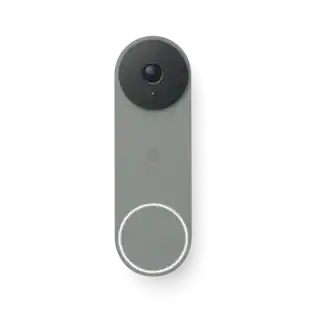
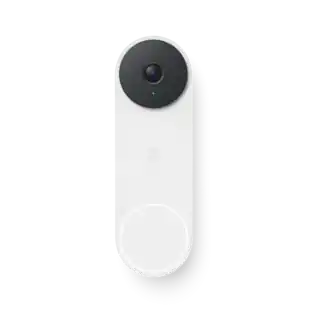
Google - Nest Doorbell (wired, 3rd gen) - Latest Model - 2K Video and Gemini - Linen
Customers are saying
Customers appreciate the Nest Doorbell for its good video quality, ease of installation, and wide field of view. Many find its overall performance to be a great improvement and admire its modern design. While the majority are satisfied, some customers have noted that the night vision could be improved.
Color
LinenHighlights
Rated best doorbell camera for 2026 by DXOMARK.⁴,⁵
Always in the know with always-on power.
No need to recharge or replace batteries. The wired Nest Doorbell also powers 24/7 continuous video recording with Google Home Premium Advanced.
Keep up with what’s important to you.
With the intelligence of Google Home, get more detailed event descriptions and search your video history by just asking (subscription required).³
See far more than you thought possible.
Check in on what’s happening at your doorstep in sharp 2K HDR, the highest resolution ever on a Nest Doorbell.²
Scroll less. Find more.
Search your video history with help from Gemini.³ Try something like “Who let the dogs out?” to see a summary and relevant clips (subscription required).
Get the fuller picture behind every alert.
With Google Home Premium, you can know even more about what’s happening at your door with notifications like “Alex with flowers.".³,⁶
Nest Doorbell’s widest, tallest field of view yet.
See the big picture with an expanded 166° diagonal field of view.¹
Know what’s happening 24/7.
Check in whenever you want in the Google Home app. Plus, talk and listen to people at your doorstep through the built-in speaker and mic.⁷
Intelligent alerts that are actually intelligent.
The Nest Doorbell sends built-in alerts when it spots a person, package, vehicle, or animal, so you know who’s coming and going.⁷
Knows a face. And a name.
With a Google Home Premium subscription, Nest Doorbell can learn the faces of your friends and family, so you know who’s at the door before they knock.⁸
Know more about what went down.
With an Advanced subscription to Google Home Premium, get more detailed event descriptions and tap to see a longer summary of what happened.³
Catch up on your home at a glance.
See a summary of recorded events in a daily recap with help from Gemini, so you don’t miss a thing at home (subscription required).³
Focus on what matters most.
With Zoom & Crop in the Google Home app, you can zoom in and crop your doorbell’s view to stay focused on one important spot, like the walkway.⁷
See what you missed.
If you miss an alert, check out event video previews with 10-second clips of each event that happened over the past 6 hours.⁷
Don’t miss a thing with Google Home Premium.
Get 30 days of event video history – or 60 days of event history plus 10 days of continuous video recording with an Advanced subscription.⁷
Works with compatible doorbell transformers.
Requires a 16-24VAC, 10-40VA, 50/60Hz rated doorbell transformer and chime (sold separately). You may need to replace your current hardware.
Create easy home automations with Gemini.
With a Google Home Premium subscription and Help me create, just type what you want to do in the Google Home app, like “Lock the doors and turn off the lights at bedtime.”.³,⁹
- Camera Resolution2048 x 2048Field Of View166 degreesNight VisionYesWorks WithGoogle Home, Amazon AlexaStorage TypeCloud
Reviews
Rating 4.7 out of 5 stars with 345 reviews
- Video Quality (136)
- Installation Ease (57)
- Overall Performance (40)
- Field of View (26)
- Design (14)
- Night Vision (4)
Customer Images
The vast majority of our reviews come from verified purchases. Reviews from customers may include My Best Buy members, employees, and Tech Insider Network members (as tagged). Select reviewers may receive discounted products, promotional considerations or entries into drawings for honest, helpful reviews.

Compare similar products

Meet the smarter, sharper wired Nest Doorbell with 2K video and Gemini. Get more peace of mind about the things that matter with the intelligence of Google Home. It provides more details, summarizes what happened, and lets you search video history simply by asking for something.¹,²,³

For exceptional front door and yard security, choose Tapo D205. Witness every detail in 2K resolution and ensure there are no blind spots with the expansive 160° head-to-toe field of view. Enjoy wire-free convenience for up to 6 months thanks to the long-lasting battery. Choose flexible storage options with a microSD card (sold separately) or cloud storage with a Tapo Care subscription. The free smart AI feature detects people visiting your door, keeping you informed without any hidden fees. Finally, the doorbell offers clear night vision for substantial security even in the darkest conditions.
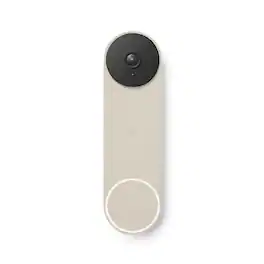
The Nest Doorbell is the battery-powered video doorbell that works with any home. See what’s happening at your door from anywhere and get intelligent alerts about important activity, like when there’s a person, package, animal, or vehicle.* And because there are no wires, you can install it yourself. Nest Doorbell requires the Google Home app and a Google Account – it’s not compatible with the Nest app or the home.nest.com site.
After a decade of innovation, our iconic doorbell design has evolved into a statement piece for your entryway. Behind its stunning front profile lies Retinal 4K, delivering ultra-clarity, vibrant color, and crisp detail even in the near-dark.
| Pros for Google - Nest Doorbell (wired, 3rd gen) - Latest Model - 2K Video and Gemini - Linen | |||
|---|---|---|---|
| Video Quality, Installation Ease, Overall Performance, Field of View, Design | Video Quality, Field of View, Battery Life, Setup Ease, Storage | Video Quality, Overall Performance, Design, Ease of use, Installation | Video Quality, Overall Performance, Installation Ease, Field of View, Design |
| Cons for Google - Nest Doorbell (wired, 3rd gen) - Latest Model - 2K Video and Gemini - Linen | |||
| Night Vision | There were no cons for this product— | Battery Life, Size, Connectivity, Compatibility, Notifications | There were no cons for this product— |
Specs
Customers often buy these together
Security Camera


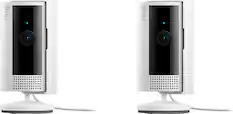
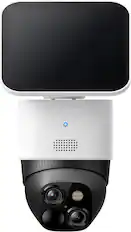
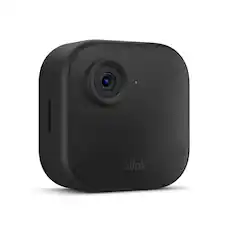
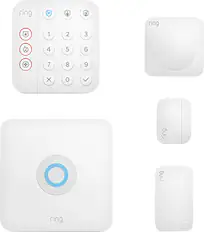
Home Security System
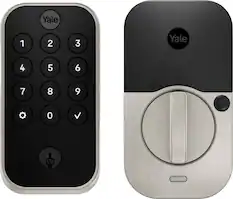
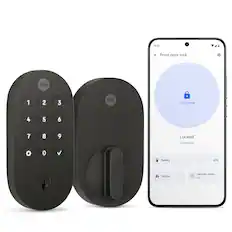
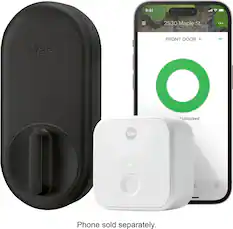
Yale - Assure Lock 2 - Smart Lock Wi-Fi Deadbolt with Push Button Keypad | Key Access - Satin Nickel
$177.99The price was $259.99


More recommended items
 Smart Speakers and Displays
 Networking
 Smart Thermostat
Customers ultimately bought
 Labor Day Deal$59.99The price was $99.99
 Labor Day Deal$119.99The price was $149.99
 Labor Day Deal$49.99The price was $79.99
Control, Comfort, Convenience Sponsored

Discover related products
 $105.25The price was $169.99
 $59.99The price was $69.99

Keep exploring
 $139.99The price was $199.99
 $309.99The price was $469.99
 Labor Day Deal$215.99The price was $299.99