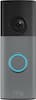
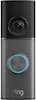
Meet the smarter, sharper wired Nest Doorbell with 2K video and Gemini. Get more peace of mind about the things that matter with the intelligence of Google Home. It provides more details, summarizes what happened, and lets you search video history simply by asking for something.¹,²,³
Q: moved in and a google door bell was here. how to reset it to my network
A: Hi there. Here’s how to reset the Nest Doorbell (Wired, 3rd Gen): 1. Locate the reset pinhole on the back of the doorbell. 2. Insert and hold the pin (you can use an unfolded paperclip or a thumbtack): 3. At 10 seconds, the status light will blink yellow four times, and you'll hear a countdown tone. 4. At 12 seconds, the status light will be steady, solid yellow while the doorbell starts the factory reset, and you'll hear a confirmation tone. 5. Release the button. Your doorbell will restore to its factory settings. Check out this link for more information: https://support.google.com/googlenest/answer/9252162 If you need an extra hand, talk to us here: https://support.google.com/googlenest/gethelp
A: It connects through the google home app which is completely free. There are no additional purchases required. If you want to save video, thats where you would need to enroll in google's home subscription.
Q: Can I use a google nest ring even if I have a Iphone
A: Hi there. Absolutely! You’ll just need to download the Google Home app from the App store and then set up the Nest Doorbell (Wired, 3rd Gen) — here’s how: 1. Open the Google Home app. 2. From the Home tab, tap Add > Device > Scan QR code. 3. Choose the home you want to add your camera to, or select Add another home to create a new one. Then, tap Next. 4. The app looks for nearby devices. When prompted, select the camera model you have as the device you want to set up. 5. Use your phone’s camera to scan your camera’s QR code. You can also tap Continue without scanning and enter the setup code. 6. The app walks you through setup and installation. Reach out to us anytime here: https://support.google.com/googlenest/gethelp?
Q: I have the Gen 1 Nest Doorbell. Any chance the wedge mount and wiring are the same for Gen 3?
A: From someone who just replaced their gen 1, no. The mount is different.
Q: would this doorbell camera be a monthly bill
A: Hey there, LT. No, the Nest Doorbell (Wired, 3rd Gen) doesn’t require a subscription to use. However, having Google Home Premium unlocks additional features such as continuous video recording, person detection, and more. Here’s a link with more benefits: https://support.google.com/googlenest/answer/9233159?hl
Q: Do you have google products in store so i can see the colors linen and hazel
A: Yes, almost every store has the 3 colors on display.

Meet the smarter, sharper wired Nest Doorbell with 2K video and Gemini. Get more peace of mind about the things that matter with the intelligence of Google Home. It provides more details, summarizes what happened, and lets you search video history simply by asking for something.¹,²,³

The 2nd-gen wired Nest Doorbell is always on, so you can know what’s happening at your front door around the clock.₁ Get built-in intelligent alerts about people, packages, and animals, and 3 hours of event video history. Add up to 10 days of continuous recording with Nest Aware Plus.₂ And manage your doorbell easily using the Google Home app.

Head-to-toe HD view, two-year battery, simple setup, Sync Module Core included – System (Black)

Always know what’s happening at your door with the SimpliSafe Video Doorbell Pro. Its crystal-clear 1080p HD video and 162° field of view give you a clear shot of your property 24/7. Two-way audio lets you hear and speak to unwanted guests (and welcomed ones too) - even when you're not home. Have the SimpliSafe App? The Video Doorbell Pro will send instant alerts whenever someone approaches. And with Smart Person Detection, it can tell the difference between people, vehicles and animals. That means you only get the alerts that matter. Plus, when backed by 24/7 professional monitoring, you’ll have experts who are ready to request emergency dispatch when you need it most. This camera is designed for all weather extremes—so you're still protected in rain and snow. (Compatible with the SimpliSafe Gen 3 security system. Requires Wi-Fi (2.4GHz) and existing wired doorbell setup with mechanical chime and a transformer with 8-24 VAC, 30VA max. Not compatible with digital chimes.)
| Pros for Google - Nest Doorbell (wired, 3rd gen) - Latest Model - 2K Video and Gemini - Snow | |||
|---|---|---|---|
| There were no pros for this product— | There were no pros for this product— | ||
| Cons for Google - Nest Doorbell (wired, 3rd gen) - Latest Model - 2K Video and Gemini - Snow | |||
| There were no cons for this product— | There were no cons for this product— | There were no cons for this product— |
The vast majority of our reviews come from verified purchases. Reviews from customers may include My Best Buy members, employees, and Tech Insider Network members (as tagged). Select reviewers may receive discounted products, promotional considerations or entries into drawings for honest, helpful reviews.
Installed this doorbell with existing doorbell wire. Had 20 volts so didn't have to do anything. Comes with everything needed for the install. Connected with my Google home app instantly and works perfectly. Wife wanted to get rid of ugly doorbell ringer so ours rings just to our Google mini's placed throughout the house.
This review is from Google - Nest Doorbell (wired, 3rd gen) - Latest Model - 2K Video and Gemini - Linen
Posted by William
Really nice doorbell by Google. I happened to have the 2nd gen wired before, and its a major upgrade in terms of video quality, but also quantity, what do I mean? Well the 2nd gen one had good video quality, however it was so narrow I could not see to the sides of my front door, yes, I could see the floor for packages but I didn't need to see so vertically that I could see the ceiling and sky.... Well this one fixes that. The video wider now but will also let you see the floor for packages like before. Video quality has been upped too. Installing it was super easy, even more so if you had the 2nd gen before like me, because it uses the same mounting mechanism! I swapped it in 5 minutes. If not, they include everything you need to get it installed, including an angle wedge if you need to angle the camera a bit. The Home app guides you step by step with pictures how to get it installed. Once installed, this new one has more AI features than before, thanks to Google Gemini. However, you have to pay for it (they do include a free month, which I did not use, because I had a better deal since I also have Google One for more storage on other Google devices). If you use the premium version of the subscription you have access to more storage time and AI features (this include 24/7 recording, AI prompts, like better descriptions of what the camera is seeing). If not, you can still use it without the subscriptions, but you get way less storage and no AI features. I do like it recognizes packages, faces (you can save those for future recognitions of people you know), animals, cars etc. You can create zones too, and choose which alert you our not, so you are not bombarded with notifications. One thing I notices, is Google needs to improve the alert timing and night vision. It feels its software/firmware its not completely out of a beta phase... Specially the alerts, its very inconsistent, sometimes I will get alerts right away, sometimes it will lag some a not alert me after a several seconds even minutes... This is critical, specially if you have packages seating on your porch... Also the night vision... its worse and darker than my 2nd gen, an also, it should not switch automatically to it, I have plenty of light and it should stay in color night mode, however this needs to be tweaked, because if I leave it on "auto", even with so much light on my front door, it still switches to the black and white night vision, which, as stated before, is very bad as of right now.... In all, great improvement over the previous gen, but needs some work on the software side by Google, I have sent some feedbacks (which you can do through the Google Home app), if they take them and fix those little bugs soon, it could be one of the best doorbells out there!
This review is from Google - Nest Doorbell (wired, 3rd gen) - Latest Model - 2K Video and Gemini - Hazel
Posted by JamexRZ
Great improvement over the previous version on both picture quality and viewing angle. Worth the upgrade!
Posted by Ryno