Skip to contentGo to Product Search
Main Content
Skip to contentGo to Product Search
Main Content
Categories & Filters

Educational Gaming Devices For Kids

Educational gaming devices for kids offer an engaging way to inspire learning while having fun. Designed to spark curiosity and boost problem-solving skills, these innovative tools combine interactive play with educational content. Whether you're looking to support your child's academic growth or encourage creativity, educational gaming devices for kids provide a dynamic blend of entertainment and learning that fits seamlessly into everyday routines. Explore a variety of options to find the perfect device that makes education exciting for every young learner.

Read More
Results
Main Results
  1. Game Builder Garage - Nintendo Switch, Nintendo Switch Lite [Digital]

    SKU: JCQ6HQS649

    Great !...I jumped in and played the tutorial and love it even more! Can’t wait to build my own game.

    Product Description

    An interactive digital experience that teaches kids visual game programming through fun, guided lessons and creative challenges.
    See all Game Downloads
    Your price for this item is $29.99
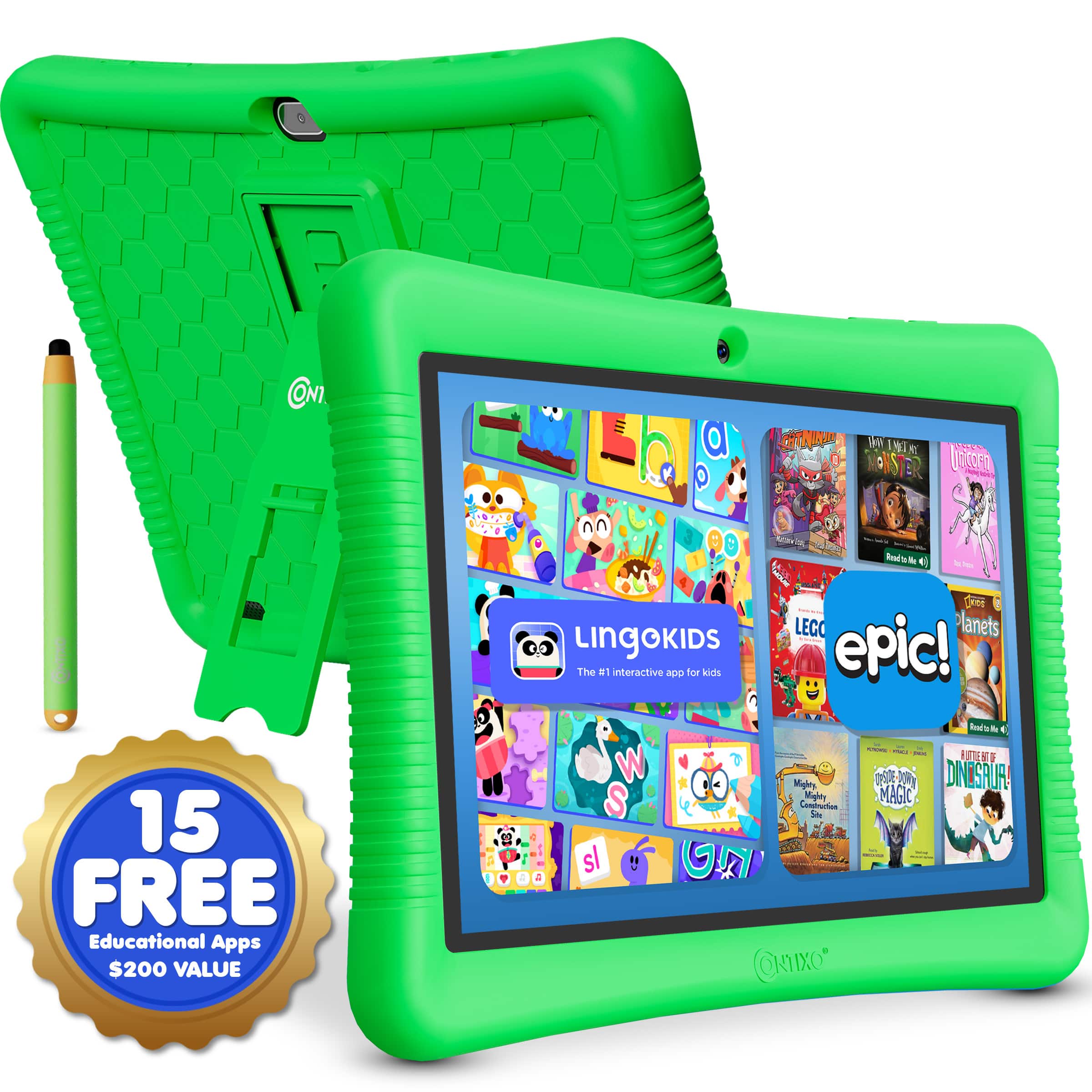
  2. Contixo - 10" Android Kids Tablet 32GB with Stylus, Parental Controls, Learning Apps & Protective Case - Green

    SKU: JXK4Z3L592

    Product Description

    A green Android kids’ tablet with 32GB storage, parental controls, educational apps, and a kid-proof case.
    See all Kids' Tablets
    Your price for this item is $89.99
  3. Contixo - KC3 Kids Camera, 1080P Video Camera, Selfie Camera for Boys Girls, Kids Digital Camerawith Puzzle Games - Green

    SKU: J3GWLL2HY6

    Great set for my kiddo!...The waterproof case is a great bonus!

    Product Description

    A durable green kids’ camera with 1080p video, selfie mode, puzzle games, and a waterproof silicone cover.
    See all Point & Shoot Cameras
    Your price for this item is $34.99
    Save $5
    The previous price was $39.99
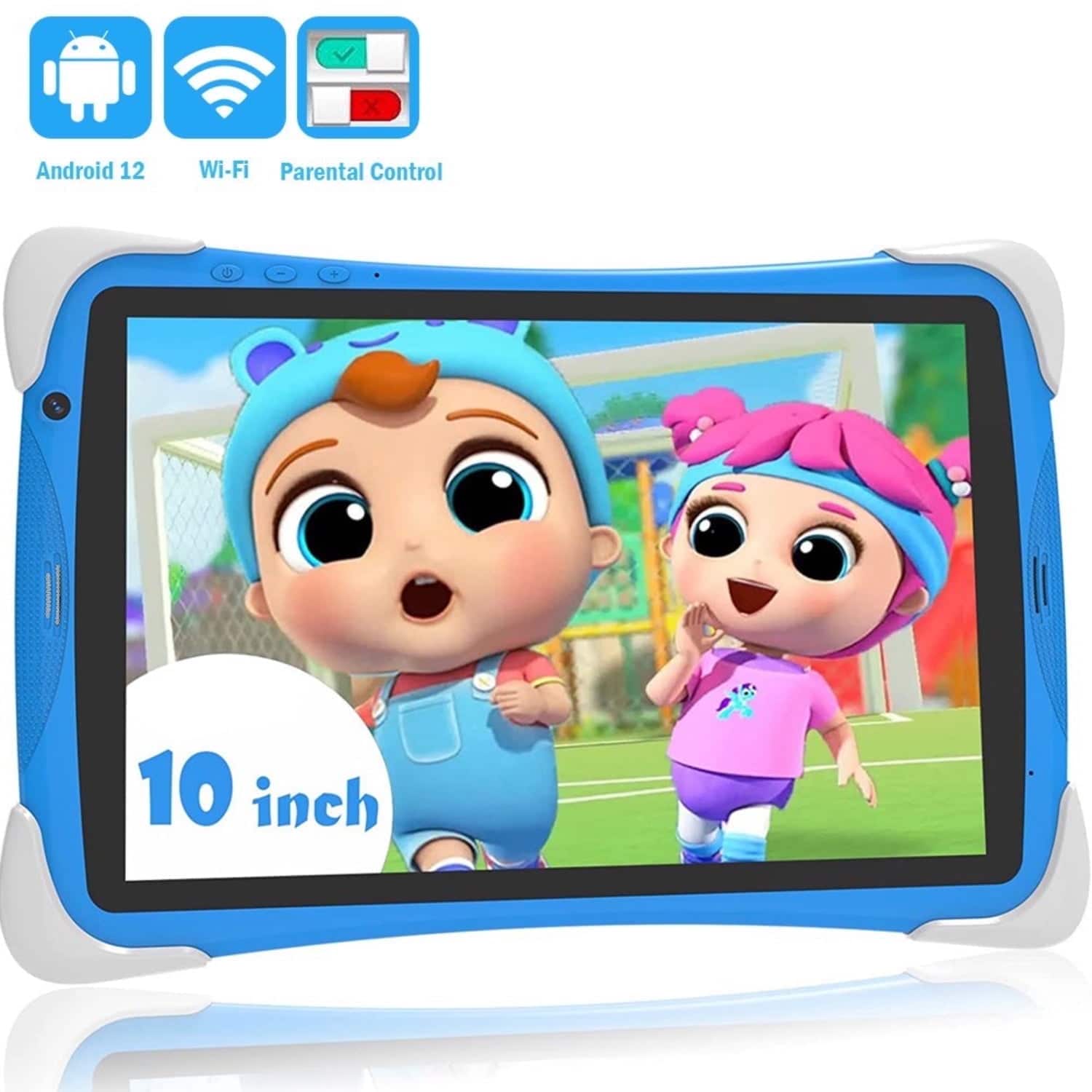
  4. FEONAL - Kids Tablet, Android 15, 64GB, Dual Camera, Preinstalled Kid Apps, Parent Control, Educational Stand - Blue

    SKU: JX343HRJCV

    Best for Toddlers

    Product Description

    A blue Android 12 kids’ tablet with 64GB storage, dual cameras, parental controls, and educational apps.
    See all All Tablets
    Your price for this item is $75.99
    Save $74
    The previous price was $149.99
  5. Jupiter Creations - My Smart Tablet Mini + Phone Combo - Blue

    SKU: J3RT6F72RW

    Product Description

    A blue plastic educational tablet and phone combo offering bilingual games, music, and interactive learning activities for kids.
    See all Science Kits & Toys
    Your price for this item is $26.99
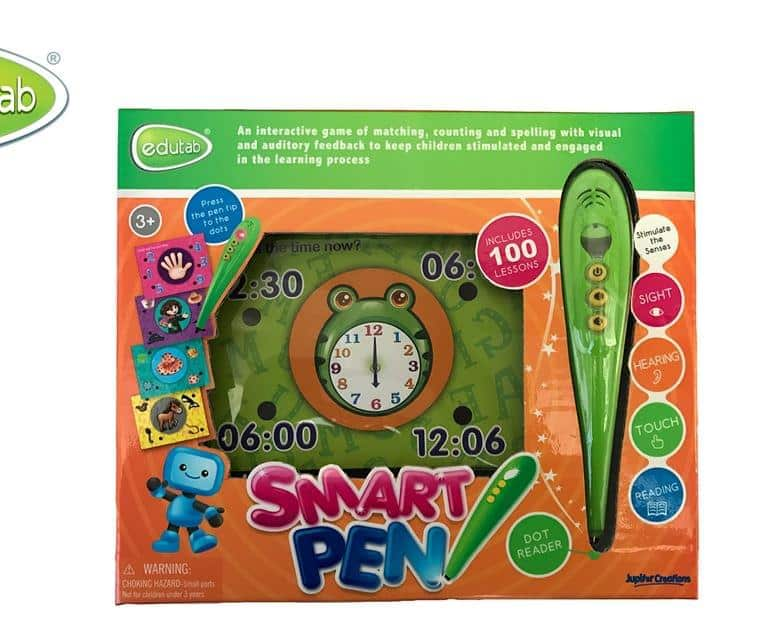
  6. Jupiter Creations - Edutab Smart Educational Activity Pen - Green

    SKU: J3RT6F72V4

    Product Description

    An interactive green activity pen offering 100 lessons with engaging visual and auditory learning feedback.
    See all Science Kits & Toys
    Your price for this item is $18.99
  7. TOPBRIGHT - Balance Math Game For Kids Girls Boys Gifts Balance Counting Educational Kindergarten Preschool Learning Toys - White

    SKU: J3R8FW7Y86

    Product Description

    A colorful white educational toy that teaches early math concepts and develops sorting and fine motor skills.
    See all Science Kits & Toys
    Your price for this item is $33.99
    Save $26
    The previous price was $59.99
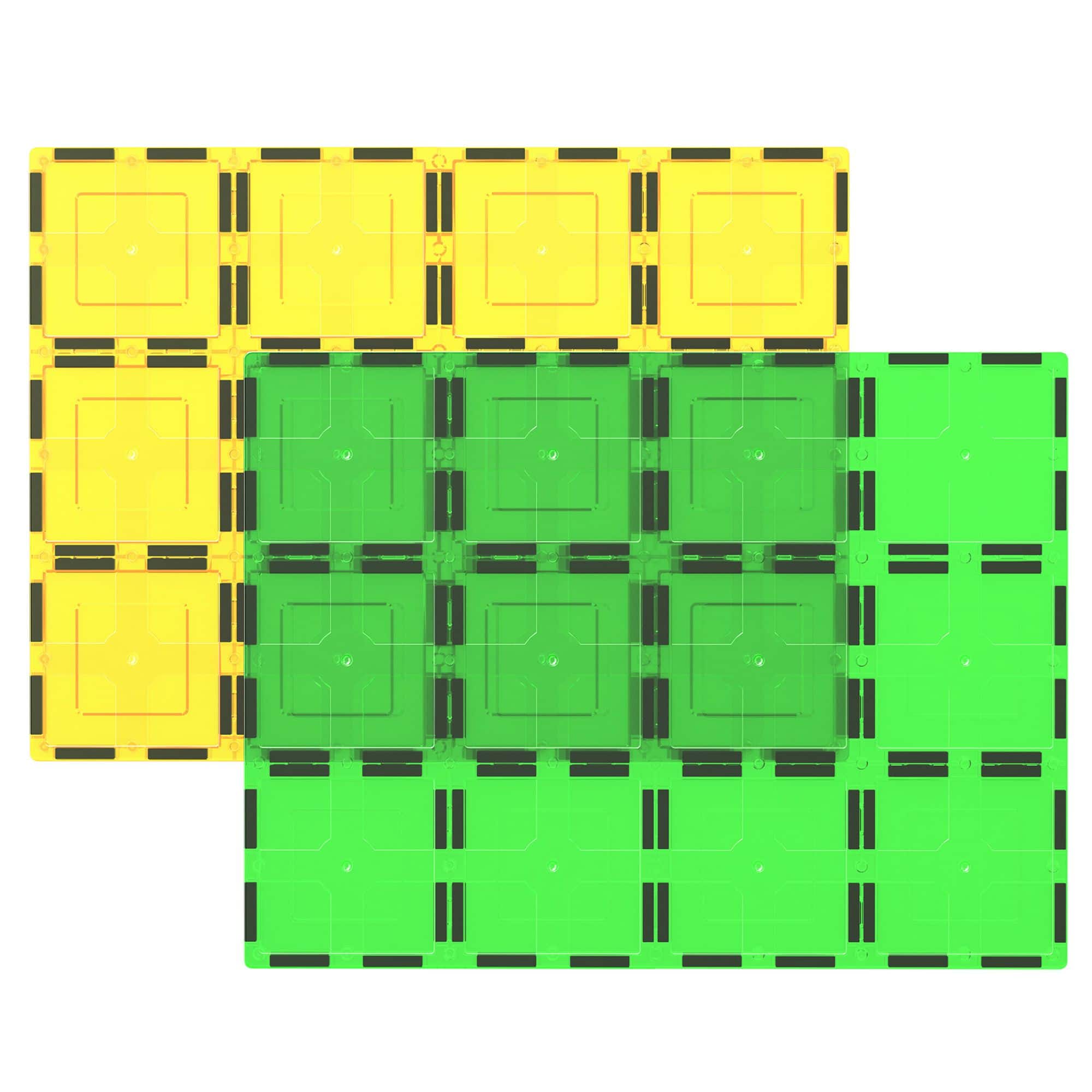
  8. PicassoTiles - PICASSO-TILES Magnetic Tiles, Magnet Plates for Kids, Construction STEM Building Blocks Educational Toy, X-Large 2PCS - Multicolor

    SKU: J3L5ZPLYF7

    Product Description

    A vibrant multicolor magnetic tile set that encourages STEM learning, creativity, and hands-on building for kids.
    See all Science Kits & Toys
    Your price for this item is $19.99
    Save $20
    The previous price was $39.99
  9. PicassoTiles - PICASSO-TILES Magnetic Tiles for Kids, Construction STEM Building Blocks Educational Toy, 12PCS - Multicolor

    SKU: J3L5ZPLPZR

    Product Description

    A vibrant set of BPA-free magnetic building tiles in multicolor, fostering creativity and STEM learning for kids.
    See all Science Kits & Toys
    Your price for this item is $19.99
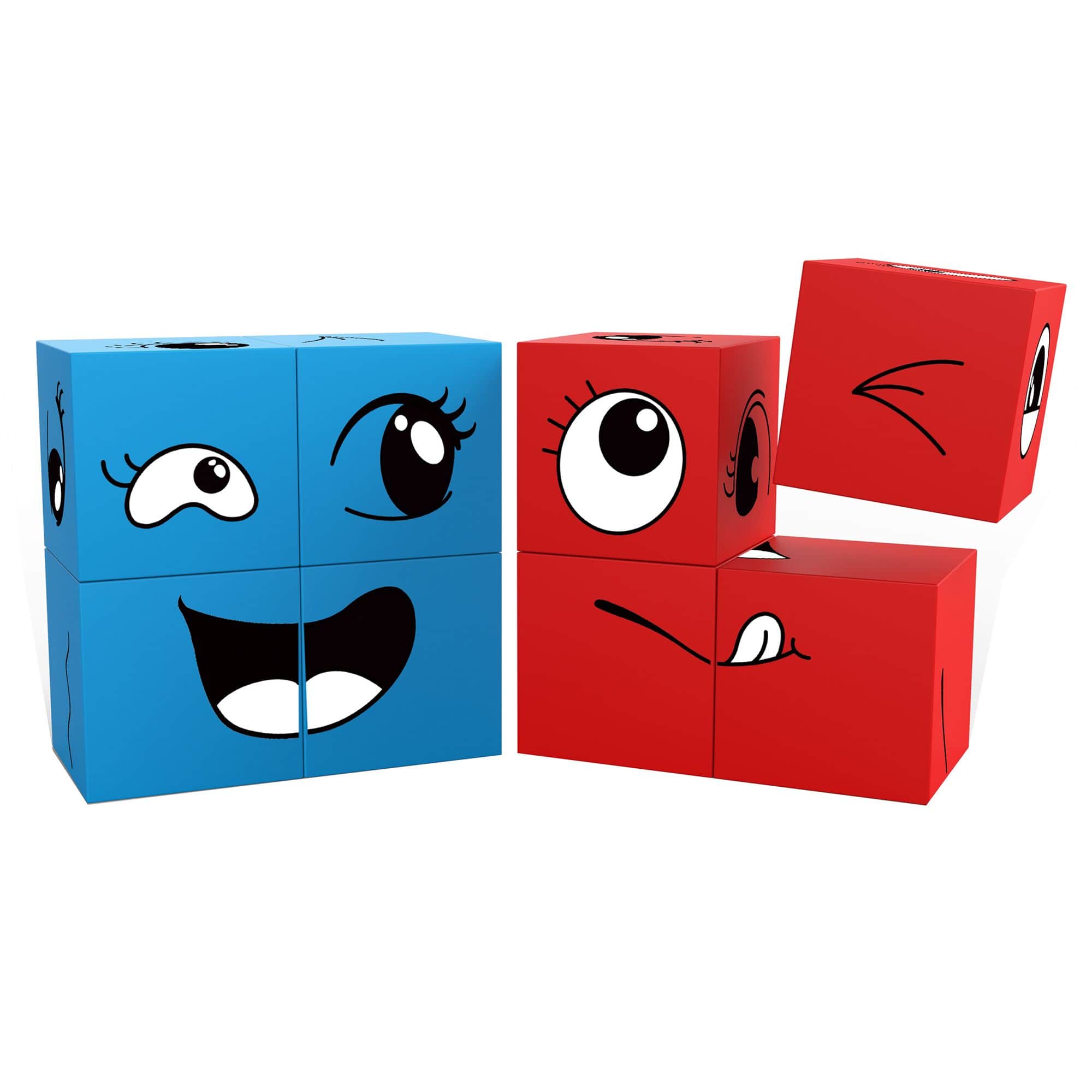
  10. PicassoTiles - PICASSO-TILES 8 PC Mix and Match Emoticon Magnetic Building Puzzle Cubes Set for Kids Ages 3+ - Multicolor

    SKU: J3L5ZPL9C6

    granddaughter absolutely loves them Unbeknownst to me she has them at her school and all the children love...A great way to get their brains moving....Great for kids and toddlers too

    Product Description

    A multicolor magnetic puzzle cube set featuring mix-and-match emoticon blocks for creative STEM learning.
    See all Science Kits & Toys
    Your price for this item is $19.99

Educational gaming devices for kids combine interactive play with opportunities to practice reading, math, problem-solving, and early coding. The category includes handheld learning games, learning tablets, TV-connected gaming systems, and programmable devices that let children experiment with building their own games. Some emphasize a single skill, such as number recognition or arithmetic, while others support several subjects through different activities. The most useful match depends on a child’s developmental stage, interests, and ability to navigate the controls independently. A preschooler who is still learning letter sounds may benefit from spoken directions, large buttons, and short matching activities that do not require reading. An elementary school student may prefer puzzles involving spelling, fractions, patterns, or multistep challenges. For children interested in how games work, coding-focused devices can introduce sequencing, loops, and cause and effect through block-based programming; some platforms also support text-based languages as skills develop. Different formats suit different kinds of play. A handheld device can make a few minutes of math practice easy to fit into a quiet afternoon, while a tablet’s larger touch display may provide more room for tracing letters, arranging shapes, or following an interactive story. TV-connected systems bring activities onto a shared screen, making it easier for a parent or sibling to join in. Motion-controlled systems can add physical movement to play, although the learning content and space requirements vary. Educational value comes from what children actually do during an activity, not simply from an educational label. Games that ask players to compare quantities, sound out words, predict an outcome, or revise a solution provide clear opportunities to practice those skills. Adjustable difficulty, helpful feedback, and the option to repeat an activity can keep challenges approachable without making every session identical. A child who enjoys solving a pattern puzzle several times may be building confidence through repetition, while another may stay engaged by moving between storytelling, number games, and creative projects. These devices work best as a complement to conversation, hands-on exploration, reading, and other everyday learning experiences.

Comfort, construction, and ease of use matter just as much as the subject matter on the screen. For smaller hands, consider a device’s weight, grip shape, button spacing, and whether a child can reach the controls without repeatedly shifting position. A handheld that feels manageable for a short turn may become tiring during longer play, and a touchscreen that requires precise tapping may frustrate a child still developing fine motor skills. Clear icons, readable text, adjustable sound, and spoken instructions can make navigation easier; captions and other accessibility settings may be important for individual needs. A responsive stylus can support drawing or tracing on compatible devices, but storage for that stylus helps prevent it from disappearing between couch cushions. Materials and protective design also affect everyday practicality. Rigid plastic housings are common, while some devices or compatible cases use silicone or other cushioning materials to improve grip and help absorb minor bumps. A protective case does not make electronics drop-proof or waterproof, so manufacturer guidance remains important. Raised edges around a screen, covered connections, and sturdy controls are useful details to evaluate for a device that will travel between a backpack, a kitchen table, and a family room. Follow the recommended age range, especially when accessories include small parts, and keep loose batteries and charging cords away from young children. For routine care, power the device off and follow its cleaning instructions, typically using a soft cloth rather than spraying cleaner directly onto the screen or housing. Keep food crumbs, sticky hands, and drinks away from buttons and charging ports, and let any cleaned surfaces dry before use. Battery type and charging needs deserve attention, too. Rechargeable devices need a convenient charging routine, while battery-powered models require the correct replacements and secure battery compartments. For headphones, where supported, a comfortable fit and appropriate volume settings help make shared-space play more manageable. Intended use should shape these choices: a device for occasional supervised play at home has different demands than one carried regularly on family trips.

The software and household setup determine how smoothly an educational gaming device fits into daily life. Some learning games function independently, while others require an internet connection, an adult-managed account, downloads, or a compatible phone, computer, or television. Offline play can be especially useful during travel or in a room without reliable Wi-Fi, but confirm which activities remain accessible without a connection. For TV-connected devices, check the required inputs and the space needed around the screen. Motion-based play calls for a clear area away from furniture edges, breakable objects, and passing foot traffic. Devices with cameras, microphones, messaging, or online features also warrant a close look at privacy settings and parental controls. Adults may want to manage communication, restrict downloads, approve content, and set play schedules before handing over the controls. Separate profiles, when supported, can help siblings keep their progress and difficulty settings distinct. Progress summaries may offer a useful glimpse of practiced skills, but they are not a substitute for watching how a child approaches a task. Sitting nearby for a round can reveal whether a learner understands the instructions, guesses repeatedly, or needs a simpler starting point. A short shared session can also extend learning beyond the device: sorting socks after a matching game, spotting letter sounds in a bedtime book, or describing the steps in a familiar routine after a coding challenge. Educational gaming devices can make thoughtful gifts for children who enjoy puzzles, stories, building, or interactive play, particularly when the format fits their interests rather than an adult’s preferred subject. Checking with a parent or caregiver about screen-time routines, accessibility needs, and compatible equipment helps ensure a gift fits the household. For families creating a broader learning space, Home Learning Devices for Kids connects educational play with other at-home learning needs. Whether used after school or during a quiet indoor afternoon, a well-matched device gives children an inviting place to practice, experiment, and try again.

FAQ

When choosing an educational gaming device for kids, consider features such as age-appropriate content, parental controls, durable design, interactive learning apps, and compatibility with educational software. Devices that offer a variety of subjects and adaptive learning experiences can help keep children engaged and support their development.

Yes, many educational gaming devices are designed to cater to various learning styles, including visual, auditory, and kinesthetic learners. Interactive games often combine graphics, sounds, and hands-on activities to reinforce concepts in a way that suits each child's preferred method of learning.

Many modern educational gaming devices include built-in progress tracking tools or companion apps for parents. These features let you review your child's achievements, time spent on activities, and areas where they may need additional support.

Some educational gaming devices work offline with preloaded content, while others may require an internet connection to access new games or updates. It's important to check the device specifications to determine if online connectivity is necessary for the features you want.

Many educational gaming devices support multiple user profiles, allowing each child to have a personalized experience with their own progress tracking and settings. This makes it easy for families with more than one child to share a single device.