Skip to contentGo to Product Search
Main Content
Skip to contentGo to Product Search
Main Content
Categories & Filters

Copying Devices

Find copying devices for duplicating paperwork at home or in the office, from dedicated copiers to multifunction printers. Compare copy speed, paper capacity, and features such as automatic document feeders and two-sided copying to choose a device that fits your workload and available space.

Read More
Results
Main Results
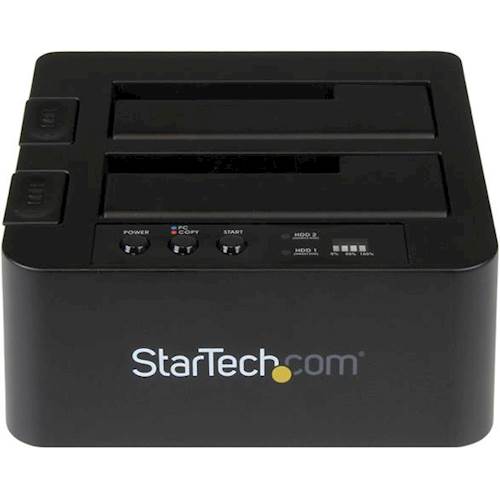
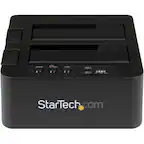
  1. StarTech.com - Dual USB 3.0 Hard Drive Duplicator Dock - Black

    SKU: J7PHYX78TJ

    Product Description

    A black hard drive duplicator dock that clones SATA, 2.5" and 3.5" drives at 10 Gbps.
    See all Hard Drive Cables & Accessories
    Your price for this item is $141.80
    Save $0
    The previous price was $142.08
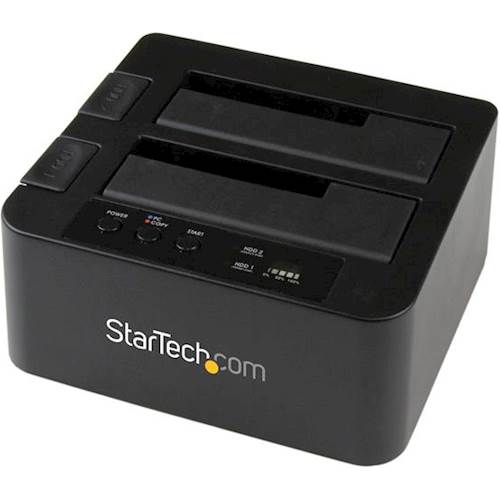
  2. StarTech.com - Dual eSATA/USB 3.0 Hard Drive Duplicator Dock - Black

    SKU: J7PHY2VKPY

    back at Win 8.1 until win 10 backup is more solid. the young guys recommended a Sdock2U33RE so far GREAT...This is a great device for cloning HDDs/SSDs for upgrades.

    Product Description

    A black hard drive duplicator dock with dual eSATA/USB 3.0, sector-by-sector copying, and computer-free operation.
    See all Hard Drive Cables & Accessories
    Your price for this item is $124.49
    Save $3
    The previous price was $127.49

Copying devices make it easy to duplicate documents, preserve important paperwork and keep everyday tasks moving at home or in the office. From compact all-in-one printers to dedicated office copiers, these machines offer different combinations of copying, scanning and printing capabilities. A multifunction printer can be a practical choice for a home office because it combines several tools in one device, while a dedicated copy machine may better suit a workspace focused on frequent document duplication. Inkjet all-in-one printers are worth considering for a mix of text documents and color images, while laser multifunction printers are often a strong fit for high-volume text printing and copying. As you compare copying devices, consider whether you need black-and-white or color copies, how much space you have available and which paper sizes you use most often. Copy speed, commonly measured in copies per minute, and supported paper capacity can help you identify a model that matches your workload without paying for features you rarely use. The best copying device for your needs should also make routine document handling straightforward. A flatbed scanner accommodates individual sheets and items such as book pages, while an automatic document feeder can simplify copying stacks of loose pages. For double-sided documents, check the specifications carefully: automatic duplex printing does not necessarily mean a device can scan or copy both sides of an original automatically. Look for explicit support for two-sided scanning and copying if that capability is important to your workflow. Adjustable copy settings, including resizing, contrast and copy quantity, can help you reproduce everything from receipts to multipage reports. On compatible multifunction printers, Wi-Fi, Ethernet and mobile printing support add flexibility for connected printing tasks, although basic copying typically does not require a computer. Before choosing a home office copier or business multifunction printer, compare replacement ink or toner costs, cartridge yields, recommended monthly print volume and maintenance requirements. Balancing these ongoing expenses with the copying features you need can help you find a reliable, cost-effective addition to your workspace.

FAQ

A copier scans a physical document and creates a paper duplicate, while a printer produces paper output from a digital file. Many multifunction printers combine copying, printing, and scanning in one device.

Common copier features include color or black-and-white copying, automatic document feeders, two-sided copying, and touchscreen controls. Multifunction models may also offer scanning, wireless printing, and faxing. Available functions vary by device.

A flatbed scanner has a glass surface where you place a document manually, making it useful for copying book pages or individual sheets. An automatic document feeder moves a stack of loose pages through the scanner for multipage copying. Some feeders support scanning both sides of each sheet.

Color copying devices reproduce documents using multiple ink or toner colors and typically also offer a black-and-white mode. Monochrome copiers reproduce text and images in black and shades of gray. The choice depends on whether your documents include color elements you want to preserve.

Many copying devices can copy physical documents directly from their control panels without a computer or internet connection. Multifunction models may use USB, Ethernet, or Wi-Fi for additional tasks, such as printing digital files or sending scans to a computer. Cloud-based features may require internet access.