Insignia™ - 2-Bay HDD docking station
Customers are saying
Customers admire the 2-Bay HDD docking station for its ease of use, fast data transfer speeds, and overall performance. The device's compatibility is also impressive, effortlessly accommodating various hard drives. However, some customers have noted concerns about the size, power issues, and loose connections.
Compatible with 2.5" or 3.5" shared hard drives
For use with your existing devices.
USB 3.0 to USB 3.0 type B cable
For connection to USB enabled laptops, tablets, and phones.
Dual bay
Lets you dock and swap drives from your desktop or laptop computer simultaneously, using a single USB port.
LED indicator
Makes checking the device status easy.
On/Off switch
Easily conserve power when you don't need it and then quickly turn it on when you do.
- Drive Form Factor2.5 in.
Reviews
Rating 4.5 out of 5 stars with 2028 reviews
- Ease of use (610)
- Data Transfer (211)
- Overall Performance (201)
- Compatibility (84)
- USB (71)
- Size (15)
- Power (9)
- Connection (8)
Customer Images
The vast majority of our reviews come from verified purchases. Reviews from customers may include My Best Buy members, employees, and Tech Insider Network members (as tagged). Select reviewers may receive discounted products, promotional considerations or entries into drawings for honest, helpful reviews.
Compare similar products

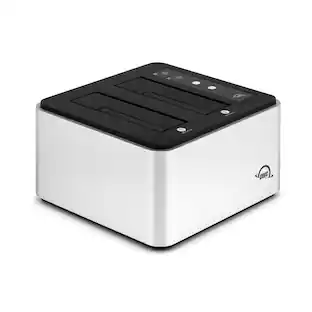
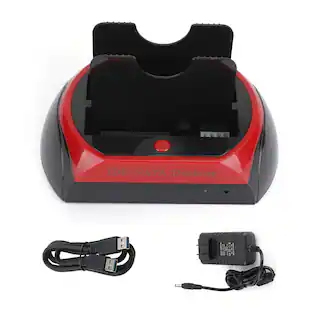
Connect and store external hard drives on your desktop with this Insignia hard drive enclosure docking station. Two slots accept SSD and HDD drives for simultaneous reading, and a USB 3.0 port allows for fast data transfer. An eject button lets you safely remove each drive when not needed, and this Insignia hard drive enclosure docking station features an LED indicator light to show the working status of each device.

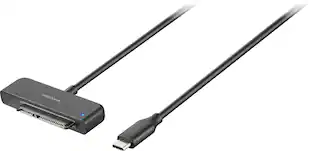
Whether you’re looking for additional storage space or want to access files on older drives, the Insignia NS-PACS2B25 1.97' USB-C to SATA Adapter is your simple plug-and-play solution. Connect your 2.5" SATA drive with a USB-C connection to view and transfer files on your computer. The plug and play design makes setup simple, and its UASP support reduces your machine’s processor requirements. Tackle any old storage projects today with the help of this Insignia adapter.
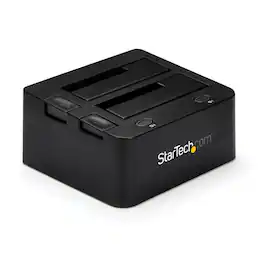
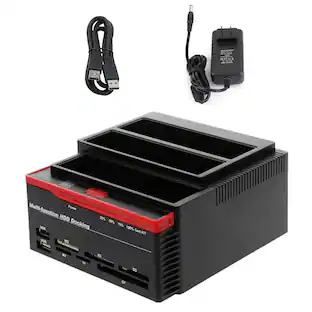
You can effortlessly enhance your data management and transfer capabilities with the UNIDOCKU33 USB 3.0 Universal HDD/SSD Dock. This robust and compact docking station is engineered to provide immediate access to your 2.5-inch or 3.5-inch IDE and SATA hard drives. It features two top-loading drive slots that eliminate the need for mounting the drives into a computer or external enclosure, streamlining your workflow and saving you valuable time.The UNIDOCKU33 is not only efficient but also user-friendly, supporting the latest in data transfer technology. It is equipped with UASP (USB Attached SCSI Protocol), which, when paired with a UASP-enabled host controller, unlocks the full potential of the latest SATA III (6 Gbps) drives, including solid state drives (SSD) and hybrid drives. This results in performance that is up to 70% faster than conventional USB 3.0 connections, significantly accelerating file transfers and backups.Key features of this reliable docking station include:- Maximum versatility with support for both SATA and IDE drives, as well as compatibility with 2.5-inch and 3.5-inch HDDs and SSDs.- Optimal performance with support for SATA III and UASP, ensuring swift and efficient data handling.- User-friendly operation with upright slot-loading SATA and IDE drive bays, which also contribute to a clutter-free workspace.- Broad compatibility with USB 3.0/2.0/1.1 and SATA revision I/II/III interfaces, as well as PATA (IDE) 66/100/133 MBps hard drives.- A compact, desktop-style form factor that fits seamlessly into any setup.- Plug-and-Play and hot-swap compatibility for ease of use.- A patented drive ejection mechanism for SATA drives and a combined power switch and status LED for each drive, enhancing user convenience.The UNIDOCKU33's slot-loading design securely holds the SATA and IDE drives upright, keeping them neatly off the desk. For SATA drives, the HDD can be inserted directly into the designated dock slot. The IDE drive slot is conveniently located near the rear panel 40-pin data and LP4 power connections, allowing for easy connection using the included IDE data and power cables.A single USB 3.0 connection to your host computer enables simultaneous access to both the IDE and SATA hard drives, providing a practical solution for data migration between different drive types. This docking station is also ideal for expanding the storage and backup capabilities of your computer system, supporting high-capacity drives (tested with up to 6TB for 3.5-inch and 2TB for 2.5-inch drives).Experience improved performance with UASP, which is supported on Windows 8, Mac OSX (10.8 or above), and Linux. In testing, UASP achieves a 70% faster read speed and a 40% faster write speed over traditional USB 3.0 at peak performance, along with an 80% reduction in required processor resources.The UNIDOCKU33 is a versatile and reliable choice for a variety of applications, including direct file transfers between SATA and IDE hard drives, fast data retrieval, data recovery from failed computers, quick backup to external drives for archiving, and testing or benchmarking multiple hard drives. With this docking station, you can streamline your data management tasks with confidence and efficiency.

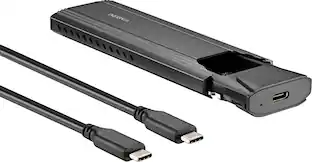
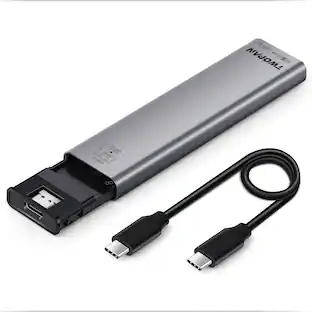
There’s nothing worse than low computer storage when you’re in the middle of working on a big project. Add portable data storage to your laptop or computer with the Insignia NS-PC25HDE 2.5" SATA to USB-C HDD Enclosure. It turns your 2.5" SATA drive into a USB-C connection with transfer speeds up to 6 Gbps, giving you a high-speed access to your data. The enclosure includes a USB-C cable and a USB-to-USB-C adapter for wide-ranging use. It also has a plug-and-play design, making it easy to use with most computers and laptops. Featuring UASP support, it further reduces processor requirements while improving your data speeds. Enhance your computer storage with a high-quality solution that will let you get things done.
| Pros for Insignia™ - 2-Bay HDD docking station | |||
|---|---|---|---|
| Ease of use, Overall Performance, Compatibility, Data Transfer, USB | Overall Performance, Ease of use, Compatibility, Connectivity, Price | There were no pros for this product— | Ease of use, Overall Performance, Compatibility, Speed, USB-C |
| Cons for Insignia™ - 2-Bay HDD docking station | |||
| Size, Power, Connection | There were no cons for this product— | There were no cons for this product— | There were no cons for this product— |
Specs
Customers often buy these together



More to consider
 $24.99The price was $26.99
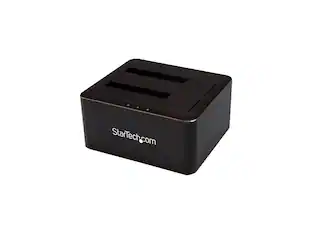
Explore tech essentials Sponsored
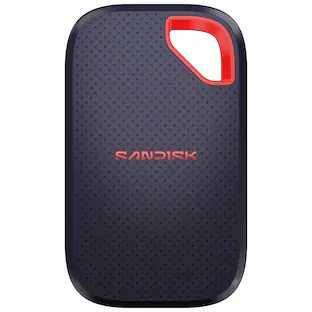 $449.99The price was $589.99


Discover related products
 $12.99The price was $13.99






Keep exploring
 $49.99The price was $50.99
 $38.99The price was $54.52
 $82.49The price was $87.15