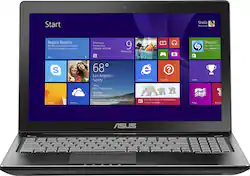
ASUS - 15.6" Touch-Screen Laptop - Intel Core i7 - 8GB Memory - 1TB Hard Drive - Black
- Key Specs
- Screen Type: LED
- Screen Size: 15.6 inches (Size of the screen, measured diagonally from corner to corner.)
- Screen Resolution: 1920 x 1080 (Full HD) (Screens come in a range of resolutions (measured in pixels, horizontal x vertical). The higher the resolution, the greater the picture quality.)
- Touch Screen: true (Touch-screen devices make navigating more intuitive. Using a touch-screen display, you can do things such as tap to select, hold and drag to move items, swipe to scroll, and pinch to zoom.)
- Storage Type: HDD
- System Memory (RAM): 8 gigabytes (Random-access memory (RAM) is a computing device's short-term data storage, which allows active information to be accessed quickly. The size and type of RAM determines how efficiently the device can handle large amounts of information at one time. For example, gaming or video editing requires more RAM for optimal performance.)
- Backlit Keyboard: true (Integrated lights allow for visibility of the keys in low-light conditions.)
- General
- Product Name: 15.6" Touch-Screen Laptop - Intel Core i7 - 8GB Memory - 1TB Hard Drive
- Brand: ASUS
- Model Number: Q550LF-BBI7T07
- Display
- Screen Type: LED
- Screen Size: 15.6 inches (Size of the screen, measured diagonally from corner to corner.)
- Screen Resolution: 1920 x 1080 (Full HD) (Screens come in a range of resolutions (measured in pixels, horizontal x vertical). The higher the resolution, the greater the picture quality.)
- Touch Screen: true (Touch-screen devices make navigating more intuitive. Using a touch-screen display, you can do things such as tap to select, hold and drag to move items, swipe to scroll, and pinch to zoom.)
- Processor
- Processor Brand: Intel
- Processor Model Number: i7-4500U
- Storage
- Storage Type: HDD
- Hard Drive Capacity: 1000 gigabytes (The amount of data that can be stored on the device's mechanical hard drive. Hard disk drives (HDDs) typically have larger capacities than solid state drives (SSDs) but may have slower speeds.)
- Memory
- System Memory (RAM): 8 gigabytes (Random-access memory (RAM) is a computing device's short-term data storage, which allows active information to be accessed quickly. The size and type of RAM determines how efficiently the device can handle large amounts of information at one time. For example, gaming or video editing requires more RAM for optimal performance.)
- Type of Memory (RAM): DDR3 (Each type of RAM delivers a different level of speed, bandwidth, energy efficiency and performance.)
- System Memory RAM Expandable To: 16 gigabytes (Adding more random-access memory (RAM) to a computer speeds up performance and improves efficiency. Upgrades to memory are limited by the number of expansion slots for additional RAM and existing RAM installed on the device.)
- Compatibility
- Operating System: Windows 8 (The operating system manages all software and hardware, including files, memory and connected devices. Most importantly, it lets you interact with your device and your programs in a visual way; otherwise, you'd be typing computer code to get anything done.)
- Features
- Backlit Keyboard: true (Integrated lights allow for visibility of the keys in low-light conditions.)
- Dimensions
- Product Height: 1.1 inches (The out of box height of the item. Height is measured as the vertical distance from the bottom of the item to the top as it would be primarily used or placed.)
- Product Width: 15.1 inches (The out of box width of the item. Width is measured as the horizontal distance from one side of the item to the other as it would be primarily used or placed.)
- Product Depth: 10 inches (The out of box depth of the item. Depth is measured as the distance from the front of the item to the back as it would be primarily used or placed.)
- Certifications Listings & Approvals
- ENERGY STAR Certified: true (Devices carrying the ENERGY STAR service mark, such as computer products and peripherals, kitchen appliances, and other products, generally use 20% to 30% less energy than required by federal standards.)
- EPEAT Qualified: false (The Electronic Product Environmental Assessment Tool (EPEAT) was designed to provide an environmental assessment tool for purchasers. In order to qualify for EPEAT, a product must meet all 23 required criteria.)
- Included
- Included Software: Adobe Reader and more
- Other
- UPC: 886227562886


Learn more about the New Windows ›

- 15.6" Full HD touch screen for hands-on control: Natural finger-touch navigation makes the most of Windows 8. 1920 x 1080 resolution boasts impressive color and clarity. IPS technology offers wide viewing angles. Energy-efficient LED backlight.
- 4th Gen Intel® Core™ i7-4500U mobile processor: Ultra-low-voltage platform. Dual-core, four-way processing provides maximum high-efficiency power to go. Intel Turbo Boost Technology delivers dynamic extra power when you need it.
- 8GB system memory for advanced multitasking: Substantial high-bandwidth RAM to smoothly run your games and photo- and video-editing applications, as well as multiple programs and browser tabs all at once.
- 1TB hard drive: Ample storage space for your files and a significant collection of digital photos, music, HD videos and DVD-quality movies. 5400 rpm spindle speed for standard read/write times.
- NVIDIA GT 745M graphics: Driven by 2GB dedicated video memory to quickly render high-quality images for videos and games.
- External subwoofer included: Adds deep bass to your audio experience. SonicMaster audio creates rich, detailed sound for your music, movies and games.
- Weighs 6 lbs. and measures 1.1" thin: Balances portability and screen size, so you get a respectable amount of viewing space without the laptop being too cumbersome for practical portability. 2-cell lithium-polymer battery.
- Long battery life gives you more time away from an outlet: Rated up to 4 hours and 35 minutes.
- Brushed-hairline aluminum finish: Creates a sleek look and provides a rigid but lightweight frame.
- Voice recognition capability: Dragon software preinstalled so you can type by talking and control the laptop through voice commands.
- Bluetooth interface: Sync with other Bluetooth-enabled devices, such as a cell phone or MP3 player, or connect Bluetooth wireless accessories.
- 3 USB 3.0 ports maximize the latest high-speed devices: USB 3.0 ports are backward-compatible with USB 2.0 devices (at 2.0 speeds).
- HDMI 1.4 output expands your viewing options: Connect to an HDTV or high-def monitor to set up two screens side by side or just see more of the big picture.
- Built-in media reader for simple photo transfer: Supports Secure Digital, Secure Digital High Capacity, SDXC and MultiMediaCard memory cards.
- Wireless and wired network connectivity: Built-in high-speed wireless LAN connects to your network or hotspots on the most common Wi-Fi standards. The Fast Ethernet LAN port also lets you plug into wired networks.
- Microsoft Windows 8 operating system: Designed for touch, mouse and keyboard, so you can choose how you get around. Use the touch screen to easily zoom and customize your new Start screen, or restore the familiar Windows desktop experience.
- Built-in HD webcam with microphone: Makes it easy to video chat with family and friends or teleconference with colleagues over Skype or other popular applications.
- Backlit keyboard for easy typing in dim or dark locations: Comfortable, chiclet-style keys. Built-in 10-key numeric keypad to quickly input numbers. Wide-type touchpad with 2-finger multitouch support.
- DVD/CD burner: Reads and writes to a variety of media formats, including DVD+R/RW, DVD-R/RW and CD-R/RW.
- Basic software package included: Adobe Reader. 60-day trial of Microsoft Office 2010.
- Additional ports: Mini display port. Microphone in/headphone out combo jack. 2.5mm external subwoofer connector with >5W power output.
Whats Included
- 15.6" Touch-Screen Laptop - Intel Core i7 - 8GB Memory - 1TB Hard Drive
Q: Can I remove/change the battery on this laptop myself?
A: It comes out with 3 or 4 screws after removing the bottom plate. Asus recommends against it but I don't see it is any different than changing RAM or the hard drive. If you are not comfortable doing those, I would avoid doing it yourself.
Q: Can I Leave this Laptop Plugged In All The Time?
A: Yes, it can be plugged-in all the time. The battery needs to be removed if the laptop was remained plugged-in to prolong its life.
Q: Is that a 4th generation intel processor or the 3rd.
A: It a a 4th generation but be aware that it a low-voltage version with a dual core/four threads, not quad core/8 threads. It will be good for battery life but isn't as powerful or as fast as the other i7 processors.
Q: What is the screen resolution?
A: That is correct; the laptop uses 1080p screen.
A: Both model numbers have the same hardware specification, it does support 1920 x 1080 display resolution and the battery life is approximately 4 hours.
Q: Can the RAM in the Graphics card can be upgraded?
A: No, The graphics card and hardrive are not upgradeable.
A: Depends on the game! The processor is dual core, four thread and runs at 1.8 Ghz and low wattage. The display card is 4megs but is not the highest end. Basically this is a compromise that allows pretty good battery life with ok gaming. If you are really into games (Crysis, BF3, etc) you should probably look at one of the 4700 or higher quad cores and at least a GT750m graphics card. But you will gain weight and heat and lose battery life and probably touch screen.