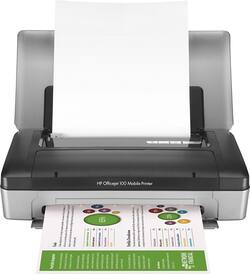
HP - Officejet 100 Wireless Printer - Gray/Black
- General
- Product Name: Officejet 100 Wireless Printer
- Brand: HP
- Model Number: CN551A#B1H
- Features
- Package Type: Single
- Cartridge Color(s): Multicolor
- Other
- UPC: 885631426791
HP Officejet 100 Printer: Complete a variety of personal, business and crafting jobs with this printer. Just connect to your computer via Bluetooth to start printing on paper, envelopes, transparencies, labels and cards. You can even create 4" x 6" borderless prints.
- Inkjet printers are best for home or small business use: They offer excellent print quality for photos and documents and accept a variety of paper types and sizes.
- Wireless and mobile printing capability: Connect computers easily with Bluetooth. Plus, print directly from PictBridge-enabled digital cameras and camcorders.
- Up to 4800 optimized dpi (dots per inch) color resolution: High resolution for producing incredible quality and detail in documents and photos. Features 600 x 600 rendered dpi.
- 1 black and 1 tri-color print cartridge: Three inks produce vivid color in photos, and black ink produces crisp text.
- Standard paper handling: 50-sheet input capacity.
- 4 front-panel buttons: Allow you to select the functions you want. Five LEDs provide operation status information.
- 1 USB port for simple connectivity: 1 high-speed USB 2.0 port offers a standard connection to your computer.
Whats Included
- HP 98 black and tricolor ink cartridges
- HP Officejet 100 Wireless Printer
- Owner's manual
- Power cord, AC adapter
- Printer drivers, lithium-ion battery
A: You may print wirelessly via blutooth from you mobile device or PC without a router.
Q: Can you scan with HP100 printer?
A: You can scan on a scanner to the printer, but cannot scan with the printer.
A: Yes it can and I did not have to purchase any additional items.
A: Yes !! I have one and you do NOT need to plug it in - like any other device just manage the battery life :)
Q: Can I use a usb cable from my laptop?
A: Yes it has a USB port on the back.
Q: Can I print from an IPad Air to this printer?
A: Hi, Unfortunately the printer is not e-Print enabled which means you cannot use the e-Print or AirPrint functionality which both work over wi-fi and not bluetooth. Follow this link to the Apple product support page that will explain in greater detail. http://support.apple.com/en-us/HT201311
A: The WiFi adapter for the H470 is not compatible with this printer. At this time, HP does not have a solution for adding WiFi connectivity to this printer model.






















