


Leap Motion - Controller
This item is no longer available in new condition.
See similar items below.
Description
Features
A tiny device with huge possibilities
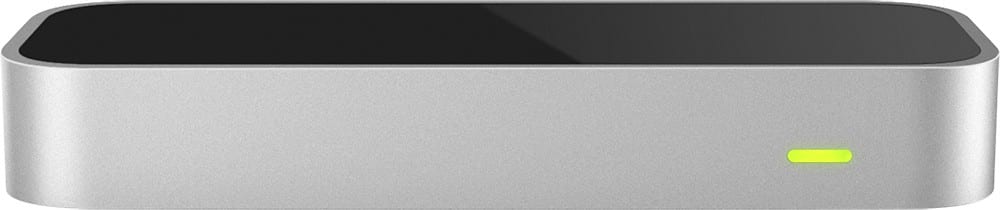
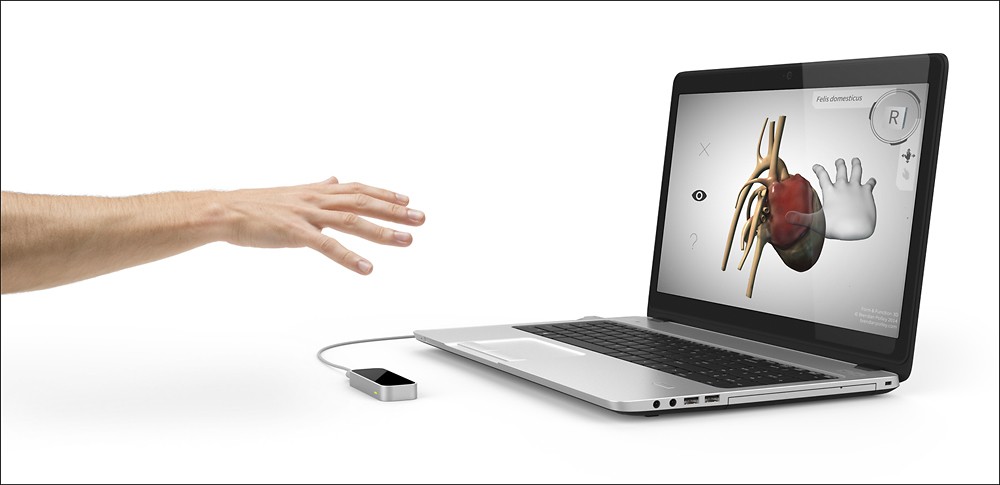
At just 3" long, the device is sleek, light and tiny, and occupies minimal space on your desk. The wide 150° field of view gives you 8 cu. ft. of interactive, 3D space.
It works with what you already have (hands and fingers included)
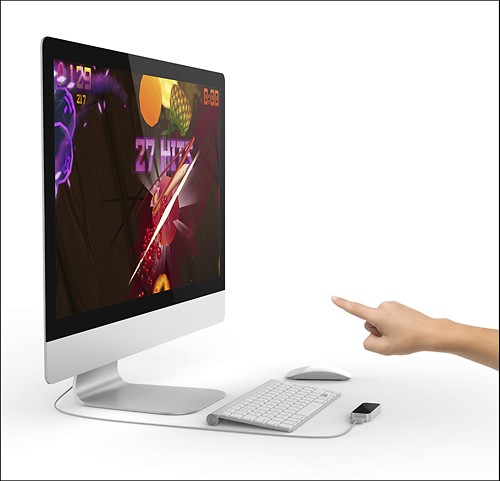
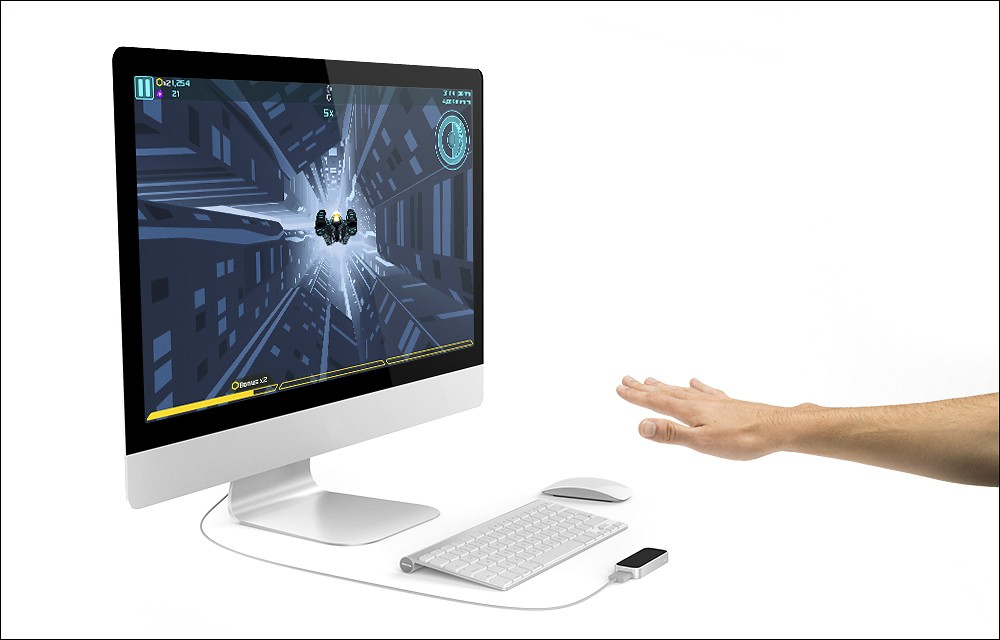
The Leap Motion Controller doesn't replace your keyboard, mouse, stylus or trackpad, it works with them. Just plug it into the USB port on your Mac or PC, and you're off.
Bring your game to the next level
Get way more into the game by using your hands to move in any direction with precision. Dive into realistic, 3D interaction and steer, slice, grab, push, pull, crush and shoot with your hands and finger.
Make a masterpiece out of thin air
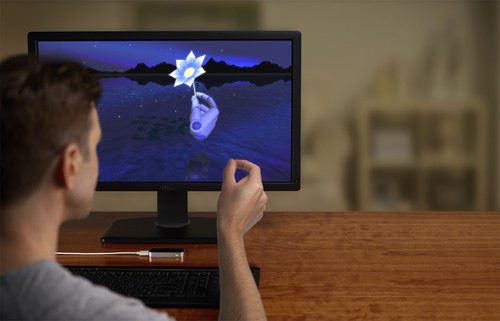
With the Leap Motion Controller, you're the instrument. Strum, drum, sketch, draw and paint with your fingers, sculpt as easily as you would with clay, or use your own pencils, paintbrushes or drumsticks.
Reach for the stars and grab a planet while you're at it
Learn about the world through 3D motion control. Move up, down, left, right, forward and back. Fly through space, take apart a skull or simply catch up on the latest news and events.
Sets up in 3 easy steps
Connect the USB cable to your Mac or PC, download the software and set up your account. Then head straight to the Leap Motion App Store and get ready to do amazing stuff.
Leap Motion App Store
Provides access to more than 200 free and paid apps designed to let you play, create and explore on the Web or your PC or Mac. Connect the controller to complete the setup, and start downloading apps right away.
Turn your computer into a gesture-controlled digital command center
Via the Shortcuts app and play your favorite music and videos, scroll through Web content and documents or switch between apps with the wave of a hand.
Stay on top of content and at the edge of adventure
Automatic software updates put up-to-date features and enhancements at your fingertips, so you can experience new content as it comes.
What's Included
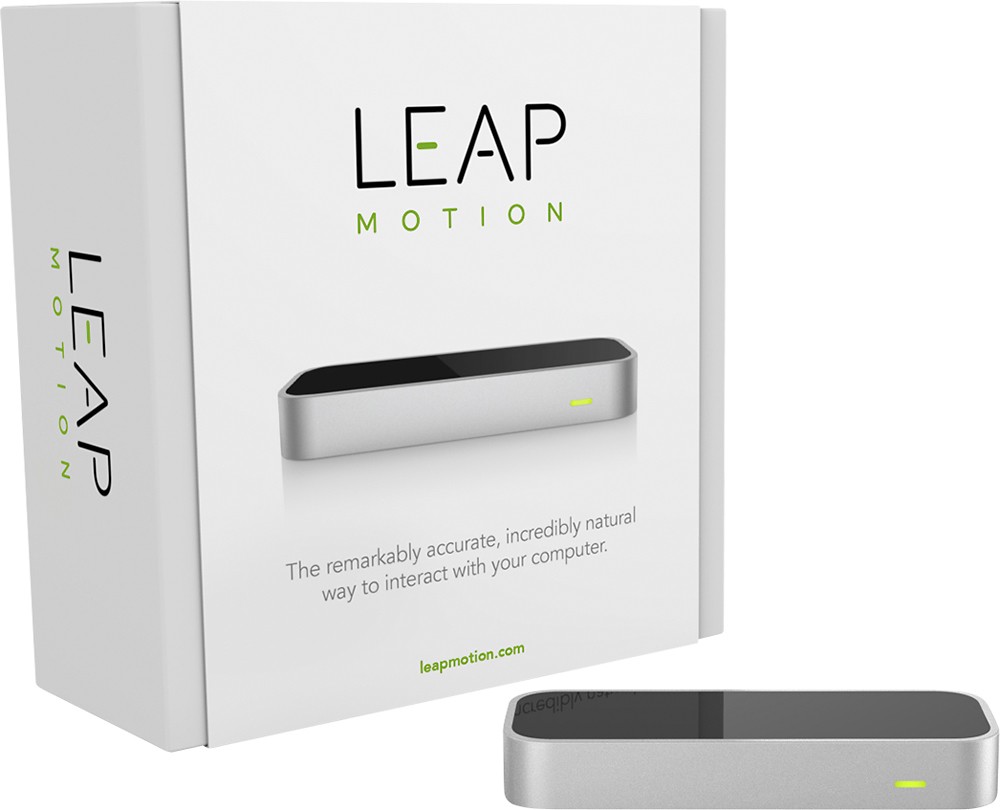
Leap Motion Controller
2 custom-length USB 2.0 cables
Important information guide
Other
- CompatibilityWindows 7 or 8 or Mac OS X 10.7 Mountain Lion (minimum requirements: AMD Phenom™ II or Intel® Core™ i3, i5 or i7 processor; 2GB RAM; USB 2.0 port; Internet connection)
- Mac CompatibleYes
- Length of Cord24" and 60"
- Type of CableUSB 2.0 (micro USB 3.0 connectors)
- Type of Pointing DeviceMotion controller
- Connection TypeUSB
- Port ConnectionUSB
- UPC857192004015
Customer reviews
Rating 3.3 out of 5 stars with 121 reviews
(121 customer reviews)to a friend
Customers are saying
Customers frequently mention the fun aspect of the product, describing it as a fun tool for virtual reality demonstrations. However, they also express concerns about its compatibility, with many stating that not many software programs can use it. Additionally, customers would like to see more supported apps and improved accuracy and speed for gaming.
This summary was generated by AI based on customer reviews.
- Cons mentioned:Ease of use
Rated 3 out of 5 stars
1+ years and still far from ready.
||Posted .This reviewer received promo considerations or sweepstakes entry for writing a review.I'll preface this review by saying I had very high hopes that the leap would be the product I wanted it to be. I had been following it since it's kickstarter days and really wanted this to be something big and a change in the way we used and interfaced with our computers/tablets/etc. In the end, the initial reviews were lackluster and I gave it more than a full year before picking up mine on sale to give it a good try. By the end of the first day using it, I knew that it hadn't come very far, and in fact, didn't even seem to have the functionality that it had a year ago. (some apps no longer on the app store that were there at launch due to those companies dropping support) I gave it another week to see if I could find some real use for it other than the demo's (which were the most functional applications out there at this time) but it's just not ready for mainstream, mainly due to lack of application support.
No, I would not recommend this to a friend - Pros mentioned:AccuracyCons mentioned:Software quality
Rated 4 out of 5 stars
Just waiting for the apps
||Posted .This reviewer received promo considerations or sweepstakes entry for writing a review.I missed out on the kickstarter buzz, but thought it was an outstanding idea, so when I saw it on bestbuy and figured I could get reward points too it was a no-brainer. Very well designed and built product, feels sturdy and the cables look like they'll stand the test of time (which in my case is somewhat important having two boys under 3 years old in the house who have a habit of showing up just where manufacturers cut corners in their product assembly). Out of the box, I had no issues at all. The software downloaded, installed and detected the leap straight away. It complained about a bright light source (I use it at work, so I would imagine anyone else would have this 'problem'), said it was going into fallback mode and performed flawlessly. The visualizer is fascinating for about 10mins (and anytime anyone wanders by) and impressively accurate. Sadly, it goes downhill from here. The mouse pointer replacement on windows (and Mac) is at the moment a gimmick at best; aiming is trivial, keeping your hands in the right place to 'click' on things is frustratingly difficult. I'm not a UI designer, I'm sure there are reasons for it (maybe I just have early onset alzheimers and a shaky hand...who knows), but it just didn't work for me. The other software titles were interesting for 10-20mins at a time (and again when someone who'd not seen it before wandered by), but I soon tired of them and haven't run them since. I'm hoping the developers (who must be smart, as the product and drivers are so good) are able to refine this part of the interaction/introduce gestures (/maybe hire an Apple engineer...much as people like to beat on them, they certainly know how to make interfaces intuitive and just work...my 2.5 year old figured out the iPad with minimal input from us) so that we can get to the minority report style interaction with the PC. For $80, it'll provide you with a few hours entertainment (, and hopefully a few years worth of new interactivity with your PC/Mac if they can get the software up to scratch)
I would recommend this to a friend - Cons mentioned:Software quality
Rated 3 out of 5 stars
Cool concept, software needs work
||Posted .This reviewer received promo considerations or sweepstakes entry for writing a review.Bought these for some of my co-workers, they all seemed to think it was neat but had a very limited use for business. The tracking was hit or miss as the florecent lighting was different for each, but overall passable. One of the units was dead on arrival, I went back to exchange only to get another dead on arrival unit. Third time was the charm as it worked flawlessly. Overall, I would not recommend right now, the software is too limited and the experience has been very mixed. Wait until the next generation before making the jump.
No, I would not recommend this to a friend - Cons mentioned:Software quality
Rated 3 out of 5 stars
Leapmotion Cool Technological Concept
||Posted .This reviewer received promo considerations or sweepstakes entry for writing a review.I purchased this device because I am an art teacher and was interested to incorporate it into my classroom teaching. I have one....that is it for now. Hopefully in time this device will progress further. From my experience, the Leapmotion is specific to it's applications . There is a free Windows application but I was unable to get it to open. (I have Windows 7) Perhaps it only works with Windows 8. There are tutorials online for all the apps which really helped. The educational apps are great. Surprisingly, there are cooler apps for science than art. This shocked me! It would be really great if it was compatible with any program. The Corel Paint app was no so great. I cannot get it t stop painting. I will visit the tutorial for this one. The other apps had tips while you were working in them but Corel did not. Last, Cut the Rope the most awesome app but it is a game that I would only use to familiarize my students with the device. Please any feedback on how to improve the usage of this device will be welcomed. I would love to incorporate such a cool technology into my curriculum.
No, I would not recommend this to a friend Rated 3 out of 5 stars
Great Idea, needs to evolve
||Posted .This reviewer received promo considerations or sweepstakes entry for writing a review.This is a great product, the idea means we're one step closer to laughing at Tony Stark himself! Although this stage of the tech has several big problems. 1. Its too small; the size makes it very portable yes, but it makes it easy to bump or even keep still on a desk sometimes because of the cord angle. Not a big deal, except another flaw in its size is its overall range. It does have a wide sensor range, yes. Except if I flip my hand, it loses track of my fingers because a flipped right hand suddenly becomes a left hand. Suggestion: make it wider, and bigger. Maybe curve it upward on each end so it can sense in more directions other than up. 2. This little sucker gets hot pretty quick if you're spending an hour or two configuring things and playing around with it. As does most tech except if this were to become used for practical computer use, it needs to be able to go for much longer. Unless we just stick ice packs under it, hah! 3. The configuration limit so far: it all seems to be a repeated set of motions that ppl seem to be quite comfortable with. Which is great! Exceptthe other issues with the size, shape snd sensor range, these commands are frequently made by mistake, even when you were pretty sure you didn't make the necessary hand gesture for the mistaken command. **4. PLEASE: CO-OPERATE THIS TECH WITH AUDIO CONTROL!!!** Think if this thing could react to not only the motion of a snap of your fingers, but read the noise as well. Or simply hold up your thumb to prepare it to open a program, and you just say "Skype", "Chrome", or even "World of Warcraft". 5. In addition to the reason why Audio Command would be a great implication, is because while your hands are up making commands, where is your keyboard? In Leap Motions current stage, lowering or raising your hands to your keyboard may trigger an unwanted command. Whst if you could just put your hands in a configured position, and speak to type? See, there are many things that can be done to make this a must have for any home, but I wouldn't reccomend it to a friend because its simply incomplete, but a great idea.
No, I would not recommend this to a friend- Cons mentioned:Ease of use
Rated 4 out of 5 stars
Fun toy
||Posted .This reviewer received promo considerations or sweepstakes entry for writing a review.I bought this for a specific purpose. To use with Brekel hands software program to created 3d hand motion. It works great. The leap controller is an amazing piece of tech. The downside, unless your using it for VR or a special 3d application, it's not that useful.
I would recommend this to a friend - Cons mentioned:Ease of use
Rated 3 out of 5 stars
Mixed feelings so far
||Posted .This reviewer received promo considerations or sweepstakes entry for writing a review.I've only been playing with this. I really would like to use it to control my PC, but the Windows app for that isn't ready for prime time. It's more along the lines of somewhere between alpha and beta ware. From what I've heard, the issues are not as pronounced on Macs. I see this as a great peek at one future of interfacing with technology. I'm looking forward to getting completely away from the mouse...but I figure it will be a couple years before the developer community gets that down well. I hope I'm proved wrong!
I would recommend this to a friend Rated 4 out of 5 stars
Fun gadget for a while
||Posted .This reviewer received promo considerations or sweepstakes entry for writing a review.This is a fun toy for a while, but not very productive. My 13-year old son played with it for less than a weekend and now it just sits on the desk. I think he developed arm fatigue early on. It is easy to set up on a Mac and simple to learn.
No, I would not recommend this to a friend
Be the first to ask a question.
We’ll try to get your question answered within 24 hours by a Best Buy customer or brand representative.
Ask a QuestionMost viewed
- $999.99Your price for this item is $999.99
- $69.99Your price for this item is $69.99$449.99The comparable value for this item is $449.99
- $249.99Your price for this item is $249.99
- $699.00Your price for this item is $699.00$799.00The comparable value for this item is $799.00
- $1,199.99Your price for this item is $1,199.99$1,499.99The comparable value for this item is $1,499.99
- $499.99Your price for this item is $499.99
- $899.99Your price for this item is $899.99$1,099.99The comparable value for this item is $1,099.99
- $119.99Your price for this item is $119.99$299.99The comparable value for this item is $299.99
- $239.99Your price for this item is $239.99$499.99The comparable value for this item is $499.99
- $199.99Your price for this item is $199.99$329.99The comparable value for this item is $329.99
- $119.99Your price for this item is $119.99$219.99The comparable value for this item is $219.99
- $499.00Your price for this item is $499.00
- $499.99Your price for this item is $499.99
- $13.99Your price for this item is $13.99
- $129.99Your price for this item is $129.99$229.99The comparable value for this item is $229.99
- $33.34Your price for this item is $33.34/mo.per monthfor 36 mos.; 0% APR
- $99.99Your price for this item is $99.99$149.99The comparable value for this item is $149.99
- $579.98Your price for this item is $579.98$1,079.99The comparable value for this item is $1,079.99
- $139.00Your price for this item is $139.00$319.00The comparable value for this item is $319.00
- $119.99Your price for this item is $119.99