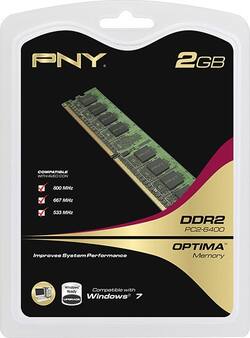
PNY - Optima 2GB PC2-6400 DDR2 DIMM Memory - Multi
- Key Specs
- Type of Memory (RAM): PC2-6400 DDR2
- Speed: 800 megahertz
- General
- Product Name: Optima 2GB PC2-6400 DDR2 DIMM Memory
- Brand: PNY
- Model Number: MD2048SD2-800
- Compatibility
- Type of Memory (RAM): PC2-6400 DDR2
- Pin Configuration: 240
- Speed
- Speed: 800 megahertz
- Other
- UPC: 751492371511
When it's time to upgrade your computer's memory, add an extra 2GB and buckle up for a faster, smoother ride.
Whats Included
- PNY Optima 2GB PC2-6400 DDR2 DIMM Memory
A: To check the specs for compatibility, (if using Windows), Click Start, and in the search box type "dxdiag" and press Enter. On the System tab, take note of the System Manufacturer and System Model fields. Google " [Manufacturer] [Model] Manual" (or replace "Manual" with "Specs") and the specs will be featured in the Memory/RAM section of the manual. Take note of the total RAM allowed and divide by the number of slots on the board, that's the max amount you can have for each slot. (ex. 16GB total divided by 4 slots would be 4GB max per slot) The Manual will also tell you the max speeds and DDR type it can handle.
Q: ddr pc2 6400
A: Any memory that says either DDR2 or PC2 means the same thing. Likewise DDR3 is the same as PC3. The other numbers indicate the speed of the memory. You should always try to match the speed (i.e. 6400, 10666, 12800, etc) on all sticks you put in the same machine. You can mix sizes (2GB with 1GB or 4GB is ok), but ALWAYS match the speed. Hope that helps.
A: yes, I removed (2) 1GB sticks and replaced them with (2) 2GB sticks
























