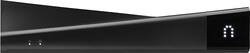
Sling Media - Slingbox 500 - Black
- Key Specs
- Operating System Compatibility: Windows
- General
- Product Name: Slingbox 500
- Brand: Sling Media
- TV Compatibility: Most TVs connected to cable or satellite set-top boxes with an HDMI, component or composite output
- Model Number: SB500-100
- Features
- Smart Capable: false (Smart, or smart-capable devices are able to connect directly to your home network in order to stream content from the Internet, run Internet-based apps, or connect to other smart devices.)
- Compatibility
- Compatible Wireless Standard(s): Wireless N (The wireless networking standard(s) the device is backwards compatible with. This includes networking protocols based on the IEEE 802.11 standard (alphabetically ascending) and the Wi-Fi Alliance standard (numerically ascending), both of which provide high-throughput wireless local area networks (WLANs). Devices designed to work with specific standard(s) will be backwards compatible with previous versions but may not run at optimal performance when using earlier iterations.)
- Interface(s): Ethernet, HDMI (Refers to the types of connections that devices use to interact and communicate with each other.)
- Other
- UPC: 753960013190
Sling Media Slingbox 500: Whether you're traveling around the world, visiting a friend's house or just in another room, Slingbox 500 lets you bring your favorite TV shows with you. Tune in to your shows on your laptop, smartphone or tablet for crisp 1080p HD programming wherever you go.
- Turn your laptop, tablet or smartphone into a TV: Watch your favorite TV shows from anywhere in the world on your PC, Mac, tablet, smartphone or TV with a connected device, such as Roku or Apple TV.
- Supports 1080p HD programming: Watch shows and movies in crystal-clear detail.
- Use your smartphone or tablet as a Slingbox remote: Change channels, schedule recordings on your DVR and control your TV exactly as you would at home with the SlingPlayer app.* Or use the included remote for simple operation at home.
- Simple on-screen setup: Get your Slingbox set up and ready to use in just a few quick steps.
- Share photos and videos on the big screen: Beam pictures and videos from your smartphone to your TV for easy sharing with friends and family.
- My Media stores your personal media library: Copy and archive your photos and videos to a USB storage device attached to your Slingbox for viewing at home or on the road. USB storage device sold separately.
- Rent streaming movies and watch international TV: Access over 180 international TV channels, including international Sports TV, with a subscription to DishWorld. Plus, rent the latest movies from Blockbuster On Demand.
- Built-in wireless networking: Get fast, smooth streaming with a wireless connection or wired Ethernet port.
- Compatible with select HD video sources up to 1080p: Connects to your digital cable set-top box, satellite receiver, DVR, DVD or Blu-ray player, video security cameras and/or USB storage device.
Whats Included
- Sling Media Slingbox 500
- Composite video cable, component video cable, HDMI cable, stereo audio cable, Ethernet cable, IR emitter cable, AC adapter, remote
- Owner's manual
Q: Does the box use home internet data when watching the slingbox from another location?
A: Yes, It will use your upload to send the video from Alaska to wherever you log in from. The only time it doesn't have to do that is if you're at home on the same network.
Q: Will my Michigan based Sling box work on a PC in Canada?
A: It should. We use it in Abu Dhabi in the Middle East and it's hooked up to our home in Florida.
A: Yes, it does! SlingPlayer for Mobile Devices is available for all of the most popular smartphones and tablets, including the iPad. See our product page at http://slingbox.com/go/spm for more information.
Q: Does Slingbox work with U-verse receivers/DVRs?
A: Yes, this will work on the U-Verse DVRs. Slingbox has the remotes for the boxes and it works properly.
A: The Slingbox 500 has all the same functionality as the M1 and has the following additional features: •SB500 can be setup from your TV screen using the included remote. •SB500 has HMDI passthrough connections and M1 only has Component. •SB500 has media functionality for viewing, storing, and streaming photos and videos from your smartphone or tablet to your TV over LAN. •SB500 has a USB connection that is used to stream movies and media over WAN from an external harddrive to your laptop/smartphone via Slingplayer and Slingplayer Mobile. •SB500 has Blockbuster Online and Dish World apps available viewing on your home TV.
Q: Can you edit the playlist on your dvr with the sling box?
A: My Slingbox 500 is connected to a DirecTV Genie DVR. I can do everything remotely that I can do when I'm sitting at home in front of the system. In my setup, when I connect remotely I have full access all of the DirecTV remote control functions so I can stream anything in my playlist, delete anything in my playlist, fast forward, rewind, pause, add new shows to record, etc.
A: You can use it anywhere worldwide as long as the host TV and the destination have internet access. You will be logging in through your home network.
Q: one sling box- 2 different viewing locations
A: The easy answer is yes. One can log in to the Slingbox as owner and the other as guest. BUT, with only one Slingbox and one cable box, they WILL have to watch the same show. In other words, it's like having one TV in the house that is viewable in two other places.


















