Sonos - Beam Soundbar with Voice Control built-in - White
Related Item

Specifications
- App CompatibleYesWall MountableYesWorks WithAmazon Alexa, Google HomeVoice Assistant Built-inAmazon Alexa, Google Assistant
- Key Specs
- App Compatible: true (The product can be connected to a program or software application on a mobile device, which then receives collected data from the product.)
- Wall Mountable: true (The product is able to be secured to a wall. Some products are designed ready to mount, while others may require additional hardware/accessories for installation.)
- Works With: Amazon Alexa, Google Home (Compatible with or able to be connected to other smart devices or applications.)
- Voice Assistant Built-in: Amazon Alexa, Google Assistant (A digital assistant built into the device that uses voice commands to answer questions and control smart devices.)
- General
- Brand: Sonos
- Model Number: BEAM1US1
- Product Name: Beam Soundbar with Voice Control built-in
- Color: White
- Audio
- High Resolution Audio: false (Hear music the way musicians and sound technicians intended it to be heard. Products that support hi-res audio deliver audio signals with a dynamic range and bandwidth far greater than that of a standard CD so you'll be able to enjoy pure music with outstanding sound quality. The device supports high-resolution audio signals, which more closely resemble the quality of music as it was originally recorded, with more texture and detail than can be heard via typical music streaming services or CDs.)
- Connectivity
- Number of HDMI Inputs (Total): 1
- Number of USB Inputs: 0
- Number of Optical Audio Inputs: 1
- Number of HDMI Outputs (Total): 0
- Features
- App Compatible: true (The product can be connected to a program or software application on a mobile device, which then receives collected data from the product.)
- Wall Mountable: true (The product is able to be secured to a wall. Some products are designed ready to mount, while others may require additional hardware/accessories for installation.)
- Speaker
- Number of Tweeters: 1
- Number of Drivers: 5
- Dimensions
- Product Height: 2.7 inches (The out of box height of the item. Height is measured as the vertical distance from the bottom of the item to the top as it would be primarily used or placed.)
- Product Width: 25.6 inches (The out of box width of the item. Width is measured as the horizontal distance from one side of the item to the other as it would be primarily used or placed.)
- Product Depth: 3.9 inches (The out of box depth of the item. Depth is measured as the distance from the front of the item to the back as it would be primarily used or placed.)
- Product Weight: 6.35 pounds (The out of box weight of the item.)
- Included
- Remote Control Included: false
- Cable(s) Included: HDMI, Optical digital audio, Power
- Mounting Hardware Included: false
- Certifications Listings & Approvals
- ENERGY STAR Certified: false (Devices carrying the ENERGY STAR service mark, such as computer products and peripherals, kitchen appliances, and other products, generally use 20% to 30% less energy than required by federal standards.)
- Warranty
- Warranty - Parts: 1 year
- Warranty - Labor: 1 year
- Compatibility
- Works With: Amazon Alexa, Google Home (Compatible with or able to be connected to other smart devices or applications.)
- Voice Assistant Built-in: Amazon Alexa, Google Assistant (A digital assistant built into the device that uses voice commands to answer questions and control smart devices.)
- Other
- UPC: 878269004264
Enhance the audio capability of your TV with this white Sonos Beam compact smart sound bar, which features voice activation through Amazon Alexa and Google Assistant. Whether you're watching a movie or playing games, this system produces a wide spectrum of sound through four full-range woofers to fill every corner of the room. The plug-and-play feature of this Sonos Beam compact sound bar ensures easy setup.
- Compact smart soundbar: Experience incredible sound while streaming music, watching TV and movies, enjoying podcasts and audiobooks, or playing video games, all with voice control.
- Amazon Alexa and Google Assistant Built-In: Play music hands-free with voice assistant. Everyone can do it.
- Five-speaker design with five Class D digital amplifiers: Plunges you into a cinematic action with huge waves of sound that capture every whisper and footfall. Specially tuned by sound engineers to emphasize the sound of the human voice.
- Elliptical woofers: Four full-range woofers ensure you'll hear the faithful playback of midrange vocal frequencies plus deep, rich bass.
- One tweeter: Creates crisp and clear high-frequency response.
- Inputs: The soundbar features one HDMI port.
- Five far-field microphone arrays: Provide advanced beam forming and multichannel echo cancellation.
- LED hardwired to voice microphones: Offers privacy control so you know when the microphone is active.
- Sonos Beam is easy to set up: Connect the soundbar to your TV with the included HDMI cable and plug in the power cord to instantly start playing anything connected to your TV, such as a cable box or gaming console.
Whats Included
- HDMI cable
- Legal/warranty information
- Optical audio adapter
- Power cord
- Quick start guide
- Sonos Beam
Product Manuals
Q: Can I connect a turntable to the Beam? If so, which ones are compatible?
A: The input for the Beam is for TV's and is via HDMI-ARC or a optical connection. If you are just looking to add a turntable as a source for Sonos speakers to play then you'd use a Play5 or a Sonos Connect. The 5 has an 1/8" miniplug input. The Connect has an analog in (L and R rca).
A: You can control the sound of the beam 4 ways: 1) With your TV remote 2) You can use the Satellite remote if it is programmed to control the sound on your TV Options 1 and 2 require you plug the Sonos Beam to the ARC HDMI port on your TV. 3) Via the Sonos App 4) Using the buttons on the top of the beam
A: Hi, and thank you for your question. The Sonos Beam will give you clear, detailed dialog. It has a dedicated center channel for dialog, and in our app there is a speech enhance mode that turns up just the center channel. So you can hear what is being said better, but you don't have to turn up the whole soundbar! https://support.sonos.com/s/article/4796?language=en_US
A: not quite the bass punch as the higher priced sonos sound bars, and quite a bit more compact, but its also 300 bucks less..
Q: How do I connect Sonos beam to my tv AND blue ray DVD player?
A: Yes, the beam needs to be connected to the HDMI ARC port on the tv. And blu ray can be connected to any other hdmi port on the tv.
A: Personally yes, but it really is a matter of personal taste. I had a similar dilemma when deciding to use either Play 1s or Play 3s as my rear speakers in a 5.1 setup, I ultimately went with the Play 1s. The rear speakers while watching something recorded in 5.1 or higher are only going to play surround sound effects and ambient noise, which I believe the Play 1s are well equipped to handle. Music is a different story. If you set up your rear speakers in the Sonos app to play full range sound during music playback rather than ambient sound, then the Play 5s could definitely pump out more/higher quality sound. If you have a huge room and believe the Beam, Sub and Play 1s are not powerful enough to fill the room with music, go with the Play 5s. I personally believe the Play 5s work their best as standalone speakers, one per medium/somewhat large room.
A: Your Samsung One Connect box should have both an ARC HDMI connection as well as an optical output. For the highest quality audio, connect the HDMI cable from the Sonos Beam to the port labeled HDMI/ARC on the one connect (not positive but I believe Samsung TVs usually have this on the HDMI 4 port.) You may need to switch which ports your devices are plugged into if this port is in use. If you are using all of your HDMI ports on the One Connect, you'll need to connect an optical cable to the optical out on the One Connect and plug the other end into the Beam using the HDMI to Optical adapter Sonos provides in the box with the Beam. Make sure you go into the "Sound" section in the "Settings" menu of your TV and switch "Sound Output" from "TV Speakers" to "Audio Out/Optical."
A: There will be a wall mount for the Beam. You can see details here. https://www.sonos.com/en-us/shop/wall-mount-for-beam.html
Compare similar products

Enhance the audio capability of your TV with this white Sonos Beam compact smart sound bar, which features voice activation through Amazon Alexa and Google Assistant. Whether you're watching a movie or playing games, this system produces a wide spectrum of sound through four full-range woofers to fill every corner of the room. The plug-and-play feature of this Sonos Beam compact sound bar ensures easy setup.

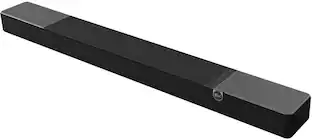
Effortlessly enrich your entertainment experience with the latest generation of Beam, now with Dolby Atmos. Enjoy panoramic sound for shows, movies and games when the TV is on, and stream music radio and more when it's off.

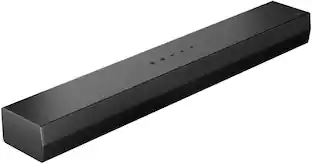
The Bose TV Speaker is a small soundbar that clarifies speech and improves overall TV sound. Inside there are two full-range drivers angled to deliver wide, spatial sound, while the center tweeter specifically focuses on clarifying speech. And built-in Dolby decoding enhances the audio capabilities of your TV Speaker to deliver a more realistic and satisfying listening experience. Designed with simplicity in mind, a single connection to your TV has you up and running in no time. This connection can be either an optical audio cable (included) or an HDMI cable (sold separately). At just over 2″ (5 cm) tall, this TV Speaker is small enough to fit just about anywhere. Place it in front of your TV or mount it to the wall. Plus small LED lights on the front turn on and/or change color when certain features are enabled or when the volume is adjusted. The Bose TV Speaker also has HDMI-CEC, which allows the TV and soundbar to communicate when connected by an HDMI cable. So when you turn the TV on, the soundbar will automatically turn on too, and you can even continue using your current TV remote to control the volume of the soundbar. However, the Bose TV Speaker also has its own remote. On it, you can pair your Bluetooth device to wirelessly stream your favorite music or podcasts, enable Dialogue Mode to further elevate center vocals, or add a bass boost for some extra depth. And the Bose TV Speaker is Roku TV Ready certified. Meaning, it’s designed to work seamlessly with a Roku TV. When connected to a Roku TV via an HDMI cable, you’ll enjoy smooth, automatic setup, easy access to the TV Speaker sound settings in the Roku TV on-screen menu, and compatibility with the Roku TV remote. If you’re looking for even more bass or just want to expand your system, you can add a subwoofer for more theater-quality home theater sound. The Bose TV Speaker requires a wired connection and is compatible with the Bose Bass Module 500 or 700 (Bose Bass Module Connection Cable sold separately).

Upgrade your TV, music, and gaming experiences with this impressively compact and easy-to-use soundbar. Experience precisely balanced sound, including crisp dialogue and solid bass, plus streamlined control with your TV remote, the Sonos app, Apple AirPlay 2, and more.
| Pros for Sonos - Beam Soundbar with Voice Control built-in - White | |||
|---|---|---|---|
| There were no pros for this product— | Sound Quality, Ease of use, Setup, Size, Bass | Sound Quality | There were no pros for this product— |
| Cons for Sonos - Beam Soundbar with Voice Control built-in - White | |||
| There were no cons for this product— | Connectivity, Price, Volume, Dolby Atmos | There were no cons for this product— | There were no cons for this product— |
Specs


Reviews
Rating 4.7 out of 5 stars with 5078 reviews
Customer Images
The vast majority of our reviews come from verified purchases. Reviews from customers may include My Best Buy members, employees, and Tech Insider Network members (as tagged). Select reviewers may receive discounted products, promotional considerations or entries into drawings for honest, helpful reviews.
Your sound, your style Sponsored
 $299.99The price was $399.99
 $179.99The price was $279.99
 $399.99The price was $499.99