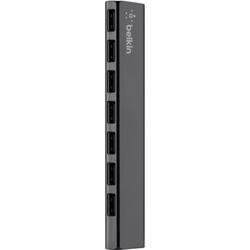
Belkin - 7-Port Ultra-Slim Desktop Hub - Black
- Key Specs
- Number of USB Port(s): 7
- General
- Product Name: 7-Port Ultra-Slim Desktop Hub
- Brand: Belkin
- Model Number: F4U041TT
- Color: Black
- Features
- Hub Type: USB hubs (The type of connection, such as Ethernet or USB, used to connect peripheral devices to the hub for shared access.)
- Plug and Play Operation: false
- Rotating or Stationary: Stationary
- Ports
- Number of USB Port(s): 7
- Port Type(s): USB (USB 2.0 connects external drives, gaming controllers, smartphones, MP3 players and other accessories.USB 3.0 transfers data faster than USB 2.0, but only when used with USB 3.0 devices.USB Type-C provides fast speeds and versatile power, featuring connectors with identical ends that plug in upside down or right side up. Adapters allow for video as well as backward compatibility.Thunderbolt provides ultra-high bandwidth for fast data transfer between devices featuring a Thunderbolt or MiniDisplayPort connection.HDMI allows you to connect a projector or display HD media on your HDTV or monitor.Media card slots allow you to transfer photos from your digital camera or camcorder.)
- Speed
- Rated Speed: 480 megabits per second (The rate of data that can be transmitted by the networking device.)
- Compatibility
- System Requirements: USB port (The software that a product must have for it to be able to integrate with another product.)
- Dimensions
- Product Height: 1.2 inches (The out of box height of the item. Height is measured as the vertical distance from the bottom of the item to the top as it would be primarily used or placed.)
- Product Length: 5.9 inches (The out of box length of the item. Length is measured as the longest dimension of the item.)
- Product Width: 0.6 inches (The out of box width of the item. Width is measured as the horizontal distance from one side of the item to the other as it would be primarily used or placed.)
- Product Weight: 0.4 pounds (The out of box weight of the item.)
- Warranty
- Manufacturer's Warranty - Parts: 3
- Manufacturer's Warranty - Labor: 3
- Other
- UPC: 722868789377
Add 7 Hi-Speed USB 2.0 ports to your laptop for quick and easy access
The 7-Port Ultra-Slim Desktop Hub adds seven easy-access USB ports to your laptop/netbook/ultrabook - perfect for connecting a keyboard, mouse, thumb drive, charging cable, or any other USB-enabled device.
Whats Included
- Belkin 7-Port USB 2.0 Powered Hub
- 5' USB 2.0 cable
- Power adapter
- Owner's manual
Q: Can this item be used as a charging station?
A: To add to the answer from Belkin: As long as you plug-in its power adapter, it can be used as a "charging station"!
A: Yes the Belkin 7 port USB 2.0 has all ports flexible for USB data or charging or both. My only disappointment is that there are no LEDs on the device. My prior Belkin 4 port had LEDs and was great for quite a few years, but suddenly was crapping out - intermittently it would not connect my keyboard USB, etc. It is now in the pile of electronics to recycle. FYI - when I got the new USB 2.0 I realized I did not know much about 2.0 vs. 3.0. Turns out my Lenovo laptop has a "blue tongue" 3.0 port. So I went back and bought the Insignia 4 port USB 3.0 hub - works great. I put my new WD Passport on there for fastest speed, and daisy chained the 7 port USB 2.0 into it. Also connected a USB to 1 GB Ethernet adapter. All working, tons of reliable USB ports now!
Q: Charging with AC Adapter is not working
A: Hi, Steve. This unit will only function if connected to a computer. The adapter is intended to support the power consumption if you are using multiple hard drives at the same time.
Q: Where does the cable connect to the hub? It does not show in the photo.
A: In the end. Cable included. Great product.
A: I can not say about the laptops with Windows 8 but I have no issues with it working with my MacBook Pro laptop (2017), Mac desktop (2016) or my Dell laptop that is literally (2002) model.
Q: How long is the cable from computer's USB connection to the port body if any?
A: It has a 5 ft cable to usb port. 2 ft power cable. But it works with out the power cable.
Q: Is this compatible with a Mac Book Pro?
A: Yes.