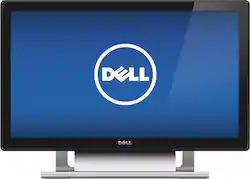
Dell - 21.5" LED HD Touch-Screen Monitor - Black
- Key Specs
- Refresh Rate: 60Hz (The number of frames per second the device can produce natively without enhancement. Higher rates help produce smooth, seamless pictures.)
- Maximum Resolution: 1920 x 1080 (Maximum resolution refers to the highest number of pixels that a screen can process and display. Higher resolution signals produce more detailed images.)
- Response Time: 12 milliseconds (The speed at which pixels can change colors is called response time. It is measured in milliseconds (ms).)
- Panel Type: Not Applicable (Technology that affects response time and image quality.)
- Synchronization Technology: Not Applicable (Generally, these technologies allow syncing between a computer/console game's frame rate and the device's refresh rate for a smoother display without tearing.)
- Screen Size: 21.5 inches (Size of the screen, measured diagonally from corner to corner.)
- Number of HDMI Inputs (Total): 1
- Display Connector(s): 1 x DVI-D, 1 x HDMI, 1 x VGA (The number and type of connectors used to connect to an external display.)
- General
- Product Name: 21.5" LED HD Touch-Screen Monitor
- Brand: Dell
- Operating System Compatibility: Windows
- Model Number: S2240T
- Color: Black
- Color Category: Black
- Display
- Refresh Rate: 60Hz (The number of frames per second the device can produce natively without enhancement. Higher rates help produce smooth, seamless pictures.)
- Maximum Resolution: 1920 x 1080 (Maximum resolution refers to the highest number of pixels that a screen can process and display. Higher resolution signals produce more detailed images.)
- Contrast Ratio: 8,000,000:1 (Measured difference between a displayed image's brightest whites and darkest blacks. The larger the first number, the more detail and color that can be displayed.)
- Response Time: 12 milliseconds (The speed at which pixels can change colors is called response time. It is measured in milliseconds (ms).)
- Display Type: LED
- Panel Type: Not Applicable (Technology that affects response time and image quality.)
- Synchronization Technology: Not Applicable (Generally, these technologies allow syncing between a computer/console game's frame rate and the device's refresh rate for a smoother display without tearing.)
- Aspect Ratio: 16:9 (The measurement of the width of a screen compared to the height of a screen, expressed as a ratio.)
- Curved Screen: false
- Brightness: 250 candela per square meter (A measure of the total light output.)
- Screen Size: 21.5 inches (Size of the screen, measured diagonally from corner to corner.)
- High Dynamic Range (HDR): true (An HDR-compatible 4K TV or other HDR-compatible product displays HDR video content when it's available from sources like 4K Ultra HD Blu-ray Discs and 4K streaming services.)
- Touch Screen: true (Touch-screen devices make navigating more intuitive. Using a touch-screen display, you can do things such as tap to select, hold and drag to move items, swipe to scroll, and pinch to zoom.)
- Connectivity
- Number of HDMI Inputs (Total): 1
- Display Connector(s): 1 x DVI-D, 1 x HDMI, 1 x VGA (The number and type of connectors used to connect to an external display.)
- Compatibility
- Wall Mountable: false (The product is able to be secured to a wall. Some products are designed ready to mount, while others may require additional hardware/accessories for installation.)
- Features
- Tiltable: true
- Adjustable Stand Height: true
- Anti-Glare: false (Product has features, such as a matte finish, that reduce the likelihood for screen glare.)
- Built-In Webcam: false
- Integrated Speaker(s): false
- Dimensions
- Product Width: 20.6 inches (The out of box width of the item. Width is measured as the horizontal distance from one side of the item to the other as it would be primarily used or placed.)
- Product Weight: 11.7 pounds (The out of box weight of the item.)
- Stand Included: true
- Certifications & Listings
- ENERGY STAR Certified: true (Devices carrying the ENERGY STAR service mark, such as computer products and peripherals, kitchen appliances, and other products, generally use 20% to 30% less energy than required by federal standards.)
- EPEAT Qualified: true (The Electronic Product Environmental Assessment Tool (EPEAT) was designed to provide an environmental assessment tool for purchasers. In order to qualify for EPEAT, a product must meet all 23 required criteria.)
- EPEAT Level: Silver (The Electronic Product Environmental Assessment Tool (EPEAT) was designed to provide an environmental assessment tool for purchasers. In order to qualify for EPEAT, a product must meet all 23 required criteria. Products are rated Bronze, Silver or Gold based on how many of 28 optional criteria they meet (below 50%, 50%, 75%).)
- Warranty
- Manufacturer's Warranty - Parts: 1 year limited
- Manufacturer's Warranty - Labor: 1 year limited
- Other
- UPC: 884116114130
Easily navigate Web sites, menus and your media with this 21.5" Dell S2240T LED monitor, which features a 10-point multitouch display for simple operation. The 1920 x 1080 maximum resolution delivers striking high-definition visuals.

- 12 ms response time: Helps prevent blurring, ghosting and streaking during intense action sequences in video games and movies.
- 21.5" flat-panel LED display: Offers a large, clear viewing area.
- 8,000,000:1 dynamic contrast ratio (3000:1 typical): Creates a multitude of shades between black and white to enable accurate color reproduction and vibrant hues.
- 250 cd/m² brightness: For a highly visible display and clear on-screen images.
- 1920 x 1080 maximum resolution: Provides arresting high-definition images.
- DVI-D, HDMI and VGA inputs: Allow you to connect to a wide range of digital and analog devices.
- 10-point multitouch display: Enables simple navigation of menus and more.
- Tilting design: Allows you to easily position the monitor at a comfortable viewing angle.
- PC compatible: For use with your existing computer.
- ENERGY STAR certified: Designed to use less energy and meets strict energy efficiency guidelines set by the Environmental Protection Agency and U.S. Department of Energy.
Whats Included
- Dell 21.5" LED HD Touch-Screen Monitor
- Dell Display Manager software CD-ROM
- Owner's manual
- Power cable, USB cable, VGA cable
Q: will it work with a non-touch equiped laptop?
A: Yes it will work. The touch feature works with a usb cable that goes to your laptop. If you are planning to use it as a screen extension the touch won't work. The touch features will work on your main screen only
A: Hello, Thank you for your interest in the S2240T monitor! I see no reason why this monitor would not work with your Mac Pro computer. Monitor connections all use the same standards of technology, so they will work with any computer. Naturally, Dell does not guarantee that every feature and function of the monitor will work flawlessly. I recommend using the DVI-I if you can, since it gives a perfect digital picture vs VGA. Hope this helps! JonathanNforDell
Q: Touch doesn't work with HDMI, monitor doesn't work with USB
A: You have to connect both at the same time. The HDMI is to mirror your screen, while the USB is for touch.
Q: Windows 7
A: Hello, Thank you for your interest in the Dell 21.5" LED touchscreen monitor! Yes, this monitor can be used with Windows 7 and it's built-in touch features. http://windows.microsoft.com/en-us/windows7/products/features/touch Hope this helps! JonathanNforDell
Q: Connection
A: Hello, Thank you for your interest in the S2240T 21.5" touchscreen monitor! As it turns out, the only current way to "chain" monitors is by using DisplayPort v1.2 (or Thunderbolt) connections between the monitors. Also, the monitors have to have two DP or Thunderbolt ports on each, in order to allow for chaining. This is not currently a very viable option but will become more commonplace when the next few generation's monitors come out. This monitor does not have DP or Thunderbolt ports. Most laptops have two video out ports, which allow for two external displays or one external display + the laptop screen. I do not believe any laptop Dell makes supports three monitors at this time. Hope this helps! JonathanNforDell
A: Hello, Thank you for your interest in the S2240T touch-enabled monitor. Yes, the Windows 7 split-screen feature is a feature of the Windows software and the hardware (monitor) in this case does not matter. You control the windows layout by using the Windows Key + the Up, Down, Left, or Right arrows on the keyboard. Hope this helps! JonathanNforDell
Q: Will the touch feature work with a NVR?
A: The monitor can be used to connect with an NVR for viewing if your NVR has HDMI output. However, touch capability not only requires a touch capable monitor but an operating system that supports touch. I doubt of the system in an NVR supports touch, but you can check with the manufacturer, etc.
Q: will touch functions work on a mac
A: Only as a monitor but not for touch capability. Touch requires not only a touch capable monitor but also an operating system that supports touch and currently Mac OS X does not.














