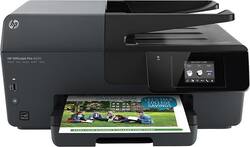
HP - Officejet Pro 6830 Wireless e-All-In-One Instant Ink Ready Printer - Black
- Key Specs
- Networking: Wireless
- Printer Type: All In One
- ISO Color Print Speed: 10 pages per minute (The number of color pages able to be printed per minute in the device's default single-side mode, as tested by the International Standards Organization (ISO).)
- ISO Mono Print Speed: 10 pages per minute (The number of black ink (grayscale) pages able to be printed per minute in the device's default single-side mode, as tested by the International Standards Organization (ISO).)
- General
- Product Name: Officejet Pro 6830 Wireless e-All-In-One Instant Ink Ready Printer
- Brand: HP
- Model Number: E3E02A#B1H
- Dimensions
- Product Height: 8.8 inches (The out of box height of the item. Height is measured as the vertical distance from the bottom of the item to the top as it would be primarily used or placed.)
- Product Width: 18.2 inches (The out of box width of the item. Width is measured as the horizontal distance from one side of the item to the other as it would be primarily used or placed.)
- Product Weight: 17.6 pounds (The out of box weight of the item.)
- Certifications Listings & Approvals
- EPEAT Qualified: false (The Electronic Product Environmental Assessment Tool (EPEAT) was designed to provide an environmental assessment tool for purchasers. In order to qualify for EPEAT, a product must meet all 23 required criteria.)
- Features
- Automatic Reduction/Enlargement: true
- Duty Cycle: Up to 15,000 (The maximum number of pages per month that the device can produce without failing, as specified by the manufacturer.)
- Scanner Info
- Scanner Type: Flatbed
- Scanner Resolution: Up to 1200 x 1200 (Refers to the number of pixels/dots, both horizontally and vertically, of the image produced by the scanner. Generally, the higher the resolution, the sharper and cleaner the produced image.)
- Fax Info
- Integrated Fax: true
- Ink
- Compatible Cartridges: HP 934, HP 934XL, HP 935 CMY, HP 935XL CMY
- Ink Subscription Service Available: true (The printer monitors ink usage and alerts the subscription provider when levels are low. A purchased subscription provides refills of ink based on usage.)
- Memory
- Memory Card Slot: false
- Paper Info
- Automatic Document Feeder Capacity: 35 sheets
- Maximum Document Length: 23.4 inches
- Maximum Document Width: 16.5 inches
- Supported Paper Sizes: A4, A5, A6, B5 (JIS), 6" x 8", Executive, 3" x 5", 4" x 6", 5" x 7", 8" x 10", L, Photo 2L, 8.5" x 13", Legal, Letter, Statement, Envelope #10, Envelope A2, Envelope C5, Envelope C6 and more
- Paper Feeder: Bottom loader
- Copier Info
- Maximum Number Of Copies: 99
- Copier Resolution (Black): Up to 600 x 600 (Refers to the number of pixels/dots, both horizontally and vertically, of the image produced by the copier in black ink. Generally, the higher the resolution, the sharper and cleaner the produced image.)
- Copier Resolution (Color): Up to 600 x 600 (Refers to the number of pixels/dots, both horizontally and vertically, of the image produced by the copier in colored ink. Generally, the higher the resolution, the sharper and cleaner the produced image.)
- Performance
- Printer Resolution (Black): Up to 1200 x 600 (Refers to the number of pixels/dots, both horizontally and vertically, of the image produced by the printer in black ink. Generally, the higher the resolution, the sharper and cleaner the produced image.)
- Printer Resolution (Color): Up to 1200 x 600 (Refers to the number of pixels/dots, both horizontally and vertically, of the image produced by the printer in colored ink. Generally, the higher the resolution, the sharper and cleaner the produced image.)
- Connectivity
- Minimum System Requirements: PC: Windows 7, 8 or 8.1: 1.0GHz 32-bit (x86) or 64-bit (x64) processor, 2GB hard drive, Microsoft Internet Explorer; CD-ROM/DVD-ROM or Internet; USB port; Mac: OS X v10.6, v10.7, v10.8 or v10.9; 1GB hard drive; Internet; USB port
- Other
- UPC: 888793095386
With built-in Wi-Fi and a host of PC-free printing options, such as HP ePrint technology, this HP Officejet Pro 6830 oj pro 6830 e-all-in-one printer makes it easy to print documents and photos wirelessly from enabled devices.
- Fast print speeds up to 18 ISO ppm* in black, up to 10 ISO ppm* in color: Create the 1st black-and-white page out in as little as 14 sec.* and the 1st color page out in as little as 17 sec.* to generate documents rapidly.
- 4-in-1 functionality: Prints, copies, scans and faxes for versatility.
- Built-in Wi-Fi (802.11b/g/n): Enables you to print wirelessly from select Wi-Fi-enabled mobile devices. The built-in Ethernet LAN facilitates direct wired connection to your existing home or office network.
- Color and black-and-white resolution up to 600 x 1200 dpi: Produces clear, vibrant images.
- Borderless printing up to 8.5" x 11": Lets you print documents without borders to show more detail.
- HP ePrint technology: Along with Apple® AirPrint and wireless direct printing support allows you to print documents, photos and more when you're on the go from virtually anywhere using a compatible Internet-connected mobile device.
- Copies up to 10 cpm* in black, up to 7 cpm* in color: To create copies quickly. Settings include number of copies, resize, quality, lighter/darker, paper size, paper type, 2-sided, ID copy, collate, margin shift, enhancement, crop and preview.
- Copy resolution up to 600 x 600 dpi in black and color: Recreates copies in clear, clean detail.
- Flatbed scanner with 24-bit depth and 8.5" x 11.7" maximum scan area: Plus a scan resolution up to 1200 x 1200 dpi reproduces exact colors and large documents.
- Scan-to-thumb drive and scan-to-PC features: Eliminate the need to type documents over. Supports Bitmap, JPEG, PDF, PNG, Rich Text, Searchable PDF, Text and TIFF file formats.
- High-speed fax: With 99 speed dials and up to 100-page fax memory helps meet your faxing needs. Fax speed up to 4 sec. per page ensures fast operation.
- 2.7" color touch screen: Allows you to easily manage your tasks and access apps, plus provides important information in clear, easy-to-read detail.
- 35-page ADF (automatic document feeder): Enables unattended printing, faxing, scanning and copying of multiple-page documents. The 225-sheet input tray handles large print jobs and lets you reload the paper tray less frequently.
- HP pigment inks: Let you create vibrant, durable prints that last and look professional.
- USB 2.0 port: For simple connection to your computer.
- HP Instant Ink: Original HP Ink ordered by your printer, delivered to your door. Plans start at $2.99/month.
- PC system requirements: Windows 7, 8 or 8.1: 1.0GHz 32-bit (x86) or 64-bit (x64) processor; 2GB hard drive; Microsoft Internet Explorer; CD-ROM/DVD-ROM or Internet; USB port. Windows Vista: 800MHz 32-bit (x86) or 64-bit (x64) processor.
- Additional PC system requirements include: Windows XP SP3 (32-bit only): Intel® Pentium® II, Celeron® or 233MHz compatible processor; 750MB hard drive; Microsoft Internet Explorer 6; CD-ROM/DVD-ROM or Internet; USB port.
- Mac system requirements: OS X v10.6, v10.7, v10.8 or v10.9; 1GB hard drive; Internet; USB port.
Whats Included
- Officejet Pro 6830 e-All-In-One Printer
- 1 black, 1 cyan, 1 magenta, 1 yellow cartridges
- Power cord
- Set-up poster, phone cord
- Owner's manual
Q: Is the Officejet pro 6830 compatible with windows 10?
A: This computer is compatible with Windows 10.
A: Yes, and wifi from IPhone. Plus can print from IPad/phone from across town!
Q: Is the color ink for this printer 3 different cartridges of do the three come in one cartridge?
A: three separate color cartridges, and one black cartridge
Q: Do I have to plug this into my router or does it connect wirelessly?
A: You do not need to plug it into a router. I have a Mac and it connects wirelessly thru wifi.
Q: Are printhead errors common for this printer?
A: I've had the same problem twice. Once with original and later with replacement sent by HP. It seems to me this problem is common for this printer. Not sure about other models.
Q: if ink is out can you use if one cartridge is out or do you have to buy all
A: If ink runs out of one cartridge, the printer will not work. You have to replace the single empty cartridge before the printer will print. (I haven't tried scanning when an ink cartridge is empty to see if the scanning function will still work.) Although I haven't tried, it appears you can purchase a single color cartridge, without needing to buy a box with all colors.
Q: Is it compatible with windows 10
A: Yes, this printer is compatible with Windows 10.
Q: Does the ink dry out with infrequent use, so that you have to clean the nozzles ?
A: If you do not use the printer for long periods at a time the ink may become dry, If you are not going to use the printer for a long period of time HP recommends taking the ink cartridge out of the printer and putting them in a plastic bad until you need them again that way is does not clog the nozzles.




















