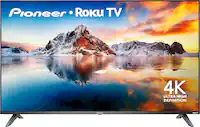
LG - 24" Class (23-1/2" Diag.) - LED - 720p - 60Hz - HDTV
- Box Dimension
- Height: 16.5 inches
- Width: 27.1 inches
- Depth: 5 inches
- CubicDimension: 2236 inches
- Other
- Energy Star Compatible: true
- TV Type: LED Flat-Panel
- Screen Size Class: 24"
- Screen Size (Measured Diagonally): 23-1/2"
- Vertical Resolution: 720p
- Screen Refresh Rate: 60Hz
- Product Height (with stand): 16-1/2"
- Product Height (without stand): 13-1/2"
- Product Depth (with stand): 7-1/2"
- Product Depth (without stand): 2-1/2"
- HDMI Inputs: 1
- USB Port: Yes
- USB Input: Yes
- DVI Inputs: 0
- Component Video Inputs: 1
- Composite Inputs: 1
- Media Card Slot: No
- Watts/Channel: 5
- Speakers: 2
- Speaker Output Power: 10W
- V-Chip: Yes
- ENERGY STAR Certified: Yes
- Mount Bracket/VESA Pattern: 100mm x 100mm
- Aspect Ratio: 4:3 and 16:9
- Maximum Resolution: 1366 x 768
- PC Inputs: 1
- RF Antenna Input: Yes
- Simulated Surround: Yes
- Ethernet Port: No
- Estimated Yearly Electricity Use (kWh): 45
- Estimated Yearly Operating Cost: $5
- UPC: 719192193062
This LG 24LN451B HDTV delivers up to 720p resolution and features LED backlight technology for lush, stunning images. The VESA-compliant 100mm x 100mm pattern facilitates wall mounting for flexible placement options.
- 23-1/2" screen measured diagonally from corner to corner: For optimal viewing in medium-size rooms.
- VESA 100mm x 100mm compliant: For simple wall mounting.
- Triple XD Engine: Along with Picture Wizard ensures effective operation. Vivid, standard, cinema, sport, game, expert1 and expert2 picture modes let you adjust the image to suit your preferences.
- LED backlight technology: Offers optimal brightness, clarity, color and detail.
- 720p display: Provides an excellent viewing experience.
- Virtual surround sound: Utilizes two 5W speakers for rich, cinematic audio. Standard, music, cinema, sport and game modes offer custom use.
- Inputs: Include 1 HDMI/HDCP (rear), 1 RF (rear), 1 PC (rear), 1 PC audio (rear), 1 composite (rear) and 1 component video (rear). SIMPLINK (HDMI CED) connectivity and MHL (Mobile High-Definition Link) enable versatile connectivity.
- HDMI input: HDMI cable not included. High-speed HDMI cable is the only connection that can deliver a full HDTV experience with a full 1080p picture and digital surround sound.
- USB 3.0/2.0 port: Allows you to easily play back MP3 files or display JPEG files from a compatible device (not included).
Whats Included
- LG 24" Class - LED - 720p - 60Hz - HDTV
- Remote with 2 AA batteries
- Owner's manual
A: Hello, Thank you for contacting us with your question on the 24LN451B 720p 60Hz HDTV. Could you please clarify what exactly is not working when you say that "the connections were set and working before now they don't!" Do you just need to know how to reconnect them or is it that you're not getting any signal through them? The cables are color coordinated and if you have the same cables, you would just need to follow the colors and connect accordingly, but you can always visit the LG site and download a copy of the owner's manual or you can call Customer Information Center and have Representative walk you through the connections. Another option would be to just ask any Sales Associate at Best Buy should you happen to pass through one close to you and they will be able to assist you...IFV
A: You should be able to use a Chromecast with this TV, but keep in mind that Chromecasts require the use of an open HDMI port. Since this TV only features one HDMI input, your connection options for other devices (DVD players, Blu-ray players, etc) would be extremely limited.
Q: I have an old VCR that connects via 3 colored plugs, not HDMI. Can I connect that VCR to this TV?
A: I believe you can get an HDMI to RCA adapter so you can still watch VHS on this TV.
Q: Does the volume need to be turned way up to hear?
A: Mine is almost too loud at 30. One of your speakers probably went out or never worked. Check if you are still under warranty and trade it in.
A: No, screen does not tilt
Q: Does this TV allow for Netflix viewing?
A: Thank you for your interest in the LG - 24" Class (23-1/2" Diag.) - LED - 720p - 60Hz - HDTV, Model 24LN451B. This TV is not a smart TV so it does not come with pre-loaded apps. You can view NetFlix on this through a smart Blu-ray player that has NetFliz on it or other devices like a Roku or Chromecast that will let you access those apps...IFV
Q: that is the interference rate of turning on and off?
A: Hello Ron, Congratulations on the purchase of the 24" 720p 60Hz HDTV, Model # 24LN451B. Sorry to hear that you're experiencing some problems with viewing content on the TV. The problem cannot be determined without a troubleshoot because it could be anything from a problem with something internally within the TV to the connections or the power source could be causing the interference or something else. Your TV is still covered under the 1 year warranty so you may need to contact LG Customer Support (800) 243-000, and schedule a repair. If you have additional warranty with Best Buy, contact their Geek Squad and ask them what your options are depending on what is covered under their warranty. I believe they offer either a 2 year or 5 year plan...IFV
Q: Can you use this TV as a computer monitor?
A: Yes it can using the DB15 VGA connector or a HDMI cable.