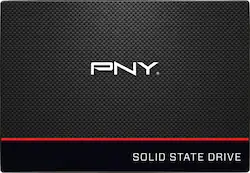
PNY - CS1311 960GB Internal SATA III Solid State Drive
- Key Specs
- Storage Drive Type: SSD (Traditional, mechanical hard disk drives are the most common type of storage because they're relatively inexpensive and offer huge capacities. However, they also generate both noise and heat. Solid state drives, also known as SSDs, are many times faster than hard disk drives and have no moving parts to wear out, but typically offer less capacity for the same price.)
- Maximum Read Speed: 550 megabytes per second (The greatest speed at which the device can read information; for example, opening files.)
- Maximum Write Speed: 520 megabytes per second (The greatest speed at which the device can write information; for example, saving files.)
- Interface(s): SATA (Refers to the types of connections that devices use to interact and communicate with each other.)
- General
- Product Name: CS1311 960GB Internal SATA III Solid State Drive
- Brand: PNY
- Model Number: SSD7CS1311-960-RB
- Performance
- Storage Drive Type: SSD (Traditional, mechanical hard disk drives are the most common type of storage because they're relatively inexpensive and offer huge capacities. However, they also generate both noise and heat. Solid state drives, also known as SSDs, are many times faster than hard disk drives and have no moving parts to wear out, but typically offer less capacity for the same price.)
- Maximum Read Speed: 550 megabytes per second (The greatest speed at which the device can read information; for example, opening files.)
- Maximum Write Speed: 520 megabytes per second (The greatest speed at which the device can write information; for example, saving files.)
- Compatibility
- Internal Or External: Internal
- Interface(s): SATA (Refers to the types of connections that devices use to interact and communicate with each other.)
- Bare Drive: 960GB CS1311 (Drive is sold without any pre-installed software.)
- Minimum System Requirements: Windows 10, Windows 8, Windows 7, Windows Vista™, Windows XP™, Linux, Mac OS X
- Features
- Security Features: None
- Data Encryption: false
- Encryption Algorithm: false (The algorithm standard used to encrypt data on a device.)
- Usage: Everyday computing
- Memory
- Cache Buffer Size: 520 megabytes (The data capacity of the cache buffer (or disk buffer) that acts as temporary memory for the drive. The cache holds the most recently and frequently used data to save the drive the extra step of pulling it from permanent storage every time it's needed, which helps increase the drive's overall speed.)
- NAND Flash Memory Type: TLC (Single Level Cell (SLC) stores 1 bit of data per memory cell; Multi Level Cell (MLC) stores 2 bits per cell, Triple Level Cell (TLC) 3 bits, and Quad Level Cell (QLC) 4 bits. Vertical NAND (V-NAND) or 3D NAND stores more data by layering cells vertically. Similarly, there are 3D MLC, 3D TLC and 3D QLC stacked cells.)
- Dimensions
- Product Height: 3.9 inches (The out of box height of the item. Height is measured as the vertical distance from the bottom of the item to the top as it would be primarily used or placed.)
- Product Width: 2.75 inches (The out of box width of the item. Width is measured as the horizontal distance from one side of the item to the other as it would be primarily used or placed.)
- Product Weight: 1.6 ounces (The out of box weight of the item.)
- Included
- Included Software: Acronis Data Migration Software
- Other
- UPC: 751492590905
Get even more from your computer with this PNY 960GB solid-state hard drive. No moving parts and a powerful SATA III interface ensure this hard drive is extremely fast and reliable, and the massive capacity lets you store plenty of files. This PNY 960GB solid-state hard drive is efficient and generates virtually no noise.
- 960GB storage capacity: Provides ample storage space for your music, movies and other files.
- SATA lll interface: Offers simple connection to your computer.
- Data transfer rates up to 600 MBps: For quick response when updating files.
- Shock-resistant: For increased durability.
- NCQ (Native Command Queuing): Provides efficient organization to incoming commands to increase performance.
- Compatible with PC and Mac: For wide-ranging installation options.
Whats Included
- PNY 960GB Internal SATA Solid State Drive for Laptops
Q: I want to replace my HDD in my late 2011 13" mac book pro, will this PNY be compatible?
A: Yes... so long as you can take the back off of your unit. The newer generation units have a unibody design that is impossible to get into. You can probably also upgrade your RAM... check at the Apple website for compatibility and upgrade potential for RAM. I took my 2010 MBP to 8 GB, which was the upper limit for its processors.
Q: Does this SSD already come formatted for over-partitioning and recovery?
A: All new hard drives are new and unpartitioned. If you're setting this as a second drive you have format it first. For brand new installation the OS will do it automatically.
A: undefined
A: You bet. I bought this when my computer drive crashed about 3 weeks ago - I use it on my desktop and it works great. Love the speed of booting!
A: Sure can. I use a program called Macrium Reflect it is free at www.macrium.com/reflectfree. Samsung SSDs also have something as well to image your disk, but they are expensive to buy.
A: Yes you can use this to replace your current HDD. You will need to use a program like the free Macrium Direct software to clone your existing drive. You will also need to buy a data cable to do the clone before you remove your old drive. Just search YouTube for a video on how to do this if you have not opened up a laptop before. If your still not comfortable ask the Geek Squad to do it for you.
Q: Can I replace this for the 13" MacBook Air 2011.
A: Check at the Apple website to see if it has an upgradable hard drive and RAM. You can probably do both at the same time... can you remove the back of the computer body?