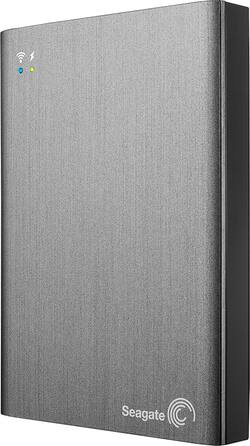
Seagate - Wireless Plus 1TB Portable Hard Drive - Gray
- Key Specs
- Storage Drive Type: HDD (Traditional, mechanical hard disk drives are the most common type of storage because they're relatively inexpensive and offer huge capacities. However, they also generate both noise and heat. Solid state drives, also known as SSDs, are many times faster than hard disk drives and have no moving parts to wear out, but typically offer less capacity for the same price.)
- Rotational Speed: 5400 revolutions per minute (The rate at which the hard drive spins its platters. The higher the rotational speed, the faster the drive can read and write data.)
- Interface(s): USB 3.0, Wi-Fi (Refers to the types of connections that devices use to interact and communicate with each other.)
- General
- Product Name: Wireless Plus 1TB Portable Hard Drive
- Brand: Seagate
- Model Number: STCK1000100
- Performance
- Storage Drive Type: HDD (Traditional, mechanical hard disk drives are the most common type of storage because they're relatively inexpensive and offer huge capacities. However, they also generate both noise and heat. Solid state drives, also known as SSDs, are many times faster than hard disk drives and have no moving parts to wear out, but typically offer less capacity for the same price.)
- Rotational Speed: 5400 revolutions per minute (The rate at which the hard drive spins its platters. The higher the rotational speed, the faster the drive can read and write data.)
- Compatibility
- Internal Or External: External
- External Hard Drive Type: Portable (Physical characteristics of the hard drive, including size, weight and how you connect to your device.)
- Interface(s): USB 3.0, Wi-Fi (Refers to the types of connections that devices use to interact and communicate with each other.)
- Dimensions
- Product Height: 5 inches (The out of box height of the item. Height is measured as the vertical distance from the bottom of the item to the top as it would be primarily used or placed.)
- Product Width: 3.5 inches (The out of box width of the item. Width is measured as the horizontal distance from one side of the item to the other as it would be primarily used or placed.)
- Product Weight: 9 ounces (The out of box weight of the item.)
- Other
- UPC: 763649044988
Easily access your data with this Seagate Wireless Plus portable hard drive, which features a built-in Wi-Fi network for simple wireless file transfer and media streaming. The 1TB capacity provides ample space for storing music, movies and more.
- 1TB capacity: Provides plenty of storage space for your games, photos, movies and other media.
- Built-in Wi-Fi network: With a range up to 150' enables easy wireless connection to your compatible tablet, mobile phone, gaming console, smart TV, network-connected Blu-ray player and other DLNA-enabled devices.
- USB 3.0 interface: Allows simple wired connection. USB-powered for reliable performance.
- Data transfer rates up to 4.8 Gbps via USB 3.0: Up to 54 Mbps via Wi-Fi for quick response when updating files.
- Provides simultaneous access for up to 8 users: For flexible use. Stream up to 3 high-definition movies to up to 3 devices simultaneously, so you, family members and friends can stay entertained.
- Drag-and-drop file transfer: Allows you to easily load files from your computer to your device.
- Synchronizes with select Cloud storage providers: Including Dropbox and Google Drive for easy access to files in the Cloud, even when the drive is not connected to the Internet.
- Seagate Media Channel: Allows you to access movies and documents, listen to music and play slideshows via a compatible Roku streaming player (not included).
- Seagate Media app: So you can navigate and back up media with your Samsung or LG Smart TV, Chromecast or Blu-ray player, Kindle Fire or iOS, including Apple® iPhone® and iPad®, Android or Windows 8/TR device (download required).
- Compact design: For simple portability.
- Compatible with Mac and PC: Offers flexible options and use with more than 1 computer. Airplay compatibility lets you enjoy content stored on your compatible Apple iPod® touch, iPhone or iPad on the big screen.
Whats Included
- Seagate Wireless Plus 1TB Portable Hard Drive
- USB 3.0 adapter, USB 3.0 cable, compact USB wall charger, USB-to-DC cable
- Owner's manual
Q: Does this drive operate as a bluetooth type of device?
A: This product is a WiFi hotspot, so you do not need another WiFi network to use it. You can connect directly to this devices WiFi network and store or retrieve your files. It does not work with BlueTooth.
A: No, you can't browse the web with this. It's a hard drive that creates its own wifi network so that you can access files on it from a tablet, smart phone, or notebook computer that is within its limited range without having to physically connect this hard drive to the device. It does not connect to the internet itself. However, if you connect it to a computer via a USB port, you can use it just as you would any other portable hard drive, including downloading videos and other files to it from the internet--if your computer has an internet connection of its own. If you connect a device to this drive via wifi, you lose your connection to any other wifi, so you can't connect to the internet at all with the connected device so long as you're connected to this drive via wifi. Hope this helps.
Q: Does this device handle automatic backups?
A: 1..Yes 2..The MAC backup uses a "changed-since-last-looked" method by default (it saves time and disk space) 3..You can -- I would not suggest any limitations. It does not save that much time or disk space since it only logs changes 4..Mac finds a new file/folder and it adds it to the list without any prodding from the user. No message that it did so--it just takes care of it
A: No. There are 2 different types of USB connectivity, USB Host and USB Client. You must connect a Client device to a Host device. Your camera and this drive are both "Client" Devices. Devices such as a computer, or a printer with the "Pict-Bridge" logo are the only things that a camera will normally connect to.
Q: Is this device compatible or can be use with usb 2.0?
A: It can be connected to USB 2.0 as well as 3.0.
Q: I have a windows vista computer, this can work for it ?
A: Yes, the device is compatible with Windows Vista.
Q: I have Dell Venue 8 pro 64GB is it the best for my TABLET
A: Depends on what you mean by best. The drive provides storage for devices that don't have built in support for usb devices, such as the Nexus 7. Do you need a terabyte of storage? It works like an access point so your wireless connection has to be stopped to connect to the drive. Can't surf and access the drive at the same time. I find this to be very inconvenient. On the other hand you can use it to share information with others during meetings by allowing them to connect to the drive. So, if size, use, and convenience factors are acceptable then it would be a good fit for you. Also you might consider SanDisk Wireless flash drives in 32GB and 64GB. Operation is the same but smaller devices.
Q: apps,and travel compatibility
A: YES, I used this item on the airplane and watched movies using the wireless mode from the HD to my iPad and my associates Chrome Pixel. GREAT asset for the $$. As for storing APPS, YES there also. I have over 500 apps stored on this device, when I need them, I wire up and click. Hope this info is helpful to you.



















