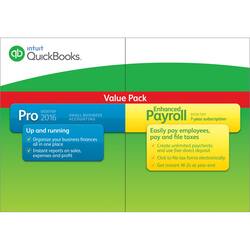
Intuit - QuickBooks Pro Desktop 2016 and Enhanced Payroll (1 User, 1-Year Subscription) - Windows
- Key Specs
- Operating System Compatibility: Windows
- Software Format: Physical (Physical software requires a disc, cartridge, etc. be inserted into the gaming console or computer to download and/or operate the software. Digital software allows for downloading and/or playing the software on the gaming console or computer without a physical disc, cartridge, etc. Physical (Download Code Only) software is purchased in physical form with a code that allows for downloading and/or playing the software on the gaming console or computer without a physical disc, cartridge, etc.)
- Subscription Period: 1 Year
- General
- Brand: Intuit
- Model Number: INT940800F032
- Product Name: QuickBooks Pro Desktop 2016 and Enhanced Payroll (1 User, 1-Year Subscription)
- Publisher: Intuit
- Features
- Designated Use: Business
- Account Management Type(s): Other
- Invoice Creation: true
- Portfolio Management: true
- In-Software Purchases: License renewals, License upgrades, Membership renewals
- Cloud Based Software: false
- Compatibility
- Operating System Compatibility: Windows
- Software Format: Physical (Physical software requires a disc, cartridge, etc. be inserted into the gaming console or computer to download and/or operate the software. Digital software allows for downloading and/or playing the software on the gaming console or computer without a physical disc, cartridge, etc. Physical (Download Code Only) software is purchased in physical form with a code that allows for downloading and/or playing the software on the gaming console or computer without a physical disc, cartridge, etc.)
- Format: CD
- Number Of Discs: 1
- Requirements
- Subscription: true
- Subscription Period: 1 Year
- Download File Size: 1 gigabytes
- Hard Drive Space Required: 2.5 gigabytes
- Other
- UPC: 028287051492
You're a pioneer in your field, and your innovative ideas have brought you all the success you could dream of. Your days are filled with creating and delivering top-notch products, providing quality services and meeting and exceeding every customer desire. With so much on your plate, it can be tough to stay on top of the financial health of your company at the same time. Thanks to QuickBooks Pro Desktop 2016, the help you need to succeed is here. A single click puts financial, tax and sales reports at your fingertips. Handling payroll has never been easier with Enhanced Payroll, which gives you the ability to create unlimited paychecks, generate direct deposits, file tax forms and effortlessly receive instant W-2 forms at the end of the year. You work hard to make your clients happy. Let QuickBooks Pro Desktop 2016 and Enhanced Payroll work just as hard for you.
A: $2 per employee per month.
Q: Can I use this to finish the 2015 year out?
A: Go ahead and buy the QuickBooks/Payroll bundle now. It doesn't matter when you buy. When you are ready to do payroll, you can create an account that you will log in to in the future. Your payroll subscription begins on the date you create the account and will last for one year. Actually, you will still be able to do payroll beyond the one-year mark, provided there are no new tax table or tax form updates to download. You can purchase a subscription renewal, and I believe they set up the default for an automatic renewal which you can opt out of, but I have found that it is generally less expensive to actually buy the new version bundled with a new payroll subscription at a store like Best Buy, Staples, or Amazon. The only other things you will need to print checks is a printer and the checks. You can, but do not need to, purchase these from QuickBooks/Intuit. You can order checks from other suppliers such as NEBS, Deluxe for Business, etc.
Q: So, why does Quickbooks inhale so vigorously at life, and how do I get rid of it?
A: Go to 'Add & remove programs' in your computer and 'UNINSTALL'. When prompted, uninstall the associated files as well. That should take care of it. You should also be able to call Intuit for assistance since you said you only purchased this software a few months ago. Hope this helps.
A: Exact same situation for us. I am glad I added the payroll with this version.
Q: Will this work on Windows 10 operating system?
A: Yes, this software is compatible with Windows 10.
A: I had to update mine also. My renewal is due June 2016. I spoke to QB rep and was told to cancel current subscription when adding the 1 year enhanced (recommended it be done around renewal time.