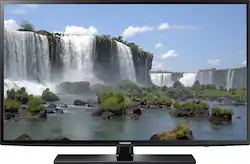
Samsung - 50" Class (49.5" Diag.) - LED - 1080p - Smart - HDTV
- Key Specs
- Display Type: LED
- Screen Size Class: 50 inches (The group size measurement of a screen. This differs from a screen size measured diagonally from corner to corner.)
- High Dynamic Range (HDR): false (An HDR-compatible 4K TV or other HDR-compatible product displays HDR video content when it's available from sources like 4K Ultra HD Blu-ray Discs and 4K streaming services.)
- Motion Enhancement Technology: Motion Rate 120 (Proprietary technologies produced in addition to the Refresh Rate that smooth out faster moving pictures to reduce blur and pixelation.)
- Specific Manufacturer Technologies: Motion Rate 120, wide color enhancer, ConnectShare Movie (This is technology that's specific to a TV brand (sometimes called proprietary technology). Here you'll see terms related to picture quality, brightness, processors and more.)
- Smart Platform: Samsung Smart TV (Just like a computer, a smart TV needs an operating system (also called a smart platform) in order to access the Internet, connect with entertainment apps, and play streaming content. Some common TV smart platforms are; Roku TV, Android TV, and Chromecast.)
- General
- Product Name: 50" Class (49.5" Diag.) - LED - 1080p - Smart - HDTV
- Brand: Samsung
- Model Number: UN50J6200AFXZA
- Dimensions
- Product Height With Stand: 28.6 inches
- Product Width: 44.8 inches (The out of box width of the item. Width is measured as the horizontal distance from one side of the item to the other as it would be primarily used or placed.)
- Product Depth With Stand: 9 inches
- Product Height Without Stand: 26 inches
- Product Depth Without Stand: 3.7 inches
- Product Weight With Stand: 40.1 pounds
- Product Weight Without Stand: 34.4 pounds
- Display
- Display Type: LED
- Screen Size: 49.5 inches (Size of the screen, measured diagonally from corner to corner.)
- Screen Size Class: 50 inches (The group size measurement of a screen. This differs from a screen size measured diagonally from corner to corner.)
- High Dynamic Range (HDR): false (An HDR-compatible 4K TV or other HDR-compatible product displays HDR video content when it's available from sources like 4K Ultra HD Blu-ray Discs and 4K streaming services.)
- Curved Screen: false
- Motion Enhancement Technology: Motion Rate 120 (Proprietary technologies produced in addition to the Refresh Rate that smooth out faster moving pictures to reduce blur and pixelation.)
- Features
- Remote Control Type: Standard
- Specific Manufacturer Technologies: Motion Rate 120, wide color enhancer, ConnectShare Movie (This is technology that's specific to a TV brand (sometimes called proprietary technology). Here you'll see terms related to picture quality, brightness, processors and more.)
- Smart Capable: true (Smart, or smart-capable devices are able to connect directly to your home network in order to stream content from the Internet, run Internet-based apps, or connect to other smart devices.)
- Smart Platform: Samsung Smart TV (Just like a computer, a smart TV needs an operating system (also called a smart platform) in order to access the Internet, connect with entertainment apps, and play streaming content. Some common TV smart platforms are; Roku TV, Android TV, and Chromecast.)
- TV Tuner: Digital (The ATSC TV Tuner is a component built into conventional TV sets or other devices for receiving over-the-air broadcast TV without a cable/satellite box. Digital tuners may be purchased separately and connected to a device if it does not have one built in.)
- Connectivity
- RF Antenna Input: true (This input is used to connect devices such as antennas or cable boxes to a TV via a coaxial cable.)
- Number Of USB Port(s) (Total): 2 (The total number of USB ports including all generations and versions.)
- Headphone Jack: false (The device features an interface that allows for the connection of headphones.)
- Compatibility
- VESA Wall Mount Standard: 400mm x 400mm (VESA wall mount standards refer to the spacing of screw holes built into a TV in order to fit with standard TV wall mounts. These standards are implemented into most TVs and monitors.)
- Audio
- Surround Sound Supported: Dolby Digital Plus, DTS Studio Sound, DTS Premium Sound (Surround sound systems use multiple audio channels and speakers to create an immersive sound experience for the listener. There are also various proprietary technologies that imitate this kind of sound via a device's built-in speakers or soundbar.)
- Number Of Speakers: 0
- Power
- ENERGY STAR Certified: true (Devices carrying the ENERGY STAR service mark, such as computer products and peripherals, kitchen appliances, and other products, generally use 20% to 30% less energy than required by federal standards.)
- EPEAT Qualified: false (The Electronic Product Environmental Assessment Tool (EPEAT) was designed to provide an environmental assessment tool for purchasers. In order to qualify for EPEAT, a product must meet all 23 required criteria.)
- Estimated Annual Operating Cost: 10 United States dollars (Predicted cost of operating the product under average conditions for one year.)
- Estimated Annual Electricity Use: 88 kilowatt hours (Predicted amount of electricity needed to operate the product under average conditions for one year.)
- Included
- Stand Included: true
- Warranty
- Manufacturer's Warranty - Parts: 1 year limited
- Manufacturer's Warranty - Labor: 1 year limited
- Box Dimension
- Height: 29.9 inches
- Width: 52.5 inches
- Depth: 6.6 inches
- CubicDimension: 10360.35 inches
- Other
- UPC: 887276061993
Samsung 50" Class UN50J6200AFXZA LED Smart HDTV: With a Full HD viewing experience and easy access to your favorite media and entertainment, you'll love this Smart TV. Enjoy the rich color and quality resolution as you shop online, watch streaming videos or update social media from your TV screen. 
- 49-1/2" screen (measured diagonally from corner to corner): A great size for a living room or mid-sized home theater space.
- LED TVs perform well in all lighting conditions: They also deliver plasma-like deep blacks and rich colors.
- 1080p resolution for stunning HD images: Watch Blu-ray movies and 1080p HD content at their highest level of detail.
- Motion Rate 120: Enjoy high-speed action with good motion clarity.
- Smart TV delivers a huge world of entertainment: Stream content using Smart Hub, and surf the Internet with the included Web browser. S-Recommendation finds the movies and shows you enjoy most. Built-in Wi-Fi connects to a wireless home network.
- Give a color boost to your picture: Wide Color Enhancer Plus expands the color range for rich, natural-looking images.
- ConnectShare Movie: Watch videos, play music and view photos from a USB connection without needing to use a PC or special equipment.
- Intelligent energy management: Eco Sensor measures the intensity of light in the room and automatically adjusts the TV brightness.
- Advanced TV sound: Two 10W front speakers, DTS Premium Sound 5.1 and DTS Studio Sound.
- 2 HDMI inputs for your home theater connection: High-speed HDMI delivers an HD picture and digital surround sound in 1 convenient cable. HDMI cable sold separately.
- 2 USB inputs: Easily connect your digital camera, camcorder or other USB device. USB cable sold separately.
Whats Included
- 50" Class - LED - 1080p - Smart - HDTV
- Stand
- Standard remote (TM1240A)
- Owner's manual
Product Manuals
Q: What does a smart tv do vs. a regular tv
A: At the most basic level, if you have Internet at home, you can connect the TV to the Internet to stream content, like Netflix, Amazon Prime, Hulu or Youtube. It can also connect to your PC to share picture, video and sometimes be controlled by your phone (not this Samsung in particular). If you have no need for those, you don't need a smart TV, or just don't connect the Smart TV to the Internet - just use it like a nice, hi-def television.
Q: What is the refresh rate for this tv ?
A: This TV has a refresh rate of 120 Hz.
Q: What exactly is "motion rate" and how does it equate to the refresh rate?
A: Refresh rate is the name of the technology that presents the picture. Picture shows are called "picture" "shows" because they used shoot tons of stills in sequence and then flip them creating motion as each picture flips by. That picture is also called a frame. A movie camera takes tons of stills as it creates a video. The speed of frames changing one to the next is a refresh rate. Each tv maker has a technology that produces that refresh rate but they give it their own name and as they experiment and improve it they add number (120, 240, 960, etc.) This technology involves adding frames to fill in gaps and therefore reducing jutter. The higher the "motion rate" the better the frame to frame transition.
Q: My samsung 50" LED tv starts up fine but starts to darken
A: Have you turned off the eco feature? Likely is sensing the darkness of the room and tones down your picture.
Q: Is there an Auxilliary Port (Headphone Jack)?
A: This model has an audio output, but not a headphone port. Thanks for your interest in Samsung products. --Mr. S
Q: what are the main differences between UN50J600AFXA and UN50H5203AFXA
A: I purchased the UN50J600AFXA and was thinking of getting the 5203 model originally. I chose the J600 because it has a higher refresh rate of 120 vs. the other one with 60. I also like the pedestal stand on the J600 much better. Not sure what the price difference is but I am very happy with the J600.
Q: does it support Amazon Prime?
A: Amazon prime instant video is accessible via the smart hub along with Hulu plus, Netflix, you tube, HBO Go etc
Q: Black line at top and bottom of TV picture
A: it would be a problem if those bars were there all the time and I'm willing to bet that sometimes you see a full picture across the full screen. The bars are there as a result of how the movie was recorded-for the movie screen. To do away with these bars you have to use the Zoom in feature but you would lose the the edges of the picture. I hope I am right that it only appears when watching certain movies or shows that were recorded for the movie theater screens, which are wider that a television screen.













