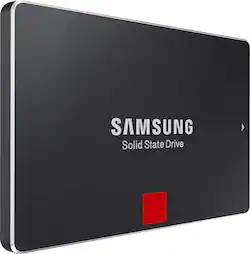
Samsung - 850 PRO 1TB Internal SATA III Solid State Drive for Laptops
- Key Specs
- Storage Drive Type: SSD (Traditional, mechanical hard disk drives are the most common type of storage because they're relatively inexpensive and offer huge capacities. However, they also generate both noise and heat. Solid state drives, also known as SSDs, are many times faster than hard disk drives and have no moving parts to wear out, but typically offer less capacity for the same price.)
- Interface(s): SATA (Refers to the types of connections that devices use to interact and communicate with each other.)
- General
- Product Name: 850 PRO 1TB Internal SATA III Solid State Drive for Laptops
- Brand: Samsung
- Model Number: MZ-7KE1T0BW
- Performance
- Storage Drive Type: SSD (Traditional, mechanical hard disk drives are the most common type of storage because they're relatively inexpensive and offer huge capacities. However, they also generate both noise and heat. Solid state drives, also known as SSDs, are many times faster than hard disk drives and have no moving parts to wear out, but typically offer less capacity for the same price.)
- Compatibility
- Internal Or External: Internal
- Interface(s): SATA (Refers to the types of connections that devices use to interact and communicate with each other.)
- Minimum System Requirements: Windows Server 2003 (32- or 64-bit, SP2 or later), Server 2008 (32- or 64-bit), XP (SP2 or later), Vista (SP1 or later), 7 (32- or 64-bit) or 8 (32- or 64-bit)
- Memory
- Cache Buffer Size: 1 megabytes (The data capacity of the cache buffer (or disk buffer) that acts as temporary memory for the drive. The cache holds the most recently and frequently used data to save the drive the extra step of pulling it from permanent storage every time it's needed, which helps increase the drive's overall speed.)
- Dimensions
- Product Height: 0.27 inches (The out of box height of the item. Height is measured as the vertical distance from the bottom of the item to the top as it would be primarily used or placed.)
- Product Width: 2.76 inches (The out of box width of the item. Width is measured as the horizontal distance from one side of the item to the other as it would be primarily used or placed.)
- Product Weight: 2.24 ounces (The out of box weight of the item.)
- Included
- Included Software: One-Stop Install Navigator, Samsung Magician
- Other
- UPC: 887276057514
Store up to 1TB of data on this Samsung 850 PRO MZ-7KE1T0BW internal SATA III solid state drive, which features 3D V-NAND architecture for enhanced performance and a compact size. Dynamic Thermal Guard protection defends against overheating.
- 1TB storage capacity: Offers plenty of room for music, movies, games and more.
- SATA III interface: Allows simple connection to your computer.
- Read speeds up to 550MB/sec., write speeds up to 520MB/sec.: Deliver a fast response when updating files. Random read speeds up to 100,000 @ 4KB/QD32, random write speeds up to 90,000 @ 4KB/QD32.
- 3D V-NAND architecture: Features 32 stacked cell layers for optimal density and performance with a small footprint.
- SED (Self-Encrypting Drive) technology: With AES 256-bit hardware-based, full-disk encryption helps keep sensitive data private. Crypto erase feature makes it easy to delete data or sanitize the drive.
- Dynamic Thermal Guard protection: Monitors and maintains the drive's operating temperature and utilizes a throttle feature to automatically drop temperature levels to safeguard stored data.
- RAPID mode: Boosts operating speed. Device Sleep mode support for Ultrabook laptops helps conserve power.
- One-Stop Install Navigator software: Helps you quickly transfer data and apps. Samsung Magician software provides benchmarking, advanced OS optimization, disk-health-status tracking and OP (overprovisioning) tools.
- Compatible with PC: For use at home or in the office.
Whats Included
- 850 PRO 1TB Internal SATA III Solid State Drive for Laptops
- Owner's manual
Q: Need to know the exact difference in two drives
A: Hopefully I'm not too late to help you out, but the main difference between the two drives is speed. The Pro is faster than the Evo, although the speed difference may not be substantial enough for you to justify buying it yourself. Unless you are a serious gamer or running programs where every mb counts then I wouldn't say you would need the Pro.
Q: Any drawbacks using laptop ssd in a desktop computer?
A: lol, I think you will be safe with what you have, a 850 Pro 1TB SSD is a 850 Pro 1TB SSD, if its secure in your system, its secure and will run like a 850 Pro 1TB SSD....
Q: Angelbird
A: The Angelbird is more for your mac and aligned better for it. As far as being a better drive I couldn't really say, I use Samsung myself but NOT in a mac, I use them in my desktop windows OS PC that I build. The Pro SSD from either maker are higher in cost but I have found for me it is worth the extra for the performance I gain when video editing and compiling programs when writing programs/software. Best to do a search on the drive you want to get all the info you need.... Daniel
Q: Compatabilty
A: If you can secure it into you PC it should work just great, also I have used the cloning software 3 times and it has always worked great. Just remember after cloning on first bootup to hit Del key or F1 key or what ever key you use to get into BIOS/cmos and in your boot menu make sure the new SSD is in the slot for first boot or 2nd after CD-ROM/DVD boot! Or after you install the drive and boot, you will get message you have a problem with your drive because your system is looking for a different drive to boot to, easy enough and if you only use one drive in your system then you probably wont have to worry about it ( I have 4 drives in my system ). Daniel
A: You have to find out if the old drive is SATA SSD. Look at Youtube and google your computer for forums that discuss it. Look at the prongs and size of the old drive. See if the 2.5" SATA SSD Samsung will connect the same way.
A: I have this SSD in my ps4 and it works perfectly. Go to PS website and follow instructions on how to install and download required software. You will also need an empty flash drive.


















