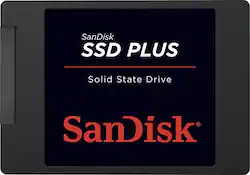
SanDisk - SSD Plus 240GB Internal Serial ATA Solid State Drive
- Key Specs
- Interface(s): SATA (Refers to the types of connections that devices use to interact and communicate with each other.)
- General
- Product Name: SSD Plus 240GB Internal Serial ATA Solid State Drive
- Brand: SanDisk
- Model Number: SDSSDA-240G-G25
- Compatibility
- Internal Or External: Internal
- Interface(s): SATA (Refers to the types of connections that devices use to interact and communicate with each other.)
- Dimensions
- Product Height: 2.75 inches (The out of box height of the item. Height is measured as the vertical distance from the bottom of the item to the top as it would be primarily used or placed.)
- Product Width: 3.96 inches (The out of box width of the item. Width is measured as the horizontal distance from one side of the item to the other as it would be primarily used or placed.)
- Product Weight: 1.92 ounces (The out of box weight of the item.)
- Other
- UPC: 619659125387
Expand your PC or laptop's storage capacity with this SanDisk SSD Plus SDSSDA-240G-G25 solid state drive, which offers 240GB of space and sequential read speeds up to 520MB/sec. The shock-resistant design ensures lasting use.
- 240GB storage capacity: Provides ample storage space for your music, movies and other files.
- Serial ATA Revision 3.0 interface: Connects quickly and securely to your computer.
- Sequential read speeds up to 520MB/sec.: Along with sequential write speeds up to 350MB/sec. for quick response when updating files.
- Shock-resistant design: Ensures durable performance, including if you accidentally drop your computer.
- Wide-ranging compatibility: For easy installation with most PC-, Mac- or Linux-based laptops or desktops with a Serial ATA connection.
Whats Included
- SSD Plus 240GB Serial ATA Solid State Drive
- Owner's manual
Q: Does this come with adapter to fit into 2.5" laptop bay?
A: If your laptop has a sata drive in it you clone it to the SSD, remove the old drive and put the new one in close up your laptop and you are done. Seagate and Western Digital have cloner software at their sites which you can download (free). If your lap top does not have a second sata connection you can get a USB enclose and put the drive in there and clone it. (Note your current drive has to match the software you down load. Also Acronis has cloner software you can purchase that works with any drive.)
Q: Is this drive Sata I, II or III?
A: It is SATA III and I have it installed on a 6 year old Toshiba laptop with SATA I. Works great!
Q: Does this come with adapter to fit into 3.5" desktop bay?
A: No. Tray adapters must be purchased separately.
A: Yes, this will work on almost any laptop PC that's been manufactured in the last decade. The previous Hard Disk Drive interface (IDE) has not been used for almost 10 years. It is a fairly safe bet that any laptop still in use is likely SATA and thereby able to utilize SSD technology to replace their spinning drives.
Q: Software Installation of SSD Plus 240GB
A: You can go to Apricorn.com and download EzGigIV clone software. Then get a cable manufactured by Apricorn (about $35) to connect the new disk to a usb slot on the computer that has the disk you want to clone. Then run the clone software and follow the on-screen instructions.
Q: Does this fit a 2012 Macbook Pro 15'?
A: I haven't specifically installed it in that particular model, but the SanDisk 240GB appears like any normal drive, only FASTER. The dimensions are a bit thinner than the original drive so fitment is not a problem. Screw slots are in the right position. FYI this drive is not only faster but much lighter too. It's like an empty plastic box.
A: Yes you can, but testing has shown that there is not much benefit on loading times using it on a PS4. It may shave a couple of seconds off when loading certain games but that's about it. You're better off spending the money on a more spacious drive, especially since you're trying to load movies on it.
A: Yes you can use this drive in a laptop... When you use a solid state drive it is important that you access your BIOS and change or configure the SATA settings from IDE mode to AHCI.... When you do this make sure you do it before attempting to install windows.. If you try and switch to ACHI after you have installed windows you will have problems... You get a huge performance advantage in AHCI mode so it's important to remember to do that first



















