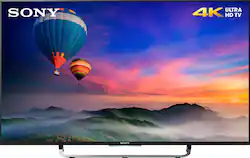
Sony - 49" Class (48.5" Diag.) - LED - 2160p - Smart - 4K Ultra HD TV
- Key Specs
- Display Type: LED
- Screen Size Class: 49 inches (The group size measurement of a screen. This differs from a screen size measured diagonally from corner to corner.)
- Specific Manufacturer Technologies: Motionflow XR 960, 4K X-Reality PRO (This is technology that's specific to a TV brand (sometimes called proprietary technology). Here you'll see terms related to picture quality, brightness, processors and more.)
- General
- Product Name: 49" Class (48.5" Diag.) - LED - 2160p - Smart - 4K Ultra HD TV
- Brand: Sony
- Model Number: XBR49X830C
- Dimensions
- Product Height With Stand: 26.75 inches
- Product Width: 43.175 inches (The out of box width of the item. Width is measured as the horizontal distance from one side of the item to the other as it would be primarily used or placed.)
- Product Depth With Stand: 8 inches
- Product Height Without Stand: 25.375 inches
- Product Depth Without Stand: 2.375 inches
- Product Weight With Stand: 34 pounds
- Product Weight Without Stand: 31.8 pounds
- Display
- Display Type: LED
- Screen Size: 48.5 inches (Size of the screen, measured diagonally from corner to corner.)
- Screen Size Class: 49 inches (The group size measurement of a screen. This differs from a screen size measured diagonally from corner to corner.)
- Closed Captioning: true (The text version of spoken audio displayed on the screen. Devices that can display closed captioning typically have the option to toggle the feature on or off.)
- Features
- Specific Manufacturer Technologies: Motionflow XR 960, 4K X-Reality PRO (This is technology that's specific to a TV brand (sometimes called proprietary technology). Here you'll see terms related to picture quality, brightness, processors and more.)
- Smart Capable: true (Smart, or smart-capable devices are able to connect directly to your home network in order to stream content from the Internet, run Internet-based apps, or connect to other smart devices.)
- V-Chip: true (Feature that blocks television programming if it has a content rating outside of the acceptable rating(s) configured by the user.)
- TV Tuner: Digital (The ATSC TV Tuner is a component built into conventional TV sets or other devices for receiving over-the-air broadcast TV without a cable/satellite box. Digital tuners may be purchased separately and connected to a device if it does not have one built in.)
- Connectivity
- RF Antenna Input: true (This input is used to connect devices such as antennas or cable boxes to a TV via a coaxial cable.)
- Number Of USB Port(s) (Total): 3 (The total number of USB ports including all generations and versions.)
- Headphone Jack: true (The device features an interface that allows for the connection of headphones.)
- Audio
- Surround Sound Supported: Dolby Digital (Surround sound systems use multiple audio channels and speakers to create an immersive sound experience for the listener. There are also various proprietary technologies that imitate this kind of sound via a device's built-in speakers or soundbar.)
- Speaker Output: 20 watts
- Number Of Speakers: 2
- Power
- ENERGY STAR Certified: false (Devices carrying the ENERGY STAR service mark, such as computer products and peripherals, kitchen appliances, and other products, generally use 20% to 30% less energy than required by federal standards.)
- EPEAT Qualified: false (The Electronic Product Environmental Assessment Tool (EPEAT) was designed to provide an environmental assessment tool for purchasers. In order to qualify for EPEAT, a product must meet all 23 required criteria.)
- Estimated Annual Operating Cost: 15 United States dollars (Predicted cost of operating the product under average conditions for one year.)
- Estimated Annual Electricity Use: 132 kilowatt hours (Predicted amount of electricity needed to operate the product under average conditions for one year.)
- Warranty
- Manufacturer's Warranty - Parts: 1 year limited
- Manufacturer's Warranty - Labor: 1 year limited
- Box Dimension
- Height: 31.25 inches
- Width: 47 inches
- Depth: 6.75 inches
- CubicDimension: 9914 inches
- Other
- UPC: 027242888043
Sony XBR49X830C LED Smart 4K Ultra HD TV: Experience stunning 4K color, contrast and clarity on this Android TV. Log into your Google account once to access apps, games and content from Google Play. Stream video from compatible services like Netflix and YouTube in Ultra HD. You can also stream Sony PlayStation 3 games without a PS3.
- 48.5" screen (measured diagonally from corner to corner): A great size for a living room or mid-sized home theater space.
- LED TVs perform well in all lighting conditions: They also deliver deep blacks and rich colors.
- 2160p resolution for breathtaking HD images: Watch 4K movies and TV shows at 4x the resolution of Full HD, and upscale your current HD content to gorgeous, Ultra HD-level picture quality.*
- Crisp, clear images, even at high speed: You'll get impressive clarity during sporting events and action movies with Motionflow XR 960 technology.
- Smart TV delivers a huge world of entertainment: Log in using your Google ID to access apps, games and content from Google Play. Cast your favorite entertainment apps with Google Cast, or search using Android TV's voice enabled search.
- Stream video in Ultra HD: Allows you to stream 4K video from compatible services, including Netflix and YouTube.
- Stream PlayStation 3 games without a PS3: PlayStation Now lets you sync a DualShock 4 controller (sold separately) to your TV and stream a growing library of PS3 games.**
- Android TV: Enjoy the power of Android on your television screen with an array of apps, games and personalization features. Supports voice search and Google Cast.
- Upscaled clarity and color: 4K X-Reality PRO analyzes and refines clarity and contrast, creating crisp images and vibrant colors in real time for your favorite shows, movies and clips.
- Use your smartphone or tablet as a remote control: Access Android TV or TV SideView on your compatible device to easily navigate using a keyboard, voice search or quick access buttons.
- Advanced TV sound: Two full-range 10W down firing speakers.
- Dolby Digital Plus and Dolby Pulse: Optimizes the sound for TV from sources like Internet movies and music, connected PCs, smartphones and tablets.
- 4 HDMI inputs for your home theater connection: High-speed HDMI delivers an HD picture and digital surround sound in 1 convenient cable. HDMI cable sold separately.
- 3 USB 2.0 inputs: Easily connect your digital camera, camcorder or other USB device. USB cable sold separately.
Whats Included
- 49" Class - LED - 2160p - Smart - 4K Ultra HD TV
- Stand
- Remote (RMT-TX100U)
- Batteries (R03)
- AC power cord
- Owner's manual
Q: 4K vs 1080
A: in my humble opinion i absolutely think it's worth it to upgrade to a 4K tv. i have just done this and immediately can tell the difference in picture quality (4K tvs have 4x the pixels of regular 1080p). this is my 1st 4K tv purchase and think this tv does a great job with up-converting. even watching a DVD essentially being unconverted by the BluRay player for HD, then being unconverted again by the TV for UltraHD looks pretty good. i too was skeptical about making the jump, but now i'm a believer. cheers.
A: Register your product with Sony, and you can call them with specific setting adjustments. However, I found that just a few simple tweets I had mine dialed in. Each input or app will have its own picture setting, so for example if you set up the picture for tv, then switch to an input it will be set back to standard. Go in and set up your settings to your liking and it will remember it when you switch back.
Q: HDCP 2.2
A: Yes, your regular HDMI cables will work.
Q: This TV does not have the Triluminos display, why does the description say it does?
A: You are correct, the 49-inch 4K does not have Triluminos, however how significant is that? I have the 55-inch Sony with that feature, and the 49-inch without it. They are in two different homes, so I cannot compare them side by side, but I have no complaints with the 49-inch version. What is more annoying is I cannot plug a keyboard into the 2014 year 55-inch model, while the new Android version supports a USB keyboard. Can't Sony do better than that with a firmware upgrade for the XBR-55x850b?
Q: How many apps can you install on this TV ? (gigabytes)
A: There is 8.2 gigabytes of built in storage.
Q: How can you get this to work with an Iphone???
A: Hi JP, This TV will work on your iphone via DLNA (Digital Living Network Alliance) only. You can play contents from your mobile device to this TV using your home network. Thanks, >Joffrey
Q: How do you browse the internet ?
A: Hello, thank you for your message. The Android™ TV does not have a pre-installed web browser app. However, you can download and install third-party apps that function as a web browser through the Google Play™ store. Follow these steps to locate a browser app: Turn on the TV / 2. Press the HOME button / 3. Select Apps / 4. Select the Google Play store app / 5. In the search window, use web browser or browser to locate an app that will meet your needs. - Oscar.
Q: What features set this model apart from the cheaper brands?
A: 1) It has a built in light sensor that you can turn on/off. With it on I have not had to adjust it wether the room is brightly lit or dark. 2) It depends. I have Charter Cable and some channels are better then others. 3) With firmware updates I don't expect this to outdated for 7 to 10 years.






















