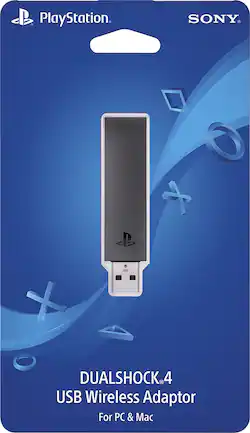
Sony - DUALSHOCK®4 USB Wireless Adapter - Black
- Key Specs
- Connector Type (End 1): USB
- General
- Product Name: DUALSHOCK®4 USB Wireless Adapter
- Brand: Sony
- Model Number: 3001625
- Connectivity
- Cable Type: USB
- Product Type: Adapter
- Connector Type (End 1): USB
- Other
- UPC: 711719504979
Increase your gaming capabilities with the PS4 DUALSHOCK4 USB wireless adapter, and play your favorite PlayStation4 games on your PC or Mac. Made to work with Windows PlayStation Now and PS4 RemotePlay for Windows and Mac, this adapter lets you enjoy your favorite streaming games. Simply connect the PS4 DUALSHOCK4 USB wireless adapter to the USB port on your computer.
- Use an DUALSHOCK4 controller wirelessly: on your PC and Mac.
- You can utilize every feature of DUALSHOCK 4: Including buttons, analog sticks, touch pad, light bar, motion sensors, vibration and stereo headset jack, as long as the application supports these features.
- Control PlayStation games: Streamed through compatible applications such as PS4™ Remote Play and PlayStation Now for Windows and Mac OS.
- USB connector: For easy use.
Whats Included
- Sony DUALSHOCK4 USB Wireless Adapter
Q: Can this connect multiple controllers to a pc or do you need one for each controller?
A: Sorry this usb only works with 1 ps4 controller. I had to buy 2 usb sticks to link up 2 ps4 controllers
Q: What does this device do specifically ?
A: This allows you to sync and use a Sony DualShock 4 controller wirelessly on your PC. If your PC already has Bluetooth built-in, you probably don't need this, but as my PC doesn't, I couldn't tell you for sure whether the DS4 connects with standard Bluetooth protocols. Keep in mind that your DualShock 4 WILL work with your PC if you connect it with the USB cable - this adapter simply gives you the freedom to play wirelessly.
Q: With this, my pc wont read the the controller in use. any suggestions?
A: Hey Connor, 1. First things first make sure your PS4 Controller is turned off and make sure the USB device is turned on solid blue light. 2. The USB device has a press in feature (example when plugged in to the front of a pc you would push and hold butt of the USB Gently toward your USB port till you see the blue light radpily flash) you don't have to push hard at all just be gentle. 3. When USB is flashing on your PS4 Controller hold the PS home button and share button till you see rapid white flashing light from the front of the PS4 controler. Once this happens release all buton presses and gipve it a few and should sync. Basically you are Bluetooth syncing the controller to usb device. 4. To sync back to PS4 Console just simply plug PS4 USB Controller cable with PS4 Controller connected to it in to the PS4 console turn on and wait for the controller led to change to blue or when you can move cursor in your ps4 menu. Hope this helps.
Q: Will this adapter enable wifi capability for Sony blu -Ray player model BDP s-1100?
A: No, it is just a direct connect only for a PlayStation controller. For you to use playstation now or remote play on your computer with a ps4 controller wirelessly.
Q: can i use this with ps3 so i don't need to use the wire when donnect to DS4? , thanks
A: This product cannot be used with a Playstation 3.
Q: Will this adapter work for a Samsung tv ?
A: This adapter will work with a Samsung Television.
Q: Can this USB wireless adapter be used with a DualShock 4 wireless controller on a Raspberry Pi 3?
A: undefined
Q: it can pair to other devices, right? (phones etc)
A: This adaptor pairs with PC and Mac computers.
















