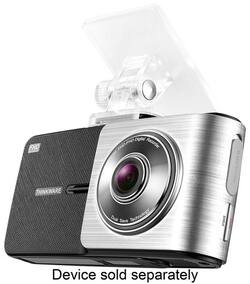
Dash Cam Mount for THINKWARE X500 Cameras
- General
- Product Name: Dash Cam Mount for THINKWARE X500 Cameras
- Brand: THINKWARE
- Model Number: TWA-X500M
- Color: Black/Silver
- Compatibility
- Model Compatibility: THINKWARE X500 cameras
- Features
- Mount Type: Dash
- Other
- UPC: 888622000444
This THINKWARE TWA-X500M dash cam mount features strong adhesive for stability and a short connecting arm to minimize vibrations transmitted to the camera for stable videography. The compact design helps preserve the driver's visibility.
- Compatible with the THINKWARE X500 dash cam: For mounting your existing camera
- Dash cam mount: Secures your camera to your windshield with strong adhesive for stable attachment
- Compact design: Minimizes the covered area of the windshield to help keep the driver's view clear
- Short connecting arm: Keeps the amount of vibration transmitted to the camera low to help create stable videos
Whats Included
- THINKWARE Dash Cam Mount for THINKWARE X500 Cameras
A: Hi there! Yes, the mount for the X500 is compatible with the X550. The majority of our accessories are available online only but can be arranged to be picked up in store. Please contact your local Best Buy for more details. We hope this answers your question! Feel free to contact us directly directly by email ([email protected]) or phone (1-844-865-9273) if you have additional questions. Kind regards, Thinkware Customer Support
Q: Is this camera wiring or wireless ?
A: Hi There, All of our cameras require a constant power source (wired) as there is no internal battery.
Q: HOW DOI REMOVE THEDASHCAM. I AM RETURNING MY LEASED CAR
A: Hi there! To remove the dash cam, simply slide the dash cam out of the mount. For mount removal, apply heat to the adhesive from the opposite side of the windshield. Once the adhesive becomes tacky, use thin material such as dental floss to carefully pry the mount off the windshield. Here is a video tutorial for your reference: http://bit.ly/1Tgy49a. We hope this helps! Kind regards, Thinkware Customer Support
A: No, it will only pivot up and down
A: No, this camera does not loop video record.
A: Wit proprietary technology from Thinkware, Dual Video enables incident video back up on built-in internal memory so that you can be assured your evidence will safely be stored no matter what the circumstances.


















