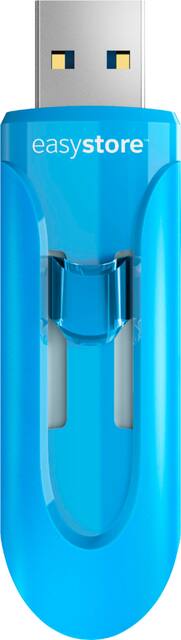
WD - Easystore 64GB USB 3.0 Flash Drive - Blue
- Key Specs
- Storage Capacity: 64 gigabytes (Measured in megabytes (MB), gigabytes (GB) and terabytes (TB), this is the amount available for storing files, music, movies, photos and more. The total includes the capacity of the hard disk drive and solid state drive if both are included on the computer.)
- Connector Type(s): USB Type A (Type of interface connection found on the device.)
- USB Generation: USB 3.0 (The specification (generation) of the USB standard. Generations are backwards compatible with previous specifications (provided that those devices have the necessary adapter to accommodate the connection type).)
- General
- Product Name: Easystore 64GB USB 3.0 Flash Drive
- Brand: WD
- Model Number: SDUSBES3-064G-A46
- Capacity
- Storage Capacity: 64 gigabytes (Measured in megabytes (MB), gigabytes (GB) and terabytes (TB), this is the amount available for storing files, music, movies, photos and more. The total includes the capacity of the hard disk drive and solid state drive if both are included on the computer.)
- Connectivity
- Connector Type(s): USB Type A (Type of interface connection found on the device.)
- USB Generation: USB 3.0 (The specification (generation) of the USB standard. Generations are backwards compatible with previous specifications (provided that those devices have the necessary adapter to accommodate the connection type).)
- Features
- Retractable: true
- Dimensions
- Product Height: 0.9 inches (The out of box height of the item. Height is measured as the vertical distance from the bottom of the item to the top as it would be primarily used or placed.)
- Product Width: 2.3 inches (The out of box width of the item. Width is measured as the horizontal distance from one side of the item to the other as it would be primarily used or placed.)
- Product Depth: 0.3 inches (The out of box depth of the item. Depth is measured as the distance from the front of the item to the back as it would be primarily used or placed.)
- Product Weight: 0.16 ounces (The out of box weight of the item.)
- Other
- UPC: 619659168605
Store files securely with this 64GB Western Digital Easystore USB drive. It provides a large amount of space to store anything from media to sensitive documents, ideal for traveling or secure storage. This 64GB Western Digital Easystore USB drive uses USB 3.0 technology for rapid file transfer so you don't have to wait.
- 64GB storage capacity: Offers ample space for photos, videos and more.
- USB 3.0 interface: For a fast connection. Backward compatible with USB 2.0.
- High performance and fast sustained data transfer rates: Up to 5 Gbps (using USB 3.0) for quick and efficient file backup.
- Slim body design: Allows you to plug 2 drives in side-by-side ports.
- Hot swappable: Allows easy connection without having to reboot.
Whats Included
- SanDisk-easystore USB 3.0 Flash Drive, 64GB
A: I had a similar problem. My computer runs Windows 10, so this answer may only apply to computers that run Windows 10. The problem I had was trying to save large video files (larger than 4 gigs) from my computer to the thumb drive. Then I discovered that in order to save large files, I would have to first reformat the thumb drive. It has to do with the way thumb drives work. IF YOU REFORMAT YOUR THUMB DRIVE, YOU MUST DO IT BEFORE YOU SAVE ANYTHING ON TO IT. (If you reformat your thumbdrive after you have saved some thing onto it, the reformatting process will erase anything you have already saved on the thumb drive.) Here's how to reformat your thumb drive: 1. Put the thumb drive into a USB port on your computer. 2. Locate your thumb drive in your "File Explorer". 3. Right click on your thumb drive's name in File Explorer. 4. You should see a drop down menu. 5. I that drop down menu, you should see an item that says "Format..." 6. Left click on "Format...." 7. You should then see a small list of items. 8. One of those items should be "File System". The file system you will most likely see will be "FAT32 (default)" 9. Right click where it says "FAT32 (default)" 10. You should now see a drop down menu that gives you a few options. One option is "NTFS" 11. Left click on "NTFS" 12. When the little box says "NTFS", click on the box at the bottom that says "Start". 13. Follow the prompts. BE SURE YOU HAVE NO ITEMS ALREADY SAVED ON YOUR THUMB DRIVE! (If you do, all of those items will be erased when the thumb drive is reformatted to "NNTFS") 14. When you are done, you will be able to save large video files onto your thumb drive. As I mentioned, I saved some large video files from a Windows 10 computer. I gave the thumb drive to a friend who has an Apple Computer, and she was able to download and use the videos from the thumb drive onto her computer. I hope this helps.
Q: Will this work to download stuff on windows 10 laptop and update the windows 10 system?
A: Yes, you can use the usb drive as an installation tool to install win 10 on new drive or update older version.
Q: does it work for chromebook?
A: As long as there is a USB-A port it should work
Q: Is this dfive formatted in ExFAT?
A: No it formatted in fat32 l, the usual option.
Q: Would this be good to transfer photos from iPhone to this device
A: No. It doesn’t do that.
Q: I forgot my password and my laptop says I need a usb to reset it. What kind do I need for that
A: Hello,Unfortunately there is no way to reset the password. In order to use the drive we recommend you to format the drive and this process is a data destructive.So if there is a crucial data on it so please contact the data recovery organization to recover your data before the format.Need Help? Please see our "'Contact Us" page for information.
Q: CAN I USE THIS DRIVE ON MY PHONE? IT'S AN LG PHONE GBXTHINO
A: Hi Nani1947, Please be informed that the WD Easystore Flash Drive is a plug 'n' play device tested and designed for Windows and Mac computers for seamless operation. Moreover it comes with a USB 3.0 (USB 2.0 compatible) Interface. We recommend you to please check with your host device vendor for more compatibility info. For more info about the drive, refer to the link: http://products.wdc.com/library/AAG/ENG/4078-705147.pdf -Need Help? Please see our "'Contact Us" page for information.
Q: Does this hard drive work for ps4
A: Yes it does






















