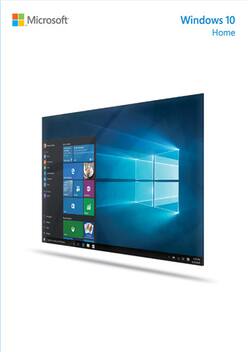
Microsoft - Windows 10 Home Operating System - Physical - English
- Key Specs
- Software Format: Physical (Physical software requires a disc, cartridge, etc. be inserted into the gaming console or computer to download and/or operate the software. Digital software allows for downloading and/or playing the software on the gaming console or computer without a physical disc, cartridge, etc. Physical (Download Code Only) software is purchased in physical form with a code that allows for downloading and/or playing the software on the gaming console or computer without a physical disc, cartridge, etc.)
- General
- Product Name: Windows 10 Home Operating System
- Brand: Microsoft
- Publisher: Microsoft
- Model Number: KW9-00016
- Features
- Language(s): English
- Compatibility
- Bit Version: 32-bit, 64-bit
- Software Format: Physical (Physical software requires a disc, cartridge, etc. be inserted into the gaming console or computer to download and/or operate the software. Digital software allows for downloading and/or playing the software on the gaming console or computer without a physical disc, cartridge, etc. Physical (Download Code Only) software is purchased in physical form with a code that allows for downloading and/or playing the software on the gaming console or computer without a physical disc, cartridge, etc.)
- Other
- UPC: 885370909777
Windows 10 Home Operating System: Stay productive with a new web browser that lets you draw notes directly on a web page, and with Cortana, a personal digital assistant that helps you browse for information, write emails, and more. When it's time for gaming, stream your favorite Xbox One games directly onto your Windows 10 PC, laptop, or tablet.
- Take notes in the new Microsoft Edge web browser: Draw, highlight, or write directly on a web page via a touchscreen or a mouse, then share your notes with others.
- Customize the Start menu: Choose to display your most used or recently added apps, specific folders, or system settings.
- Gain access to your device by using your fingerprint, face or iris: Select Windows 10 devices with Windows Hello will recognize your presence, unlocking without the need for a password. (Requires fingerprint reader, or IR or biometric sensor.)
- Screens adapt to fit your devices: Onscreen orientation changes shape to allow for easy navigation, and apps scale to different-sized displays.
- Play Xbox One games on Windows 10: Stream your Xbox One games to a Windows 10 PC, laptop, or tablet. Play games optimized for Windows 10, or record and share gaming moments with the built-in Game DVR. (Broadband Internet required.)
- Easily multitask on one screen: Snap up to four apps to the screen, or create virtual desktops to get more space to work with the items you need.
- Receive help from a personal digital assistant: Cortana assists across your Windows 10 devices, setting reminders, helping to write emails, or hosting chats with friends and family members. (Cortana experience may vary by region and device.)
- Take notes in the new Microsoft Edge web browser: Draw, highlight, or write directly on a web page via a touchscreen or a mouse, then share your notes with others.
- Customize the Start menu: Choose to display your most used or recently added apps, specific folders, or system settings.
- Gain access to your device by using your fingerprint, face or iris: Select Windows 10 devices with Windows Hello will recognize your presence, unlocking without the need for a password. (Requires fingerprint reader, or IR or biometric sensor.)
- Screens adapt to fit your devices: Onscreen orientation changes shape to allow for easy navigation, and apps scale to different-sized displays.
- Play Xbox One games on Windows 10: Stream your Xbox One games to a Windows 10 PC, laptop, or tablet. Play games optimized for Windows 10, or record and share gaming moments with the built-in Game DVR. (Broadband Internet required.)
- Easily multitask on one screen: Snap up to four apps to the screen, or create virtual desktops to get more space to work with the items you need.
- Receive help from a personal digital assistant: Cortana assists across your Windows 10 devices, setting reminders, helping to write emails, or hosting chats with friends and family members. (Cortana experience may vary by region and device.)
Whats Included
- Windows 10 Home Operating System
- Windows 10 Home Operating System
Q: Does Windows 10 come in a Flash Drive version?
A: Hello there, Yes, Windows 10 Home is install via flash drive and included with this purchase. We hope this was helpful to you.
A: Wish I would have read this BEFORE I bought Windows 10 to install on my 8 year old computer with Vista. I told the salesperson at Best Buy that's what I was doing and he said Windows 10 would work. it WON'T! And then you are out $119 because they won't take it back. I'm a senior so I wouldn't know. What's Best Buy's excuse?
Q: Is this a FULL INSTALL version?
A: Yes this is a full install version I bought it a couple months ago and have not regretted the decision
Q: How many disks in this box software?
A: Hello there, Yes, Windows 10 Home includes a single license • 32 & 64-bits on USB 3.0. We hope this was helpful to you.
Q: Is this a FULL INSTALL disc ???
A: Clean install? Been there, done that, love it. The media sold to me by Best Buy is a USB thumb drive, not a disc. Both 32 and 64 bit versions are included and it is a full install. A single caveat here is your target PC must be able to boot from a USB port. Most newer machines will do this, but you should access the machine's BIOS and verify this is a boot option, if you are unsure. OEM (Original Equipment Manufacturer) versions I have looked at are either 32 or 64 bit, but not both. While slightly cheaper, I believe the license for an OEM version specifically prohibits re-installation on another (different) PC should the original PC fail beyond reasonable repair or you replaced it for whatever reason. As I recall from reading Microsoft's Windows 10 literature, you will not have a DVD player when the installation is completed. My understanding that would only occur if you were upgrading from 7 or 8, in which case the old player might be "saved". The "work-around" recommendation is to download the free program VLC, which, IMHO, is a much better alternative to Window's Media Player, primarily because of its versatility, regardless of the OS you have. Apologies for the wordy reply but I believe one needs to know what those hard-earned dollars are getting you.
Q: Will my microsoft office be eliminate by windows 10
A: Hello there, Upgrading to Windows 10 should not eliminate Office from you PC. Office 2007 or higher are compatible with Windows 10. We hope this was helpful to you.
A: Yes, I installed Windows 10 on a Dell Inspiron 1545 (from 2009) running Windows Vista HP 32 Bit. You get a USB thumb drive (with both 32 and 64 bit) which you boot up on - choose 32 bit Windows 10. You have to change the boot sequence option to boot on the USB drive (check your manual). It does not come on a disc. You will lose ALL data and programs, so backup and store data in cloud accounts, run Belarc Advisor to snapshot your hardware and software and save the report in the cloud too. Make sure you have your other program install files elsewhere, NOT on the Vista machine.
Q: Retail or OEM? Very important that you answer before we buy.
A: Simple answer? Retail. Both 32 and 64 bit versions are on a USB thumb drive. If you are making a clean install, your PC must be able to boot from a USB port. Sorry I can't give you first-hand information about an upgrade. I have a Vista machine on the bench to be upgraded, but I need to save and migrate data to a safe place (i.e., external drive) before I proceed, in case the upgrade fails.














