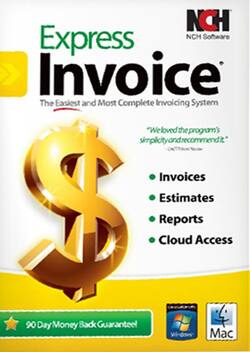
NCH Software - Express Invoice - Windows, Mac OS
- Key Specs
- Operating System Compatibility: Windows, Mac OS
- Software Format: Physical (Physical software requires a disc, cartridge, etc. be inserted into the gaming console or computer to download and/or operate the software. Digital software allows for downloading and/or playing the software on the gaming console or computer without a physical disc, cartridge, etc. Physical (Download Code Only) software is purchased in physical form with a code that allows for downloading and/or playing the software on the gaming console or computer without a physical disc, cartridge, etc.)
- General
- Brand: NCH Software
- Model Number: RET-EI002
- Product Name: Express Invoice
- Publisher: NCH Software
- Features
- Designated Use: Business
- Online Banking Function: true
- Compatibility
- Operating System Compatibility: Windows, Mac OS
- Software Format: Physical (Physical software requires a disc, cartridge, etc. be inserted into the gaming console or computer to download and/or operate the software. Digital software allows for downloading and/or playing the software on the gaming console or computer without a physical disc, cartridge, etc. Physical (Download Code Only) software is purchased in physical form with a code that allows for downloading and/or playing the software on the gaming console or computer without a physical disc, cartridge, etc.)
- Number Of Discs: 1
- Other
- UPC: 817775010697
When it comes to running a business, there are numerous little tasks that take up your time and energy. Whenever you find a solution that makes those tasks quicker, easier or less energy-consuming, then you immediately implement it. This software takes the not-so-little task of invoicing your clients and turns it into a streamlined process with efficient billing, helping shorten your revenue cycle and showcasing your company's professionalism. When it comes to running a business, Express Invoice makes life a little easier.
Express Invoice is designed with streamlining of processes in mind. The customizable templates let you quickly generate invoices that still have your company's stamp on them. Automatic invoicing allows you to schedule invoices that adhere to your client's billing cycle. Express Invoice eliminates another step by letting you fax or e-mail invoices directly to your clients from within the program. The flexibility of the software allows you to run multiple businesses in the same program and lets multiple users access data and create invoices with the Web interface. To paint a picture of your improved efficiency, Express Invoice provides analytics and reporting, so you can keep track of payments, accounts and performance. With this inclusive program, you're able to eliminate several time-consuming tasks that every business owner has from your to-do list.
Q: need the features shown below:
A: Express Invoice has the capability to be accessed remotely using the internet, however, you do not need to use it. You can keep it on one computer or use it only on your network, prohibiting internet access. This software is set up to be very easy and simple. Invoices include Qty, Item #, Description, Unit Price and Total. You can also set up a service-based company, which is based on an hourly billing. It is not set up to have both hourly services and products on the same invoice with different column labels. Express Invoice does automatically number invoices. You could go in and manually change the next Invoice number with each invoice you create, however, it would be an inconvenient work-around. You can always download a free trial of Express Invoice from our website and try it out prior to purchasing to see if the features meet your needs.
A: Yes, you can set up multiple businesses. When you set up Cloud Access, you can access the cloud version from any computer with internet or network access, depending on how you set it up.
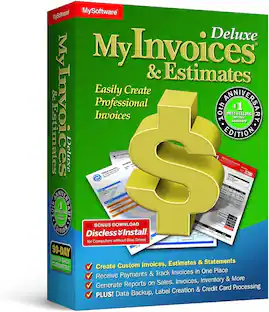
A: Express Invoice is not related to My Invoices & Estimates by Avanquest. Express Invoice is a separate product developed by NCH Software.
Q: Does this software do day by day aging?
A: undefined
Q: Can I print mailing labels in express invoicing?
A: undefined
Q: In what format in the invoice for e-mailing? In other words, will my clients receive a .pdf invoice?
A: When emailing an invoice, you can choose to either attach the invoice as a PDF or include the invoice in the body of the email.
People also viewed


Today's top picks
 $479.99The price was $729.99
 $69.99The price was $129.99
 $199.99The price was $249.99
 $49.99The price was $62.99
 $1,199.99The price was $1,399.99
 $799.99The price was $1,199.99