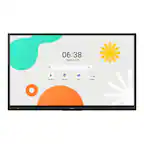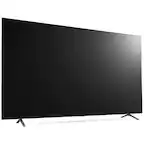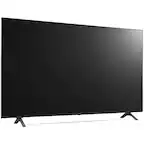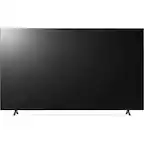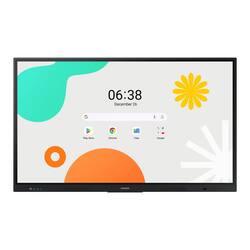
Samsung - 65 inch All-in-One Digital Android Based Interactive Display - Black
Model: WA65F
SKU: 6645720
This item is no longer available in new condition. See similar items below
- General
- Brand: Samsung
- Model Number: WA65F
- Product Name: 65 inch All-in-One Digital Android Based Interactive Display
- Color: Black
- Display
- Display Type: LED
- Resolution: 4K (2160p) (Refers to the number of pixels, both horizontally and vertically, used to capture video/images. The higher the resolution the finer the detail that can be seen.)
- Screen Size: 65 inches (Size of the screen, measured diagonally from corner to corner.)
- Connectivity
- USB Ports: 2 x USB-A 2.0, 2 x USB-A 3.0 (The number and type of USB ports the product has.)
- Compatibility
- VESA Wall Mount Standard: 600mm x 400mm (VESA wall mount standards refer to the spacing of screw holes built into a TV in order to fit with standard TV wall mounts. These standards are implemented into most TVs and monitors.)
- Power
- Power Consumption: 172 watts
- Warranty
- Warranty - Parts: None
- Warranty - Labor: None
- Other
- UPC: 8806095890241
Introducing the WAF Series, your new interactive display that delivers captivating educational experiences. Its familiar and intuitive Android OS interface is powered by a processor that guarantees smooth performance, intelligent AI processing and detailed graphics. Access a world of pre-installed tools and interactive educational apps to boost productivity and usher in a new era of learning. Plus, tap into the updated tools that make it easier to engage and collaborate with multiple students in real time, allowing for customizable learning environments that create a shared, yet personal, learning experience.
- Effortless Access to Google Services: With an EDLA certification, the WAF series supports a variety of Google services like Google Play and YouTube. This access to major educational apps like Google Classroom leads to increased efficiency and enhanced communication with students.
- Annotation On: The WAF series lets users take notes any time with a simple press of the always-visible Annotation button. Whether watching a video or viewing any content, users can seamlessly annotate without interruptions, enhancing productivity by avoiding the need to capture images first.
- Split Note Mode: The upgraded Note app allows up to four independent note zones on a single page, enabling multiple students to use the whiteboard simultaneously. Students can work in their own zones without affecting others, fostering both collaboration and individual learning.
- Easy Multi-tasking: The split screen and multi-window enable teachers to easily display information and multi-task. This flexibility provides convenient access to all the screens required to create engaging learning environments.
- Quick Access Controls: The WAF includes front-facing physical controls for quick access to frequently used functions. These intuitive controls allow users to operate the interactive display more efficiently, enhancing the overall user experience.
- Effortless Access to Google Services: With an EDLA certification, the WAF series supports a variety of Google services like Google Play and YouTube. This access to major educational apps like Google Classroom leads to increased efficiency and enhanced communication with students.
- Annotation On: The WAF series lets users take notes any time with a simple press of the always-visible Annotation button. Whether watching a video or viewing any content, users can seamlessly annotate without interruptions, enhancing productivity by avoiding the need to capture images first.
- Split Note Mode: The upgraded Note app allows up to four independent note zones on a single page, enabling multiple students to use the whiteboard simultaneously. Students can work in their own zones without affecting others, fostering both collaboration and individual learning.
- Easy Multi-tasking: The split screen and multi-window enable teachers to easily display information and multi-task. This flexibility provides convenient access to all the screens required to create engaging learning environments.
- Quick Access Controls: The WAF includes front-facing physical controls for quick access to frequently used functions. These intuitive controls allow users to operate the interactive display more efficiently, enhancing the overall user experience.
Whats Included
- screen, 2 stylus pens, HDMI cable, USB cable
- screen, 2 stylus pens, HDMI cable, USB cable