
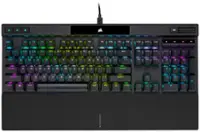
CORSAIR - K100 RGB Full-size Wired Mechanical OPX Linear Switch Gaming Keyboard with Elgato Stream Deck Software Integration - Black
- Key Specs
- Lighting Type: RGB
- Form Factor: Full-size (The size, arrangement, and physical configuration of the product.)
- Keyboard Technology: Optical (Type of technology that detects a key press.)
- Key Switch Behavior: Linear (Refers to the mechanisms under the keycaps on a keyboard that enable you to type faster and more precisely. Linear switches move straight up and down without any sound or bump. Tactile switches provide a noticeable bump in the key press, and no sound. Clicky switches provide a bump in the key press and "clicky" sound.)
- Connection Type: Wired
- General
- Brand: CORSAIR
- Model Number: CH-912A01A-NA
- Product Name: K100 RGB Full-size Wired Mechanical OPX Linear Switch Gaming Keyboard with Elgato Stream Deck Software Integration
- Color: Black
- Features
- Lighting Type: RGB
- Customizable Lighting: true
- Numeric Keypad: true
- Touchpad: false
- Keyboard Type: Gaming
- Palm Rest: true
- Spill Resistant: false (Designed to resist some degree of accidental liquid spill. The level of spill-resistance is indicated by the product manufacturer, but the degree of protection may not be guaranteed after normal wear of the product.)
- Keyboard Features: CORSAIR OPX RGB Optical-Mechanical Keyswitches - AXON Hyper-Processing Technology for 8x Faster Throughput - 44-Zone RGB LightEdge - PBT Double-Shot Keycaps
- Foldable: false
- Keycap Material: PBT
- Maximum Number of Memory Profiles: 200
- Functions
- Form Factor: Full-size (The size, arrangement, and physical configuration of the product.)
- Number Of Keys: 110
- Keyboard Technology: Optical (Type of technology that detects a key press.)
- Dedicated Macro Keys: true (Perform shortcuts of key sequences to carry out commands with a single key. Key sequences may include key strokes, mouse actions, and/or menu actions.)
- Adjustable Tilt Function: true
- Number Of Programmable Macros: 6
- Key Switch Type: Cherry MX Speed
- Key Switch Behavior: Linear (Refers to the mechanisms under the keycaps on a keyboard that enable you to type faster and more precisely. Linear switches move straight up and down without any sound or bump. Tactile switches provide a noticeable bump in the key press, and no sound. Clicky switches provide a bump in the key press and "clicky" sound.)
- Rollover: Full-key (Refers to the number of keys that can be correctly registered when pressed simultaneously. Rollover may be referred to as n-key rollover (KRO) or anti-ghosting.)
- Multimedia Keys: true
- Internet Keys: false
- Number Of Programmable Keys: 110
- Actuation Distance: 1.0mm
- Actuation Force: 45g
- Connectivity
- Connection Type: Wired
- Wired Connectivity: USB-A
- Cable Length: 6 feet
- Detachable Cable: false
- Number Of USB Port(s): 1 (The total number of USB ports including all generations and versions.)
- Number of Devices Connectable Simultaneously: 2
- Compatibility
- Operating System Compatibility: Windows, Mac
- Plug and Play Operation: true
- Dimensions
- Product Height: 1.5 inches (The out of box height of the item. Height is measured as the vertical distance from the bottom of the item to the top as it would be primarily used or placed.)
- Product Width: 18.51 inches (The out of box width of the item. Width is measured as the horizontal distance from one side of the item to the other as it would be primarily used or placed.)
- Product Depth: 6.54 inches (The out of box depth of the item. Depth is measured as the distance from the front of the item to the back as it would be primarily used or placed.)
- Product Weight: 36.72 ounces (The out of box weight of the item.)
- Mouse
- Mouse Included: false
- Warranty
- Warranty - Parts: 2 years
- Warranty - Labor: 2 years
- Other
- UPC: 840006621942
The incomparable CORSAIR K100 RGB Optical-Mechanical Gaming Keyboard combines stunning aluminum design with per-key RGB lighting and a 44-zone LightEdge. Powerful CORSAIR AXON Hyper-Processing Technology enables unparalleled capabilities such as 4,000Hz polling. CORSAIR OPX RGB optical-mechanical keyswitches, guaranteed for 150 million keypresses, offer hyper-fast 1.0mm actuation while registering keypresses up to 4x faster than standard mechanical gaming keyboards thanks to AXON, housed in durable double-shot PBT keycaps. Harness the power of iCUE software to customize an endlessly versatile programmable control wheel, synchronized RGB lighting, and six dedicated macro keys that can execute macros or streaming commands via Elgato Stream Deck software. A magnetic detachable memory foam palm rest offers the comfort to play for hours, while 8MB of onboard storage lets you save up to 200 macro and lighting profiles.
- You’ve reached the top: The CORSAIR K100 RGB is the pinnacle of CORSAIR keyboards, offering the cutting-edge performance, style, durability, and customization that gamers need to stand above the rest.
- The centerpiece of your setup: The K100 RGB boasts a refined design bolstered by a durable aluminum frame, dynamic per-key RGB backlighting, and a 44-zone three-sided LightEdge.
- Powered by CORSAIR AXON hyper-processing technology: CORSAIR’s most advanced gaming keyboard experience delivers up to 4x faster throughput with native 4,000Hz hyper-polling and 4,000Hz key scanning, while simultaneously driving up to 20-layer lighting effects.
- Exclusive CORSAIR OPX RGB optical-mechanical keyswitches: Hyper-fast input with 1.0mm actuation distance and smooth linear travel, guaranteed for 150 million keystrokes, and register keypresses up to 4x faster than standard mechanical gaming keyboards with CORSAIR AXON.
- Multi-function at your fingertips: Take command over backlighting, media jogging, and more with a versatile iCUE control wheel, fully programmable to perform actions in games and applications.
- PBT double-shot 104/105/108-keycap set: A precision-molded keycap set with a standard bottom row layout resists wear, fading, and shine, with 1.5mm thickness for rigid stability.
- Magnetic detachable leatherette palm rest: Easily slides into place, with a soft-textured surface and memory foam cushioning for the plush comfort to breeze through hours of gaming.
- Six dedicated macro keys with Elgato stream deck software integration: Fully programmable for complex macros and key remaps, or program special streaming commands through Elgato Stream Deck software.
- Powerful CORSAIR iCUE software: Enables vivid dynamic RGB lighting control, key remaps and macro programming, and full-system lighting synchronization across all iCUE-compatible CORSAIR devices.
- Dedicated media keys and volume roller: Convenient media keys and a signature CORSAIR aluminum volume roller let you take command of your media without interrupting your game.
- USB pass-through port: Provides convenient access to an additional USB device such as a mouse or headset, with tidy cable routing under the keyboard.
- 8MB of onboard storage: Store up to 200 onboard profiles with custom macros, settings, and custom RGB lighting effects with up to 20 lighting layers.
- You’ve reached the top: The CORSAIR K100 RGB is the pinnacle of CORSAIR keyboards, offering the cutting-edge performance, style, durability, and customization that gamers need to stand above the rest.
- The centerpiece of your setup: The K100 RGB boasts a refined design bolstered by a durable aluminum frame, dynamic per-key RGB backlighting, and a 44-zone three-sided LightEdge.
- Powered by CORSAIR AXON hyper-processing technology: CORSAIR’s most advanced gaming keyboard experience delivers up to 4x faster throughput with native 4,000Hz hyper-polling and 4,000Hz key scanning, while simultaneously driving up to 20-layer lighting effects.
- Exclusive CORSAIR OPX RGB optical-mechanical keyswitches: Hyper-fast input with 1.0mm actuation distance and smooth linear travel, guaranteed for 150 million keystrokes, and register keypresses up to 4x faster than standard mechanical gaming keyboards with CORSAIR AXON.
- Multi-function at your fingertips: Take command over backlighting, media jogging, and more with a versatile iCUE control wheel, fully programmable to perform actions in games and applications.
- PBT double-shot 104/105/108-keycap set: A precision-molded keycap set with a standard bottom row layout resists wear, fading, and shine, with 1.5mm thickness for rigid stability.
- Magnetic detachable leatherette palm rest: Easily slides into place, with a soft-textured surface and memory foam cushioning for the plush comfort to breeze through hours of gaming.
- Six dedicated macro keys with Elgato stream deck software integration: Fully programmable for complex macros and key remaps, or program special streaming commands through Elgato Stream Deck software.
- Powerful CORSAIR iCUE software: Enables vivid dynamic RGB lighting control, key remaps and macro programming, and full-system lighting synchronization across all iCUE-compatible CORSAIR devices.
- Dedicated media keys and volume roller: Convenient media keys and a signature CORSAIR aluminum volume roller let you take command of your media without interrupting your game.
- USB pass-through port: Provides convenient access to an additional USB device such as a mouse or headset, with tidy cable routing under the keyboard.
- 8MB of onboard storage: Store up to 200 onboard profiles with custom macros, settings, and custom RGB lighting effects with up to 20 lighting layers.
Whats Included
- CORSAIR K100 RGB optical-mechanical gaming keyboard, detachable magnetic cushioned palm rest, FPS / MOBA keycap set with keycap puller,
- Quick start guide, Safety information, Warranty card
- CORSAIR K100 RGB optical-mechanical gaming keyboard, detachable magnetic cushioned palm rest, FPS / MOBA keycap set with keycap puller,
- Quick start guide, Safety information, Warranty card
Product Manuals
Q: What is the maximum polling rate of this keyboard?
A: The Corsair K100 RGB keyboard offers a polling rate of up to 4,000Hz.
Q: How many onboard profiles can I store on this keyboard?
A: You can store up to 200 onboard profiles with custom macros, settings, and custom RGB lighting effects.
Q: Why is the actuation speed of this keyboard faster than standard mechanical keyboards?
A: The keyboard utilizes AXON Hyper-Processing Technology, allowing it to register keypresses up to 4x faster.
Q: Does the keyboard have dedicated macro keys?
A: Yes, it has six dedicated macro keys that can be programmed for complex macros or streaming commands.
Q: Does this keyboard have a palm rest?
A: Yes, it includes a magnetic detachable leatherette palm rest for comfort.
Q: What software is used to customize the keyboard lighting and macros?
A: You can customize the lighting and macros using the CORSAIR iCUE software.
Q: What type of keyswitches does the Corsair K100 RGB keyboard use?
A: This keyboard uses CORSAIR OPX RGB optical-mechanical keyswitches.
A: Turn off the Enable SDK option in the iCUE settings. MSI Mystic Light takes over the keyboard on a restart when this is enabled.
![Sure, here is the corrected and grouped text from the image:
**Top Row:**
- ESC
- F1
- F2
- F3
- F4
- F5
- F6
- F7
- F8
- F9
- F10
- F11
- F12
- PRTSC
- DEL
**Number Row:**
- 1
- 2
- 3
- 4
- 5
- 6
- 7
- 8
- 9
- 0
- -
- =
- \
**Letter Row:**
- TAB
- Q
- W
- E
- R
- T
- Y
- U
- I
- O
- P
- [
- ]
- \
**Letter Row:**
- CAPS
- A
- S
- D
- F
- G
- H
- J
- K
- L
- ;
- '
**Letter Row:**
- SHIFT
- Z
- X
- C
- V
- B
- N
- M
- ,
- .
- /
**Function Row:**
-](https://pisces.bbystatic.com/image2/BestBuy_US/images/products/9be10b95-8e90-4a5d-b85f-cbc6a7d8e8df.png;maxHeight=144;maxWidth=200?format=webp)
![esc 1! 2@ 3# 4$ 5% 6^ 7& 8* 9( 0) - _ + del tab Q W E R T Y U I O P [ { ] } pg up caps A S D F G H J K L ; : ' enter pg dn shift Z X C V B N M , . / ? shift ins ctrl alt fn ctrl](https://pisces.bbystatic.com/image2/BestBuy_US/images/products/df61bb42-fb75-4886-b839-2ea6cc541ed7.jpg;maxHeight=144;maxWidth=200?format=webp)


![esc F1 F2 F3 F4 F5 F6 F7 F8 F9 F10 F11 F12
Num Caps Mac Win
1 2 3 4 5 6 7 8 9 0 - = backspace
tab Q W E R T Y U I O P [ ] \
caps lock A S D F G H J K L ; '
shift Z X C V B N M , . /
control option fn control
del home pgup num clear / * -
end pgdn 7 8 9 +
enter 4 5 6
shift 1 2 3 enter
control option 28
option fn control
> o](https://pisces.bbystatic.com/image2/BestBuy_US/images/products/71a1417b-3d5f-45c1-99f0-24ab3c6d41b9.png;maxHeight=144;maxWidth=200?format=webp)
![M1 M2 M3 M4
esc F1 F2 F3 F4 F5 F6 F7 F8 F9 F10 F11 F12
prtsc scrLk pause
ins home pgup num / del end pgdn
tab Q W E R T Y U I O P [ ] \
caps A S D F G H J K L : '
enter shift Z X C V B N M , . -
shift 1 2 3 4 5 6 7 8 9 0 - =
ctrl alt fn ctrl
alt RAZER](https://pisces.bbystatic.com/image2/BestBuy_US/images/products/1f0f75c8-00e1-4042-907e-218cb4928c79.jpg;maxHeight=144;maxWidth=200?format=webp)


![ESC 1! ! TAB Q CAPS A SHIFT Z CTRL ALT a F1 F2 F3 F4 2 3# 4$ $ 5% W E R T S D F G X C V F5 F6 6 7& & 8 Y U H J N M I K 1 F7 9 O 7 < F8 0) P ; 2 > / ? H4 114 F9 F10 F11 F12 =+ C 1) ] J 1/ / SHIFT PRINT LOCK P/B INS HOME PG DEL END PG ALT FN 11 CTRL](https://pisces.bbystatic.com/image2/BestBuy_US/images/products/01579c20-566e-4ca6-aed7-263e0dc745ab.jpg;maxHeight=144;maxWidth=200?format=webp)
![Esc F1 F2 F3 F4 F5 F6 F7 F8 F9 F10 F11 F12 F13 Print Scroll Pause
1 ! 2 @ 3 # 4 $ 5 % 6 ^ 7 & 8 * 9 ( 0 ) - + Backspace Insert Home PgUp
Tab Q W E R T Y U I O P { [ } ] | Delete End PgDn
Caps Lock A S D F G H J K L ; ' Enter Shift Z X C V B N M , . / Shift
Control Super Alt Fn Super Control
Arrow keys (up, down, left, right)](https://pisces.bbystatic.com/image2/BestBuy_US/images/products/9a068a93-8745-4bd9-b90b-2afe869f6f16.jpg;maxHeight=144;maxWidth=200?format=webp)
![Sure, here is the corrected and grouped text from the image:
---
3 : ESC : 1 1 2 3 4 5 6 7 8 9 0 - = DEL
1 : TAB Q W E R T Y U I O P [ ] \
2 : CAPS A S D F G H J K L ; ' ENTER
3 : SHIFT Z X C V B N M , . / SHIFT
4 : CTRL ALT FN CORSAIR VLM
5 : CORSAIR
---
This text corresponds to the layout of the keyboard shown in the image.](https://pisces.bbystatic.com/image2/BestBuy_US/images/products/aa5ad82f-7c1b-49ab-9f1c-74419b440e4e.png;maxHeight=144;maxWidth=200?format=webp)