Logitech - MeetUp 4K Ultra HD Video Conferencing Camera for Small Conference Rooms - Black
FREE shipping to
More Buying Options
Related Item

Specifications
- Video Resolution4K (2160p)
- Key Specs
- Video Resolution: 4K (2160p) (Refers to the number of pixels, both horizontally and vertically, used to capture the video. The higher the resolution the finer the video detail that can be seen.)
- General
- Brand: Logitech
- Model Number: 960-001101
- Product Name: MeetUp 4K Ultra HD Video Conferencing Camera for Small Conference Rooms
- Color: Black
- Camera
- Video Resolution: 4K (2160p) (Refers to the number of pixels, both horizontally and vertically, used to capture the video. The higher the resolution the finer the video detail that can be seen.)
- Maximum Video Frame Rate: 2160p (4K) @ 30 FPS (The maximum frequency at which consecutive images can be captured by a video recording device.)
- Megapixels: 2 megapixels (Measures the amount of graphic resolution that the product can capture.)
- Image Resolution (Display): 1920 x 1080 (Refers to the number of pixels, both horizontally and vertically, used to either capture an image or display it. The higher the resolution the finer the image details.)
- Autofocus: true (Allows the camera to automatically focus through the lens, rather than by adjusting the lens manually.)
- Field of View (Diagonal): 120 degrees
- Digital Zoom: 5x (A digital zoom is accomplished electronically, with no adjustment of the camera's optics, and no optical resolution gained in the process. The existing data is not enhanced or added to, merely displayed at a lower resolution, thereby giving an illusion of an enlarged image.)
- Features
- Integrated Microphone: true
- Microphone Pattern: Omnidirectional (Refers to how the device receives sound from different directions and captures it. Multi-directional patterns capture sound from multiple sources while a single direction pattern focuses on sound from a single source.)
- Noise Cancelling: true
- Mount Type: Wall, Clip-on
- Privacy Shutter: true
- Plug And Play Operation: true (The product can work when first used or connected, without reconfiguration or adjustment by the user.)
- 360 Degrees Rotation: false (The product is capable of turning freely about an axis, incorporating horizontal points of view covering 360 degrees.)
- Connectivity
- System Requirements: Windows 7, Windows 8.1, or Windows 10, Mac OS X 10.10 or higher, Google Chromebook Version 29.0.1547.70, Platform 4319.79.0 with 2.4 GHz Intel Core 2 Duo processor, 2 GB RAM or more, USB 2.0 port (USB 3.0 required for 4k video). (The software that a product must have for it to be able to integrate with another product.)
- Connectivity: USB-A
- Dimensions
- Product Height: 3.3 inches (The out of box height of the item. Height is measured as the vertical distance from the bottom of the item to the top as it would be primarily used or placed.)
- Product Width: 15.7 inches (The out of box width of the item. Width is measured as the horizontal distance from one side of the item to the other as it would be primarily used or placed.)
- Product Depth: 4.1 inches (The out of box depth of the item. Depth is measured as the distance from the front of the item to the back as it would be primarily used or placed.)
- Product Weight: 2.29 pounds (The out of box weight of the item.)
- Warranty
- Warranty - Parts: 2-Year Limited Warranty
- Warranty - Labor: None
- Other
- UPC: 097855130037
MeetUp is Logitech's premier ConferenceCam designed for small conference rooms and huddle rooms. With a room capturing, super-wide 120° field of view, MeetUp makes every seat at the table clearly visible. Motorized pan/tilt widens FOV even further: up to 170°. A low-distortion Logitech-engineered lens, Ultra HD 4K optics, and three camera presets deliver remarkable video quality and further enhance face-to-face collaboration. MeetUp's integrated audio is optimized for huddle room acoustics and delivers an exceptional sound experience. Three horizontally-aimed beamforming mics and a custom-tuned speaker help ensure your meetings sound as great as they look. With a compact all-in-one design that minimizes cable clutter, MeetUp is USB plug-and-play and simply works right out of the box with any video conferencing software application and cloud service - including the ones you already use.
- Super-wide 120° field of view: By offering the widest field of view of any Logitech video conferencing solution, MeetUp allows everyone in the room to be seen, even those close to the camera or seated at the edges of the room.
- Ultra HD 4K image sensor: The camera supports multiple resolutions, including 4K (ultra HD), 1080p (Full HD) and 720p (HD) to best support the quality offered by your application and monitor.
- 3-microphone and custom-tuned speaker: Three broadside beamforming, omnidirectional microphones with noise and echo cancellation – plus a custom-tuned speaker – are specifically optimised for small conference rooms. Mics are Microsoft Cortana certified for precision with voice commands with any Windows 10 system.
- All-in-one design: The compact all-in-one form factor takes up less space and minimises cable clutter.
- Razor-sharp optics: Advanced Logitech lens technology delivers remarkable video quality with superb resolution, speed, fluidity, colour balance and detail, ensuring face-to-face collaboration is the next best thing to physically being there.
- Super-wide 120° field of view: By offering the widest field of view of any Logitech video conferencing solution, MeetUp allows everyone in the room to be seen, even those close to the camera or seated at the edges of the room.
- Ultra HD 4K image sensor: The camera supports multiple resolutions, including 4K (ultra HD), 1080p (Full HD) and 720p (HD) to best support the quality offered by your application and monitor.
- 3-microphone and custom-tuned speaker: Three broadside beamforming, omnidirectional microphones with noise and echo cancellation – plus a custom-tuned speaker – are specifically optimised for small conference rooms. Mics are Microsoft Cortana certified for precision with voice commands with any Windows 10 system.
- All-in-one design: The compact all-in-one form factor takes up less space and minimises cable clutter.
- Razor-sharp optics: Advanced Logitech lens technology delivers remarkable video quality with superb resolution, speed, fluidity, colour balance and detail, ensuring face-to-face collaboration is the next best thing to physically being there.
Whats Included
- Logitech MeetUp
- Table and wall mount
- 5-metre (16 ft) USB cable
- Logitech MeetUp
- Table and wall mount
- 5-metre (16 ft) USB cable
Q: Does this auto pan/focus on the individual that is speaking?
A: Hey! No, the Logitech MeetUp 4K camera does not automatically pan or focus on the individual speaking in a group. While it offers some intelligent features, automatic speaker tracking is not included.
A: Hey! MeetUp connects to a computer or laptop via USB for easy installation and plug-and-play video conferencing. You will be unable to connect the device directly to your TV however, if the PC or laptop is connected with the TV for screening then yes you will be able to connect the device. For better clarification, please contact Logi Support.
Q: Is this device compatible with Microsoft Teams application running on Windows 10 and Windows11?
A: Hey! Yes, the Logitech MeetUp is compatible with Microsoft Teams running on Windows 10 and 11.
Q: What size room is this good for?
A: We installed it in a room that is 14 x 30 and it works great. Very easy to adjust camera and mic is very sensitive and can pick up voices in back of room
Q: can you connect a MacBook to this TV?
A: Hello. The Meetup is not a TV, but a conference camera/webcam. It will work with MacOS 10.10 or later.
Q: Can I use in conjunction with a separate soundbar and smart tv? Or, will the soundbar be redundant?
A: Hey! While you can technically use the MeetUp with a separate soundbar and smart TV, the soundbar might be redundant since the MeetUp already has a built-in speaker.
Compare similar products

MeetUp is Logitech's premier ConferenceCam designed for small conference rooms and huddle rooms. With a room capturing, super-wide 120° field of view, MeetUp makes every seat at the table clearly visible. Motorized pan/tilt widens FOV even further: up to 170°. A low-distortion Logitech-engineered lens, Ultra HD 4K optics, and three camera presets deliver remarkable video quality and further enhance face-to-face collaboration. MeetUp's integrated audio is optimized for huddle room acoustics and delivers an exceptional sound experience. Three horizontally-aimed beamforming mics and a custom-tuned speaker help ensure your meetings sound as great as they look. With a compact all-in-one design that minimizes cable clutter, MeetUp is USB plug-and-play and simply works right out of the box with any video conferencing software application and cloud service - including the ones you already use.

MeetUp is Logitech's premier ConferenceCam designed for small conference rooms and huddle rooms. With a room capturing, super-wide 120° field of view, MeetUp makes every seat at the table clearly visible. A low-distortion Logitech-engineered lens, Ultra HD 4K optics, and three camera presets deliver remarkable video quality and further enhance face-to-face collaboration. MeetUp's integrated audio is optimized for huddle room acoustics and delivers an exceptional sound experience. Three horizontally-aimed beamforming mics and a custom-tuned speaker help ensure your meetings sound as great as they look. MeetUp’s built-in beamforming mics are optimized for up to 8 feet (2.4 meters). To extend that range up to 14 feet (4.2 meters), add the Expansion Mic. So whether people are seated at a table, sitting against the wall, or standing, Expansion Mic for MeetUp means everyone will be heard.

The Videobar VB-S is a compact, all-in-one USB videoconferencing device that brings signature Bose Professional sound and quality to your meeting space. With plug-and-play simplicity, it’s quick and easy to set up and use—no more videoconferencing hardware headaches. In small meeting spaces, the VB-S ensures voices on the call sound natural, while multimedia presentations and Bluetooth® audio are rich and engaging. It automatically focuses on voices in the room and reduces unwanted noise; plus, a 4K ultra- HD camera delivers sharp video, helping remote participants feel like they’re in the room. Its sleek, low-profile design adds to the professional look of any meeting space. Connect the VB-S to a computer, and it creates a complete videoconferencing solution for hosting professional-quality meetings using Google Meet, Microsoft Teams, Zoom and more. The VB-S is the videoconferencing solution that’s simple to set up, easy to use, and delivers a high-quality meeting experience—every time.
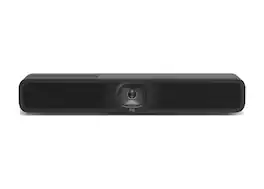
Upgrade your small meeting rooms with MeetUp 2, an AI-powered USB conference camera for small spaces that simplifies the meeting experience for employees and IT. It brings a simple setup, a selection of AI-enabled audio and video features, and easy management to USB-based deployments with a PC or in BYOD mode. MeetUp 2 is compatible with popular video platforms such as Microsoft Teams, Zoom, and Google Meet, and it can function in USB mode with either an in-room compute or when connected to a laptop in BYOD mode. It is easy to set up in small spaces, thanks to multiple mounting options, clean cabling, and a manual privacy shutter. Additionally, you can easily manage your MeetUp 2 and other Logitech video collaboration devices with Logitech Sync — monitor room status, deploy updates, and modify settings all from a single cloudbased app.