“How do you program this mouse? No directions & no YouTube videos to help.”
Answer This Question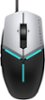
1-7 of 7 Answers
If your using a windows pc you can download Alienware FX for your computer from dells website.
Sorry, there was a problem. Please try again later.The Dell support website has a user guide that you can download for the base setting. The Alienware software will allow you to make RGB settings, as well as define your 5 preferred DPI settings. Programming the buttons for gaming functions (jump, crouch, use, etc) should be in-game.
Sorry, there was a problem. Please try again later.It simply plugs and plays. No special settings required. Just connect to a USB port.
Sorry, there was a problem. Please try again later.It is programmed from the Alienware Command Center app. You should be able to download that off Dell's website.
Sorry, there was a problem. Please try again later.If you have to ask then you don’t own an Alienware. It’s done through the Alienware software which is called Alienware command center. I own this so that everything looks uniform and I do enjoy the mouse and build quality (that’s not plastic on those buttons but actually a type of metal!) I would recommend a Razer mouse for extended play and precision. I will know more once I get used to it but haven’t used it on a normal basis yet. Great mouse though. The options of adding weights is a very nice touch. Hope this helps.
Sorry, there was a problem. Please try again later.Downloaded the driver
Sorry, there was a problem. Please try again later.You plug in the usb cable it’s not wireless Mouse .
Sorry, there was a problem. Please try again later.
