A:AnswerHello, you'll need to plug the Fire Stick into a power outlet with the included USB cable + power adapter, then plug the Fire Stick directly into one of the HDMI ports on your TV. Hope this helps!
A:AnswerHello Willie22, the supported output resolution on the Fire Stick is 720p and 1080p up to 60 fps. On the Fire Stick 4K it's 2160p, 1080p and 720p up to 60 fps. hope this helps!
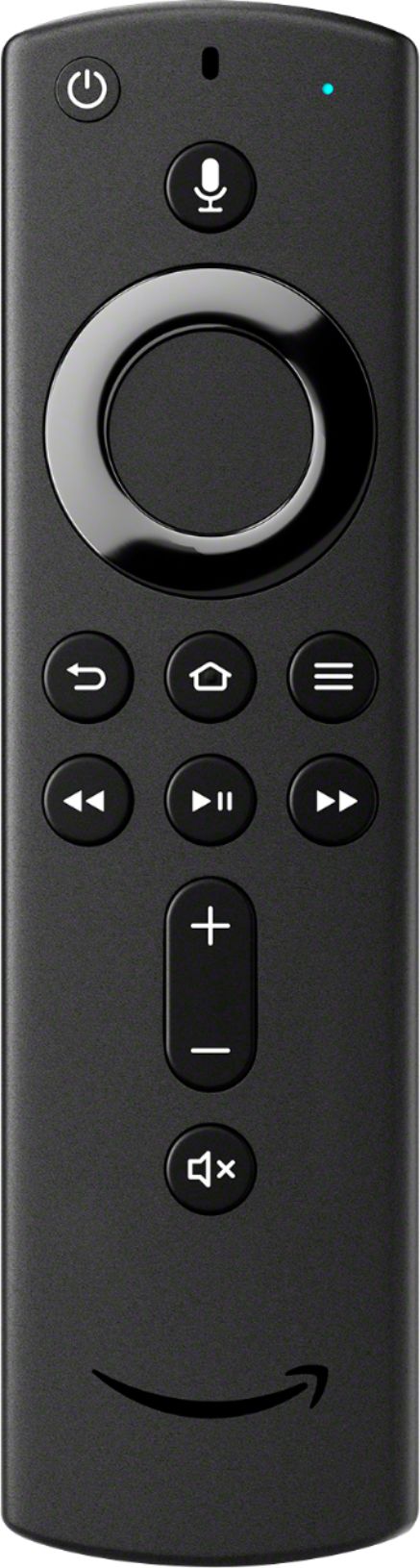
A:AnswerHello Giya, make sure your remote has batteries that are charged, then try the following troubleshooting steps: Press the left, menu, and back buttons simultaneously for 10 seconds. Wait for 60 seconds. Unplug your Fire TV device then wait 60 seconds and plug back in. Hold the home button for 40 seconds, then wait 60 seconds to complete setup. Hope this helps!
A:AnswerHello Rizzo, Yes this remote will working with your Fire TV device. Just go into the settings and select controllers to pair a new remote. Hope this helps!
A:AnswerHi there! This remote is only compatible with Fire TV Stick (2nd Gen), Fire TV Stick 4K, Fire TV Cube, and Amazon Fire TV (3rd Gen, Pendant Design). Hope this helps!
A:AnswerHi there! If your Echo Studio is connected to a Fire TV Stick, Fire TV or Fire TV Cube as part of the audio system, then yes, this remote will control the audio on the Echo Studio. Otherwise, if you are looking to just use the remote to control the Echo Studio alone, it will not work, however, you can simply ask Alexa to set the volume to your preference so no remote is needed. Hope this helps!
A:AnswerHi Nancy. This remote will only work with Fire TV devices which include the Fire TV Stick (2nd Gen), Fire TV Stick 4K, Fire TV Cube, and Amazon Fire TV (3rd Gen, Pendant Design). If you purchase one of these devices, you will be able to utilize the Alexa voice control for your TV. Hope this helps!
A:AnswerHello Momoffive, sounds like the Fire TV Stick would work well for your streaming needs! Just make sure your TV has an HDMI port as Fire TV Stick uses it and not usb. Set up is simple and will guide you through connecting to internet and setting up (or using your current) Amazon account.
A:AnswerHi Bornearly, this remote is compatible with the following products: Fire TV Stick (2nd Gen), Fire TV Stick 4K, Fire TV Cube, and Amazon Fire TV (3rd Gen, Pendant Design)
A:AnswerHello! You do not need to have a Prime Membership to use the Fire Stick and the Remote for it. Having a Prime Membership would give you access to shows and movies that are included with the Prime Membership, but you can still access many different apps like Netflix, Hulu, and Disney+. There are many that are free and many that require a subscription to a service. Have a good day!
A:AnswerHi there! Unfortunately, this remote will not work for the Toshiba Fire TV. You'll need to purchase the Insignia™ - Replacement Remote for Insignia and Toshiba Fire TV Edition Televisions. Hope this helps!
A:AnswerHi there! Unfortunately, this remote will not work for the Toshiba Fire TV. You'll need to purchase the Insignia™ - Replacement Remote for Insignia and Toshiba Fire TV Edition Televisions. Hope this helps!