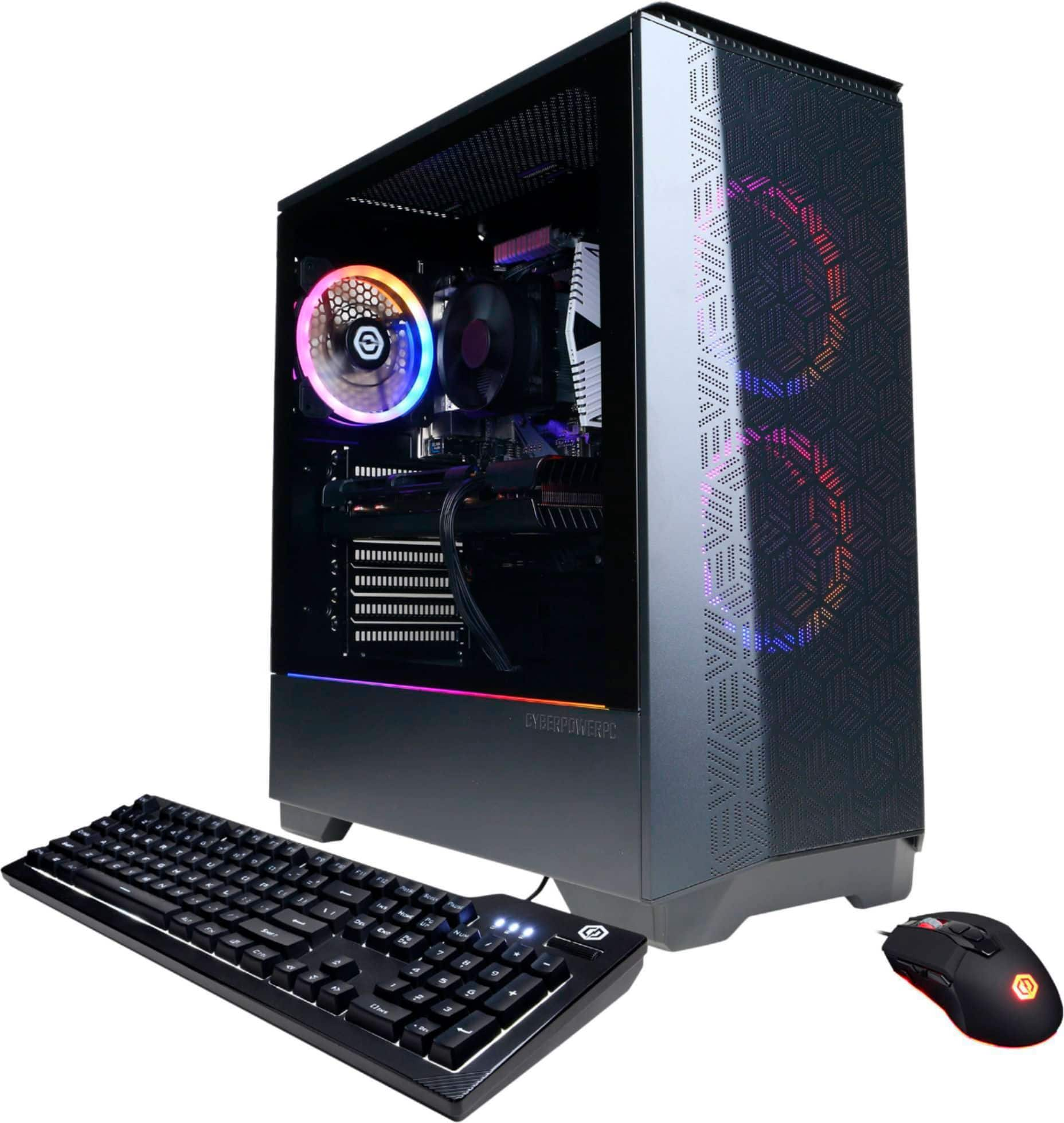
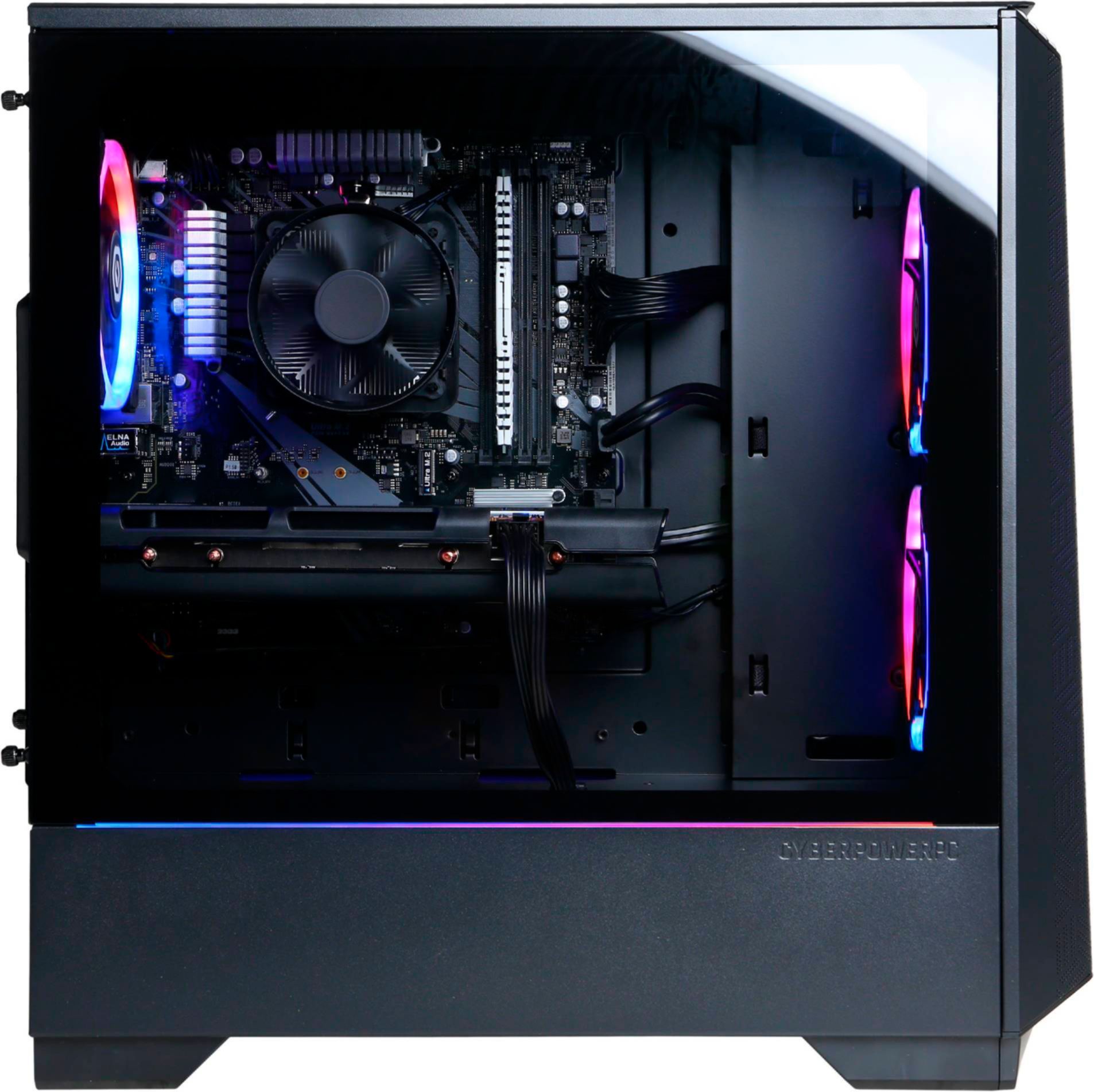
A:AnswerThe keyboard that comes with the PC does not have the option to change color (at least I don't think it does). The mouse in the other hand, has two buttons at the top center, beneath the scroll, you click on the second lower button and it changes color. The top button I think defaults the color and color design (ie fade, blink).
A:AnswerThank you for reaching out to us Zachary. The AMD Radeon RX 580 graphics card included with this system should have 8GB of GDDR5 memory. If you have any further questions or concerns then please do not hesitate to give our tech support agents a call for any assistance; we're always happy to help.
Tech Support:
(855) 888-2039
[email protected]
Hours of Operation:
Monday - Friday: 8:30AM - 6:00PM PST
Saturday: 9:30AM - 3:00PM PST
-CyberpowerPC Support
A:AnswerThank you for reaching out to us Joe. The keyboard included with this system should light up. If you have any further questions or concerns then please do not hesitate to give our tech support agents a call for any assistance; we're always happy to help.
Tech Support:
(855) 888-2039
[email protected]
Hours of Operation:
Monday - Friday: 8:30AM - 6:00PM PST
Saturday: 9:30AM - 3:00PM PST
-CyberpowerPC Support
A:AnswerThank you for reaching out to us. When installing a 2nd graphics card to your PC, both graphics cards need to be the exact same card in order to avoid incompatibility issues. If you have any further questions or concerns then please do not hesitate to give our tech support agents a call for any assistance; we're always happy to help.
Tech Support:
(855) 888-2039
[email protected]
Hours of Operation:
Monday - Friday: 8:30AM - 6:00PM PST
Saturday: 9:30AM - 3:00PM PST
-CyberpowerPC Support
A:AnswerThank you for reaching out to us. Please feel free to contact our tech support team at your earliest convenience for further assistance on this matter, we're always happy to help.
Tech Support:
(855) 888-2039
[email protected]
Hours of Operation:
Monday - Friday: 8:30AM - 6:00PM PST
Saturday: 9:30AM - 3:00PM PST
-CyberPowerPC Support
A:AnswerThank you for reaching out to us Johnny. The best way to purchase more RAM for the PC would be to look up the serial number on the side of the RAM online and purchase the exact same stick. It is always recommended that you have matching sticks of RAM inside your PC to avoid incompatibility issues. If you have any further questions or concerns then please do not hesitate to give our tech support agents a call for any assistance; we're always happy to help.
Tech Support:
(855) 888-2039
[email protected]
Hours of Operation:
Monday - Friday: 8:30AM - 6:00PM PST
Saturday: 9:30AM - 3:00PM PST
-CyberpowerPC Support
A:AnswerThank you for reaching out to us. This PC should be able to run Fortnite as it does meet the minimum system requirements. However, the amount of FPS you receive in-game will vary depending on the resolution and refresh rate of your display, in-game graphics settings, as well as your network connection. It is always recommended that you check the system requirements of the game you would like to play before making your purchase. If you have any further questions or concerns then please do not hesitate to give our tech support agents a call for any assistance; we're always happy to help.
Tech support:
(888)937-5582
-CyberpowerPC Support
A:AnswerThank you for reaching out to us Larry. The best way to purchase more RAM for the PC would be to look up the serial number on the side of the RAM online and purchase the exact same stick. It is always recommended that you have matching sticks of RAM inside your PC to avoid incompatibility issues. If you have any further questions or concerns then please do not hesitate to give our tech support agents a call for any assistance; we're always happy to help.
Tech Support:
(855) 888-2039
[email protected]
Hours of Operation:
Monday - Friday: 8:30AM - 6:00PM PST
Saturday: 9:30AM - 3:00PM PST
-CyberpowerPC Support
A:AnswerThank you for reaching out to us. Please feel free to contact our tech support team at your earliest convenience for further assistance on this matter, we're always happy to help.
Tech Support:
(855) 888-2039
[email protected]
Hours of Operation:
Monday - Friday: 8:30AM - 6:00PM PST
Saturday: 9:30AM - 3:00PM PST
-CyberPowerPC Support
A:AnswerThank you for reaching out to us Rafael. This system should include a 600 watt power supply. If you have any further questions or concerns then please do not hesitate to give our tech support agents a call for any assistance; we're always happy to help.
Tech Support:
(855) 888-2039
[email protected]
Hours of Operation:
Monday - Friday: 8:30AM - 6:00PM PST
Saturday: 9:30AM - 3:00PM PST
-CyberpowerPC Support
A:AnswerThank you for reaching out to us franchar. When upgrading the graphics card, it is always recommended that you check the minimum power requirements and make sure your power supply can support it. Also please make sure your power supply has all of the necessary PCI-E cables for your new graphics card. In most cases the graphics card should fit inside of your case. If you have any further questions or concerns then please do not hesitate to give our tech support agents a call for any assistance; we're always happy to help.
Tech Support:
(855) 888-2039
[email protected]
Hours of Operation:
Monday - Friday: 8:30AM - 6:00PM PST
Saturday: 9:30AM - 3:00PM PST
-CyberpowerPC Support
A:AnswerThank you for reaching out to us Moe. Please feel free to contact our tech support team at your earliest convenience for further assistance on this matter, we're always happy to help.
Tech Support:
(855) 888-2039
[email protected]
Hours of Operation:
Monday - Friday: 8:30AM - 6:00PM PST
Saturday: 9:30AM - 3:00PM PST
-CyberPowerPC Support
A:AnswerThank you for reaching out to us LukeWarm. Please feel free to contact our tech support team at your earliest convenience for further assistance on this matter, we're always happy to help.
Tech Support:
(855) 888-2039
[email protected]
Hours of Operation:
Monday - Friday: 8:30AM - 6:00PM PST
Saturday: 9:30AM - 3:00PM PST
-CyberPowerPC Support
A:AnswerThank you for reaching out to us Wolfy. The mouse included with this system is an OEM product from CyberPowerPC. If you have any further questions or concerns then please do not hesitate to give our tech support agents a call for any assistance; we're always happy to help.
Tech Support:
(855) 888-2039
[email protected]
Hours of Operation:
Monday - Friday: 8:30AM - 6:00PM PST
Saturday: 9:30AM - 3:00PM PST
-CyberpowerPC Support
A:AnswerThank you for reaching out to us robsin. The components included with this system are upgradeable, however, it is always recommended that you check for compatibility before making your purchase on new hardware. If you have any further questions or concerns then please do not hesitate to give our tech support agents a call for any assistance; we're always happy to help.
Tech Support:
(855) 888-2039
[email protected]
Hours of Operation:
Monday - Friday: 8:30AM - 6:00PM PST
Saturday: 9:30AM - 3:00PM PST
-CyberpowerPC Support
A:AnswerThank you for reaching out to us. The graphics card included with this system should have HDMI and DP. If you have any further questions or concerns then please do not hesitate to give our tech support agents a call for any assistance; we're always happy to help.
Tech Support:
(855) 888-2039
[email protected]
Hours of Operation:
Monday - Friday: 8:30AM - 6:00PM PST
Saturday: 9:30AM - 3:00PM PST
-CyberpowerPC Support
A:AnswerThank you for reaching out to us Ezra. The best way to purchase more RAM for the PC would be to look up the serial number on the side of the RAM online and purchase the exact same stick. It is always recommended that you have matching sticks of RAM inside your PC to avoid incompatibility issues. If you have any further questions or concerns then please do not hesitate to give our tech support agents a call for any assistance; we're always happy to help.
Tech Support:
(855) 888-2039
[email protected]
Hours of Operation:
Monday - Friday: 8:30AM - 6:00PM PST
Saturday: 9:30AM - 3:00PM PST
-CyberpowerPC Support
A:AnswerThank you for reaching out to us Matt. We recommend getting in contact with Best Buy directly for further assistance on this matter as they handle the pricing and promotions.