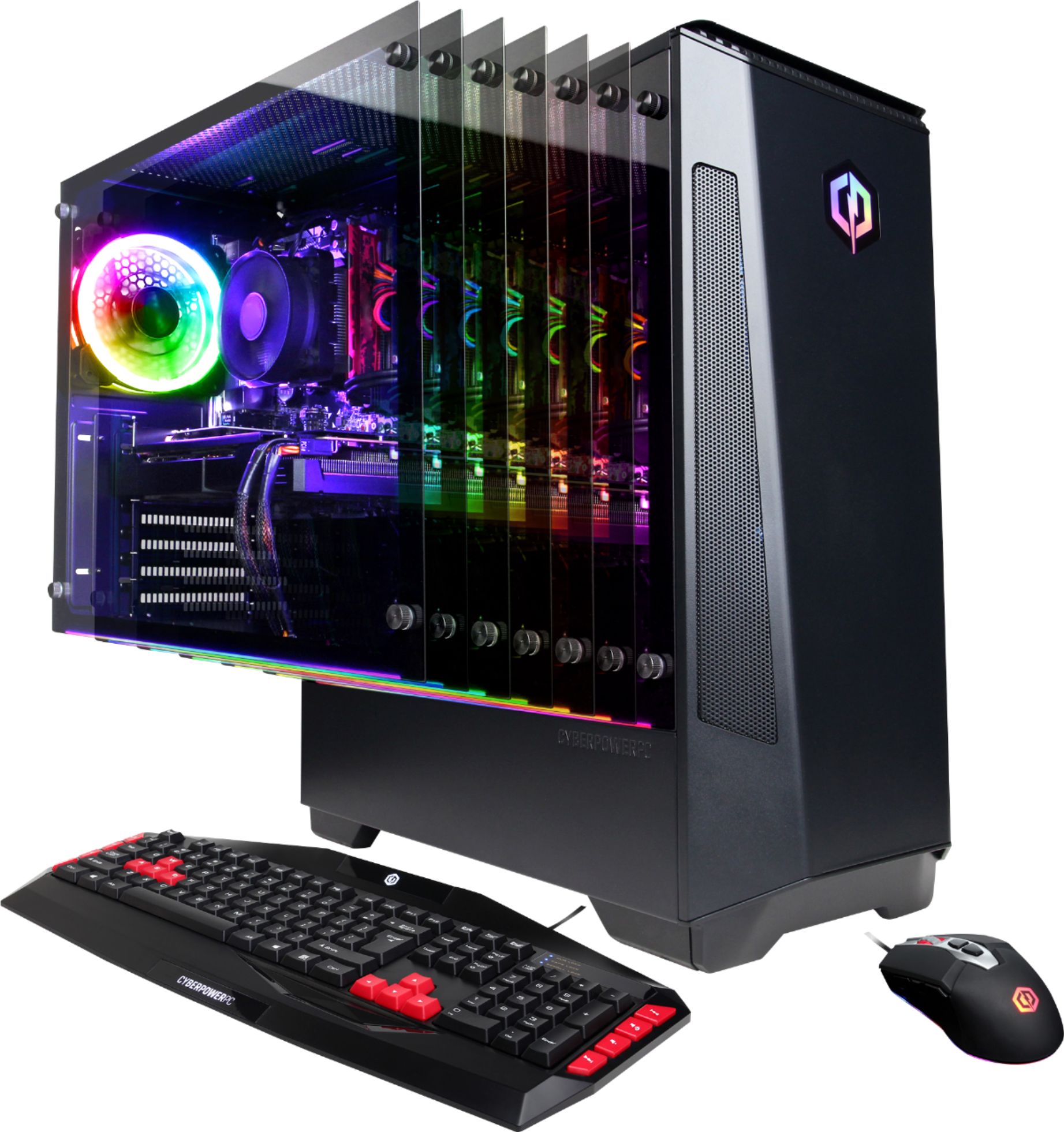
A:AnswerThank you for reaching out to us Kristen . This PC should be able to run most VR games. However, the amount of FPS you receive in-game will vary depending on the resolution and refresh rate of your display, in-game graphics settings, as well as your network connection. It is always recommended that you check the system requirements of the game you would like to play before making your purchase. If you have any further questions or concerns then please do not hesitate to give our tech support agents a call for any assistance; we're always happy to help.
Tech support:
(888)937-5582
-CyberpowerPC Support
A:AnswerThank you for reaching out to us Gary. This PC should be able to run most VR games. However, the amount of FPS you receive in-game will vary depending on the resolution and refresh rate of your display, in-game graphics settings, as well as your network connection. It is always recommended that you check the system requirements of the game you would like to play before making your purchase. If you have any further questions or concerns then please do not hesitate to give our tech support agents a call for any assistance; we're always happy to help.
Tech support:
(888)937-5582
-CyberpowerPC Support
A:AnswerExcluding a problem (either hardware or software), you're possibly exceeding the limits of the video card, or something is off with your settings. Check the requirements of the game you are playing, look for tips online about how to improve performance.
In general, try lowering the graphics settings of the game you are playing, or if it has an auto detect function, use that.
Otherwise, software issues such as system corruption or a virus can cause these issues (I would recommend a clean install if at all possible). Faulty hardware, or overheating will also lead to this behavior. Unfortunately there is no simple clear answer here. You'll have to do some troubleshooting. If you suspect a hardware issue, contact cyber power support and get a ticket open asap.
A:AnswerThank you for reaching out to us Matt. This system should include a 600 watt power supply. If you have any further questions or concerns then please do not hesitate to give our tech support agents a call for any assistance; we're always happy to help.
Tech support:
(888)937-5582
-CyberpowerPC Support
A:AnswerThank you for reaching out to us Sam. This system should come prebuilt and ready to go. If you have any further questions or concerns then please do not hesitate to give our tech support agents a call for any assistance; we're always happy to help.
Tech support:
(888)937-5582
-CyberpowerPC Support
A:AnswerThank you for reaching out to us Rolling. This system should include a 600 watt power supply. If you have any further questions or concerns then please do not hesitate to give our tech support agents a call for any assistance; we're always happy to help.
Tech support:
(888)937-5582
-CyberpowerPC Support
A:AnswerThank you for reaching out to us Pat. Please feel free to contact our tech support team at your earliest convenience for further assistance on this matter, we're always happy to help.
Tech Support:
(888)937-5582
TechTeam@CyberpowerPC.com
Hours of Operation:
Monday - Friday: 8:30AM - 6:00PM PST
Saturday: 9:30AM - 3:00PM PST
-CyberPowerPC Support
A:AnswerThank you for reaching out to us. The magnetic dust covers are there to minimize the dust going into your PC. If you have any further questions or concerns then please do not hesitate to give our tech support agents a call for any assistance; we're always happy to help.
Tech support:
(888)937-5582
-CyberpowerPC Support
A:AnswerThank you for reaching out to us. This system should be able to handle streaming while playing some games. However, your in-game graphics settings, network connection, and streaming platform may greatly affect performance and quality of your stream. If you have any further questions or concerns then please do not hesitate to give our tech support agents a call for any assistance; we're always happy to help.
Tech support:
(888)937-5582
-CyberpowerPC Support
A:AnswerNo
You would need to get a video capture card to accomplish that. This will be applicable to any computer you buy unless it specifically says it has a video capture card.
A:AnswerThank you for reaching out to us Zantra. You should be able to add an additional drive, however, it is always recommended that you check for compatibility before making your purchase on new hardware. If you have any further questions or concerns then please do not hesitate to give our tech support agents a call for any assistance; we're always happy to help.
Tech support:
(888)937-5582
-CyberpowerPC Support
A:AnswerYou probably need to uninstall the AMD video drivers and software and do a clean install of the nVidia drivers.
But why would you put an nVidia card in an AMD system?
A:AnswerThank you for reaching out to us. You may purchase an external CD/DVD drive that uses a USB connection separately if you would like to download games through a disks. You may also purchase games digitally and download and install them online as well. If you have any further questions or concerns then please do not hesitate to give our tech support agents a call for any assistance; we're always happy to help.
Tech support:
(888)937-5582
-CyberpowerPC Support
A:AnswerThank you for reaching out to us Carissa. Please feel free to contact our tech support team at your earliest convenience for further assistance on this matter, we're always happy to help.
Tech Support:
(888)937-5582
TechTeam@CyberpowerPC.com
Hours of Operation:
Monday - Friday: 8:30AM - 6:00PM PST
Saturday: 9:30AM - 3:00PM PST
-CyberPowerPC Support