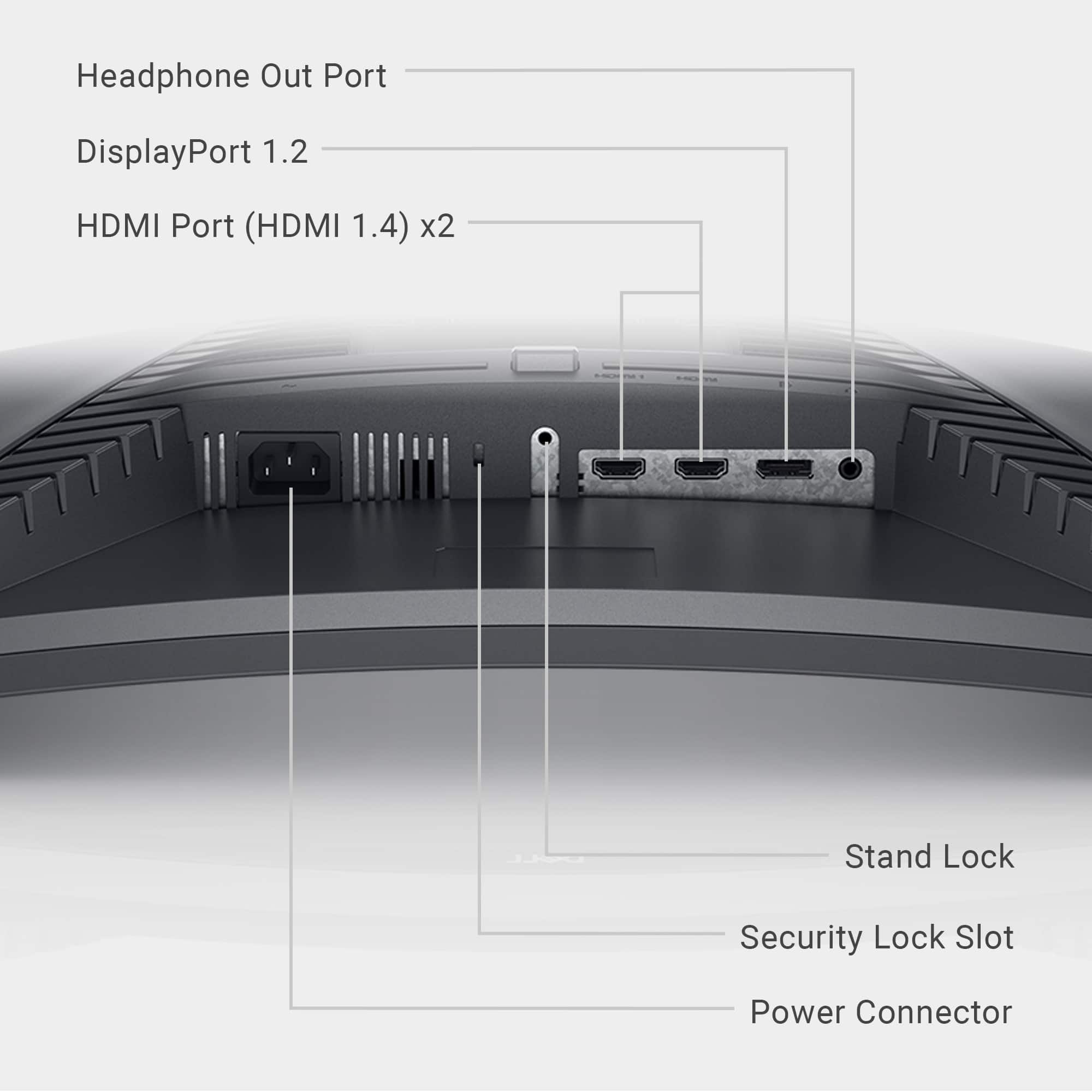
A:AnswerCords can’t make your monitor 4k the display port cord can handle 4k but it dose not make a 1080p monitor 4k. If you mean it does not look as good as other monitors you have looked at by pixelation then you would just need to buy and 1440p or higher monitor it is unlikely that the cord is why your monitor is pixelated but still possible.
A:AnswerFor technical assistance on Dell Monitor, we recommend contacting the Dell Technical Support team. They are available on Facebook and Twitter(@Dellcares).
A:AnswerThe maximum resolution and refresh rate supported by this monitor for PlayStation 5 is 1920 x 1080, 120 Hz (Note: You must select Performance Mode in PlayStation 5 Game Presets.) through the HDMI port. For technical assistance on this monitor, we recommend contacting the Dell Technical Support team for assistance after the purchase. They are available on Facebook and Twitter(@Dellcares).
A:AnswerThis monitor's hardware configuration meets the requirement to be connected with an Apple Mac Mini, however, Dell hasn't tested this monitor with Apple Mac Mini hence compatibility is not assured.
A:AnswerI had this happen to a different brand monitor but it sounds like the same problem It turned out the monitor had fully died. I would get it checked by a professional before you do anything like follow some randoms guy’s advice on the internet. But I would take it to somewhere that could take a look at it and find out for your self for sure.
A:AnswerMake sure you are plugging in the monitors to the graphic card. Not to the computer ports. If you can plug all monitors into display ports on your graphic card