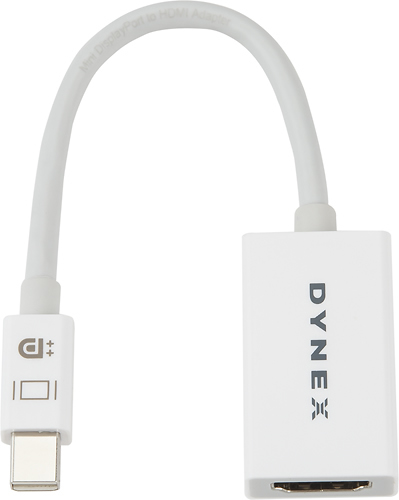
A:AnswerYes it will. I use it on the same laptop, MacBook Air 2014. I can not guarantee that the same graphical resolution from the source is transmitted, however. I only use it to convert to HDMI as an input to my LG TV which is Full HD 1080p.
Everything I watch on the LG TV seems just as clear and sharp as that which appears on the MacBook Air screen.
I must mention that I've only had this adapter for about a month and it has stopped working. I will be returning to place of purchase to test the item (I do not have another Mac) to determine if it is the item or perhaps the DisplayPort on my Mac.
If it is the item, and another of the same is offered in exchange free of charge, I'm willing to give it another shot - but probably just one more - before I return for refund. It was quite inexpensive and it worked fine when it did work.
Hope this helps,
Peace
A:AnswerNot 100% sure. It uses the mini display port to send audio and video to HDMI connection. However, some older laptops only send video output thru the display port. You may want to visit Apple forums to see if your Mac Air has that feature, or if the thunderbolt port is only for highspeed data transfer, like external hard drives or target booting another laptop.
A:AnswerYou have to view an image of what a mini display port looks like. If your iPad doesn't have that output, it wouldn't work. You'd also have to view specs for your iPad to see if it send audio and video or video only thru the mini display port (if it has it). You may not need the cable, if you have a newer smart TV that you can stream/cast to from your iPad. AirPlay 2 makes it possible to do this without needing an apple TV hooked up to your TV.
But it all depends upon what outputs your iPad has and what your objective is.