A:AnswerHi DP4887, Try adjusting the HDMI EQ setting in the Operations Menu. If this does not give you a satisfactory signal you may have to purchase a higher quality or shorter cord than your original 35 foot HDMI cable. Regards, Mark - The Epson Team.
A:AnswerHi Joe, We cannot help with Apple TV models, but the Epson Home Cinema 880 displays at 1080p, so a 4K signal is not necessary. Regards, Mark - The Epson Team.
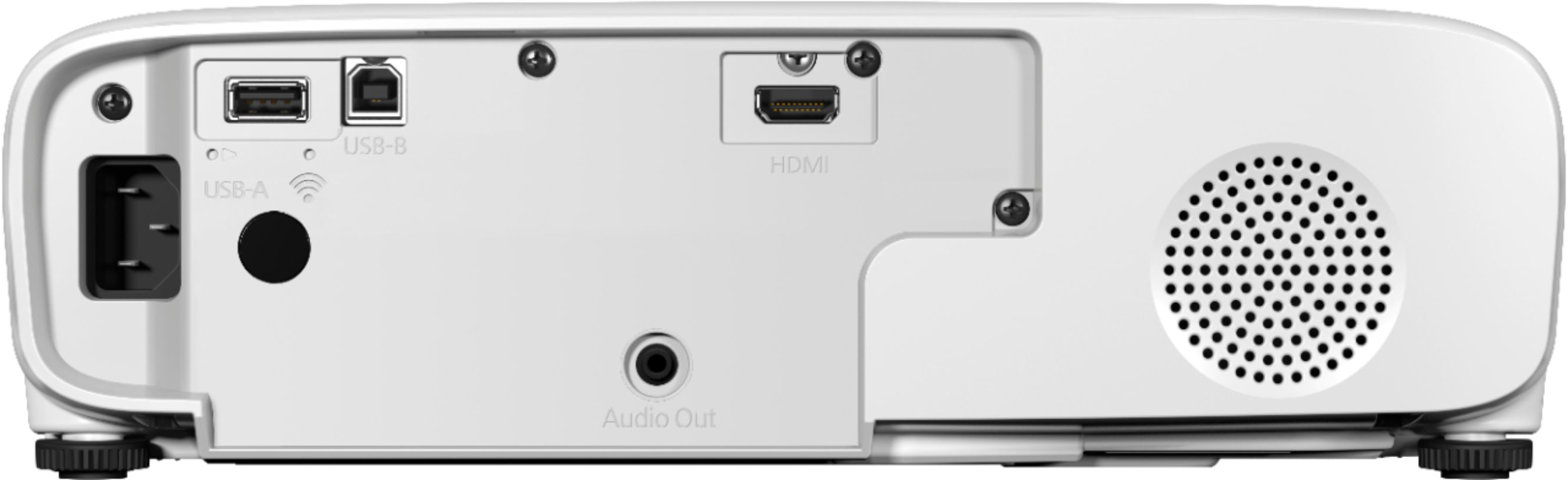
A:AnswerInteresting. The 880 doesn't have a bluetooth option built in. The only way I can see possibly projecting from a smart phone is with the wireless LAN adaptor (Epson ELPAP11 Wireless LAN Adapter), but I am not certain what those limitations are. Can you please explain how this works and if there are ANY other cords other than HDMI that must be connected to a Toshiba laptop with Windows 11 installed? We cannot get the projector to connect for presentations and we've tried EVERYTHING. Ports have been checked on both the projector and the laptop and both are GOOD. HDMI cables have been checked, are all under 3' long and all work. Why is this so difficult????
-SUPER frustrated.
A:AnswerThe throw ratio that I got was roughly 1:1. As this does not have an optical zoom feature, you will require to place this equal distance from the screen, so technically you would want to be about 9 feet from the screen to project roughly 110". If you need that optical zoom feature, look at the HC 1080
A:AnswerHello. Yes, if your computer meets the system requirements, you can send video and audio output to the Home Cinema 880 through the computer's USB port (preferably USB 2.0). Using a USB connection may cause a delay for content requiring high bandwidth, such as movies. An
HDMI connection is recommended for projecting movies, video games, and other home entertainment
content. Regards, Kevin - The Epson Team.
A:AnswerHi FinePrintSearcher, We use IDMS 15.4 and ISO 21118 to measure color brightness and white brightness respectively. Based on those standards, our result is 3,300 Lumens color and white brightness for the Home Cinema 880. Regards, Mark - The Epson Team.
A:AnswerHi Andy, The Home Cinema 880 has a 3.5 mm stereo output jack on the back. Use the volume buttons on the remote control to make sure the projector's audio is not turned down. Note, when you connect a cable to the audio output the internal speakers are disabled. Regards, Mark - The Epson Team.