Questions & Answers
- Model:
- GA05662-US
- |
- SKU:
- 6586840
Q: QuestionCan you sideload non Google Play store apps?
Asked by Jes.
- A:Answer Hey there, Jes. The Google TV Streamer (4K) only supports the apps available for direct download from the Google Play Store. Check out this link with more information: https://support.google.com/googletv/answer/10050570?hl=en#zippy=
Answered by Google Team
Q: Questioncan you add a flashdrive if yes how.
Asked by GAMBLER97.
- A:Answer Hi there, Jeff. Yes, you’re able to use a removable storage device to get data to and from the Google TV Streamer (4K) — here’s how: 1. Connect your streaming device to your TV’s HDMI port. 2. Connect the USB-C hub to your streaming device. 3. Plug the USB-C charger into a power outlet, then connect it to the power delivery port of the USB-C hub. 4. Connect your USB storage device to the hub. You’ll get a prompt to reformat the storage device. Check out this link for more information: https://support.google.com/chromecast/answer/13988807?hl=en
Answered by Google Team
Q: QuestionHi does it have H618 rockchip ?
Asked by Ihab.
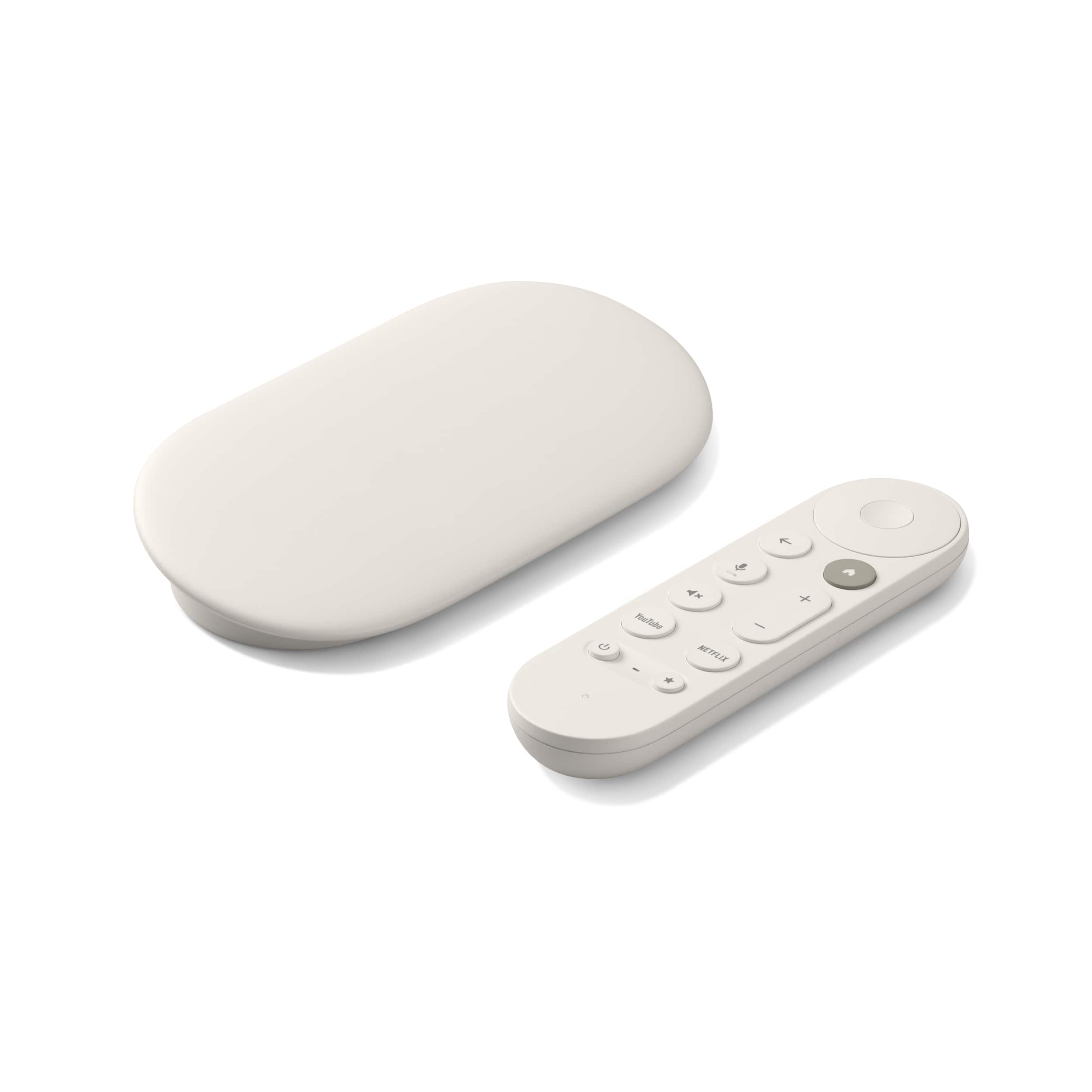
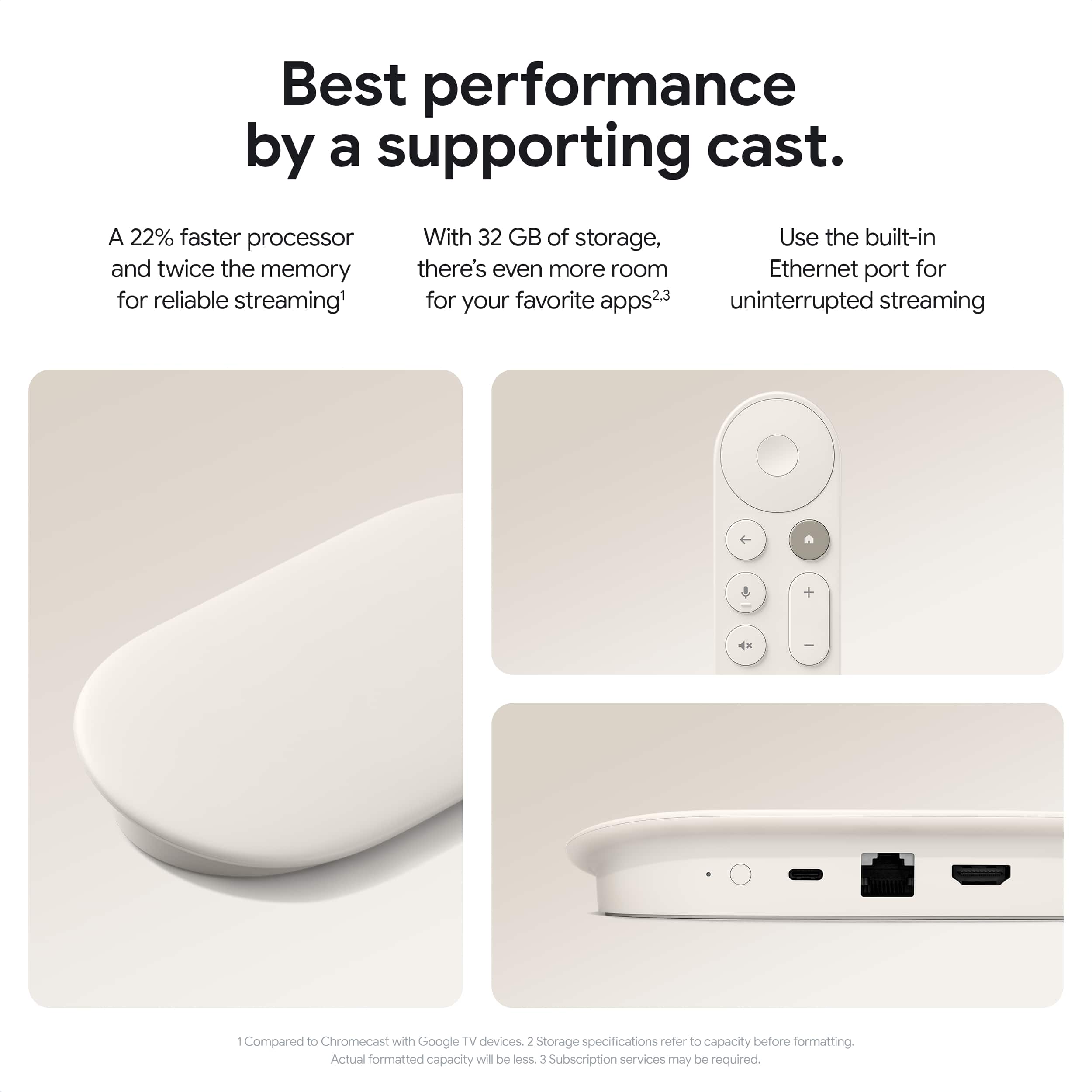
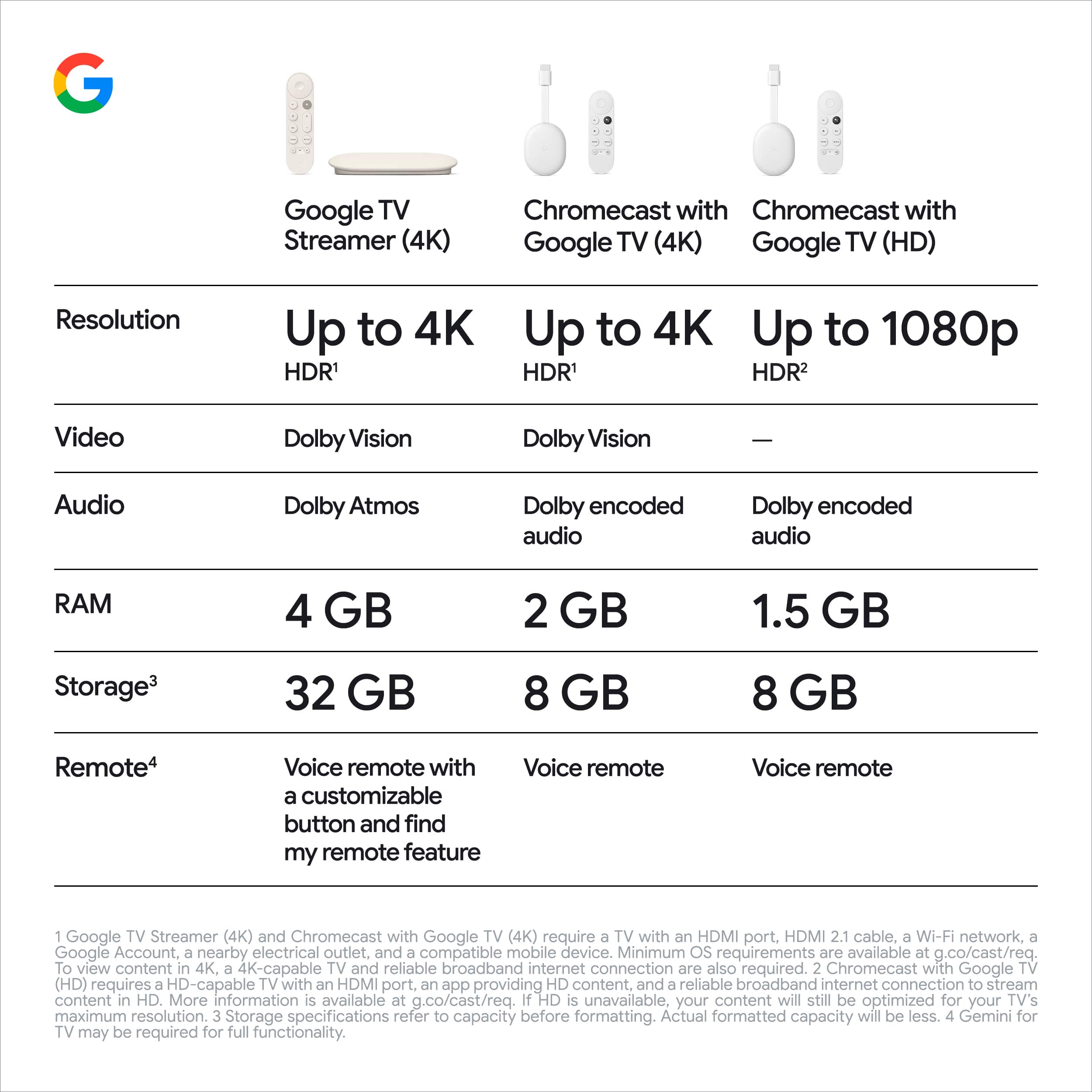
- A:Answer Hi there. The Google TV Streamer (4K) has a CPU which is 22% faster than the Chromecast with Google TV (4K). It also has 4GB of ram to keep up with all your favorite streaming services. Check out this link with more details: https://support.google.com/googletv/answer/15273676?hl=en
Answered by Google Team
Q: QuestionFor viewing photos and videos from Google Pixel 9 phone?
Asked by Anonymous.
- A:Answer Great question. The Google TV Streamer (4K) links to your Google Home app to access your Google Photos. Then you can choose which albums you want to use as screensavers or it will attempt to select what it thinks are the best photos from your Live Albums and Recent Highlights. Your screensaver will remain on until you turn off your TV. Check out this link for more information: https://support.google.com/chromecast/answer/6080931?hl=en
Answered by Google Team
Q: QuestionWithout a web browser this is a NO to.
Asked by Nope.
- A:Answer Hey there. While the Google TV Streamer (4K) doesn’t have any web browsing capabilities, you can cast your phone screen directly to the device. Here’s a guide with more information: https://support.google.com/googletv/answer/10049912?hl=en
Answered by Google Team
Q: QuestionCan I cast my phone or google photos to the TV? If not what are my options. Not able to get Chromecast 4K anymore.
Asked by ARAI.
- A:Answer Yes, you can cast to it just like a normal Chromecast.
Answered by Anonymous
Q: Questionis Fox Network News available thru Google Streamer?
Asked by Mocsab.
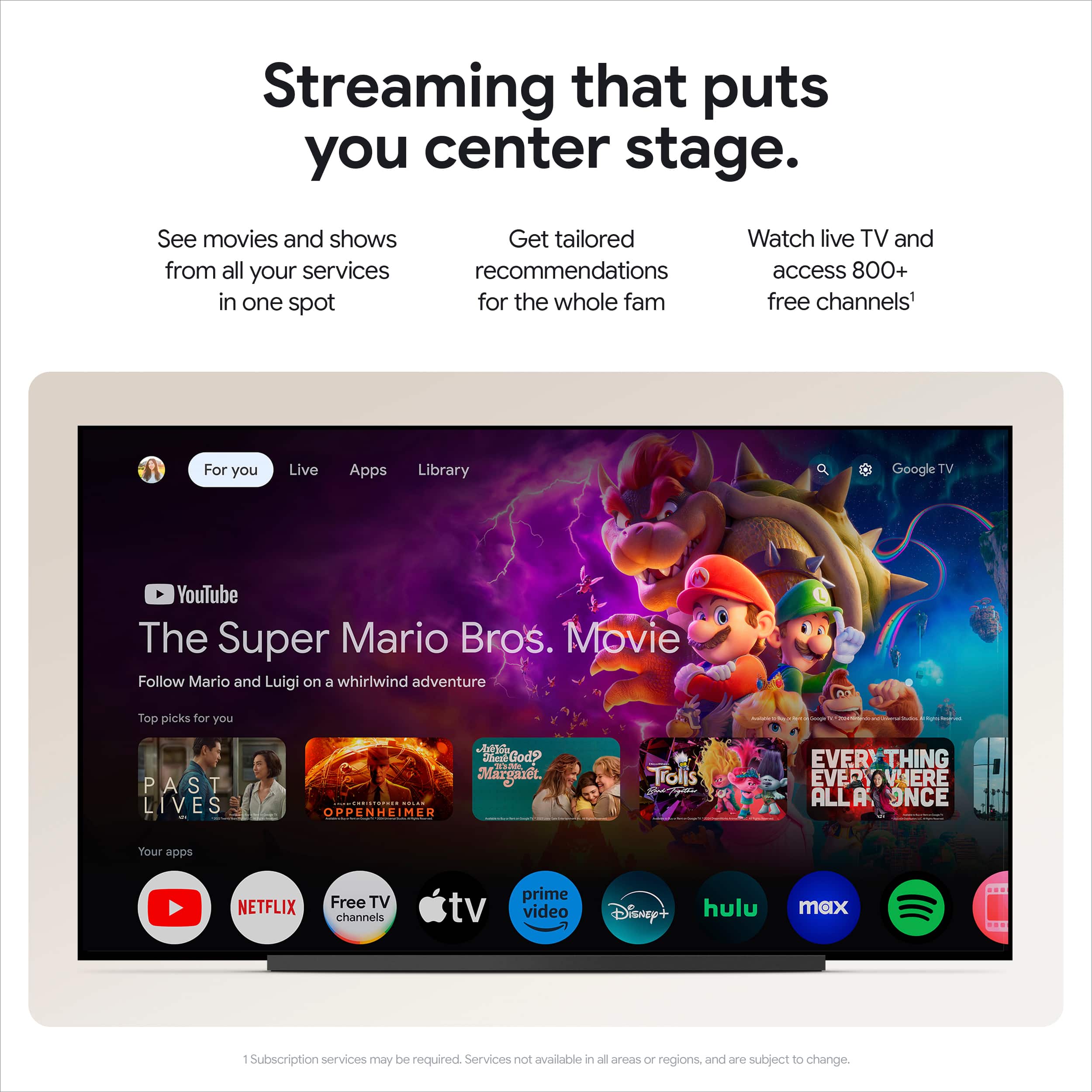
- A:Answer Great question, Geekser. While Google TV Streamer (4K) isn’t able to get local channels directly on the device, Google TV does come with a wide range of free channels to watch. Here’s a link with more details: https://support.google.com/googletv/answer/11167990
Answered by Google Team
Q: Questioncan I download my own apps
Asked by Bob.
- A:Answer the streamer has access to the google play store, but only apps that are compatible can be downloaded and installed. to my knowledge you can still sideload apps as well.
Answered by Ryan
Q: QuestionCan you pair this with universal Bluetooth keyboards?
Asked by TobyWest.
- A:Answer Yes
Answered by Ryan
Q: QuestionIf I loose the remote for the unit. Is there a replacement remote I can purchase that would act a new?
Asked by guy.
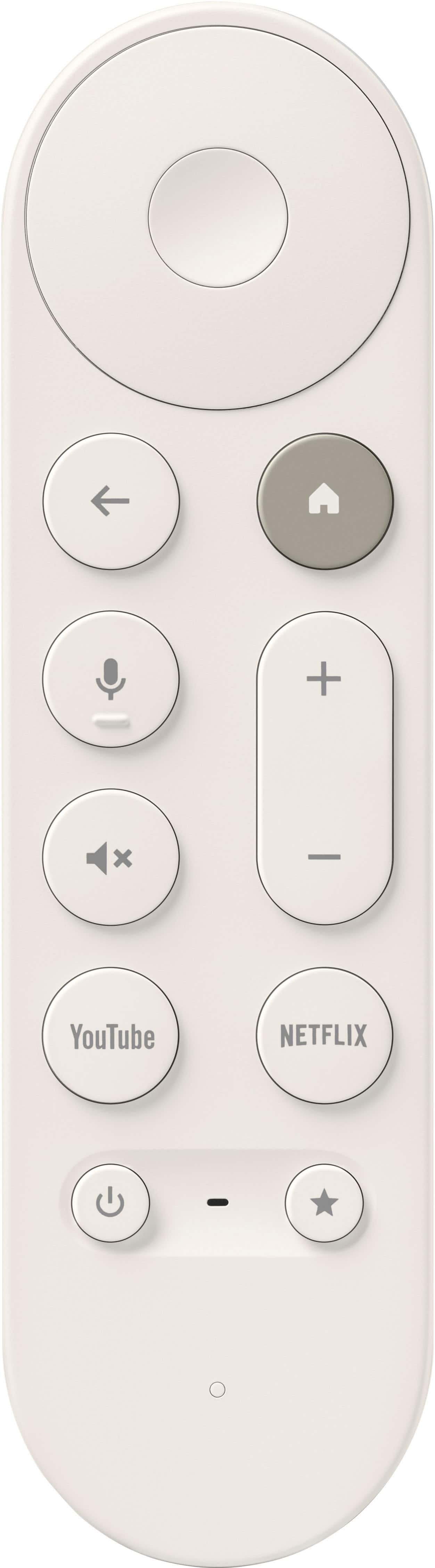
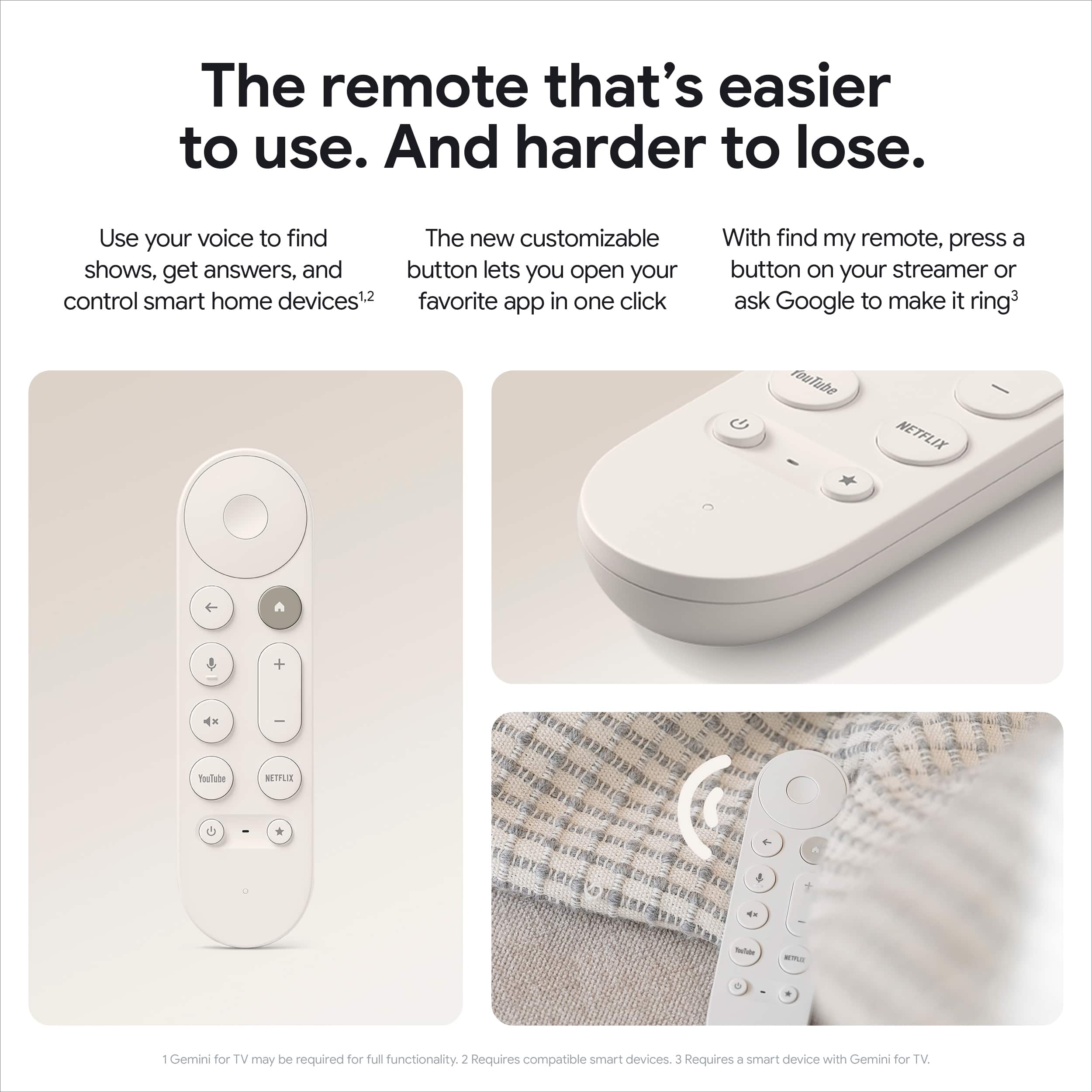
- A:Answer Great question, guy. Yes! You can absolutely purchase a replacement Voice Remote for the Google TV Streamer (4K) if you lose your original remote — here’s a link with more information: https://support.google.com/chromecast/answer/10089168?hl=en
Answered by Google Team
Q: QuestionDoes this device allow you to stream the spectrum app?
Asked by Anonymous.
- A:Answer Hey there. We hear you on wanting your favorite apps to be on the Google TV Streamer (4K). App compatibility is up to the developers — we recommend reaching out to them for more information. Here’s the steps to contact them: 1. Open the Google Play Store app. 2. Browse or search for the app. 3. Locate and select the app from your search results. 4. Select Full Description. Reach out to our support team if you have any more questions.
Answered by Google Team
Q: QuestionDoes this have a web browser so I can search the Internet from my tv?
Asked by Lez.
- A:Answer Thanks for asking, Lez. No, the Google TV Streamer (4K) doesn’t have any web browsing capabilities. Although, you can cast your phone screen directly to the device. Here’s a guide with more information: https://support.google.com/googletv/answer/10049912?hl=en
Answered by Google Team
Q: QuestionDoes this come with an HDMI cable? Everything I see doesn't mention that's included. Thanks!
Asked by Llama.
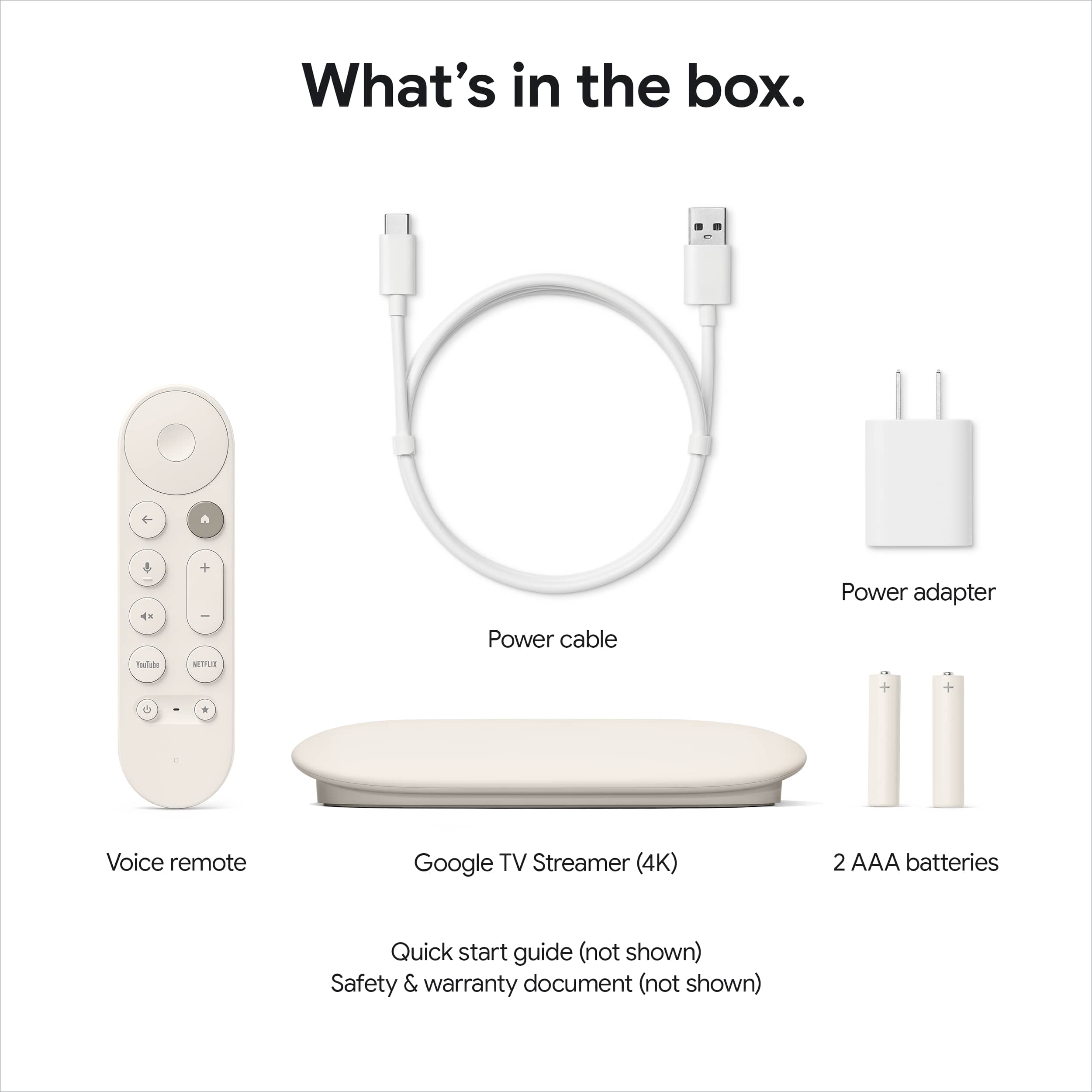
- A:Answer Hey there, Llama. Unfortunately, the Google TV Streamer (4K) doesn’t include an HDMI cable in the box and has to be purchased separately.
Answered by Google Team

Q: QuestionAfter I buy the Google 4K streamer do I have to buy that for every TV or just the first one
Asked by Runout.
- A:Answer It’s for only one tv at the time, but you can move it through your tv desire. Example I have have mine in my family room but sometimes moved to my bedroom.
Answered by DalciaM
Q: QuestionCan you download and install the Google Photos app on the Google TV streamer?
Asked by Seycas.
- A:Answer Thanks for asking, Scas. No, the Google TV Streamer (4K) links to your Google Home app to access your Google Photos instead of installing the app directly onto the device.
Answered by Google Team

Q: QuestionIf every TV had a device and I have an app account for lets say you tube tv, how many devices can i view this on with out having to purchase another you tube tv account? Ex. 100 devices - 1 youtube tv acct = ? TV viewability?
Asked by Vandemimgood.
- A:Answer Hi there, Vandemimgood. You can invite up to five other members to share your YouTube TV subscription at no extra cost. Family group members can watch YouTube TV on up to three separate devices at the same time. Check out this link with more details: https://support.google.com/youtubetv/answer/7251139?
Answered by Google Team

Q: QuestionCan the Google Photos app be downloaded and installed on the Google TV streamer? Will it play all the pictures/videos in the Google Photos app, and can you access all the photos in your library? Also, will it play the photo slide show indefinitely?
Asked by Seycas.
- A:Answer Great questions, Scas. The Google TV Streamer (4K) links to your Google Home app to access your Google Photos. Then you can choose which albums you want to use as screensavers or it will attempt to select what it thinks are the best photos from your Live Albums and Recent Highlights. Your screensaver will remain on until you turn off your TV. Check out this link for more information: https://support.google.com/chromecast/answer/6080931?hl=en
Answered by Google Team

Q: QuestionCan you side load apps
Asked by DFW.
- A:Answer Thanks for asking, DFW. The Google TV Streamer (4K) has a variety of apps available to download directly from the Google Play Store. Check out this link with more information: https://support.google.com/googletv/answer/10050570?hl=en#zippy=
Answered by Google Team

Q: QuestionCan I get local channels on Google tv
Asked by Paddy.
- A:Answer I get my local channels through YouTube TV which I stream on the Google TV.
Answered by PaulC
Q: QuestionDoes this device have portrait mode?
Asked by E.
- A:Answer Hi there, E. No, the Google TV Streamer (4K) doesn't have a portrait mode as it is designed to be used in landscape.
Answered by Google Team

Best-selling streaming media players
- $21.99Your price for this item is $21.99$39.99The comparable value for this item is $39.99
- $39.99Your price for this item is $39.99$59.99The comparable value for this item is $59.99
- $129.99Your price for this item is $129.99
- $149.99Your price for this item is $149.99
- $29.99Your price for this item is $29.99
- $29.99Your price for this item is $29.99$49.99The comparable value for this item is $49.99
- $39.99Your price for this item is $39.99
- $84.99Your price for this item is $84.99$99.99The comparable value for this item is $99.99
- $14.99Your price for this item is $14.99
- $27.99Your price for this item is $27.99$34.99The comparable value for this item is $34.99
- $59.99Your price for this item is $59.99
- $109.99Your price for this item is $109.99$139.99The comparable value for this item is $139.99
- $99.99Your price for this item is $99.99
- $199.99Your price for this item is $199.99
- $79.99Your price for this item is $79.99
- $29.99Your price for this item is $29.99