A:AnswerHi there, Dario. Thank you for your question! This HP Omen desktop (model: GT21-1364), will come with an HP 310 black wired keyboard and mouse.
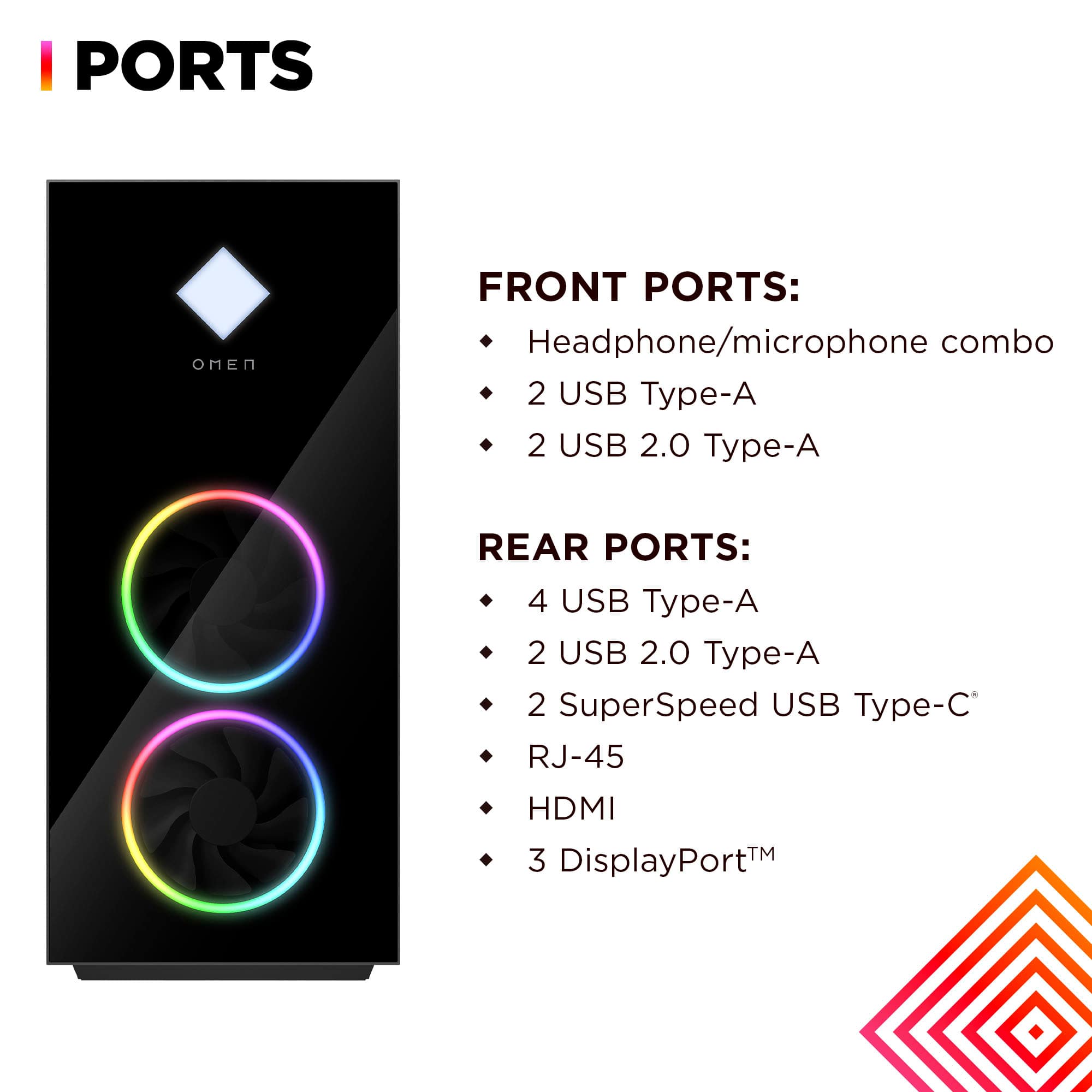
A:AnswerWickie, thank you for your questoin about this HP Omen gaming desktop! This has only one HDMI port without the means to add any more. However, this is equipped with three DisplayPort connectors, so you can plug up to four monitors into this.
A:AnswerThank you for the question. You can do this in the Omen Gaming Hub>settings>turn off lighting zones. Select the zone, set the mode to off, and click apply.
A:AnswerWes, thank you for your question about this HP Omen 40L. HP uses a variety of suppliers for its SSDs. The most commonly used in the Omen series is the Western Digital Black series drives.
A:AnswerThank you for your question about this HP Omen gaming desktop! Yes, you will be able to move your 3.5" hard drive into this tower and connect it to a free SATA port on the system board.
A:AnswerThanks for your question about this HP OMEN 40L Gaming Desktop (model GT21-1364)! As system requirements for software constantly change, we’re unable to answer questions about software compatibility or performance. What’s compatible today may not be in the future, so please check the software manufacturer's website for the most current minimum and recommended requirements.
A:AnswerThank you for your question. Yes, the HP OMEN 40L Gaming Desktop (model GT21-1364) does have an audio jack. It includes a standard 3.5mm headphone jack.
A:AnswerThank you for your question about this HP Omen 40L gaming desktop! HP does not sell the motherboards separately on these. However, the HP-made board is a standard MicroATX form factor, so you any use any board of that type in this tower.
A:AnswerDavid, thank you for your question about this HP Omen 40L gaming desktop! The system board on this does not support the Ryzen 7 7800X3D processor, which means you will not be able to upgrade the CPU on this to the one you want. HP uses different system board designs between the regular processors and the unlocked processors.
A:AnswerJake, thank you for your question on this HP Omen gaming desktop! It is equipped with 2 M.2 2280 slots, one of which is taken by the factory-installed M.2 SSD. Yes, you can add a second M.2 2280 M-key SSD to this!
A:AnswerThank you for your question about the expandability of this HP Omen 40L! This comes with an empty PCIe x4 slot that you can install a Thunderbolt 4 card into!