“my insignia voice activated speaker keeps increasing and decreasing the volume and its gets very annoying and i have no idea how to fix this problem”
Answer This Question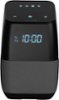
1-2 of 2 Answers
I have the same problem with the badly executed proximity feature. Annoying pops always interfere with music playing and even when nothing is playing. tried holding 3 button for even 20 seconds does nothing. No Poff like the manual said.
Sorry, there was a problem. Please try again later.Hello, Thank you very much for taking the time to review our Smart Speaker. Regarding your inquiry, the speaker automatically reduces volume associated with the proximity detection of your hand to the front / top of the display. To disable this feature: Press and hold all three (3) buttons on the top of the unit (-,o,+) ~ 10 seconds, the display should show 'P off'. Arely R. - Insignia Support
Sorry, there was a problem. Please try again later.