“Where are the equalizer settings in the google home app? The Insignia rep says they are there but they aren’t. Can someone walk me through it please? The sound is whack out of the box.”
Answer This Question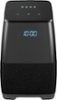
1-3 of 3 Answers
It's true that there are equalizer settings in the Google Home app but they are for the Google Home device, not the Insignia device. I have both and the menus are slightly different. I contacted Google Support through chat and they told me, "Well, you're right that you can control or adjust the treble and bass for your Google Home device but for the insignia speaker we don't have the option to adjust the treble and bass."
Sorry, there was a problem. Please try again later.Although there may bot be settings on the Google Home app for this Insignia device, you can tell the device to "increase bass", "increase treble", etc. using your voice.
Sorry, there was a problem. Please try again later.I recall reading the fine print when Google announced it was going to open up its smart speakers. Features like 'he google what time is it and what is the weather" (asking 2 or 3 questions at once) won't work on non-google products. The list was extensive, which I ignored until I bought the insignia. The most annoying thing to me is waits after a bit for a follow-up question so you don't have to say "Hey Google" & make calls. and it finished "these features may be added" "but the core code will all be several iterations behind what google uses. Basically, if you want the latest and greatest assistant, get a google home. What some cool features, like a clock & some battery time, you're going to lose out on features.
Sorry, there was a problem. Please try again later.
