Questions & Answers
- Model:
- JBLFLIP5YELAM
- |
- SKU:
- 6356544
Q: QuestionSo I know with the JBL flip 4, you can connect other speakers to get more sound. Can you connect the flip 5 to an older model like the flip 4 ?
Asked by Anonymous.
- A:Answer No the 5 uses a different system. It can be combined with other Flip 5s. The 4s can be combined but only with other 4s.
Answered by BobMar46
Q: QuestionCan we purchase a replaceable battery for this? I purchased this product a couple of years ago and the battery lasts about 10 mins even with it plugged in.
Asked by LisaC.
This question was asked about the related product: JBL - Flip 5 Portable Bluetooth Speaker - Black
- A:Answer Thanks for asking, Lisa. We need to know the specific model of your JBL Flip so we could look into this. Please contact our Customer Support Team through this link: https://www.jbl.com/support-contact.html
Answered by JBL Support

Q: QuestionHow do I pair the speaker with my Apple iPhone or Apple iPad?
Asked by Mike.
This question was asked about the related product: JBL - Flip 5 Portable Bluetooth Speaker - Black
- A:Answer Bluetooth. Enable the Bluetooth on the speaker, go to settings on your iPhone and find the JBL speaker, and connect.
Answered by Mike
Q: QuestionIs the JBL flip 5 have different version like TL, GG, and CS?
Asked by Dave.
This question was asked about the related product: JBL - Flip 5 Portable Bluetooth Speaker - Red
- A:Answer Yes, products from different suppliers may have different execution in the design, but the quality should be identical. Unfortunately, we don't have any information on what version (TL/GG/CS) resellers have.
Answered by JBL Support

Q: QuestionCan the Flip plug in to a cars cigarette lighter and run off the car wile playing music?
Asked by Jake.
This question was asked about the related product: JBL - Flip 5 Portable Bluetooth Speaker - Black
- A:Answer Can JBL speaker be hooked to the cigarette lighter?
Answered by Anonymous
Q: QuestionHow far will the partyboost reach? I want to be able to connect upstairs/downstairs with 2 speakers (currently have just one).
Asked by JSur.
This question was asked about the related product: JBL - Flip 5 Portable Bluetooth Speaker - Red
- A:Answer The optimal distance of the JBL PartyBoost is 5 meters away from the other speaker. Obstructions will make the connection weaker and may show audio drop outs.
Answered by JBL Support

Q: QuestionCan I play tunes from my USB Memory Stick with this device, by plugging my memory stick in the USB port/charger?
Asked by Memorystick.
This question was asked about the related product: JBL - Flip 5 Portable Bluetooth Speaker - Black
- A:Answer Our JBL Flip 5's USB Port doesn't act as an audio input and is only used for charging. You may only connect a Bluetooth device to it as it doesn't have any wired connection. For more information about the speaker, check it out here: https://www.jbl.com/bluetooth-speakers/JBL+FLIP+5-.html
Answered by JBL Support

Q: QuestionIs it compatible with AirPlay
Asked by Albert.
This question was asked about the related product: JBL - Flip 5 Portable Bluetooth Speaker - Black
- A:Answer Yes, it’s compatible with air play.
Answered by velmj
Q: QuestionDoes this pair with Apple iTunes music? Some speakers don’t.
Asked by Belle.
This question was asked about the related product: JBL - Flip 5 Portable Bluetooth Speaker - Black
- A:Answer Yes it could work with the Apple
Answered by Shorty
Q: Questiondoes this have a aux port
Asked by mary.
- A:Answer U can use a usb c cable, to conect with pc, or usbc to usbc cable connect with phone
Answered by Anonymous
Q: QuestionDoes this flip 5 come with a charger? I bought it as a gift and it doesn’t say on the box, and I don’t want to open.
Asked by Anonymous.
This question was asked about the related product: JBL - Flip 5 Portable Bluetooth Speaker - White Steel
- A:Answer Our JBL Flip 5 only comes with the USB type C cable. It doesn't come with the charger, but you may use the USB power adapter of your other devices to charge the speaker.
Answered by JBL Support

Q: QuestionCan you play music from a flash drive with this speaker
Asked by wandering.
This question was asked about the related product: JBL - Flip 5 Portable Bluetooth Speaker - Black
- A:Answer Yes you can! Connect ur usb on the pc and the jbl speaker and press and hold play button and bluetooth button at the same time until it turn off and turn on again then it will be playing!! Make sure the volume is low tho
Answered by Idris
Q: QuestionWhat is the differents between flip 4 and a flip 5
Asked by Anonymous.
This question was asked about the related product: JBL - Flip 5 Portable Bluetooth Speaker - Black
- A:Answer Here are some differences between our JBL Flip 4 and JBL Flip 5: -Flip 4 has Connect+ Feature while Flip 5 has PartyBoost Feature -Flip 4 has 2 speakers with 8 watts each while Flip 5 has a single speaker with 20 watts -Flip 4 has a speakerphone function while Flip 5 doesn't. -Flip 4 uses micro USB for charging while Flip 5 uses USB Type C.
Answered by JBL Support

Q: QuestionDoes the Flip5 have a built in mic? Need speaker/mic for zoom meetings
Asked by MikeBB.
This question was asked about the related product: JBL - Flip 5 Portable Bluetooth Speaker - Black
- A:Answer JBL Flip 5 doesn't have speakerphone capability. It doesn't have a microphone.
Answered by JBL Support

Q: QuestionHow do you turn off the speaker?
Asked by Romariodazouza11.
This question was asked about the related product: JBL - Flip 5 Portable Bluetooth Speaker - Black
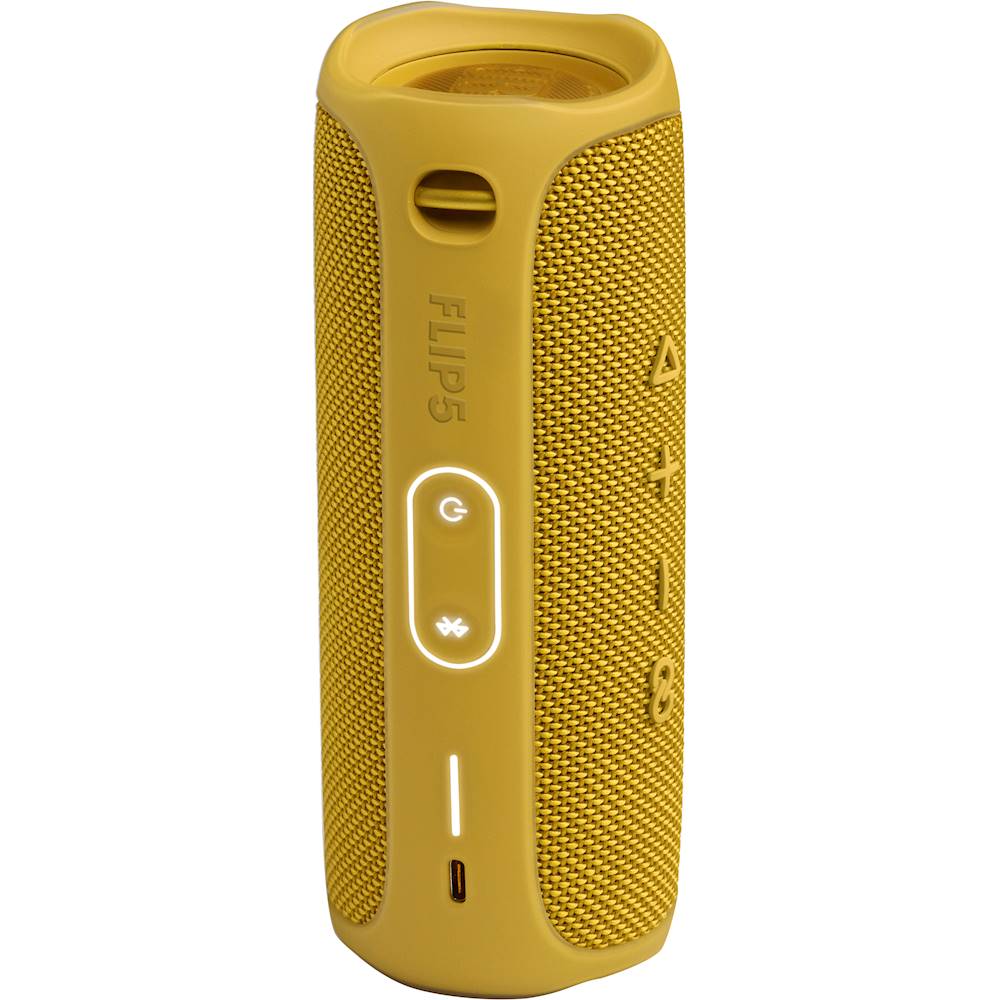
- A:Answer Push the power button
Answered by Snoop
Q: QuestionIs this mono speaker or dual speaker?
Asked by curious.
- A:Answer Our JBL Flip 5 is a Mono speaker.
Answered by JBL Support

Q: QuestionIf your phone is connected and you get a call, can you talk over the speaker or does it switch back over to your phone?
Asked by Anonymous.
This question was asked about the related product: JBL - Flip 5 Portable Bluetooth Speaker - Black
- A:Answer The JBL FLIP 5 doesn't have a built-in MIC, you will not be able to answer calls on it.
Answered by JBL Support

Q: QuestionHow can you tell when the Flip 5 needs to be charged or how long can a charge last?
Asked by Jazzy.
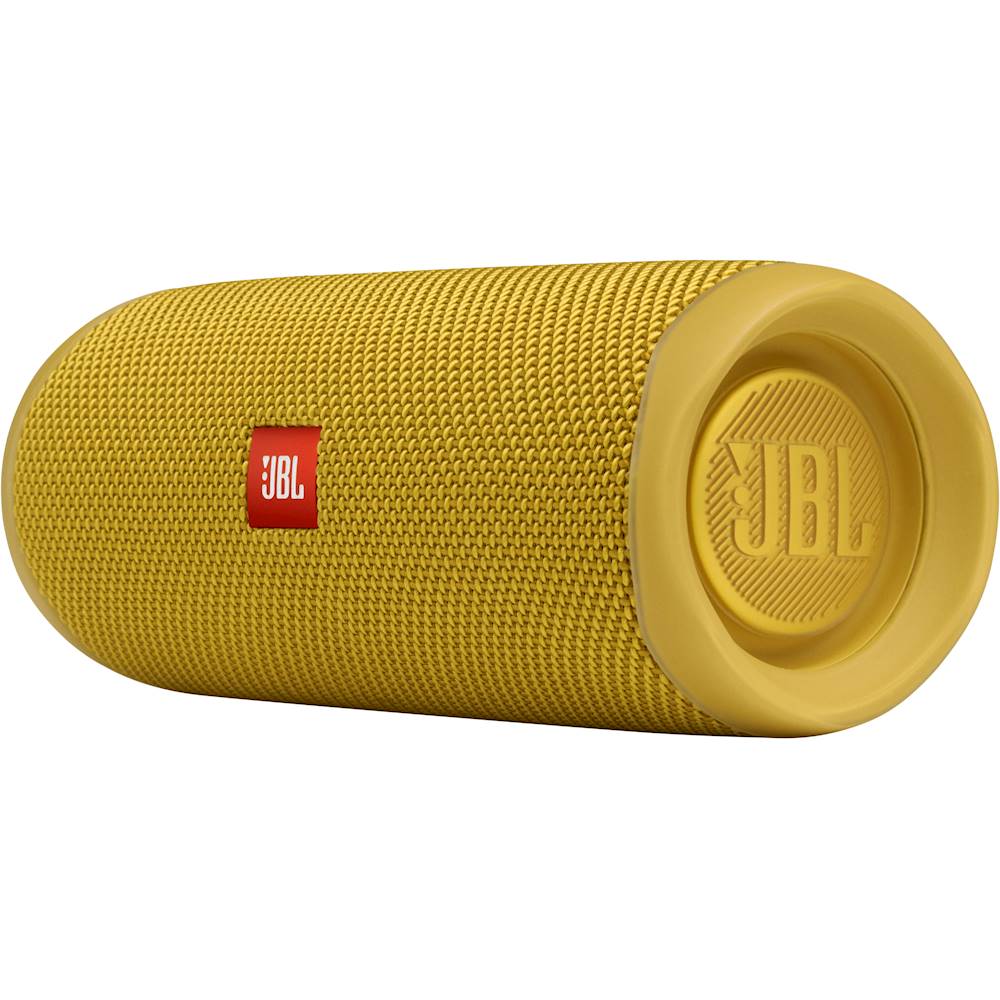
- A:Answer Hi, there is a battery indicator light, it is the one that flashes when you charge your speaker, this light is divided into 5 sections, each one of them represent 20% of your battery capacity, (20% x 5 = 100%), if you have 3 sections out of 5, that indicates 60 % battery charge, for further support please contact our tech support line, thank you.
Answered by JBL Support

Q: QuestionHow do I change the battery on a jbl bluetooth?
Asked by Anonymous.
This question was asked about the related product: JBL - Flip 5 Portable Bluetooth Speaker - Black
- A:Answer We would like to get more information to help you out, please contact us so we can assist you:https://bit.ly/2zwFkYM
Answered by JBL Support

Q: QuestionWill this connect to alexa
Asked by Dandan.
This question was asked about the related product: JBL - Flip 5 Portable Bluetooth Speaker - Black
- A:Answer Our JBL Flip 5 doesn't have any built-in Amazon Alexa and cannot be connected to it. But you may use the Bluetooth function of Amazon Echo dot to connect to it.
Answered by JBL Support

Most-viewed items
- $64.99$64.99The price was $139.99
- $299.00$299.00The price was $549.00
- $449.99$449.99The price was $649.99