“My food, lettuce and carrots r freezing in top refrig. everytime I try to raise temp from 38, it only lowers to colder!! can't find bklet. How do I warm it up? I did figure out buttons on middle drawer. much easier. thank you!”
Answer This Question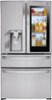
1-1 of 1 Answer
Yucan download and printout a PDF copy of the owner's manual for the ENERGY STAR® Qualified LG 22.5 cu. ft. Smart wi-fi Enabled InstaView™ Door-in-Door® Refrigerator, Model # LMXC23796S from its support page on our site, https://www.lg.com/us/support/manuals-documents?customerModelCode=LMXC23796S&csSalesCode=LMXC23796S.ASTCNA0&category=CT10000021&subcategory=CT10000062. The control panel on the refrigerator has a touch control for the Refrigerator compartment and one for the Freezer compartment. To adjust the temperature for the refrigerator compartment you need to keep pressing the refrigerator touch control repeatedly to cycle through the temperatures until you reach the set temperature you want. If you have the LG SmartThinQ app installed on your smartphone and the refrigerator connected to your home Wi-Fi network, you can use the LG SmartThinQ app to adjust the temperature using your smartphone...^IFV
Sorry, there was a problem. Please try again later.
