1-1 of 1 Answer
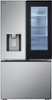
Hello there! We understand your inquiry about how the LG LF31S6360S refrigerator relates to Amazon Alexa. This model is app‑compatible and “works with Amazon Alexa,” which means you can use voice commands to monitor and control key functions through the LG ThinQ skill in the Alexa app. To get started, please ensure your LF31S6360S is connected to your home Wi‑Fi network and downloaded into the LG ThinQ app. Then, open the Alexa app, enable the “LG ThinQ” skill, and link your LG account. Once linked, you can say things like “Alexa, ask LG ThinQ to set the refrigerator temperature to 37°F” or “Alexa, ask LG ThinQ how much ice is left.” As a troubleshooting step, if you experience any connectivity issues, please verify that both your refrigerator and Alexa device are on the same 2.4 GHz Wi‑Fi network and that your network signal is strong. Restarting your router or power‑cycling the refrigerator by unplugging it for 30 seconds can also help re-establish communication. https://www.bestbuy.com/site/lg-standard-depth-max-30-7-cu-ft-french-door-smart-refrigerator-with-instaview-stainless-steel/6573588.p?skuId=6573588 If you have any further questions or need assistance with setup, please send us a private message on social media @LGUSSupport and our team will be more than happy to explore possible solutions. We appreciate your patience. —Renzo
Sorry, there was a problem. Please try again later.
